

Learn how to set cash back limits, give cash back during checkout, and view cash back in reporting.
Introduction
Cash back allows customers to receive cash during a debit card transaction at the POS. You can set maximum limits in the Back Office to control how much can be given, process requests directly during checkout, and track all cash back activity in reporting. To learn more about setting cash back limits, check out this article How to configure till settings in the Back Office.Process Cash Back at the POS
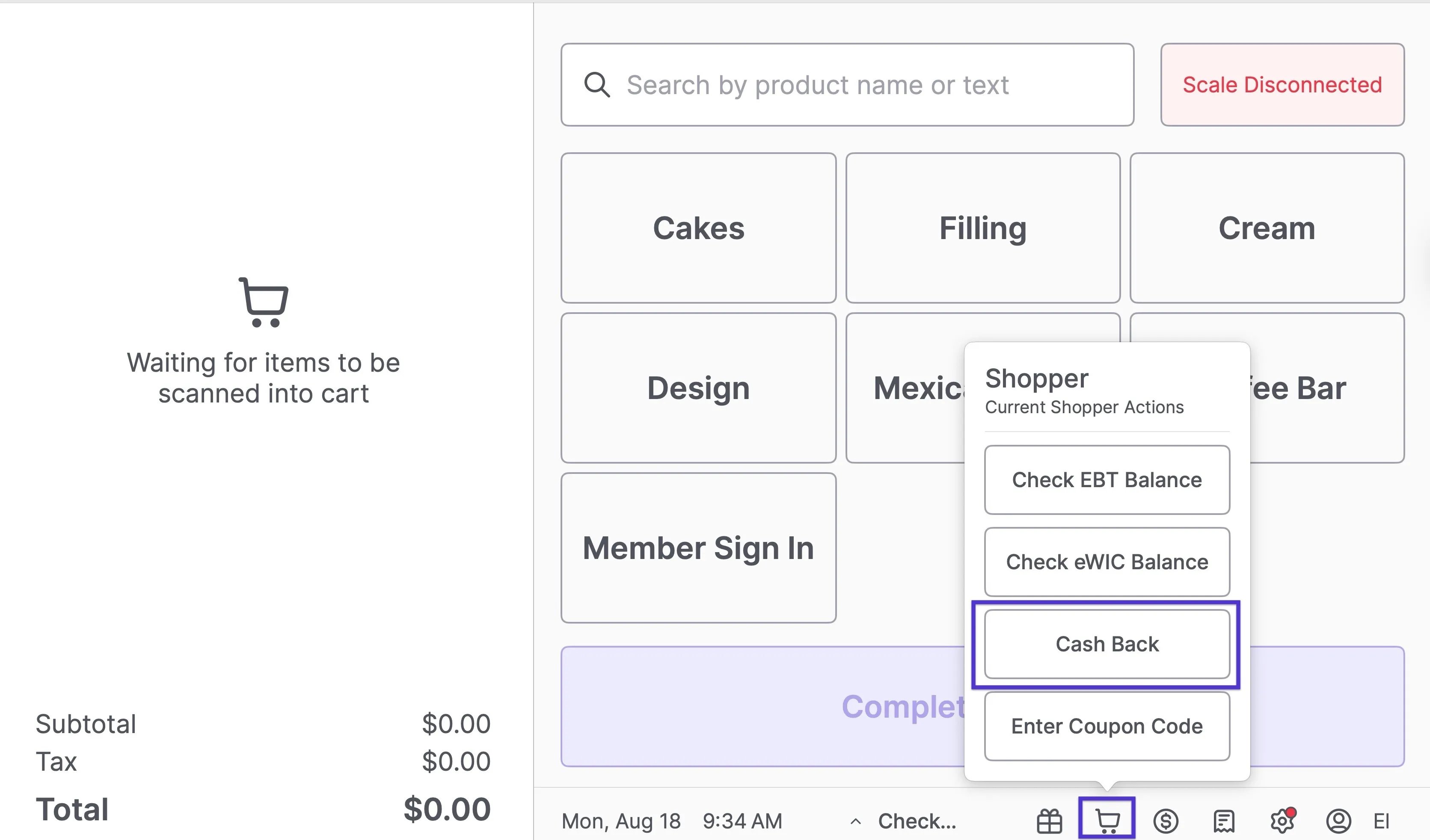
- At checkout, click the shopping basket icon at the bottom of the POS.
-
Select Cash Back.
-
Choose the customer’s Cash Back amount.
- Select from preset amounts or enter a custom value.
-
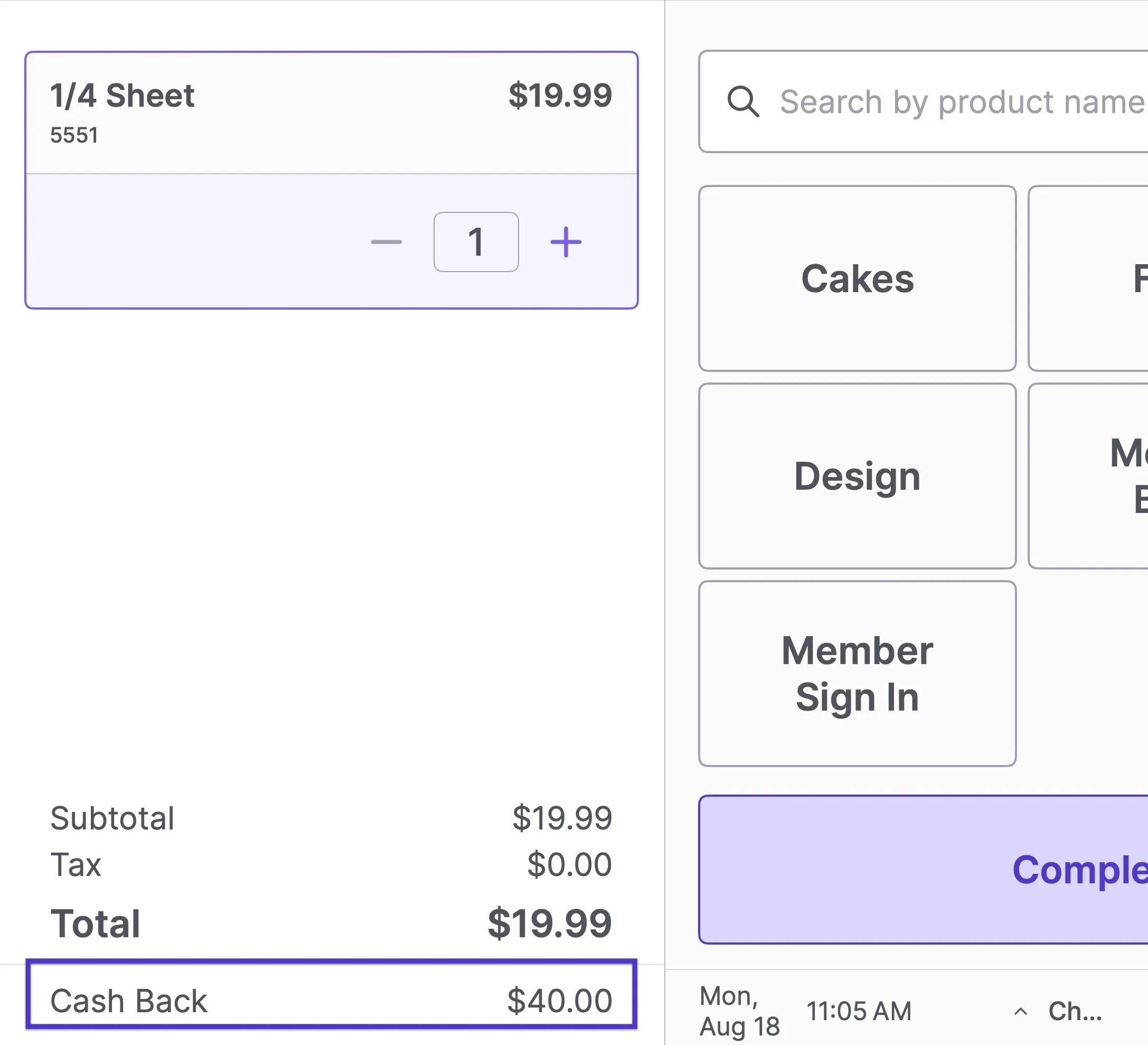
Confirm the amount. Cash Back will display under the basket total.
- Complete the transaction.
- Provide the customer with the correct amount of cash from the till.
View Cash Back in Reporting
- Go to the Back Office.
-
Navigate to Reports > End of Day Report.
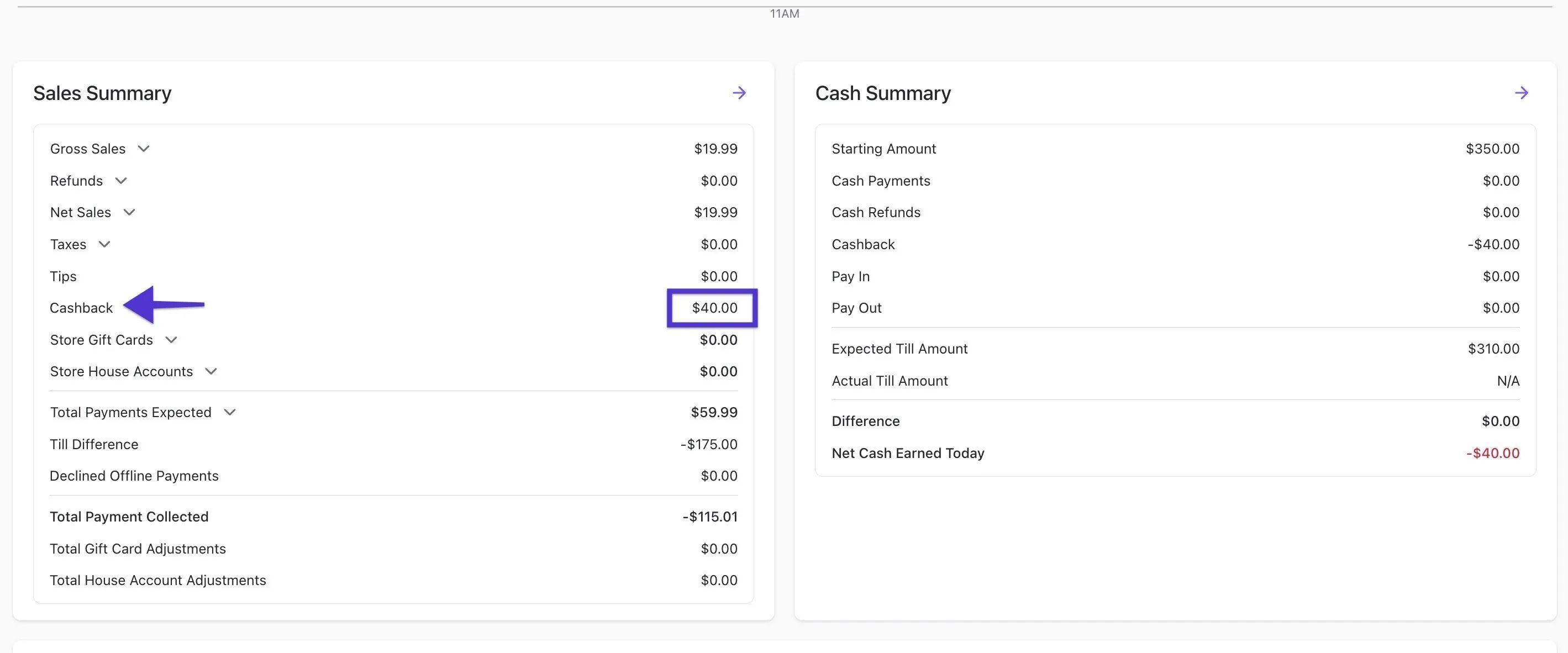
- Review the total cash back given for the day.
- Print the report from either the till or the Back Office.