

Steps to Reset Your Password
If a store user forgets their password for Back Office or VoriOS access, follow these steps to reset it:-
Navigate directly to the Vori password recovery page:
https://app.vori.com/password-recovery
-
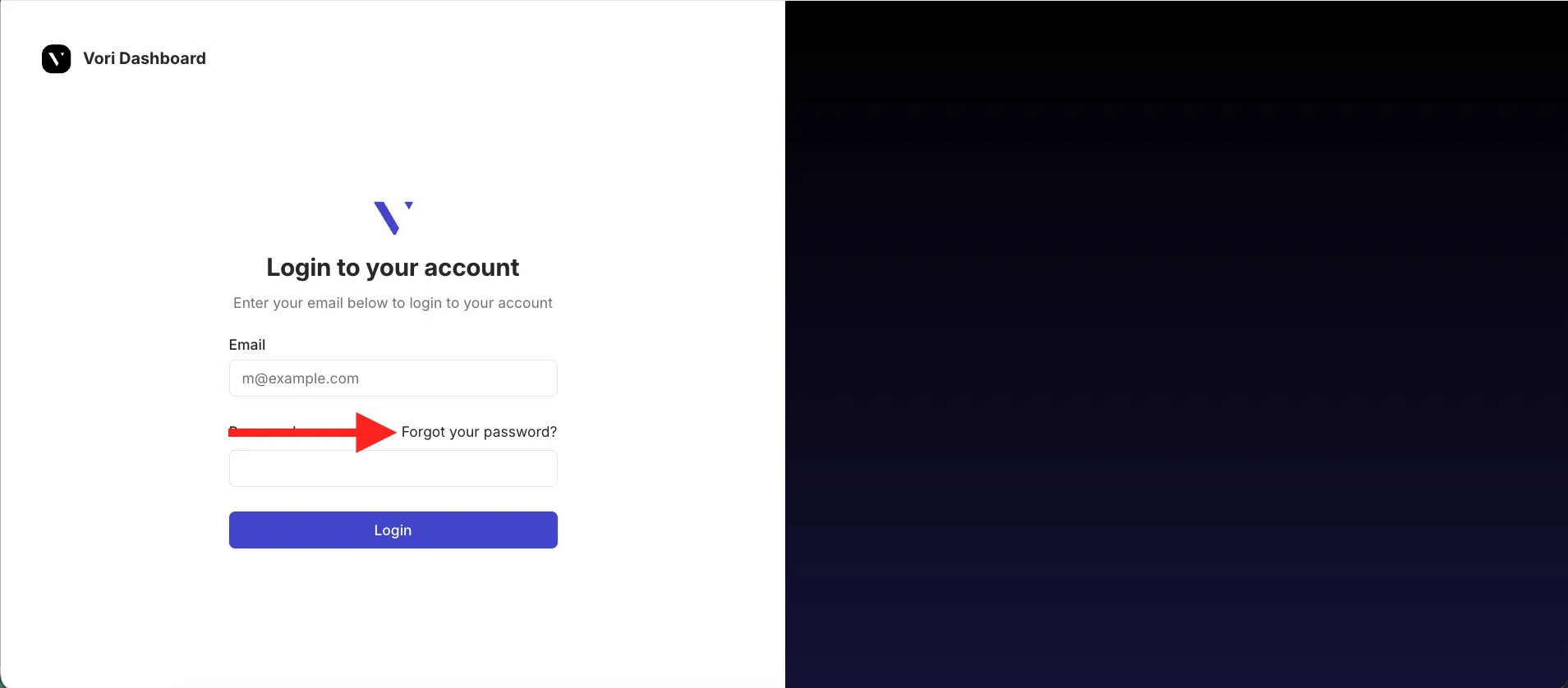
Alternatively, on the main login screen, select Forgot your password?.
-
Alternatively, on the main login screen, select Forgot your password?.
-
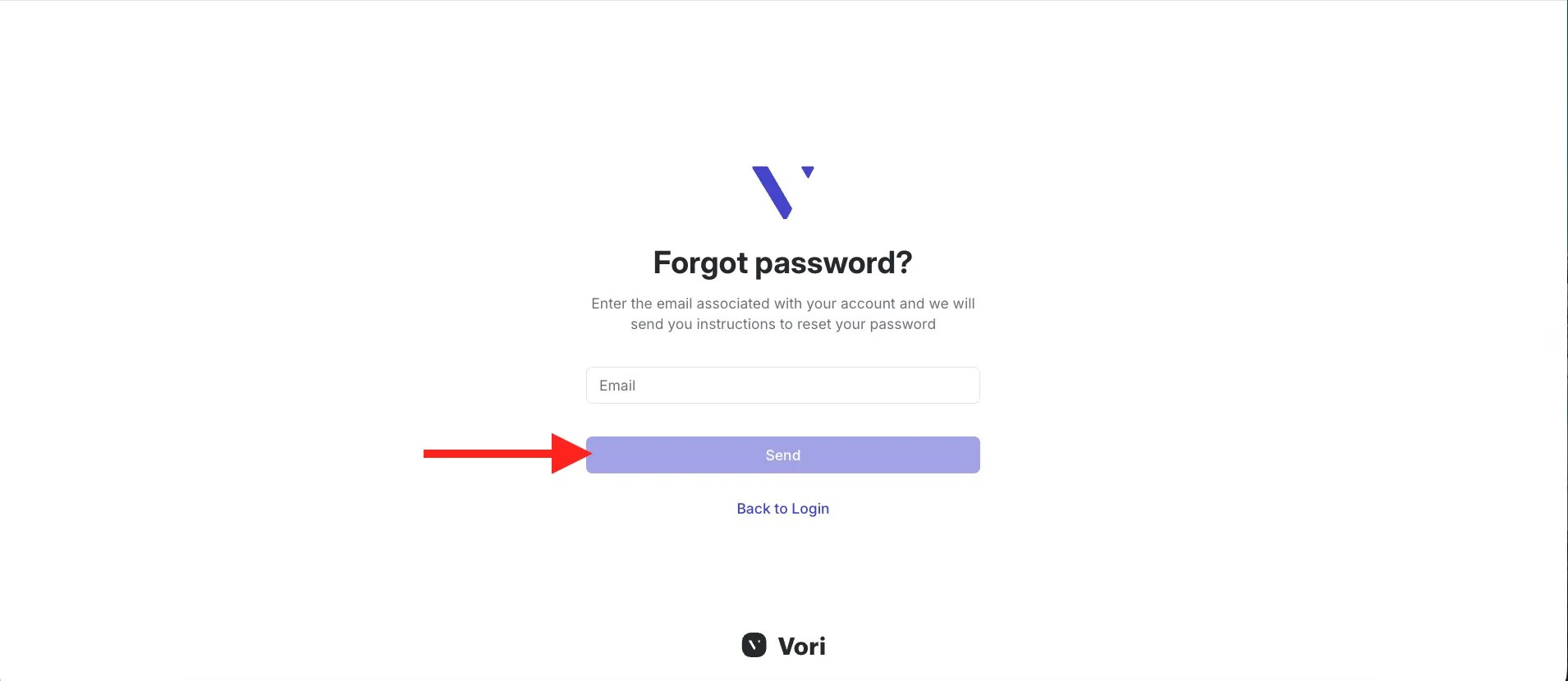
Enter the email address for the account, then select Send password reset instructions.
- Check the email inbox of the account for instructions on how to set a new password.
Vori does not store user passwords. If you do not receive the email, check your spam or junk folder.
For security, VoriOS automatically signs you out after 48 hours. When this happens, just log back in with your email and password.