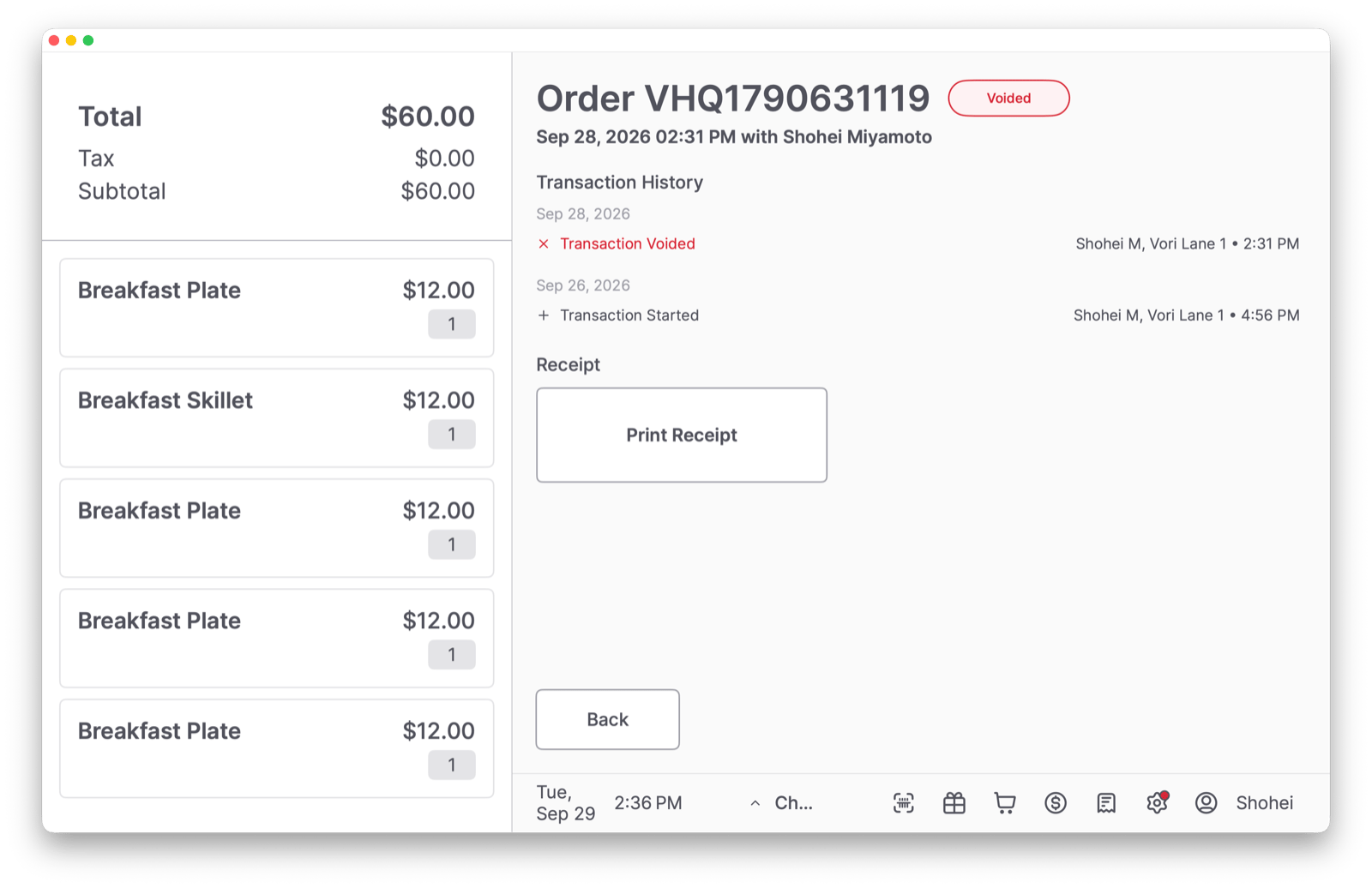
Common Reasons for Canceled Payments
At the Point of Sale (POS), a payment may be voided or canceled for two common reasons.- A manual cancellation is when you cancel an order after payment is submitted but before the transaction is final (e.g., the customer changes their mind after submitting partial payment against a transaction).
- An automatic cancellation will happen when a card has insufficient funds.
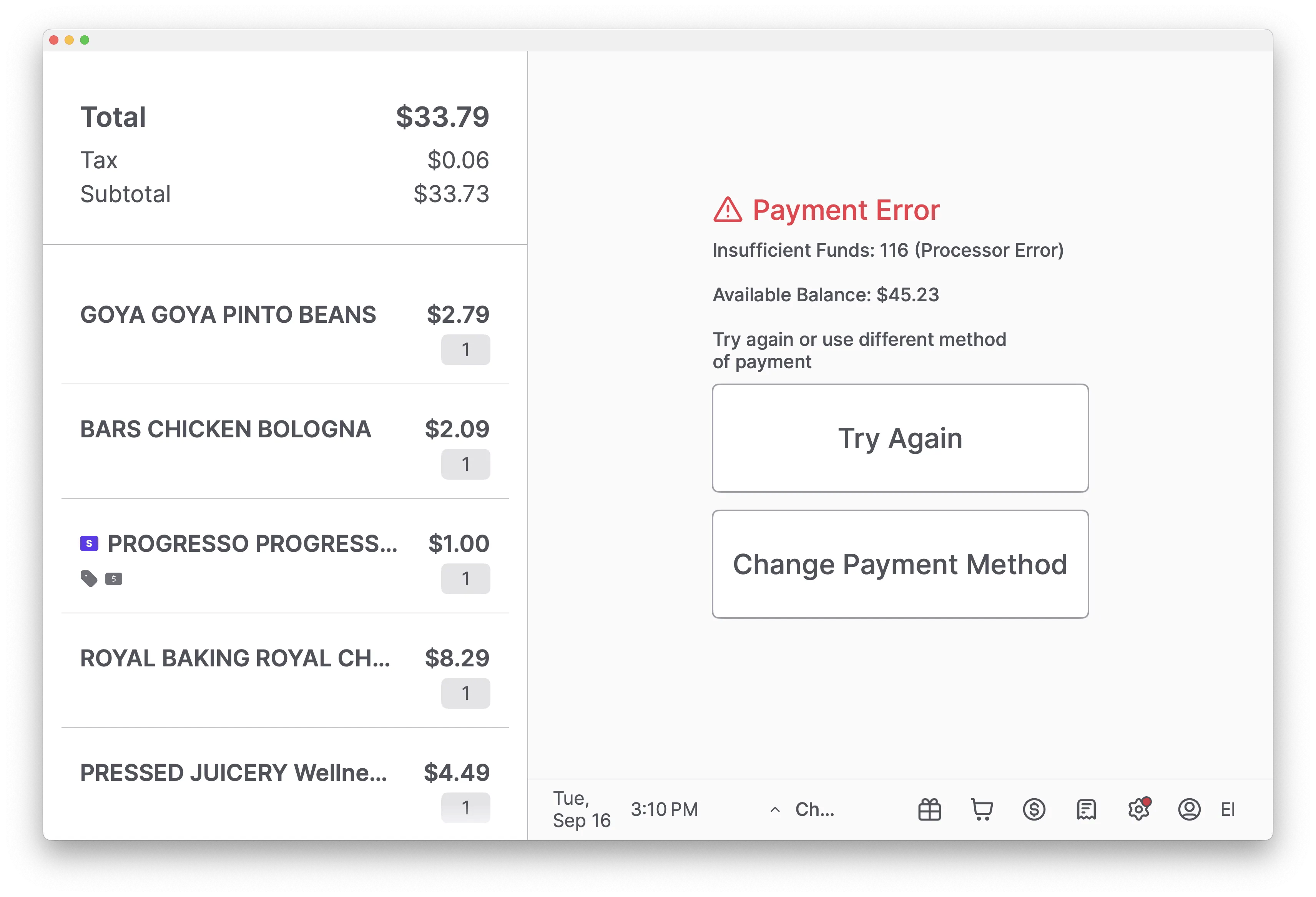
Understanding Voids (Credit) vs. Canceled Payments (Debit)
When a card payment is canceled, the system handles it differently based on the card type. This affects what the customer sees on their bank statement and how long it takes for funds to be returned.Why a Debit or EBT Cancelation Waits for the Card
Debit and EBT payments can only be reversed when the card is present. When you cancel a debit or EBT payment, the payment terminal prompts the shopper to slide, tap, or insert the same card and enter their PIN. The POS shows a waiting screen until the shopper acts on the terminal. This is expected. The POS is not frozen. It is waiting for the card, so the reversal cannot finish until the shopper completes the prompt on the terminal.Credit card voids do not need the card. Only debit and EBT reversals require the shopper to present the card again.
What to Do If the Shopper Has Already Left
You cannot reverse a debit or EBT charge once the shopper and their card are gone. In that case:- Complete the current transaction so the register is free for the next shopper.
- If an item was charged that should not have been, finish the sale, then contact Vori Support with the receipt number so we can help sort out the charge.
For EBT, the shopper must return with the same card and PIN before any refund can go back to the card. There is no way to refund an EBT charge without the card present.
Printing a Void or Refund Receipt
When a payment is canceled, a “Canceling Payment” notification appears, and a receipt is printed automatically.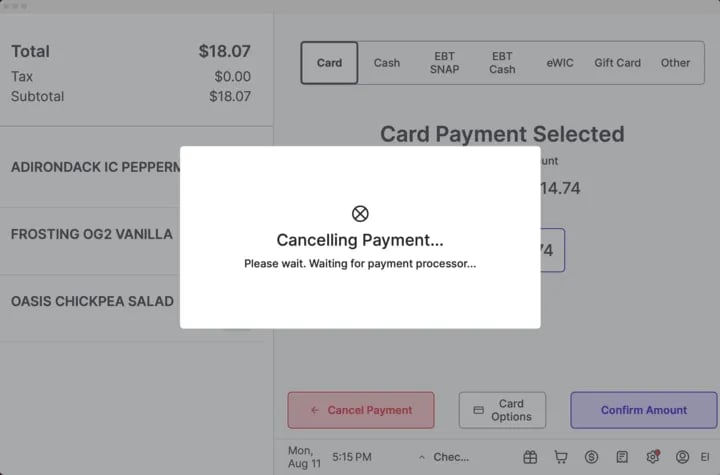
-
A Void Receipt is printed for a canceled credit card charge.

-
A Refund Receipt is printed for a canceled debit card charge.
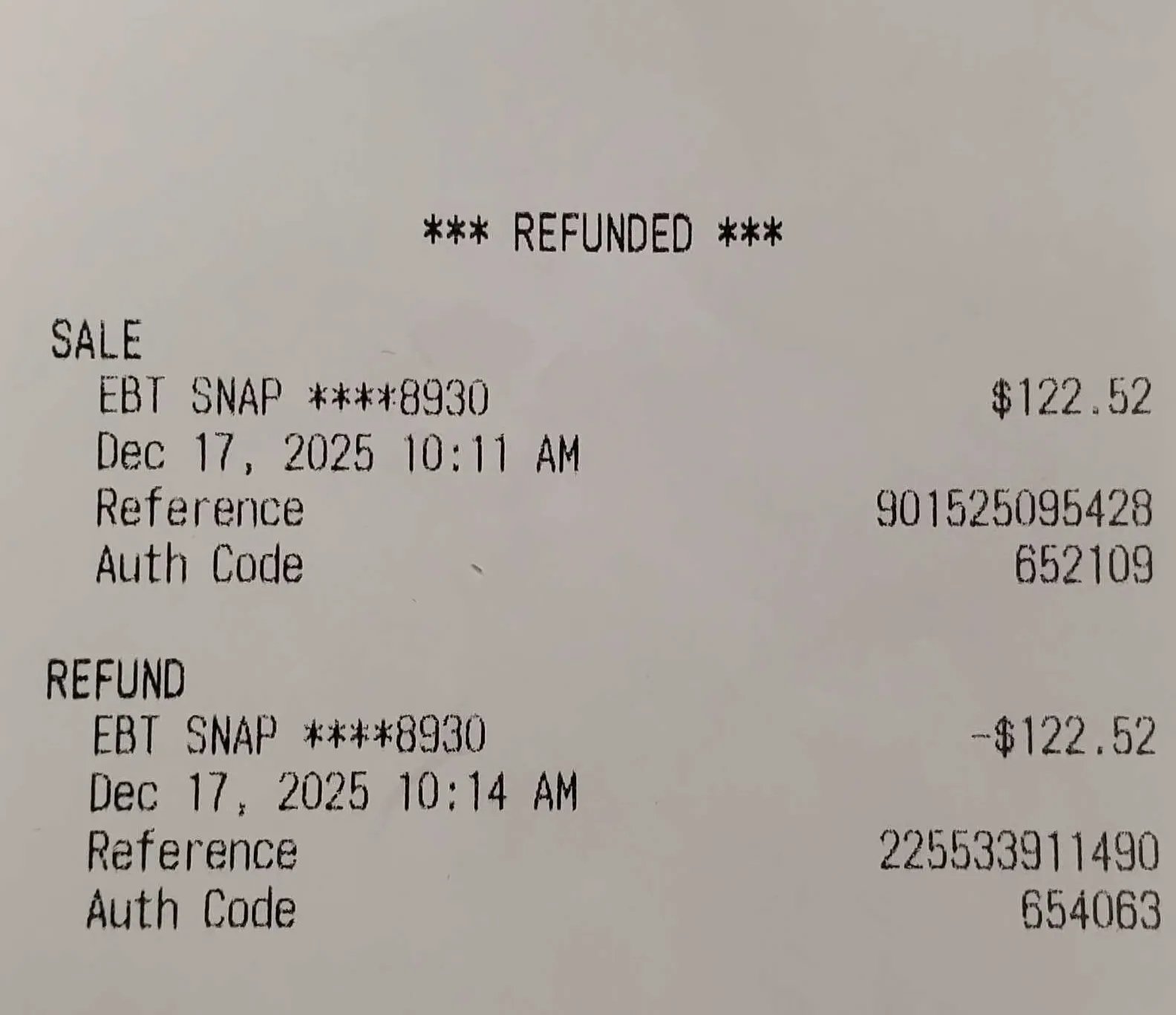
Confirm a Canceled Payment in the Order History
To look up the transaction history of an order, including voids and charge cancellation, navigate to the Order Viewer on the POS. This screen provides a detailed breakdown of all payment activity within a single transaction.- Tap the Orders (receipt icon in the Toolbar from the main POS screen.
-
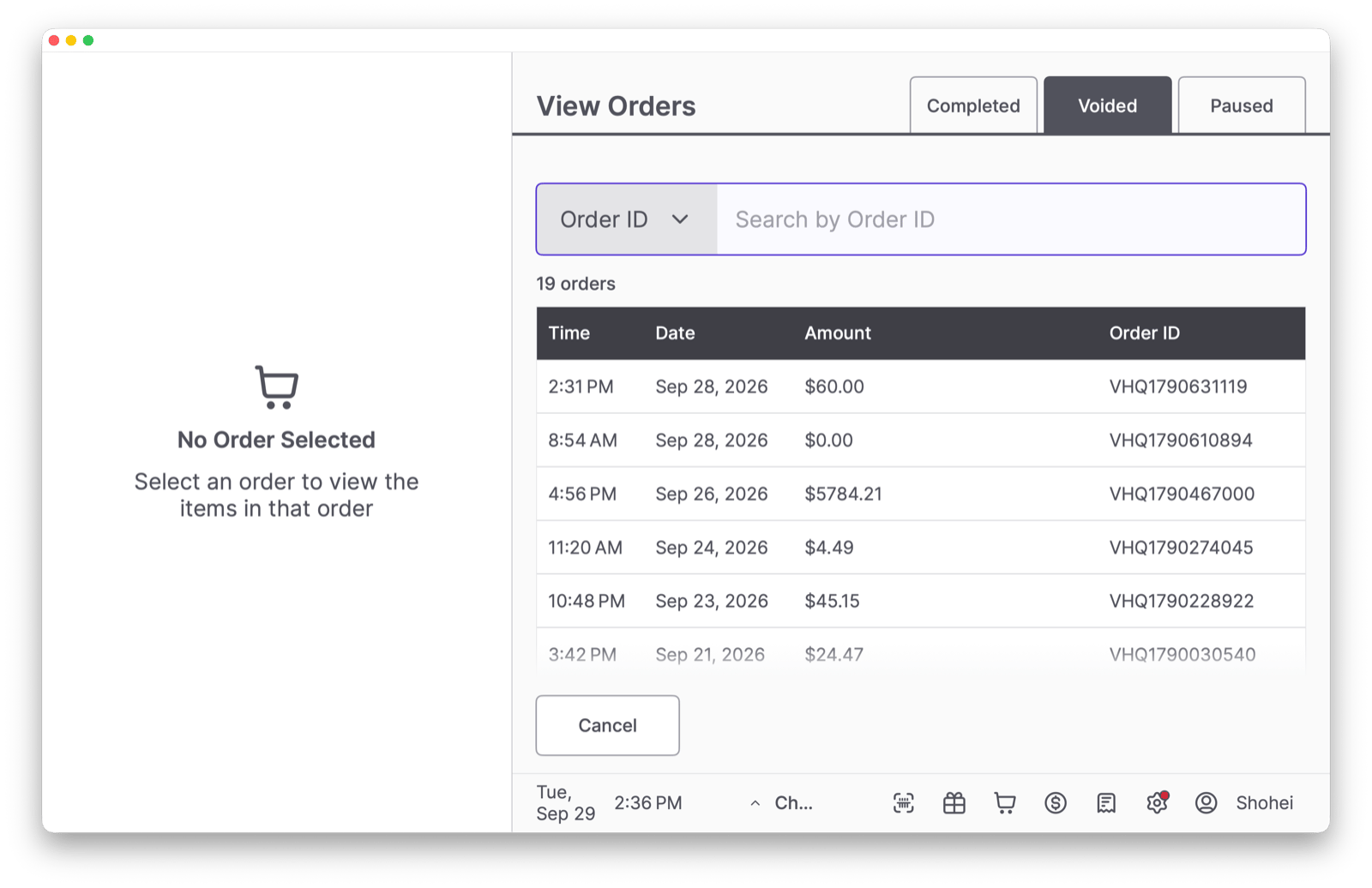
Select View All Orders and find the relevant transaction. If the whole order was voided, open the Voided tab to find it.
-
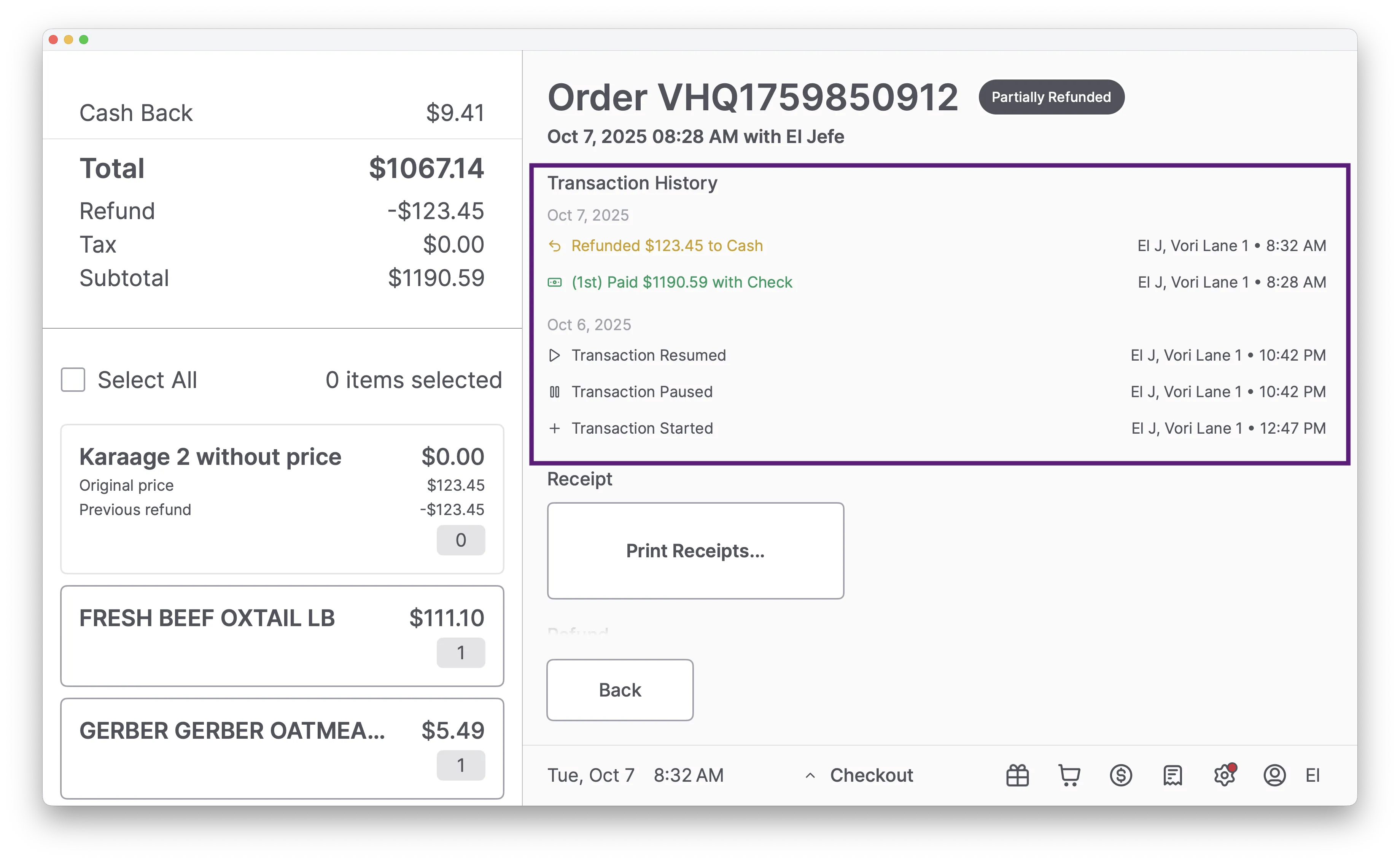
In the Payment Details, you can see each payment attempt and its status. A canceled charge will be clearly marked as Voided or Refunded, confirming that no funds were ultimately captured for that attempt.
Reprint a Receipt for a Voided Order
- Tap the Orders (receipt) icon in the Toolbar and select View All Orders.
- Tap the Voided tab and find the order. You can search by Order ID.
-
Tap the order to see its items and Transaction History, then tap Print Receipt.