

Vendor Data Requests are rolling out to stores in stages. If you do not see Start Data Request Campaign on a vendor, contact Vori Support.
Before you start
- The vendor needs at least one contact with an email address. Add contacts on the vendor’s Profile tab.
- You need permission to manage data request campaigns. If the button says you do not have permission, ask your store admin to update your role.
Start a campaign
- Go to Inventory & Supply Chain and click Vendors.
- Open the vendor you want data from.
- Click Start Data Request Campaign at the top right of the page.
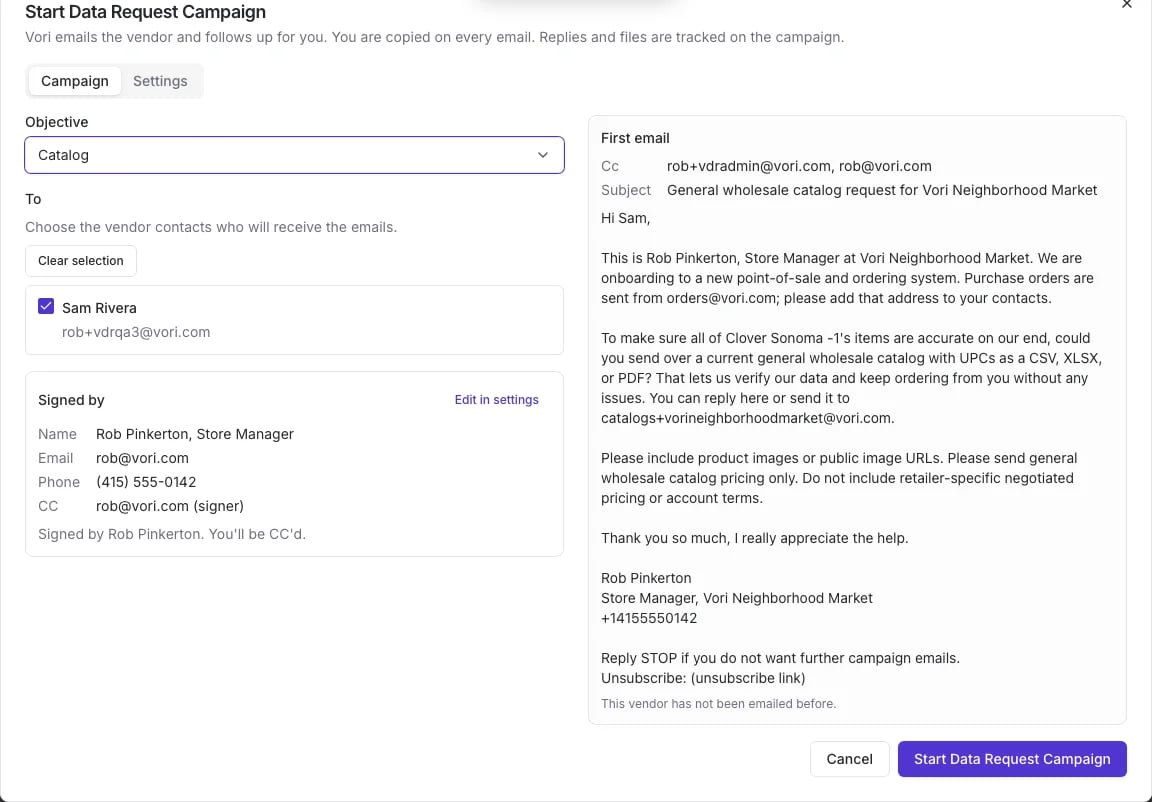
- Under Objective, choose Invoice or Catalog.
- Under To, check the vendor contacts who should get the email.
- Check the Signed by details. The email is signed with your name, title, email and phone. To change them, click Edit in settings.
- Read the First email preview on the right. It shows exactly what the vendor receives, including who is copied.
- Click Start Data Request Campaign.
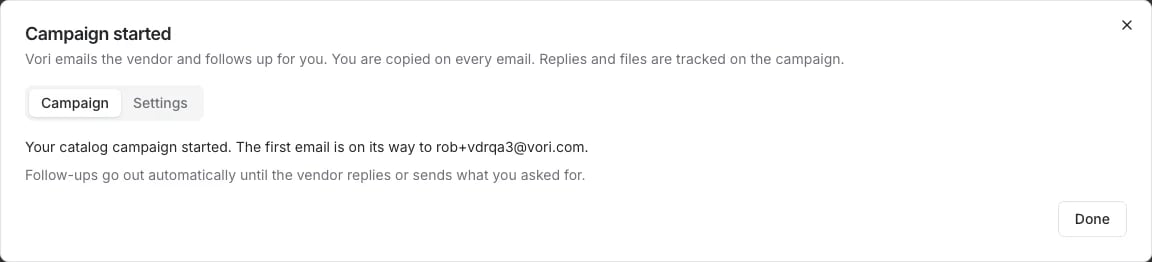
What your vendor receives
The email comes from your store and asks for one thing:- Invoice: a recent invoice, so Vori can set up the vendor’s items and costs.
- Catalog: a current general wholesale catalog with UPCs, product images and wholesale pricing. The email asks the vendor not to send pricing negotiated only for your store.
Track a campaign
Open the vendor and click the Data Requests tab. It shows the current campaign, when you last received an invoice and a catalog from this vendor, and the contacts Vori emailed. Click View campaign to see every email and reply.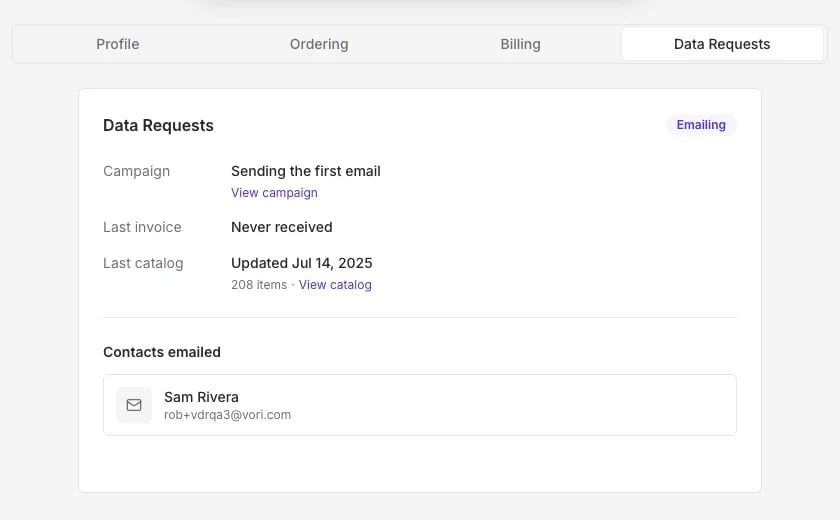
Campaign settings
Open Start Data Request Campaign and click the Settings tab to manage how campaigns go out for your store:- Campaigns on or paused: pausing stops open campaigns and blocks new ones.
- Signer: the name, title, email and phone used to sign emails.
- CC: other people at your store who should be copied on every email.
- Never contact: vendors Vori never emails, even if someone starts a campaign.
- Invoice email and catalog address: where vendors send files for your store. Vori assigns these the first time you save settings.