

Create Your Loyalty Sign-up QR Code
Follow these steps to create a QR code for your loyalty program.- Locate your store’s Loyalty phone number (e.g., (415) 728-9225).
-
Create your sign-up link using this specific format:
- sms:[Your Phone Number]?&body=Join
- Replace [Your Phone Number] with your store’s number. Do not use any dashes or spaces (e.g., sms:14157289225?&body=Join).
- Navigate to the free QR code generator website.
- Select the option to create a QR code from a URL or Link.
-
Paste the sms: link you created into the URL field.
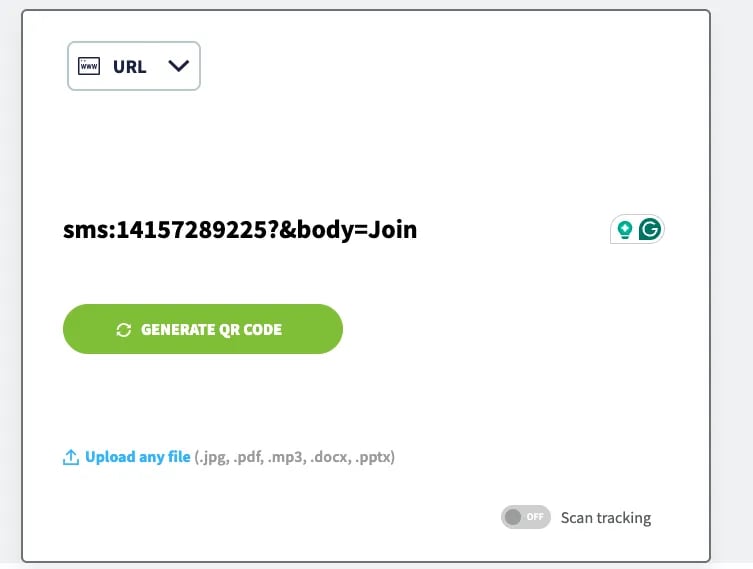
-
Select Generate and download the QR code image (PNG or JPG files work best).
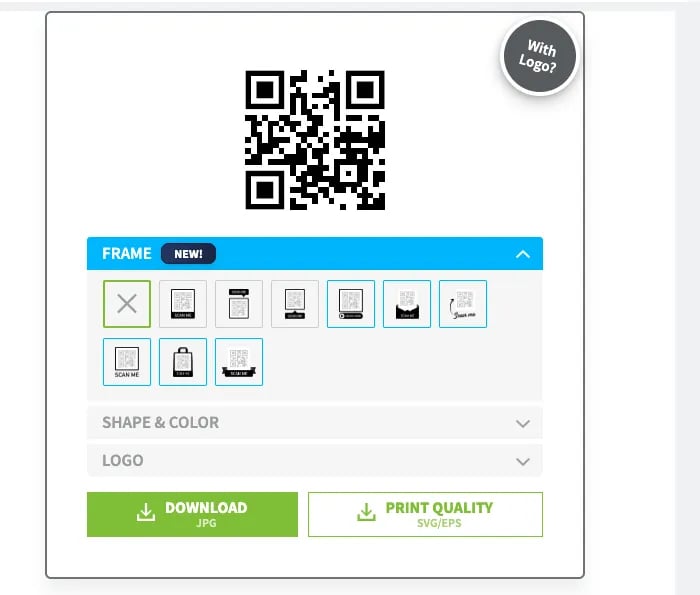
The QR code included in your welcome email was created using this method. You only need to follow these steps if you wish to create new or additional QR codes.
Promote Your QR Code
Place the QR code where shoppers can easily see and scan it to maximize sign-ups. You can add your QR code to:- In-store signage at the entrance, checkout counter, or in popular aisles.
- Printed materials like flyers or business cards.
- Your store’s website or social media pages.