As of 4/1/25, Vori POS customers are processing card transactions through either Paysafe or CardConnect.
Directions
- Navigate to www.cardpointe.com
-
Enter login credentials to the CardPointe Portal.
- If you do not remember username/email address used for 2-Factor-Authorization, call CardPointe customer support at 1-877-274-7915.
- Say “Help with login” to the automated phone service.
- Have MerchantID ready.
-
Once you are logged in, tap onto the
Reportingpage.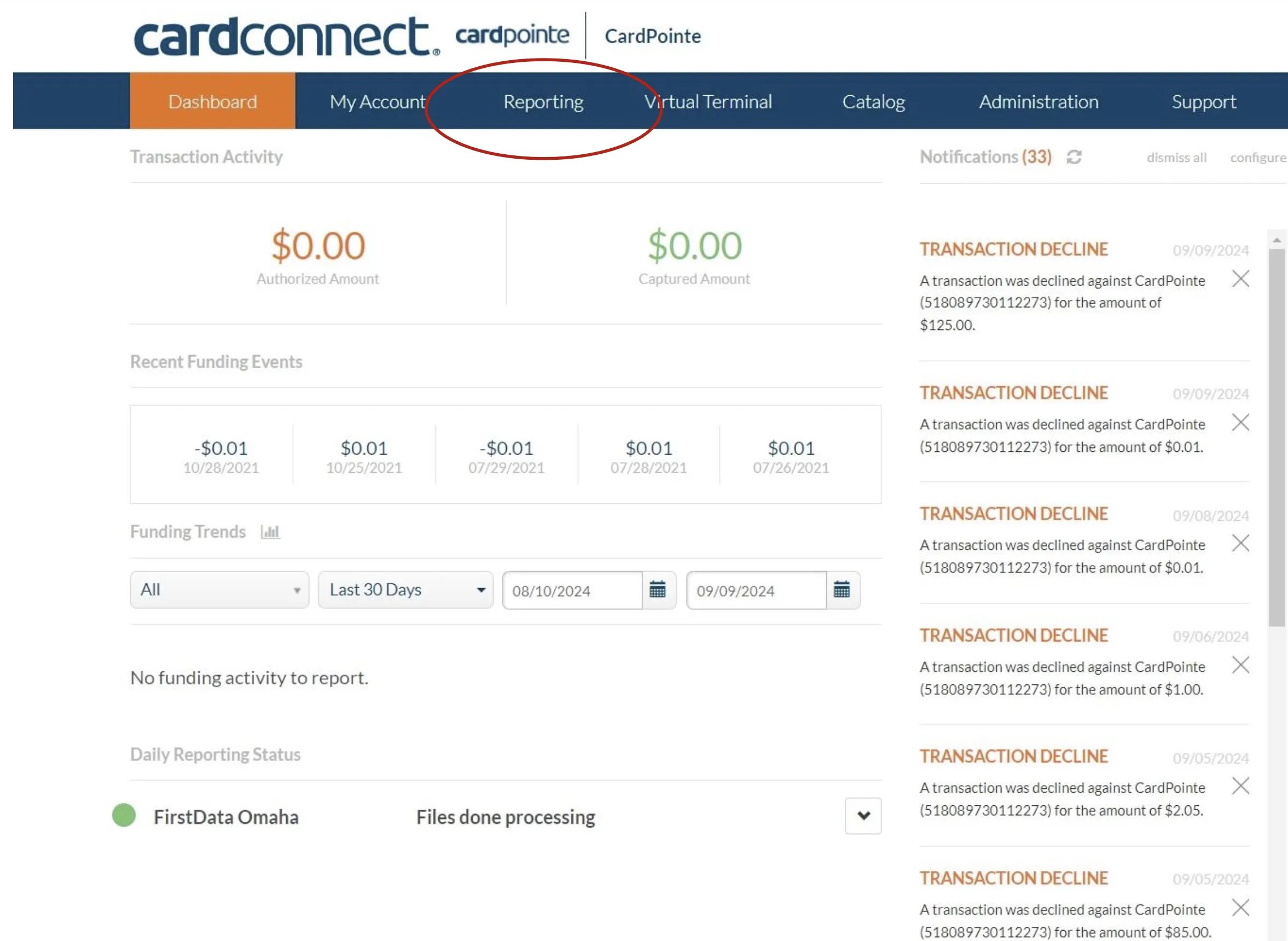
-
Select
Statementstab.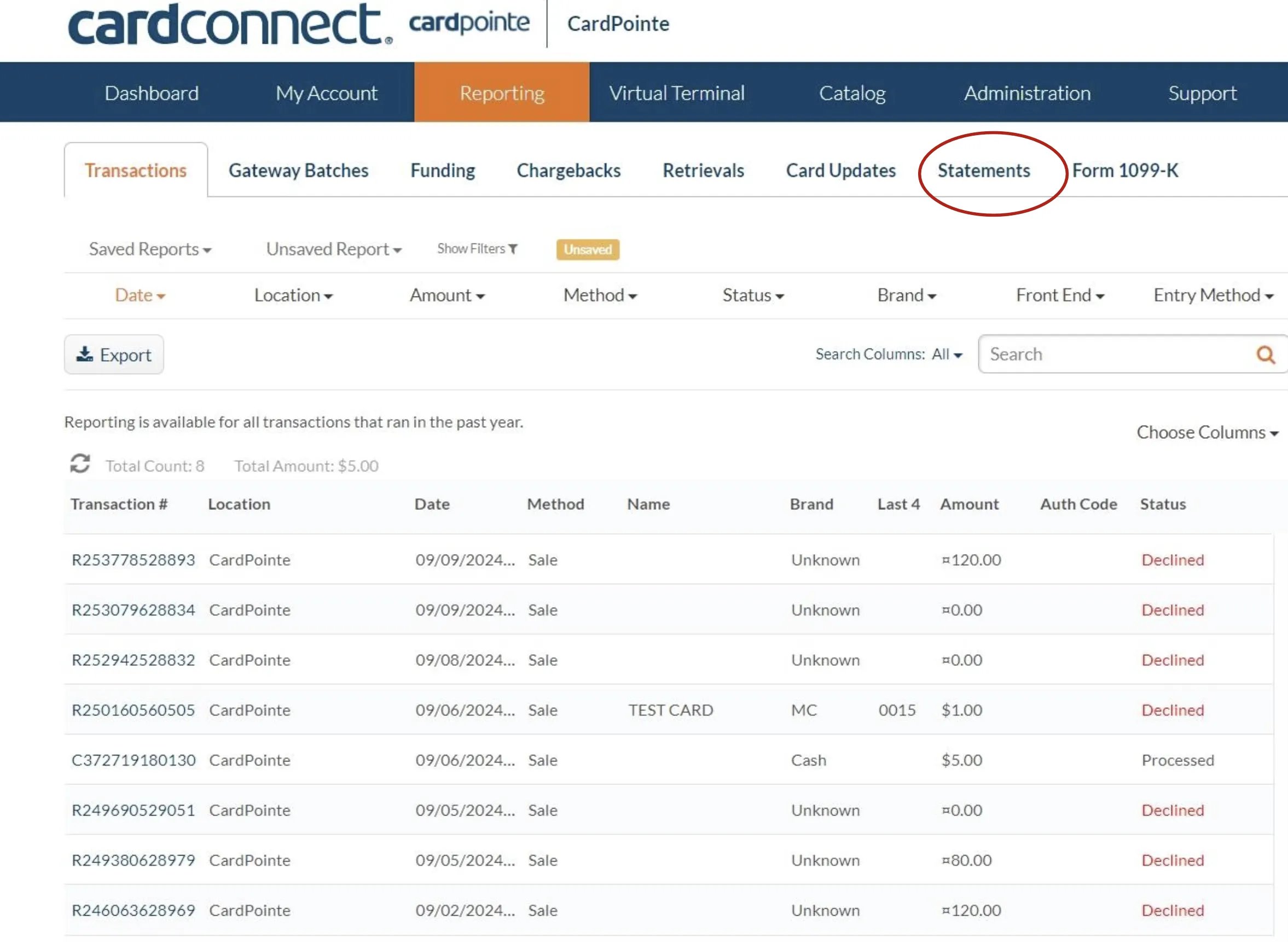
-
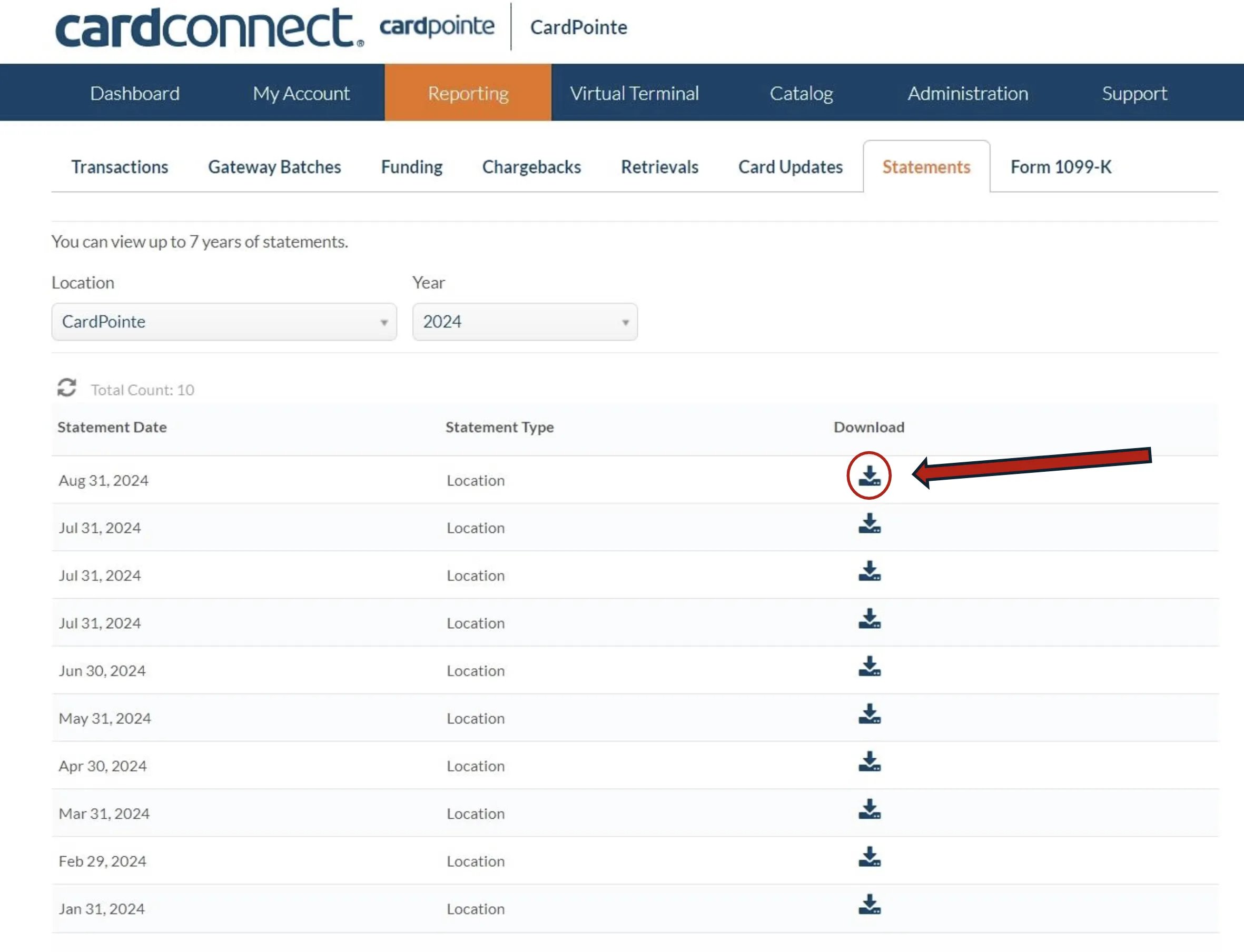
Choose and download the statement for the desired month.