

Remotely rebooting an AP (access point)
If an AP is offline, a remote reboot of the unit may be used to reset the unit’s connection to the store’s network: ✏️ Note - The remote reboot will not work if the AP has:- Lost power
- Become unplugged from the store’s network
- The store’s internet is down
-
On the Infrastructure tab of Vusion Manager, select the
Reboot APbutton on the row of the offline AP.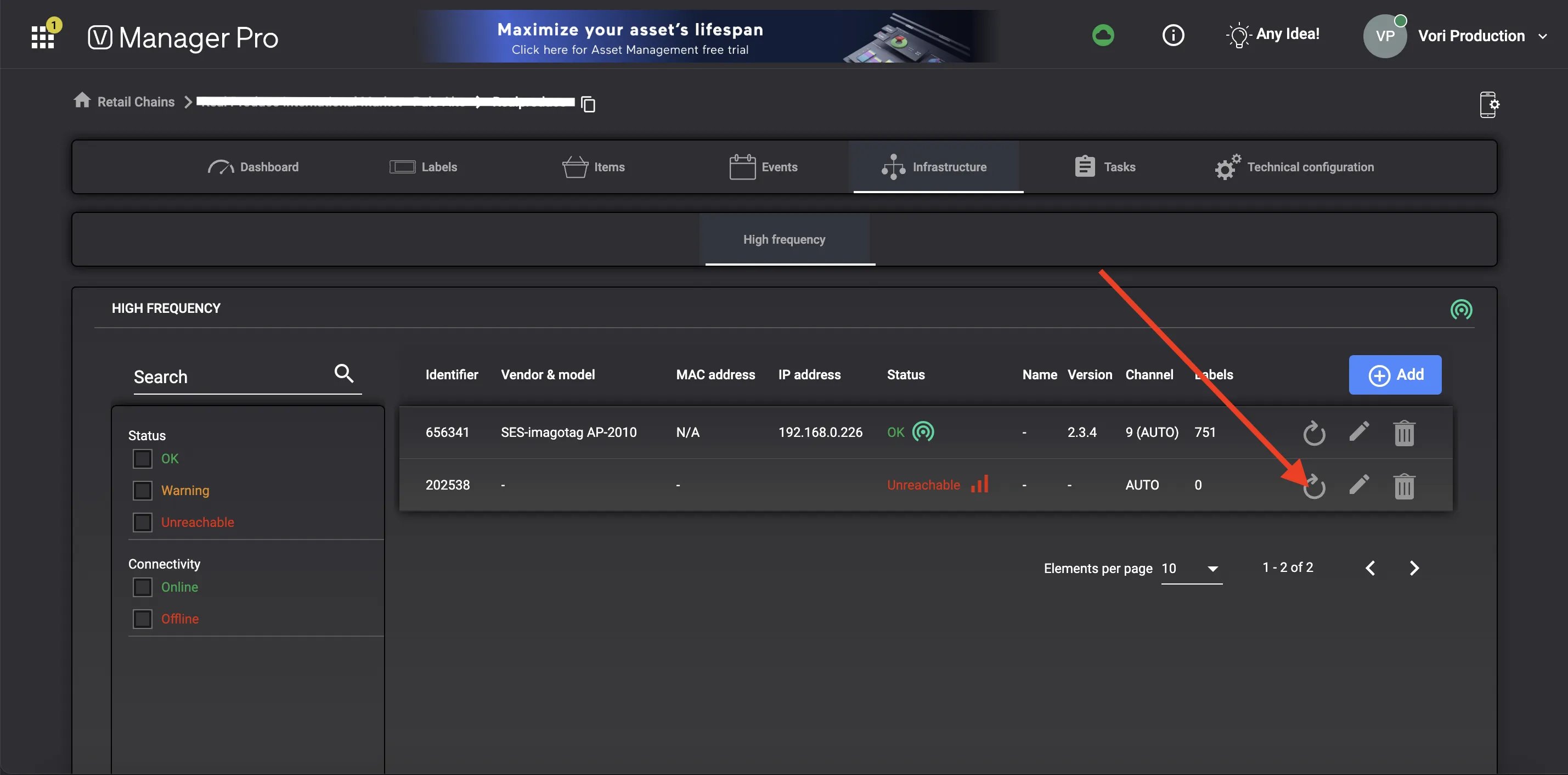
-
Select
Confirmon the pop-up window.
-
A green pop-up texts should appear at the bottom of the screen to confirm that a reboot command has been sent to the AP.

- If Vusion Manager is able to communicate with the AP, the unit should reboot within a few minutes.