

Important questions to ask first
If a remote reboot does not bring the ESL AP (access point) back online, answer these question to see if the unit is correctly connected to the internet:- Has any network equipment recently been moved or unplugged?
- Has the store recently switched internet service providers?
- Has any network equipment recently been replaced?
- Is the store’s internet currently offline?
Network diagram for reference
The diagram below shows the device connections required to allow the ESL AP to connect to the internet. If any of the devices are malfunctioning or disconnected, the ESL AP will not be able to communicate tag changes to the sales floor.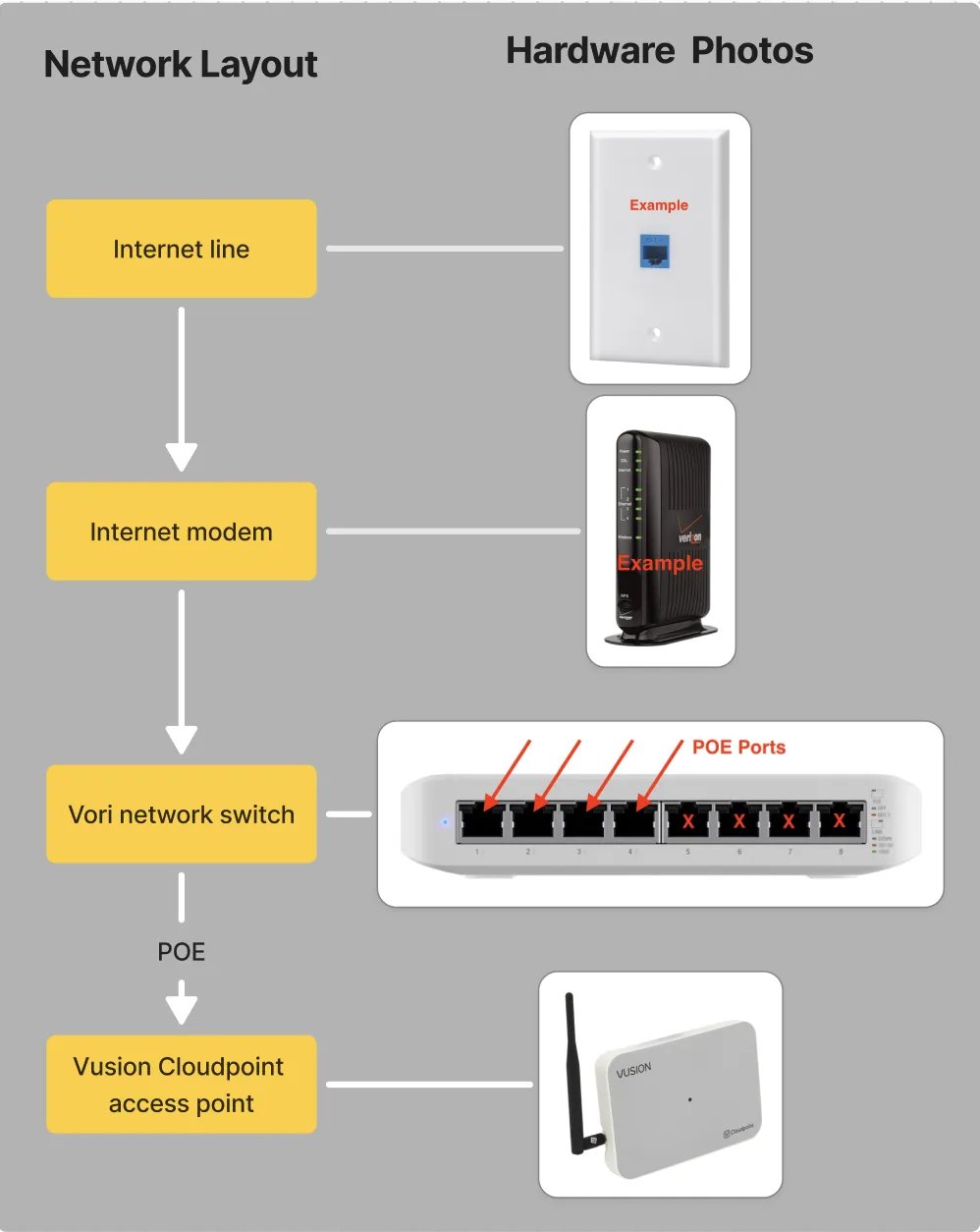
Troubleshooting steps
Walk through the steps below to find the source of the issue as well as its resolution.Step 1: Check if the AP is powered on.
All ESL AP’s have an LED to display the connectivity status of the unit. If no light is being emitted, then the device has no power.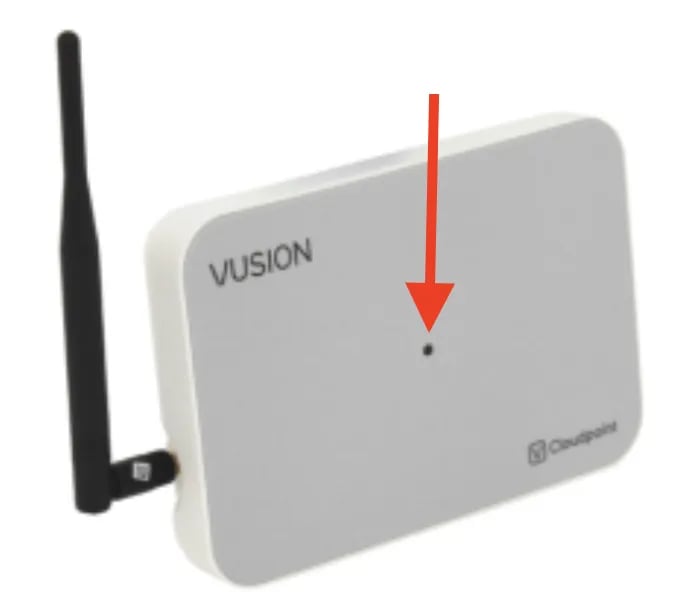
- Follow the AP’s cable, and it should lead back to the Vori network switch.
-
Check if the AP’s cable is fully plugged into the Vori network switch.
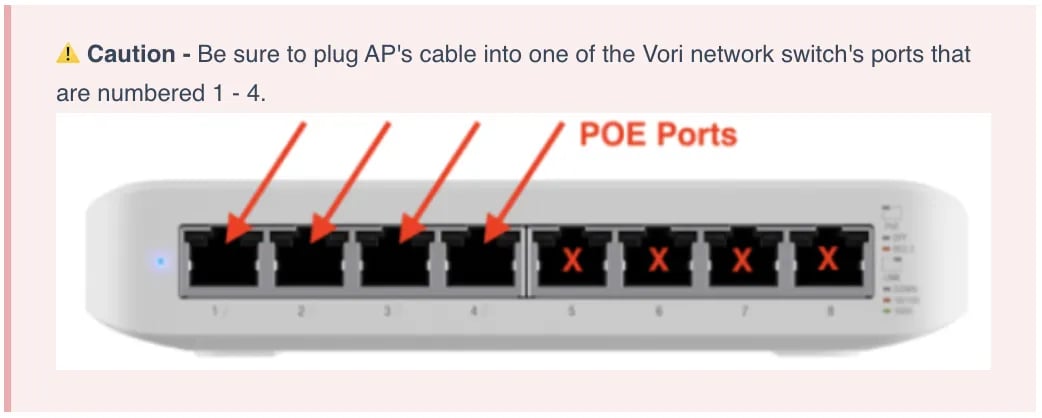
- The AP receives both network connectivity and power by connecting to the Vori network switch’s POE (power-over-ethernet) ports (labelled 1-4 with small lightning bolts next to each number).
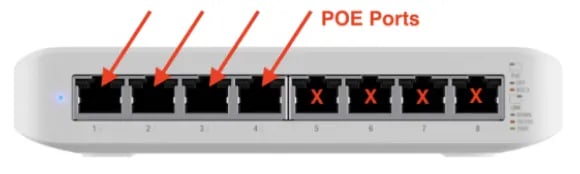
- The AP receives both network connectivity and power by connecting to the Vori network switch’s POE (power-over-ethernet) ports (labelled 1-4 with small lightning bolts next to each number).
- If not already, plug the AP’s cable into one the the Vori network switch’s POE ports.
- If the AP still does not power on, check the AP to make sure its cable is plugged all the way in.
Step 2. Restart the AP
- Locate the Vori network switch that the AP’s cable is running to. If unsure what the network switch looks like, refer to this diagram.
- The Vori network switch may be under the nearest POS lane, or in the back of the store with other network equipment.
- Unplug the power cable for the Vori network switch.
- This cable is thinner than the other cables and located on the back of the unit.
- Wait 30 seconds after unplugging the power cable.
- Plug the power cable back into the Vori network switch.
- Check the AP’s LED indicator for any changes in color. This process may take a few minutes. Color indicators below:
- Red - AP is unable to connect to the network.
- Orange - AP is attempting to connect to the network.
- Blue - AP is connected to the network.