Why EBT Transactions Fail
A common issue occurs when a shopper presents their Electronic Benefit Transfer (EBT) card — by swipe, chip, or tap — before you (the cashier) select the correct EBT payment type on the POS screen. This confuses the payment terminal and causes the transaction to fail. Here is how the terminal reacts depending on the card type and how you can resolve the issue.EBT Cash Errors
- If a card with a Cash benefit is presented too early, the terminal will try to run it as a standard debit card.
- The transaction will be canceled.
- You must re-select “EBT Cash” from the Complete Payment screen for the shopper to try the payment again.
EBT SNAP Errors
- If a card for Supplemental Nutrition Assistance Program (SNAP) benefits is presented too early, the terminal may get stuck or prompt for a different card entry method than the shopper used.
- This happens because the terminal doesn’t know it’s a SNAP transaction yet.
- Cancel the payment, select “EBT SNAP” on the POS, and have the shopper present their card again when prompted.
Best Practice: Preventing Premature Card Reads
To prevent these common EBT errors, your store should implement the following steps:- Wait for the Prompt. Add a sign at the payment terminal instructing shoppers to wait for the cashier’s prompt before swiping, inserting, or tapping their card.
-
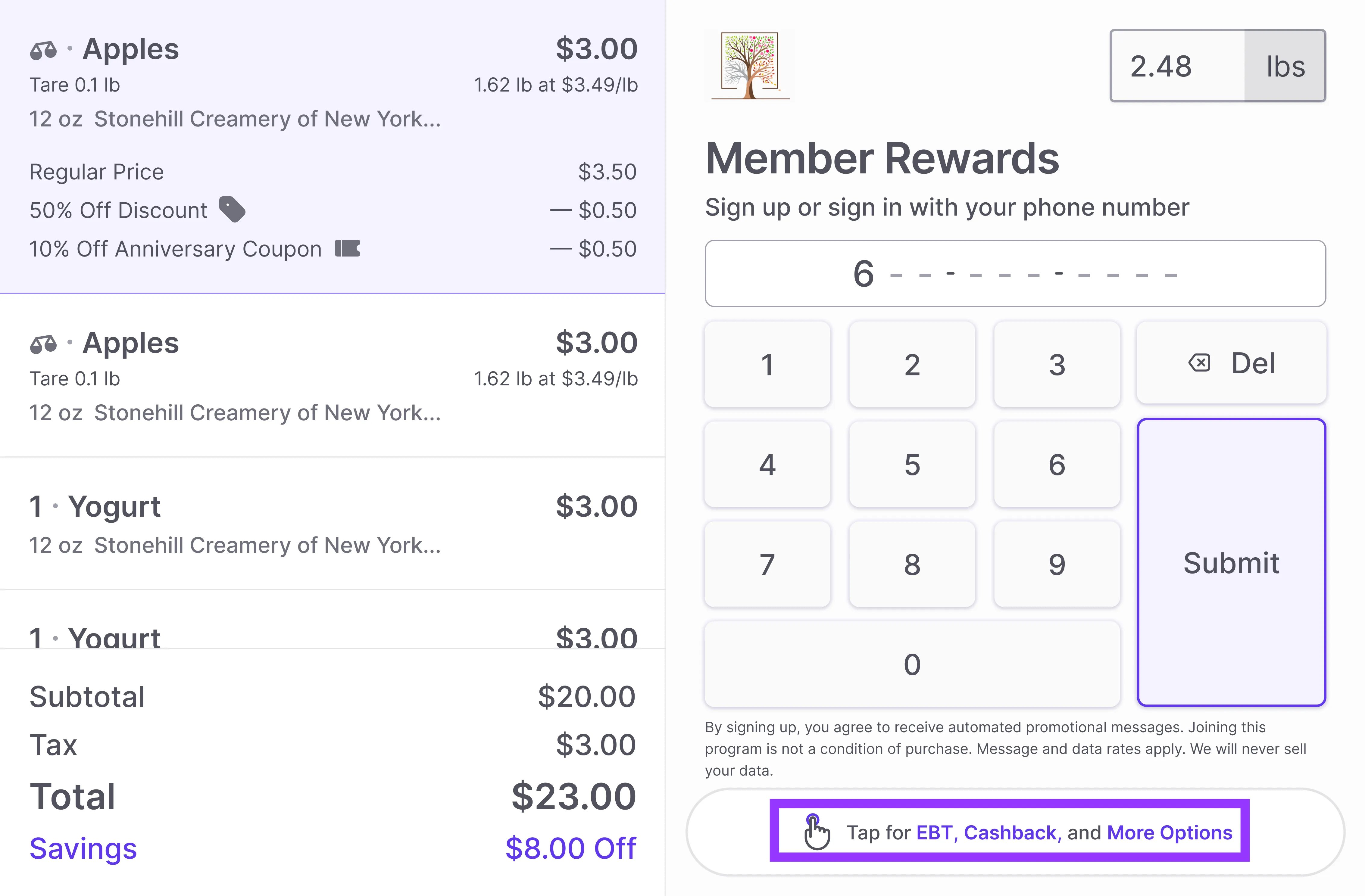
Use the Keypad Selection. Encourage shoppers to first select their desired EBT option (“EBT SNAP” or “EBT Cash”) from the More Options menu on the shopper display. This automatically notifies your POS screen, ensuring the transaction works correctly the first time.
When a card can’t be read
If the shopper’s card fails on swipe, chip, and tap (damaged stripe or chip, worn card), the cashier can switch the terminal to manual key-in for that transaction. See Accept EBT payments on the POS for the steps.EBT Balance Shown After Insufficient Funds
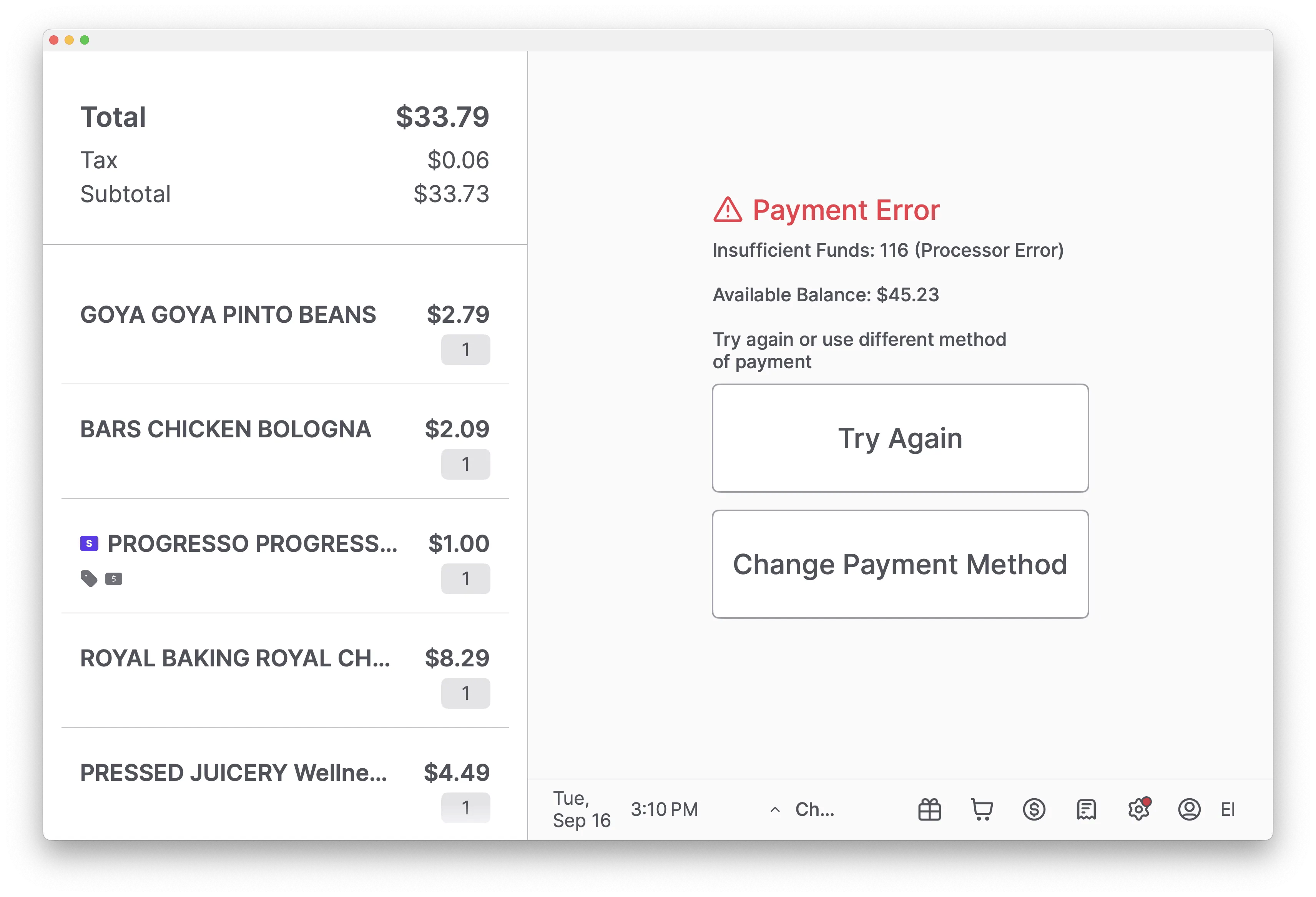
When a shopper attempts a purchase but the available balance on their EBT card is less than the total transaction amount, an Insufficient Funds error occurs. The payment terminal system should clearly display the following information to the shopper upon this error:- A clear Payment Error message, such as: “Insufficient Funds: 116 (Processor Error).”
-
The exact remaining balance on the EBT card, labeled Available Balance.