

Required Materials
- Case of ESLs
- Smartphone with Vusion Link installed and logged into the store profile
Directions
- Open and log into the Vusion Link app.
-
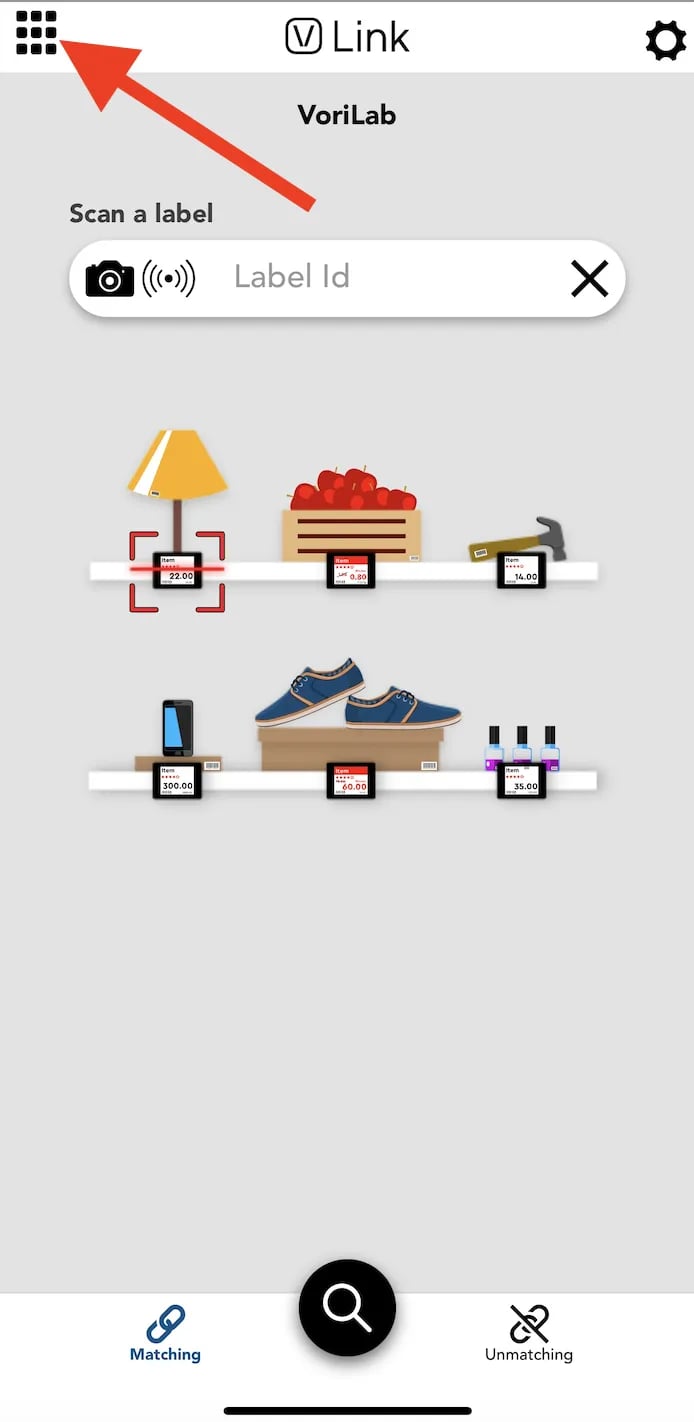
Tap the grid icon in the top left corner of the screen.
-
Select
**Box register**. This will open the smartphone’s camera.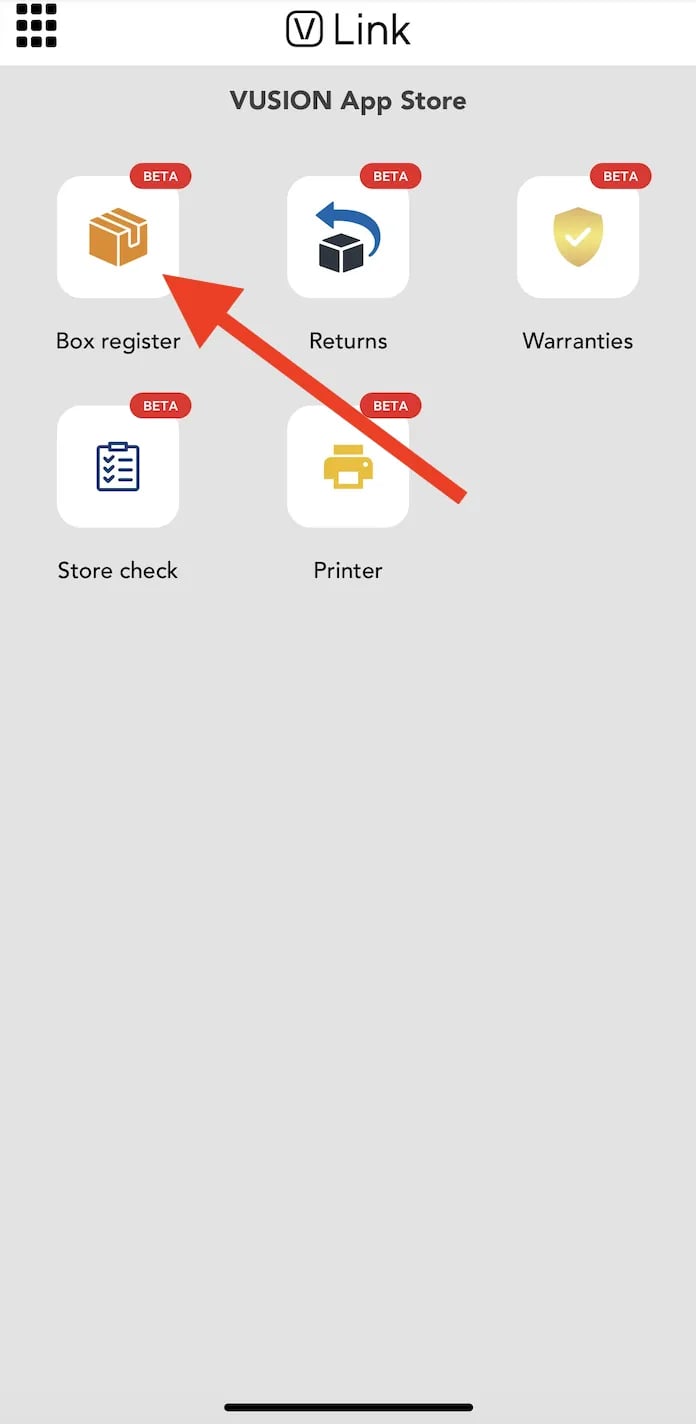
-
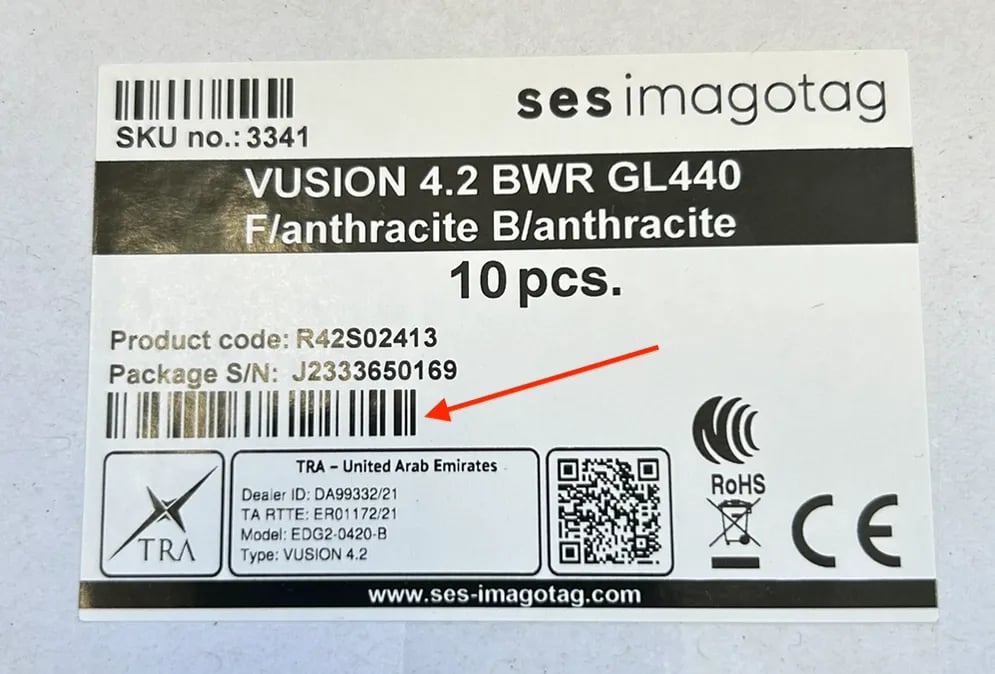
Use the camera to scan the barcode on the box of tags located below the Package S/N.
- Once a box is registered, it may take up to 15 minutes for the tags to fully come online.