

Generate a Cashier Report Card
-
Go to Reports, Overview, select **Point of Sale,**then Cashier Report Card.
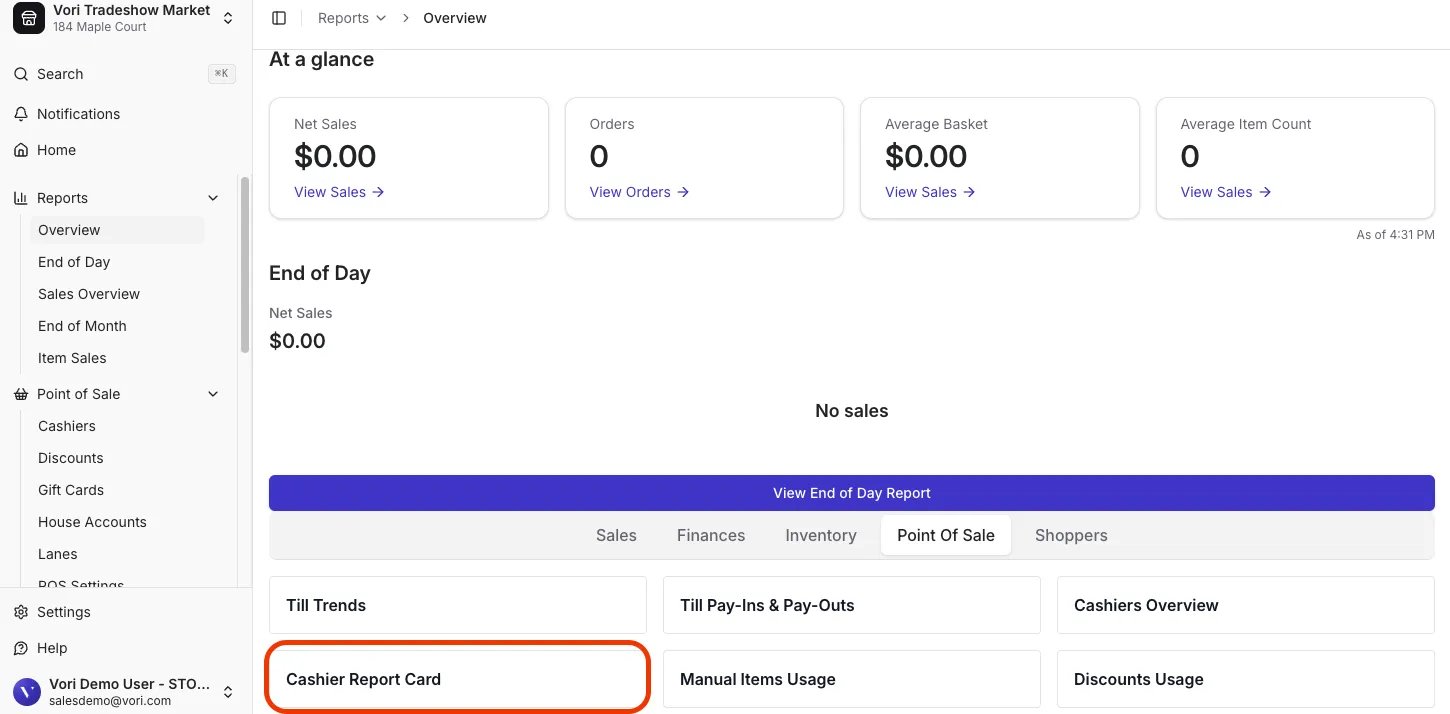
-
Filter by the desired date range and cashier, then allow time for the embedded charts to load.

Export a Cashier Report Card
- Click Export in the top right.
- Select the format you’d like for your Download.

To see the total cash to drop at the end of the shift, Scroll to Cash Summary, find Net Cash.
Tips:
- Schedule exports: Set reports to run automatically for regular reviews.
-
View detailed insights: Click the three dots (⋯) in the top-right corner of any figure or chart to reveal More actions, then select View underlying data for a line-by-line breakdown. Each row links to its transaction and product.
