As of 05/01/2025, Vori POS customers may be using either CardConnect or Paysafe for credit card processing. This guide will show how to find card charge information on both platforms.
Duplicate Charges
If the chargeback dispute is for a duplicate charge and only one transaction can be found in Vori back office reporting, a network error may have resulted in a duplicate charge with no associated transaction ID#. To confirm whether a duplicate charge has occurred, this guide shows how to check for multiple charge amounts to the same card in either CardConnect or Paysafe merchant portals.Finding and exporting transaction information in Back Office
When presented with a chargeback dispute from a customer, transaction and card charge information should be looked up in Back Office first. Directions below:- Log into app.vori.com.
-
Directions on how to search for an order may be found by clicking here.
- Orders may be found by using filters like
Date,Amount, &Card Last 4.
- Orders may be found by using filters like
-
To export the report, select
FileandPrinton the web browser.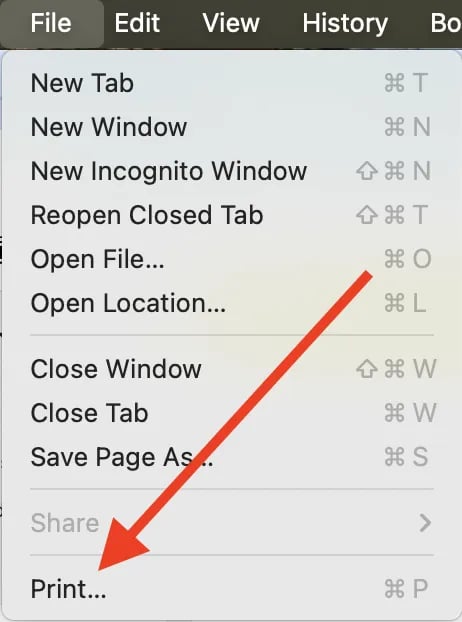
-
On the Print screen, select
**Save as PDF**.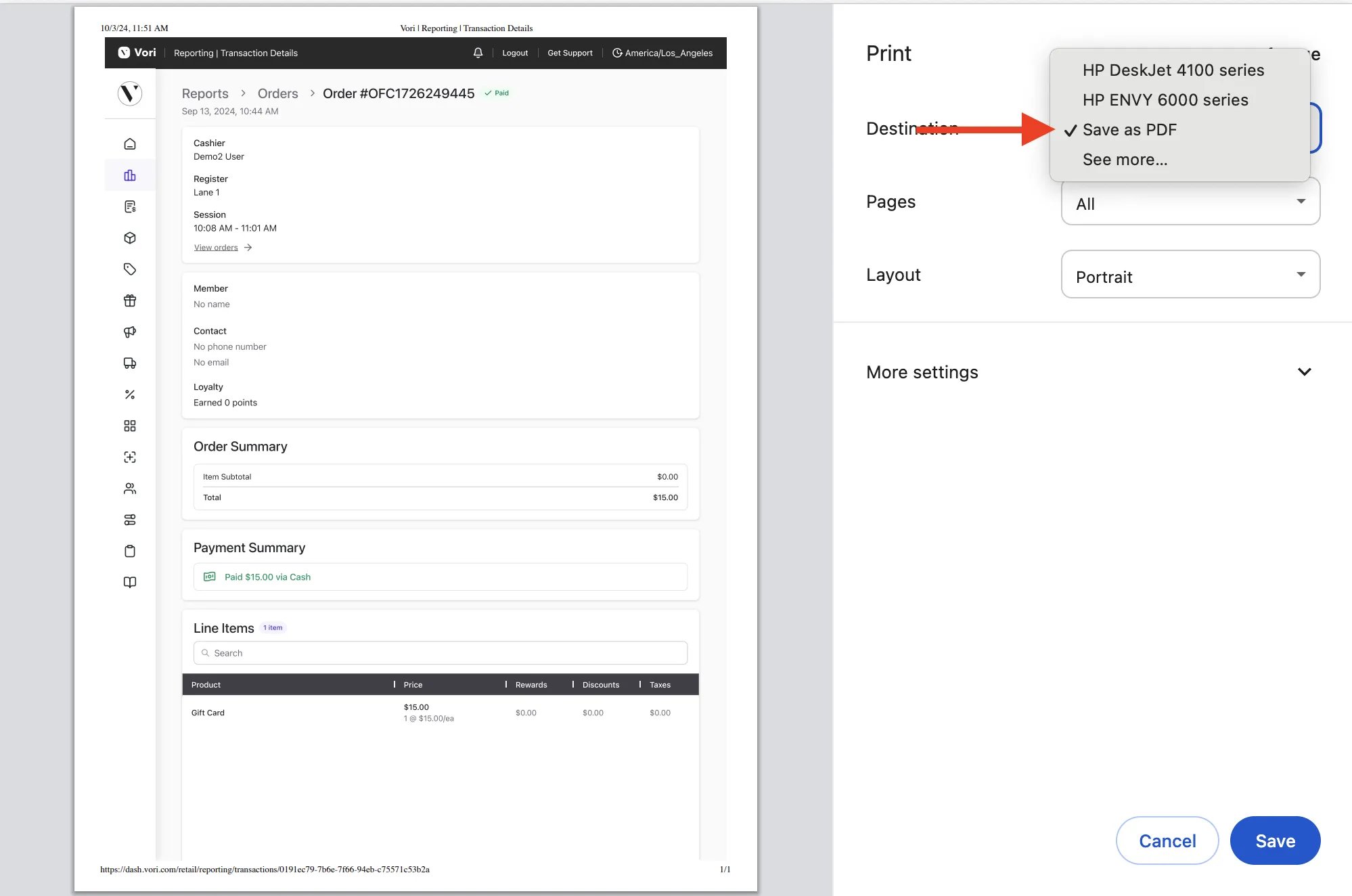
Transaction reporting on the credit card processor’s merchant portal is only accessible for review after the funds have been deposited into the merchant’s account, which generally occurs 48 to 72 hours following the POS transaction.
CardConnect: Finding and exporting card charge information
For merchant’s using CardConnect for credit card processing, follow the directions below:-
On the CardConnect main page, select
Reporting.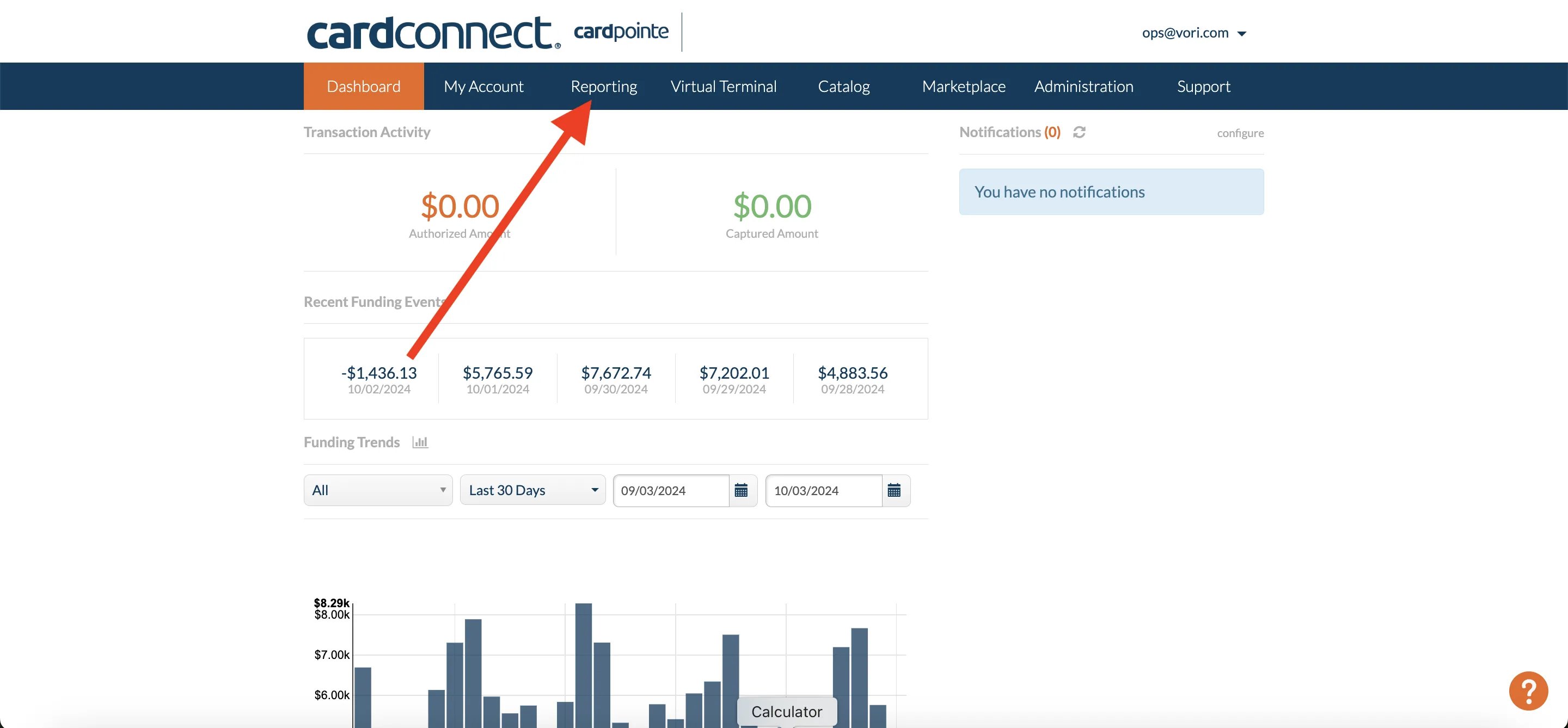
-
Under the
Transactionstab of Reporting, search for the card charge using theDate,Amount, &**Last 4**filters.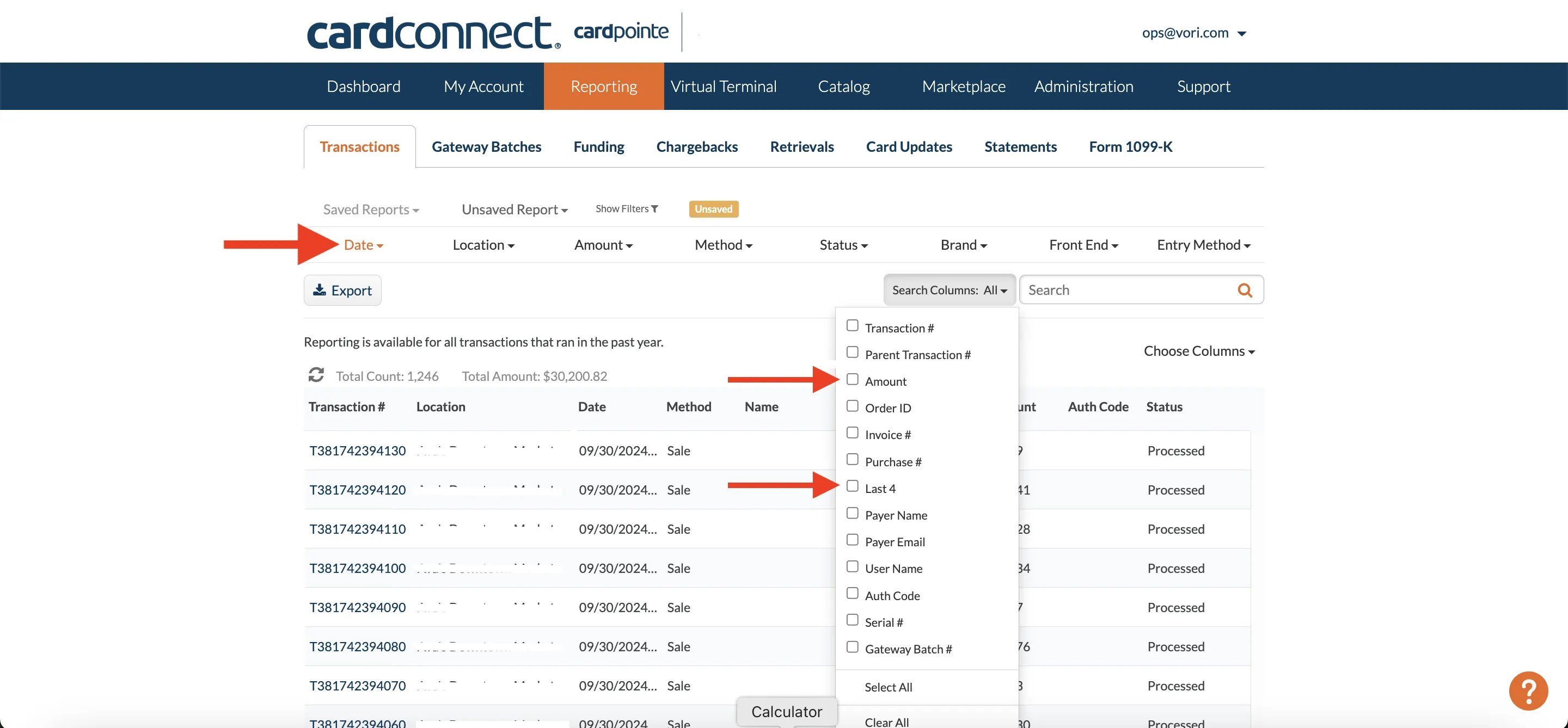
-
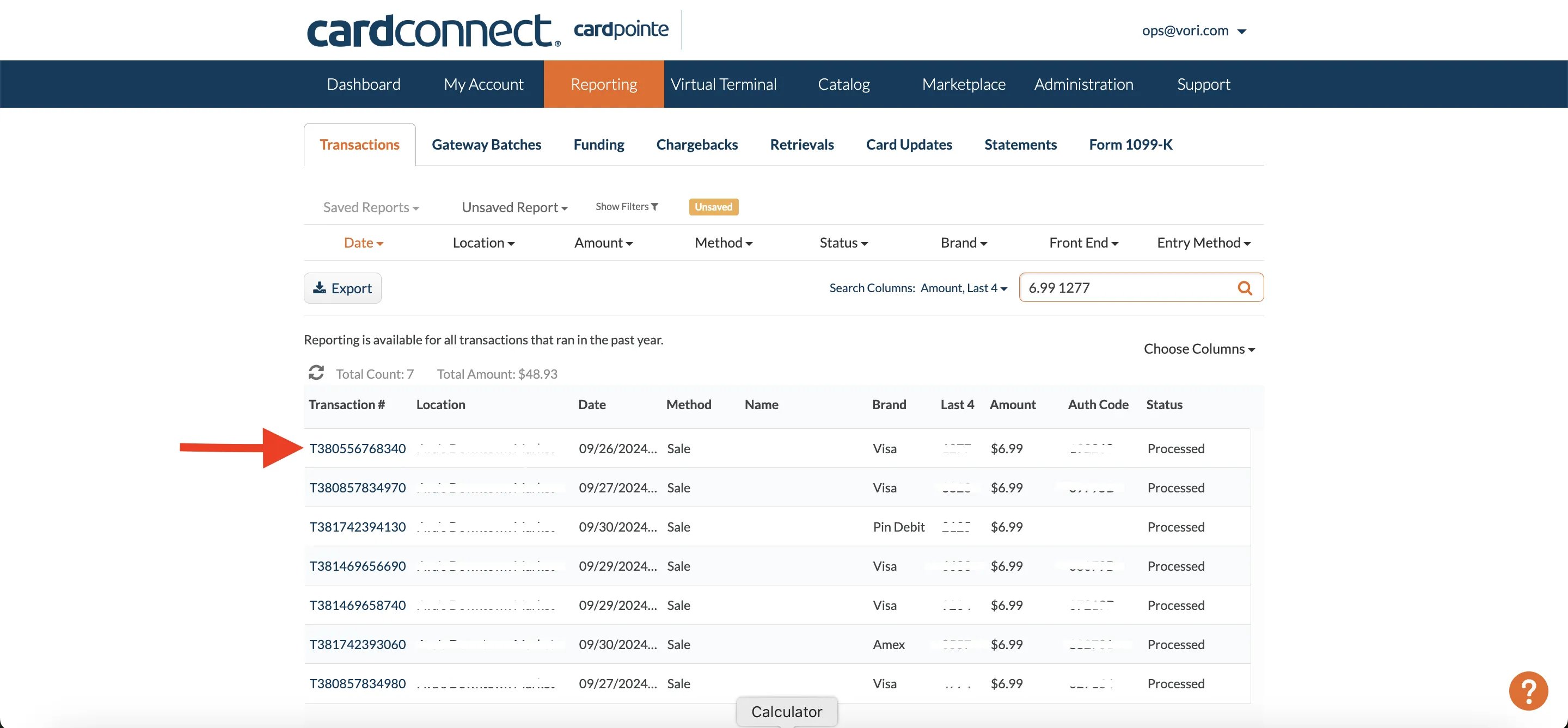
Once the matching card charge has been found, select the Transaction # to open the chard details page.
-
On the charge details page, select the
Print Receiptoption and selectSave as PDFto generate an export.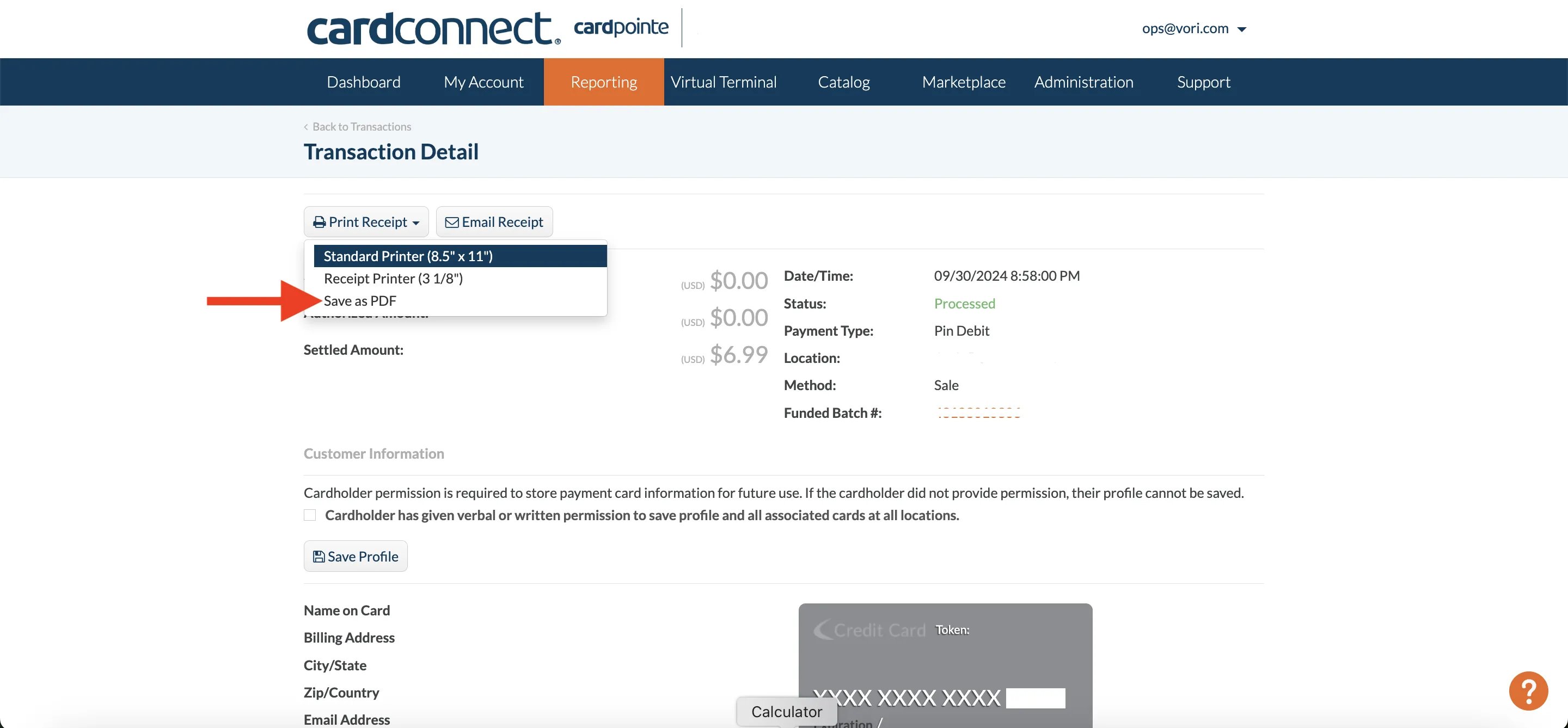
Paysafe: Finding and exporting card charge information
For merchant’s using Paysafe for credit card processing, follow the directions below:-
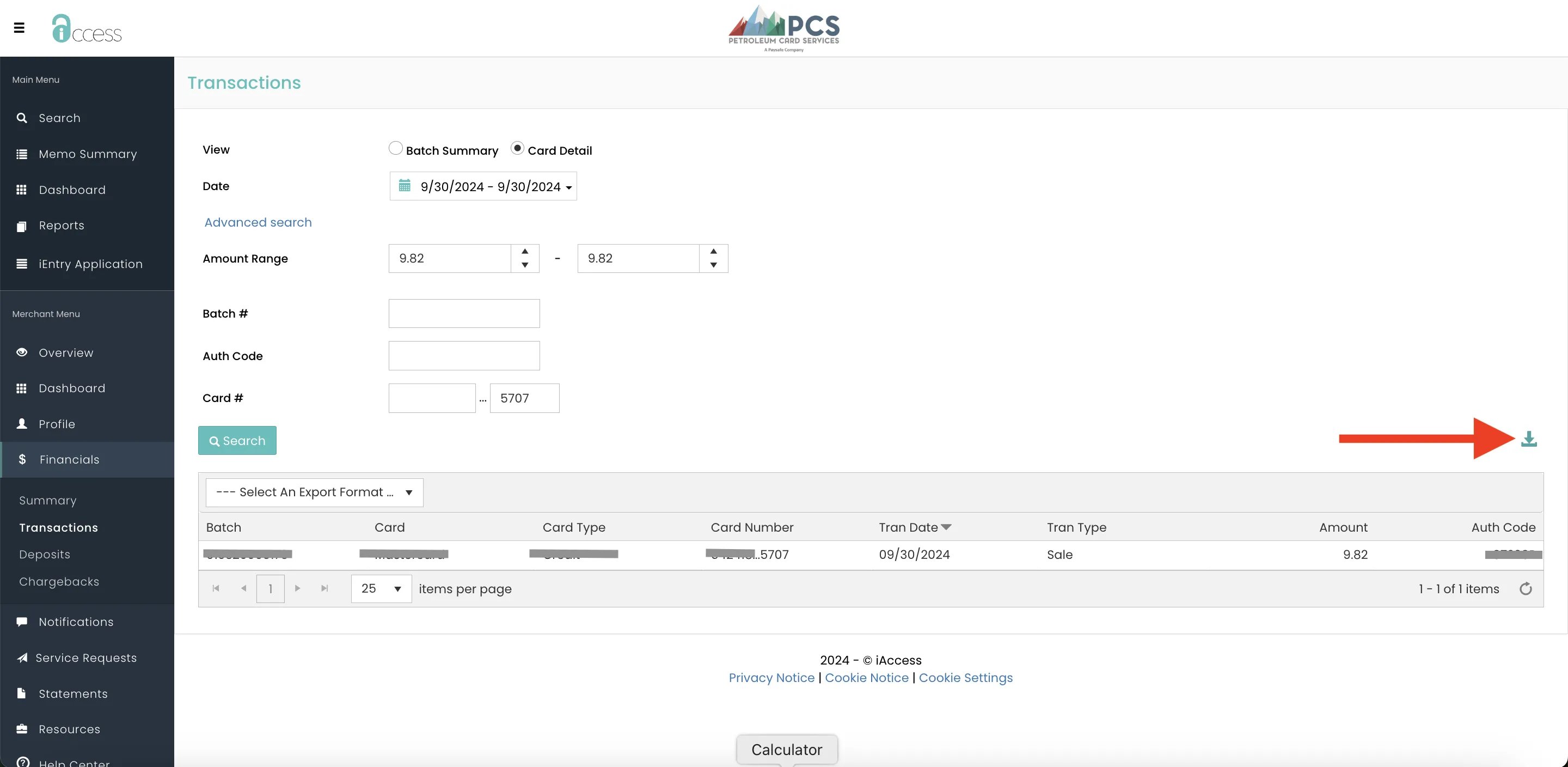
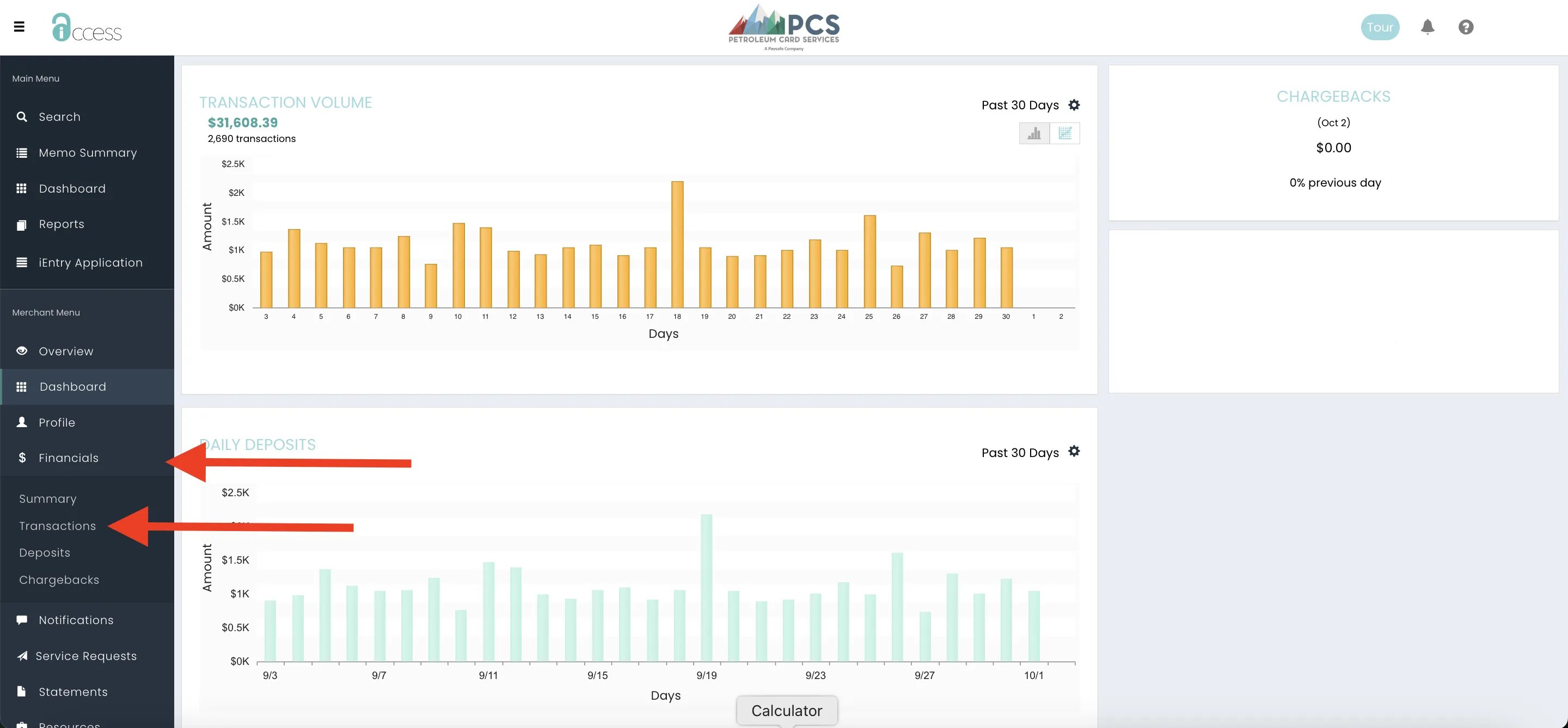
On the left side of the PCS main page, select the Financials menu and Transactions in the dropdown.
-
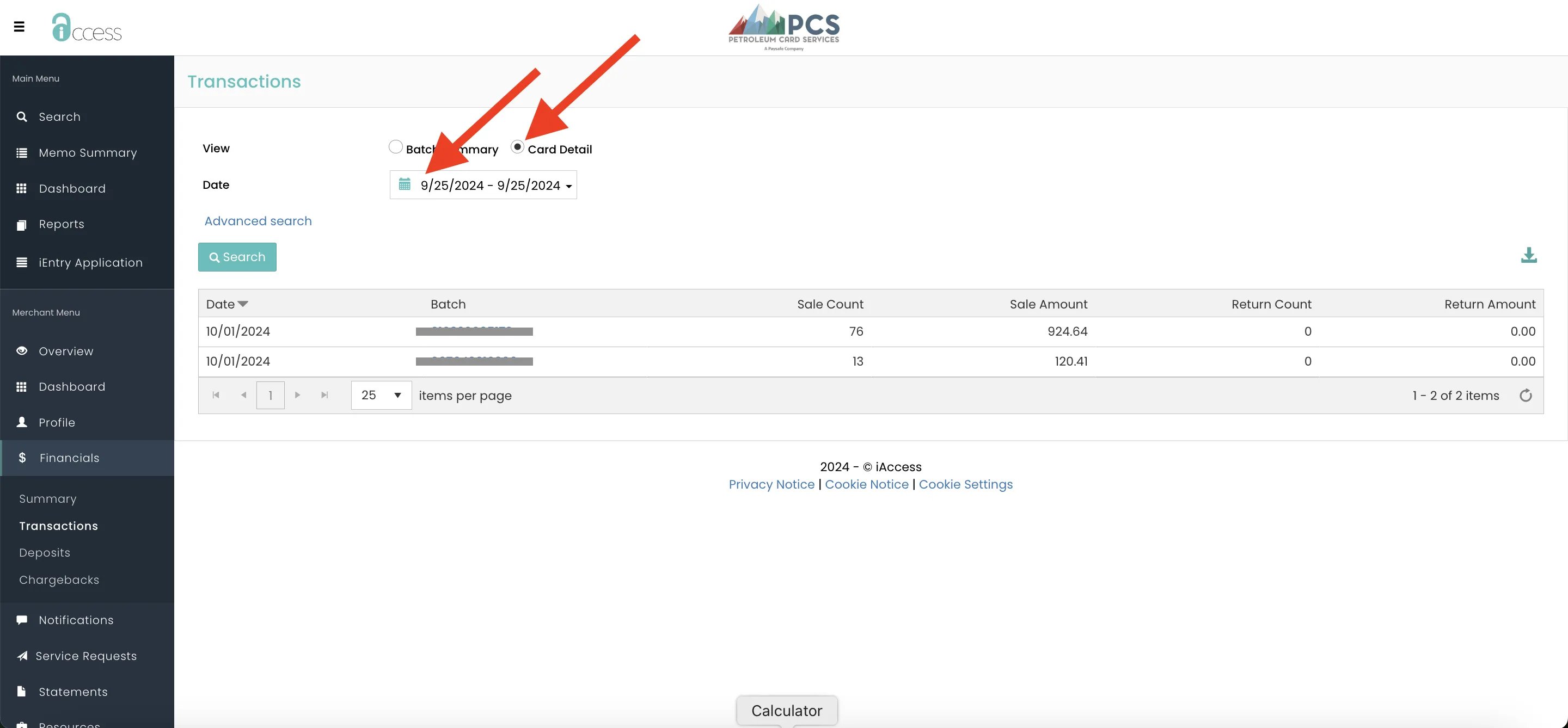
On the Transactions page, set the page view to Card Details and set a date range for the card charge search.
-
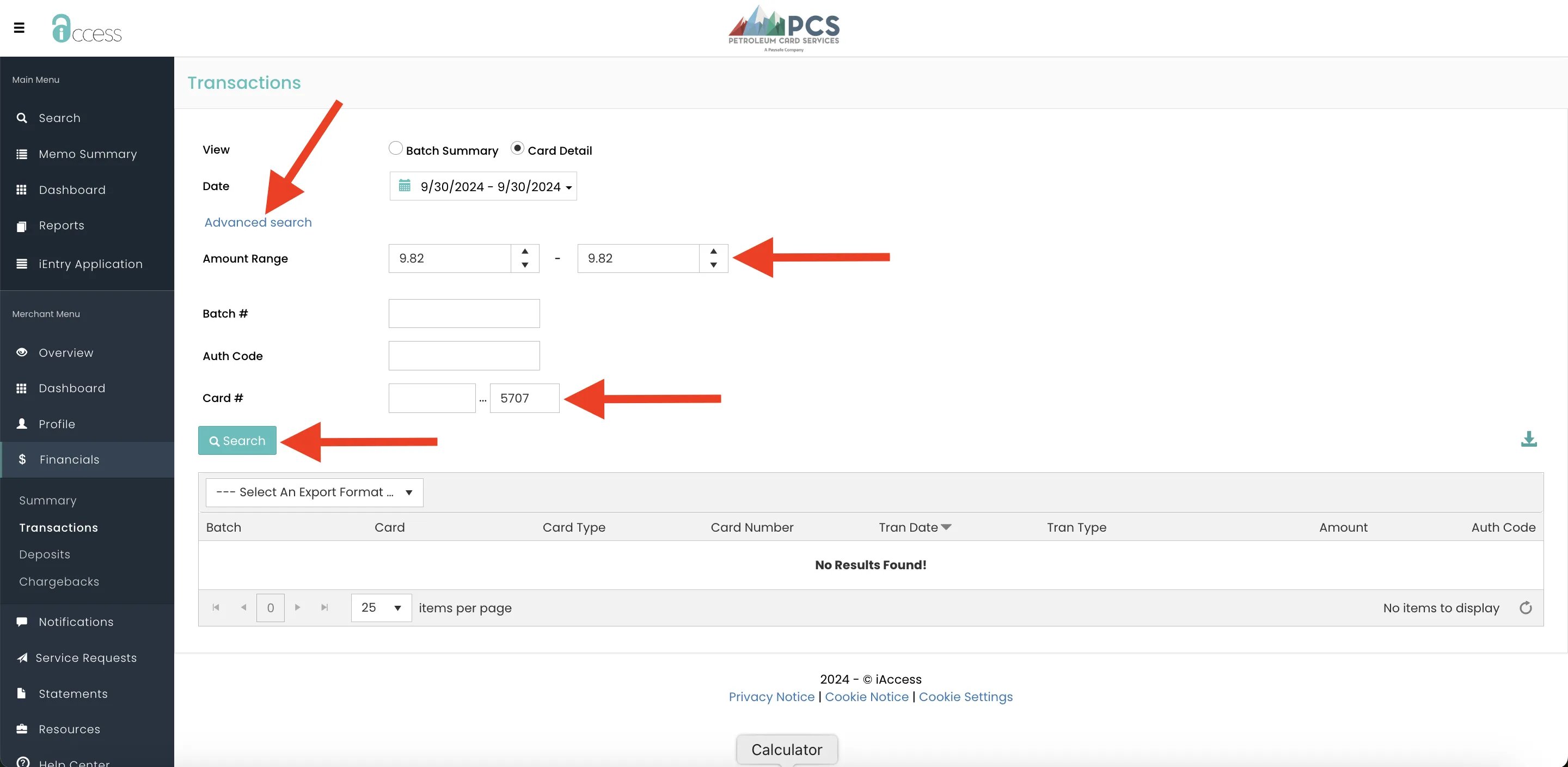
Select Advanced Search and enter search criteria like charge amount and last 4 digits of the card #. Then, select Search.
-
Once the matching card charge is found, select the right icon to download the page as an .xlsx file.