

How the program works
These programs are designed to double a shopper’s spending power on fresh foods. The way Vori issues incentives follows the program rules set by each state.- A shopper pays for eligible items with SNAP EBT.
- After payment, the Point of Sale (POS) prints a coupon equal to the SNAP dollars spent on eligible items (up to the program’s maximum).
- The shopper uses that coupon on a future transaction to buy more eligible foods.
Setting Up Product Eligibility
You must correctly flag products as eligible for earning or redeeming benefits based on your state’s program rules.Prerequisite: enable EBT
To activate the SNAP Incentive flags, EBT must be enabled at the Department or Sub-Department level.- If EBT is Disabled for a product or department, the SNAP Incentive Earnable and SNAP Incentive Redeemable toggles will be grayed out and unavailable.
Configuring eligibility flags
There are two primary eligibility flags used for SNAP Incentives:- SNAP Incentive Earnable: Products purchased with SNAP that allow the shopper to earn a coupon or benefit (e.g., all fresh produce purchases).
- SNAP Incentive Redeemable: Products on which the earned coupon or benefit can be applied for a discount (e.g., local produce only).
Methods for marking eligibility
You can mark a product as eligible in three ways:-
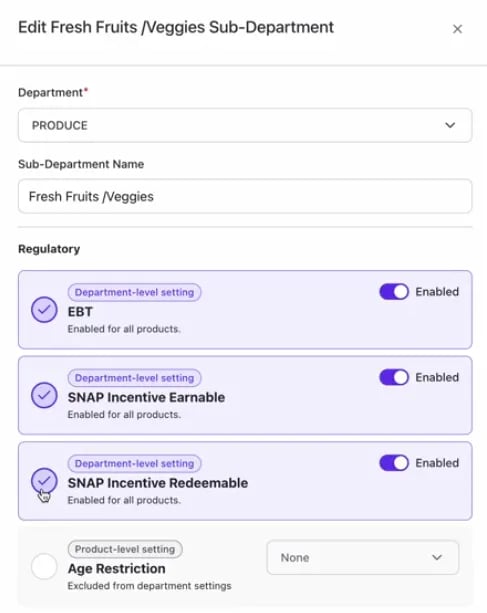
Department Inheritance: Set eligibility at the Department or sub-department level. All products within that section will inherit the setting.
-
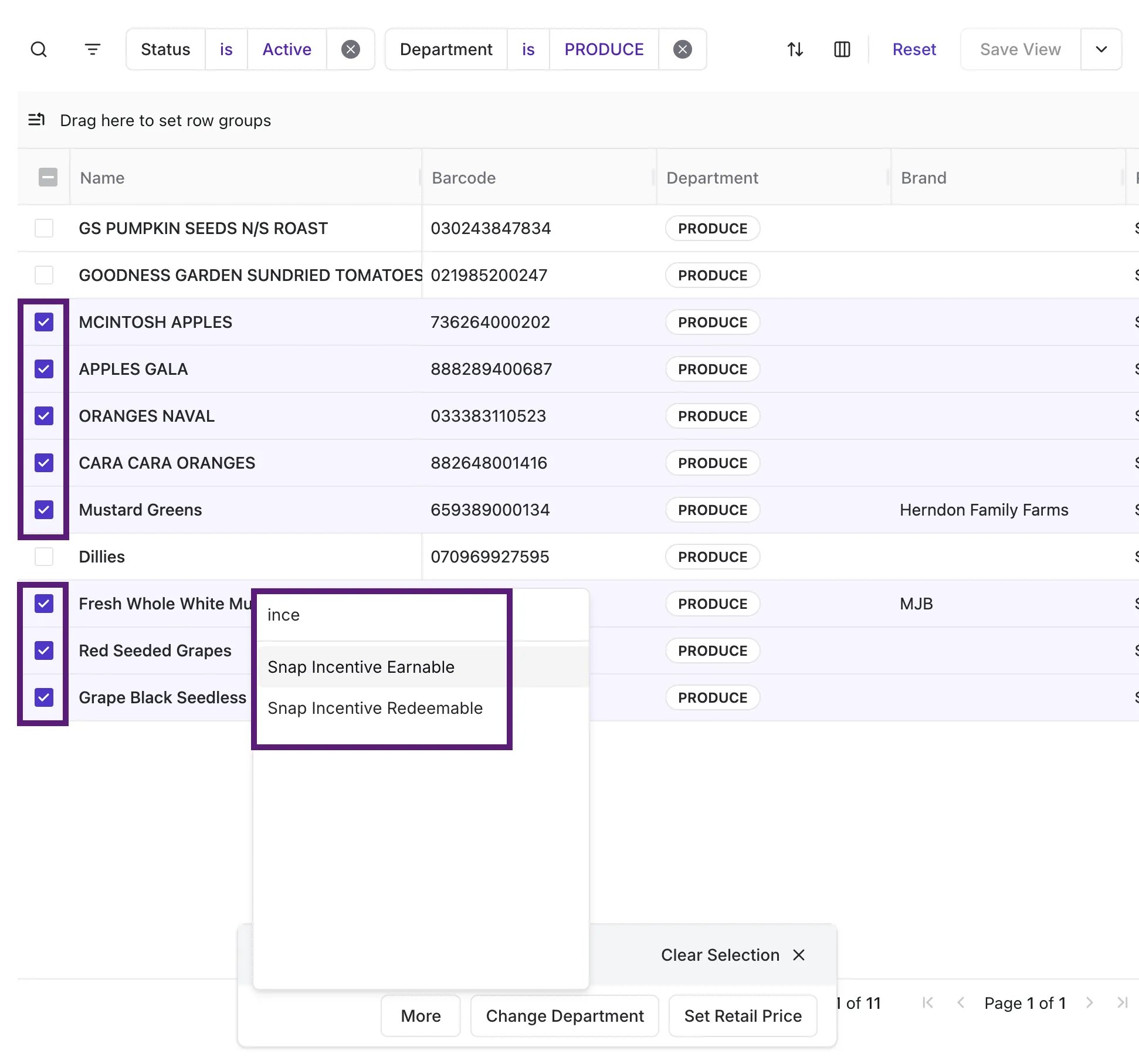
Bulk Change: Use Bulk Actions in the Product Catalog to update eligibility for a selection of products simultaneously.
-
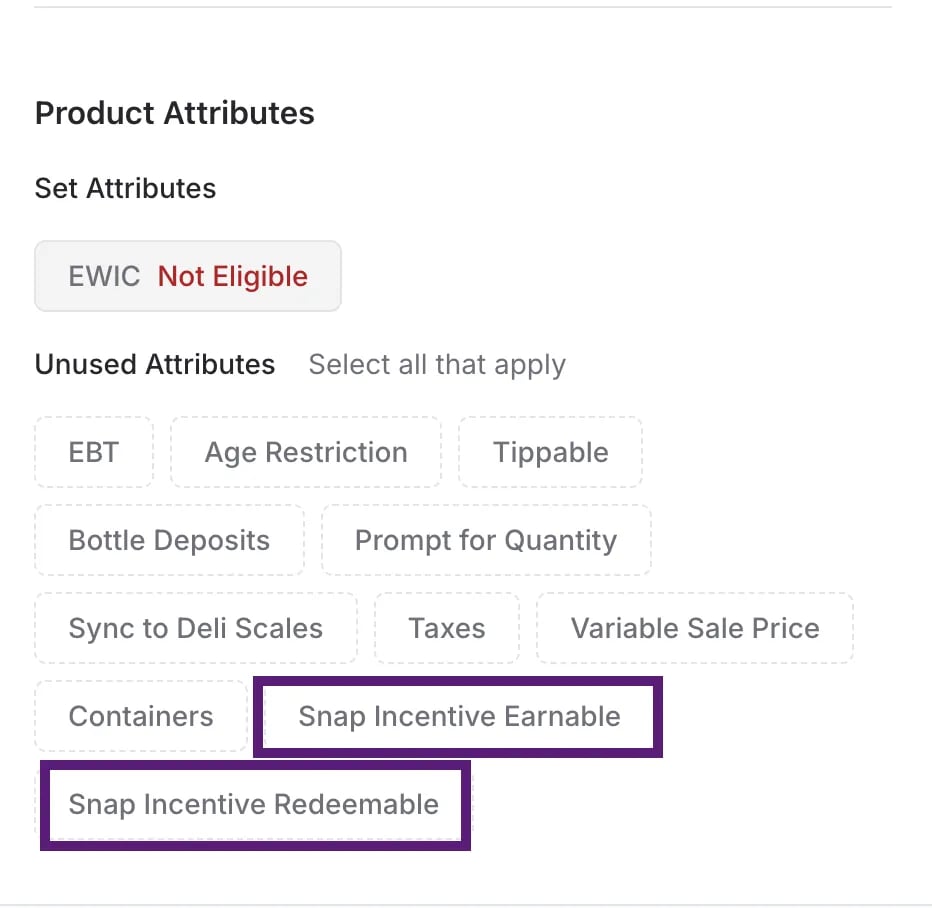
Individual Product Change: Open the Product Detail page for a specific product in the back office to manually toggle the eligibility flags.
Shopper Workflow: Earning Benefits at the POS
The process of earning a coupon is tied directly to the shopper’s payment method and the total value of eligible items.How the coupon amount is calculated
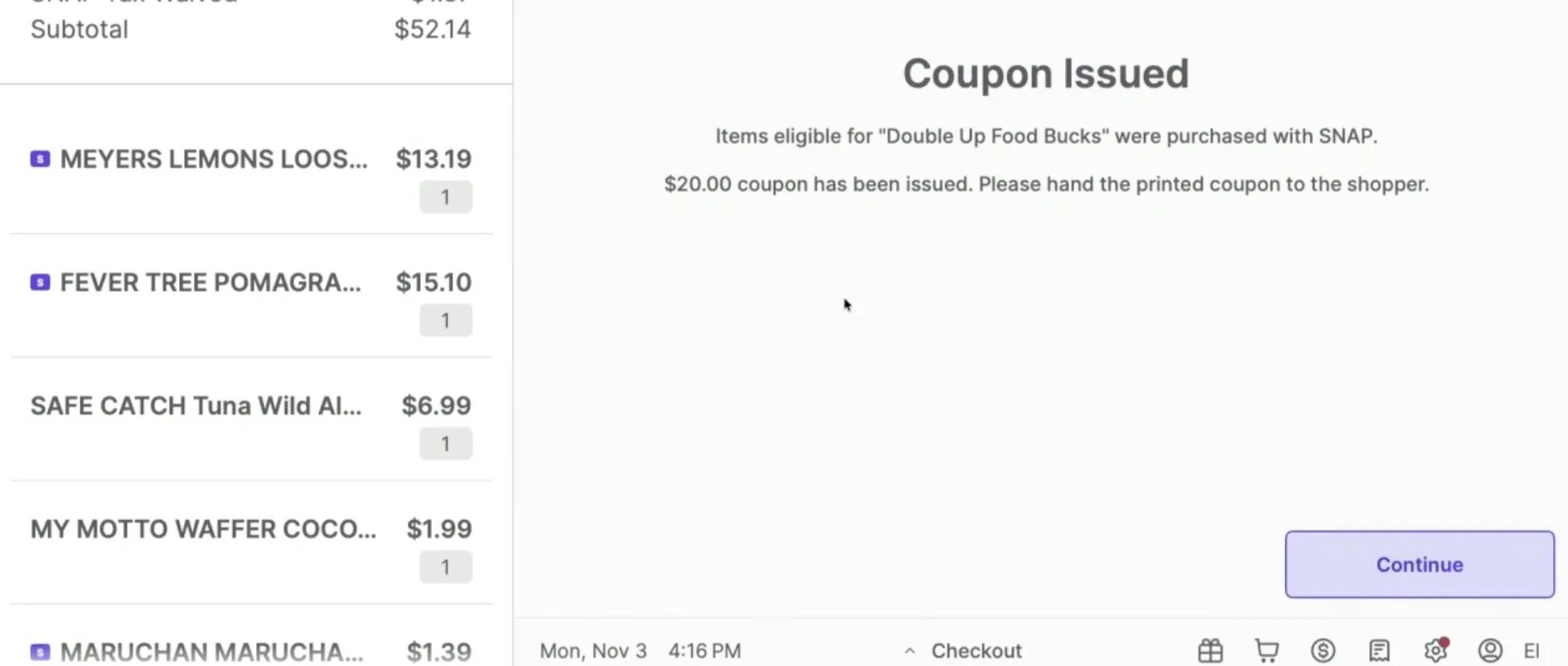
The coupon value equals the SNAP dollars spent on SNAP Incentive Earnable items in that basket, capped at the program’s maximum. Coupon amount = the lesser of:- The total SNAP payment applied,
- The total of SNAP Incentive Earnable items in the basket, or
- The program’s maximum (e.g., $20 per transaction in Oregon).
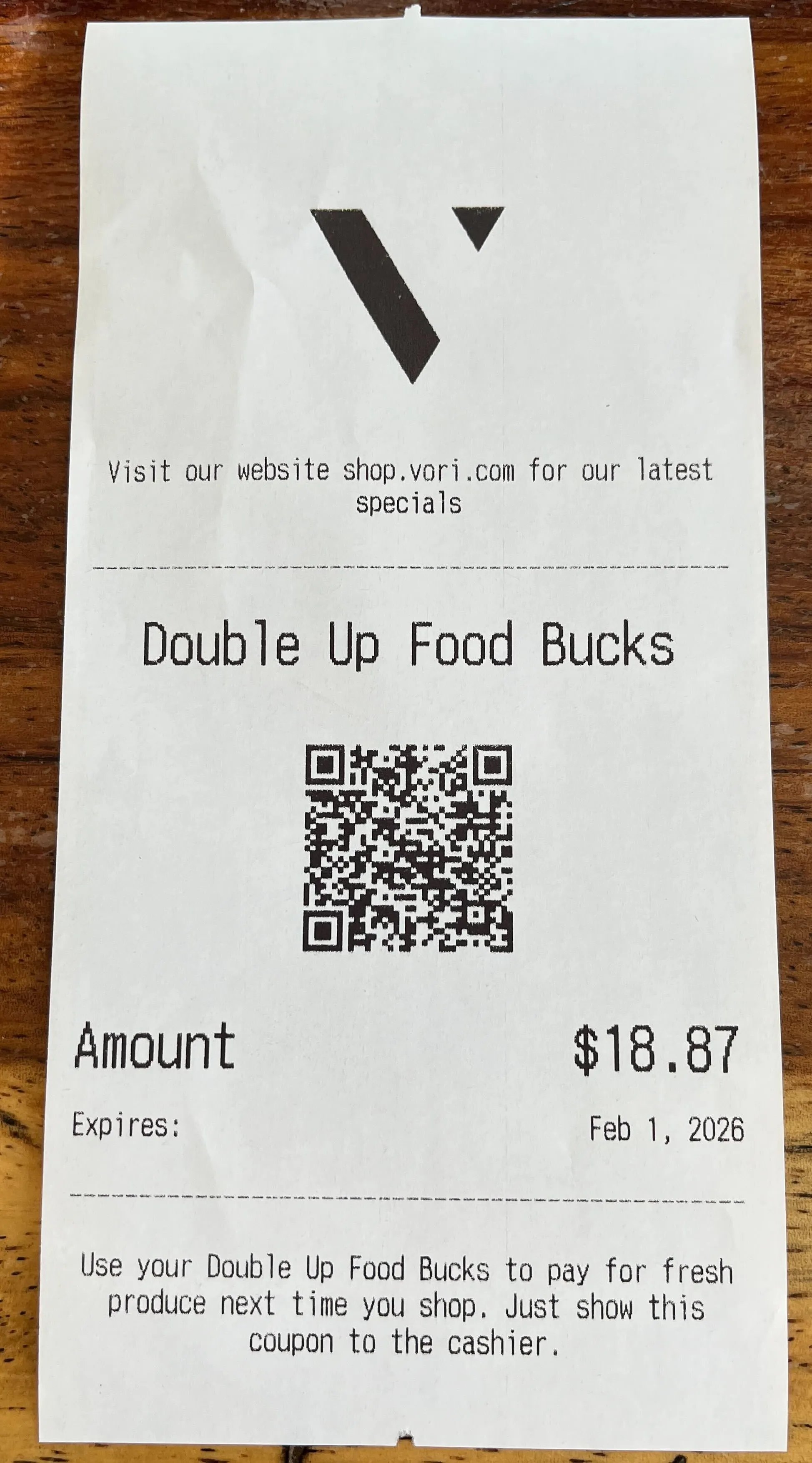
- The dollar value of the earned incentive.
- The expiration date based on the program rules (e.g., 90 days).
-
A concise description or set of rules for using the coupon (as specified by the program administrator).
Edge cases to know
- EBT balance is lower than eligible item total: If the SNAP-eligible items in the basket cost more than what the shopper has on their EBT card, the coupon is based only on the EBT amount actually spent — not on the full retail price of those items.
- A coupon was used to lower an item’s price: If a previous coupon reduced the price of a SNAP-eligible item, the next coupon earned is calculated from the reduced price.
- EBT Cash does not earn coupons: Only SNAP EBT payments earn incentives. EBT Cash payments do not.
Shopper Workflow: Using Coupons at the POS
Shoppers can use coupons for discounts on future purchases of eligible items.Redeeming coupons
- Scan the coupon: The shopper presents the paper coupon. The store scans the coupon’s barcode at the POS.
- Discount applied: The coupon value is automatically applied as a discount against products marked SNAP Incentive Redeemable.
- Use multiple coupons: Shoppers may use multiple coupons in a single transaction.
- Earning and redeeming in the same transaction: If a shopper redeems a coupon and purchases additional eligible foods with SNAP EBT funds in the same transaction, a new coupon is issued for the newly earned amount.
Coupon expiration and value
- Expiration: Coupons have an expiration date set by the state program.
- Use it or lose it: Coupons are for single-use only. Any unused dollar value on the coupon (if the coupon value is greater than the total purchase of redeemable items) does not roll over and is lost.