

Introduction
Tracking purchase orders is an essential part of managing inventory and vendor relationships. The Purchase Orders section in Vori’s Reporting page provides an interactive way to monitor submitted orders by vendor, date range, and order volume.Navigating to Purchase Orders
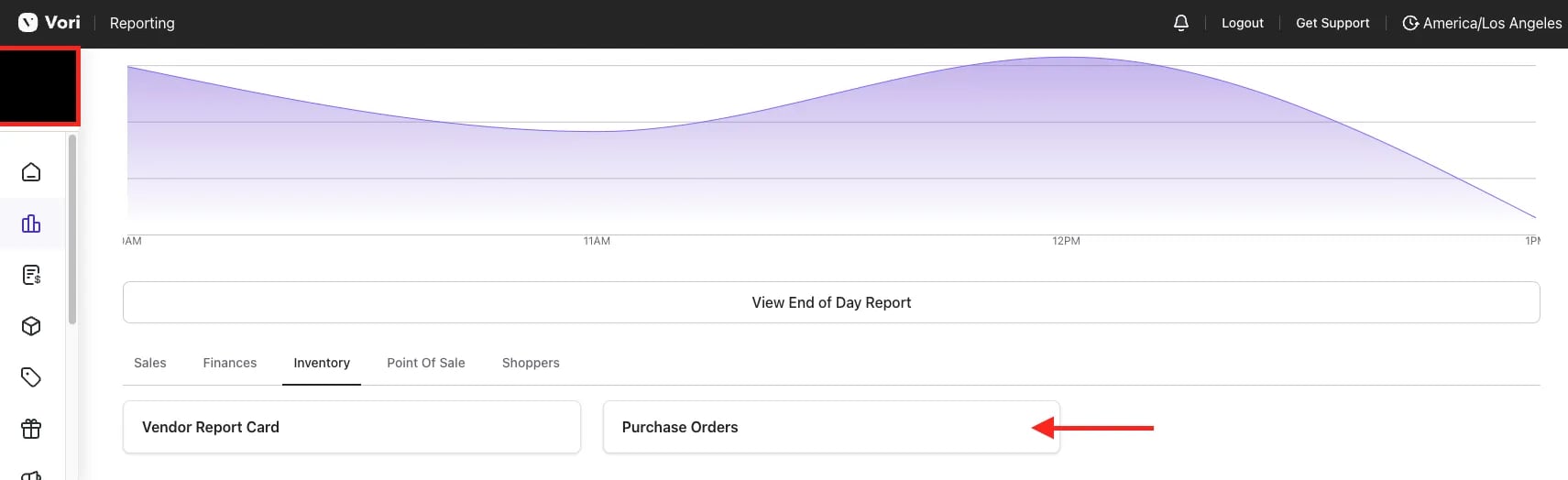
To get started, click on Reports, then Overview, select the Inventory tab, and selectPurchase Orders.
Overview
Use filters to narrow down results by date range and vendor, and view the Order Total and Order Count in both numerical and chart formats for easy analysis.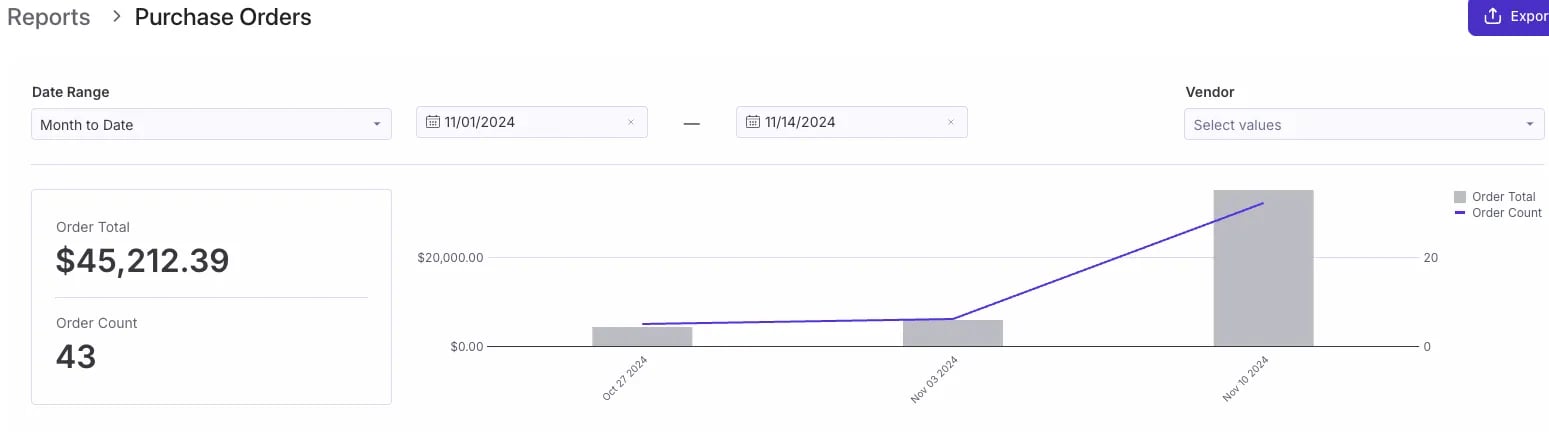
Purchase Orders
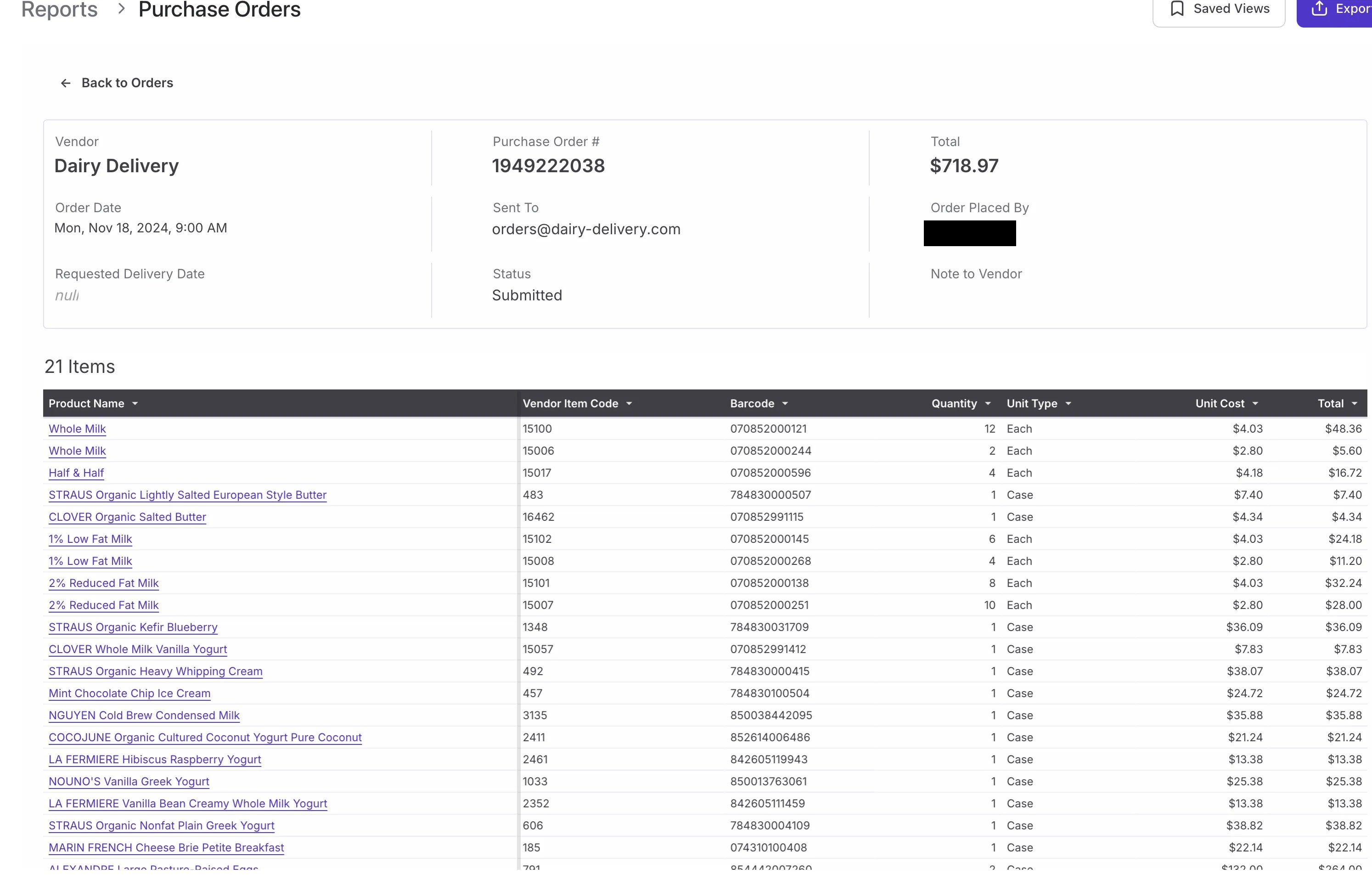
This section displays all submitted Purchase Orders, sorted by the most recent orders. Selecting a purchase order opens a detailed summary, including:- Line items
- Vendor codes
- Barcodes
- Quantities
- Unit costs
Additional Notes:
- Reports can be exported via PDF and scheduled for export.
-
 For more detailed data, click the three dots (⋯) in the top-right corner of a figure or chart to reveal More actions, then select View underlying data for a line-by-line view. Each row links to its transaction and product.
- To create a Saved View within this report, follow along with this guide here.