

Set your team up with the right access so checkout stays fast, secure, and simple.
Before You Begin
- Log in to the New Back Office as an Owner or Manager.
- Navigate to Point of Sale → Cashiers to access your team roster.
- Have the employee’s first name and last name ready.
Users created here only have access to the POS. To create additional admin users for the dashboard or ordering, contact Vori Support.
Your Cashiers Page
The Cashiers page shows every employee on your team with their current PIN, barcode, authentication type, role, and status.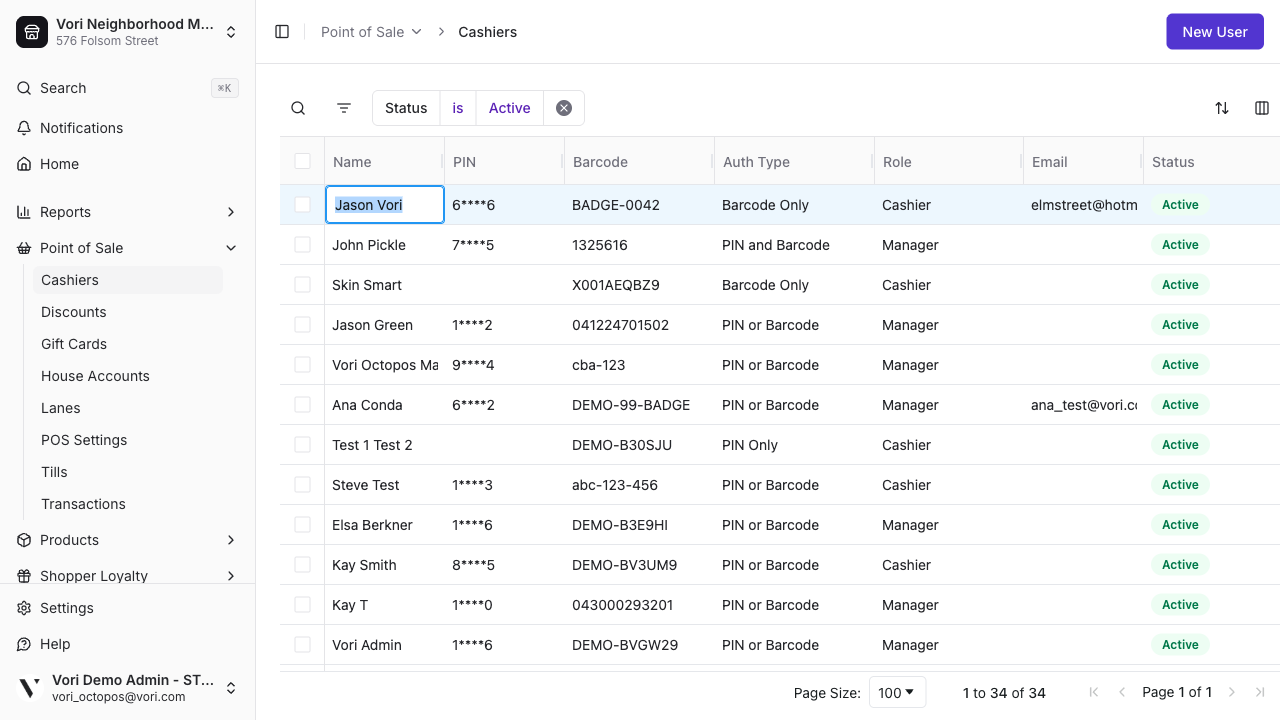
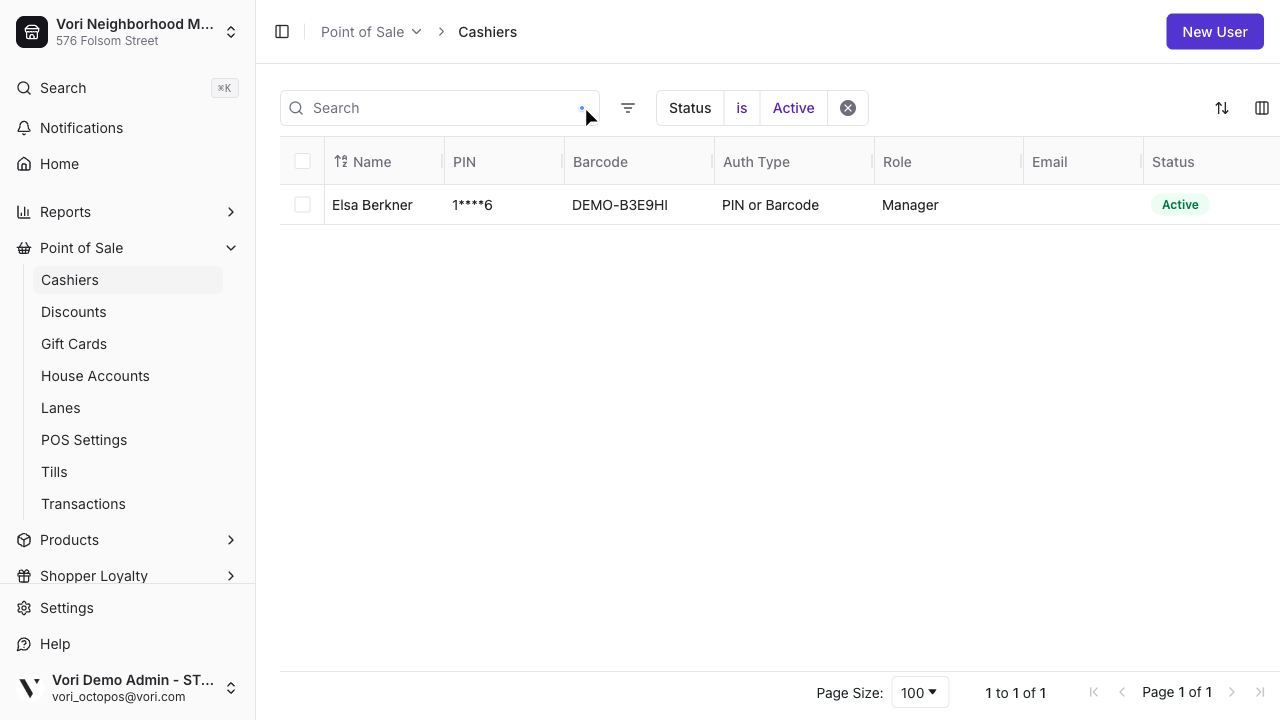
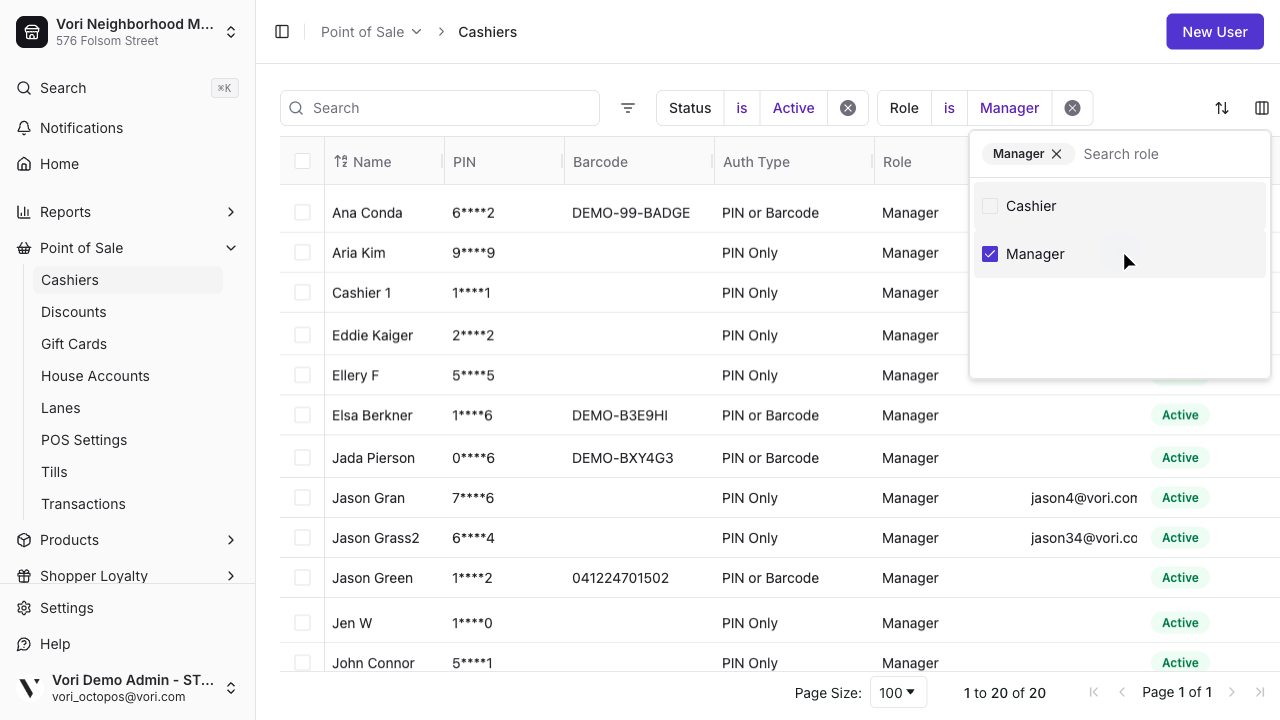
Create a New POS User
Adding a new team member takes less than a minute.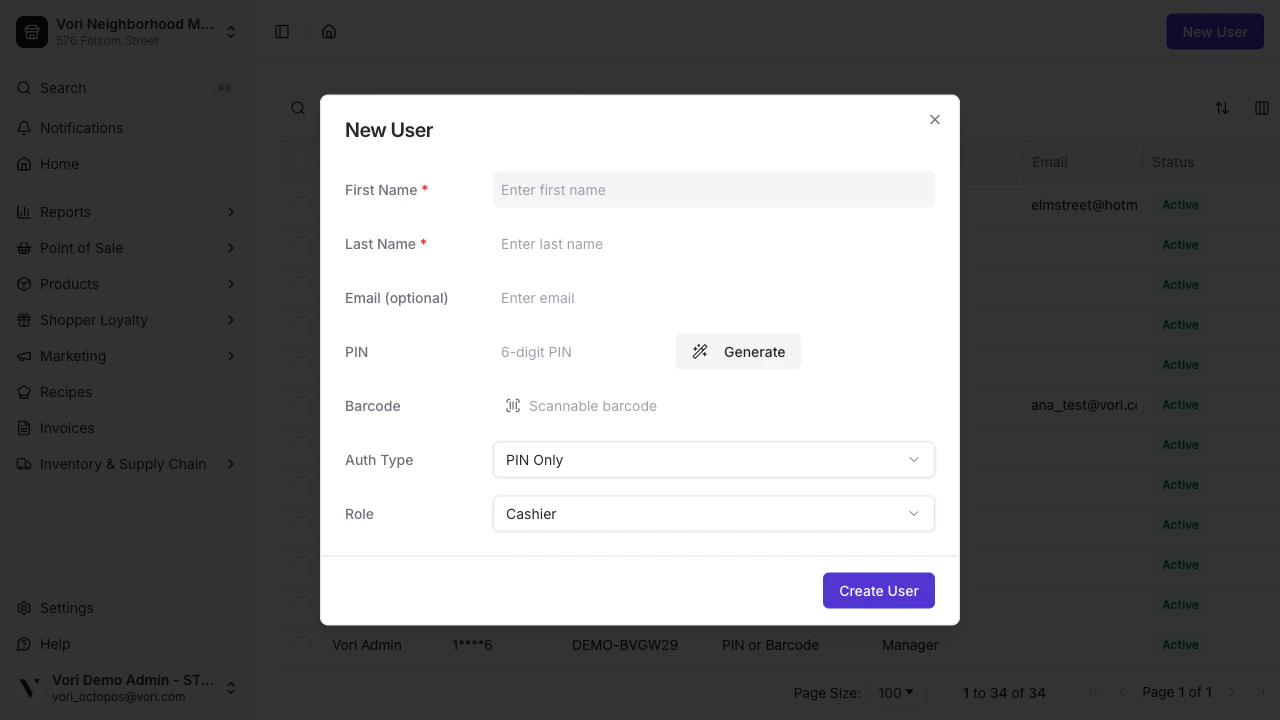
Generate a PIN
Create or generate a 6-digit PIN. Vori creates a unique code automatically — no duplicates.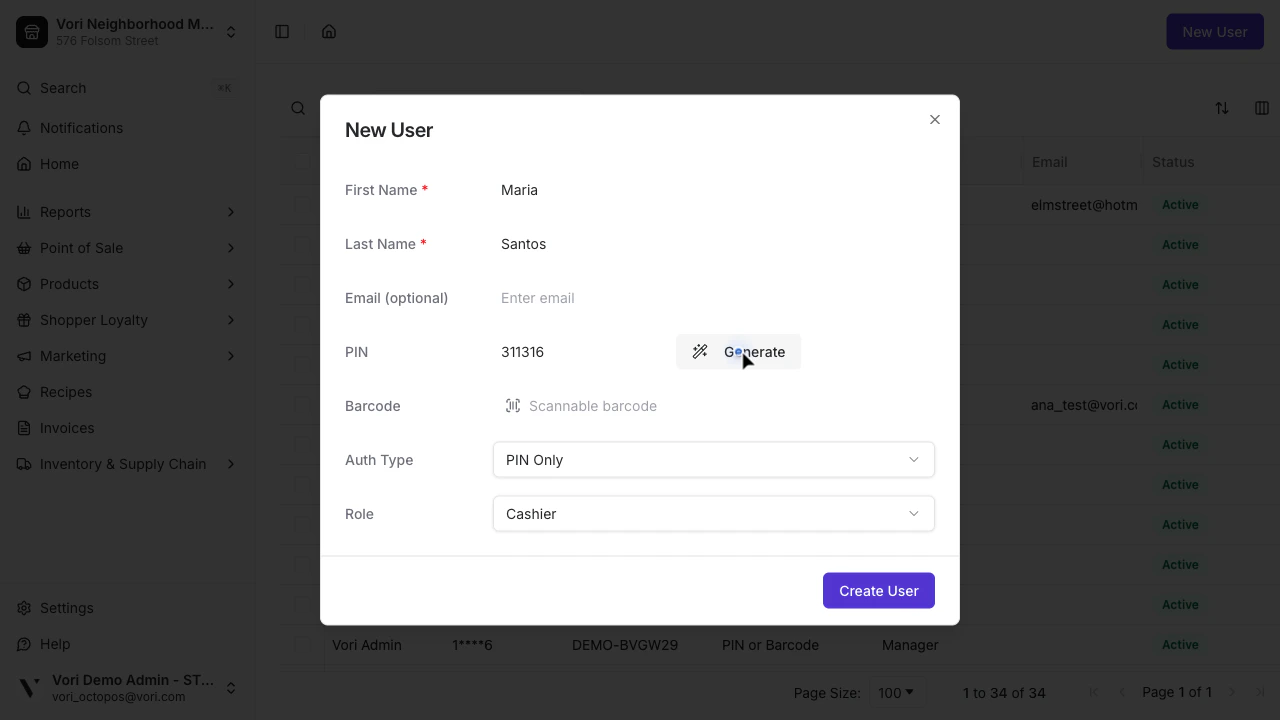
Set the Auth Type
Choose how this employee will sign in at the register. PIN Only is the default and works for most of your team.
To use any barcode option, enter the employee’s badge barcode in the Barcode field. You can scan it with a USB barcode scanner or type the value manually.Vori supports the following barcode formats: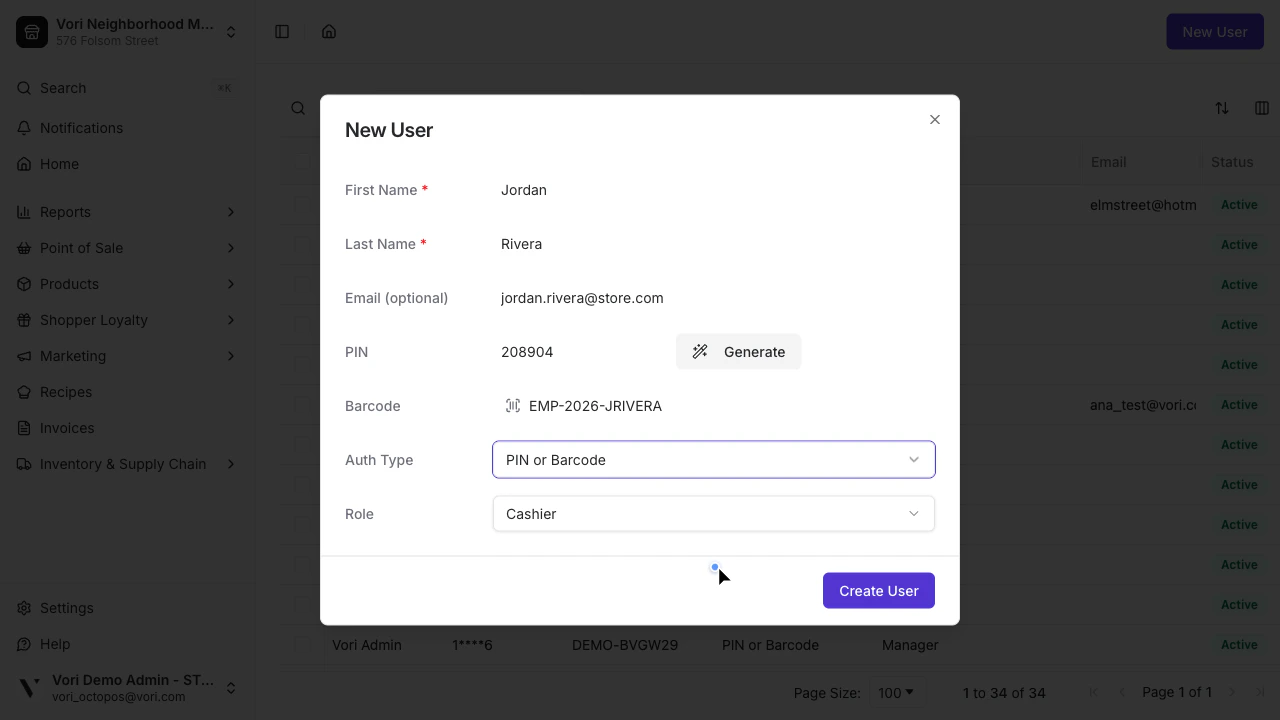
| Auth Type | How they sign in |
|---|---|
| PIN Only | 6-digit PIN at the register |
| Barcode Only | Badge scan only — no PIN fallback |
| PIN or Barcode | Either method works |
| PIN and Barcode | Both are required every time |
- QR Code
- Code 128
- Code 39
Your store supplies its own badge cards — Vori doesn’t provide them. Many stores generate a free barcode at Kenco Label, choose one of the formats above, then print it, laminate it, and clip it to a lanyard the cashier scans at the register. You can also order pre-printed badge cards from a label vendor if you’d rather not make your own.
Edit or Deactivate an Existing User
Turnover happens. Keep your store secure by updating user details or deactivating staff who no longer work at your location. Everything in the Cashiers grid is editable inline — no need to delete and re-add an employee.Click any cell to edit
Click the field you want to update — Name, Role, PIN, Barcode, or Auth Type. The cell enters edit mode immediately.To change the Auth Type, click the cell and then click the dropdown arrow on the right to open the options.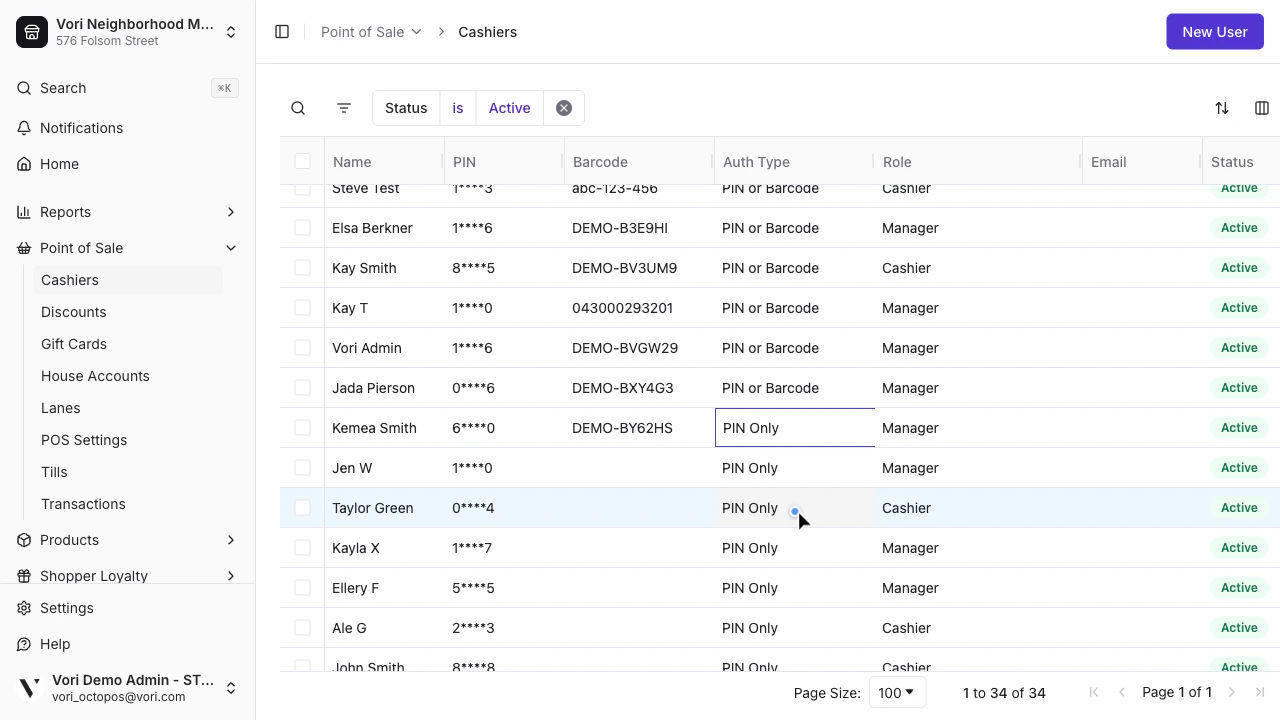
If you’re adding barcode access to an existing PIN-only employee, enter the barcode value first — then change the Auth Type. Auth type options that require a barcode will not save without one.