

Issue a Gift Card in the Back Office
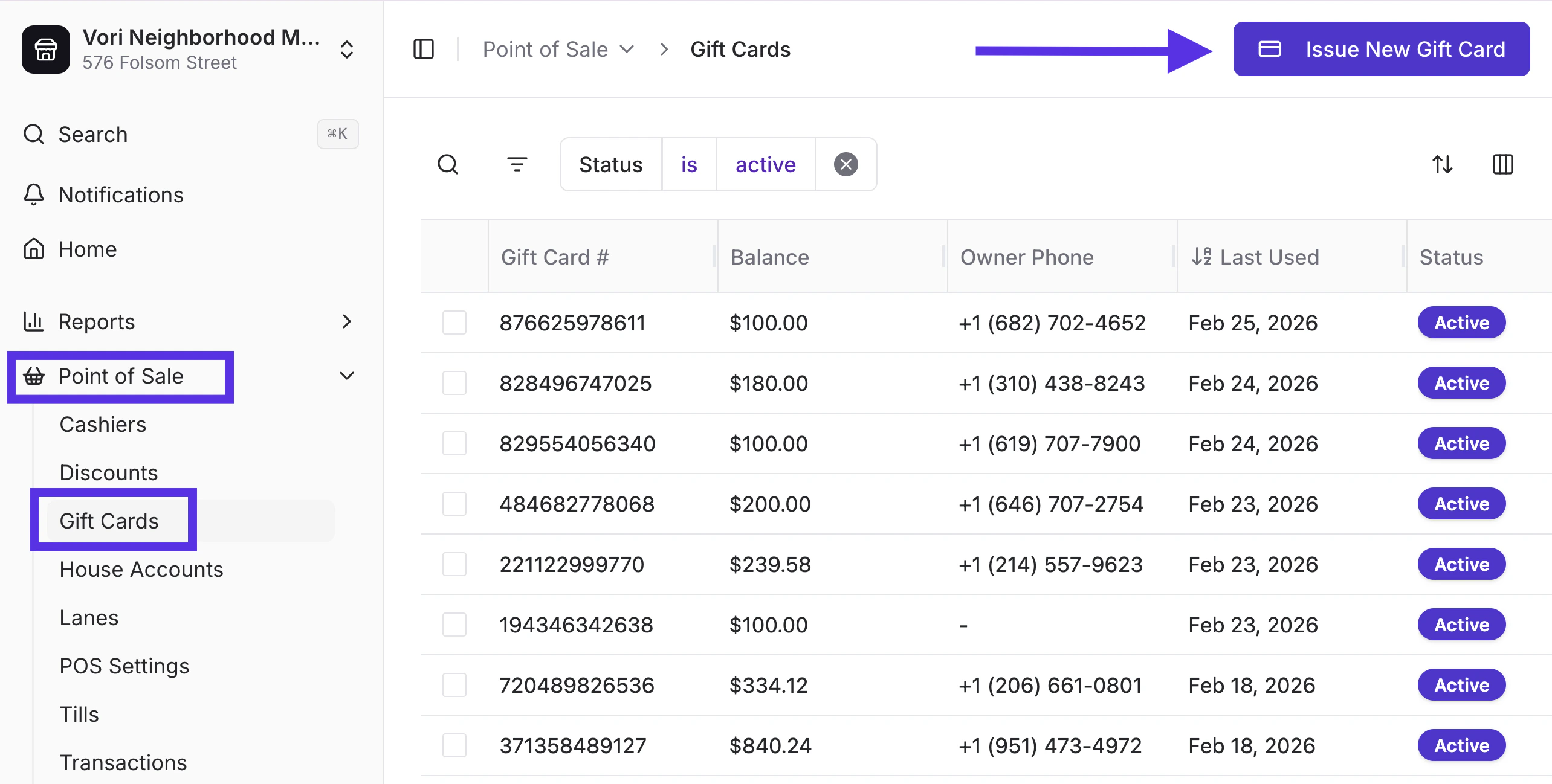
Need to create a gift card without ringing it through the register? You can do it in seconds.- In New Back Office, select Point of Sale on the left-hand navigation menu.
- Choose Gift Cards from the dropdown menu.
-
Tap I**ssue New Gift Card.
-
Enter a phone number and/or a barcode and starting balance.
- If both are entered, the QR code and physical card will be linked.
-
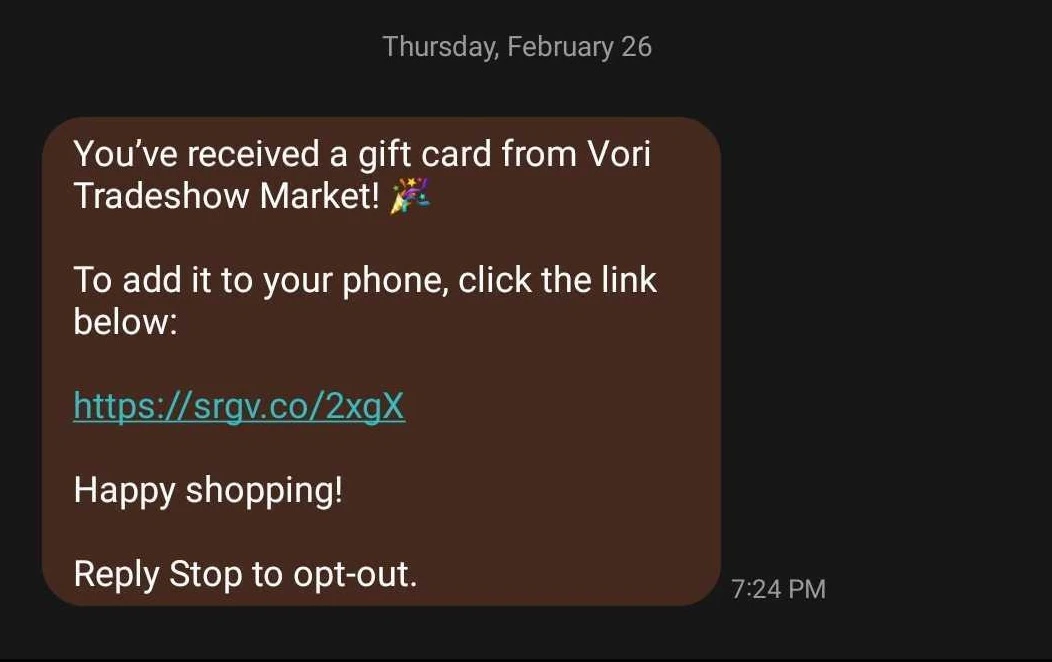
If only a phone number is entered, the recipient will receive a digital card link via SMS.
- If only a barcode is entered, the card balance will update immediately.
- Enter the starting balance of the gift card.
- Tap Create & Issue.
Modify a Gift Card Balance
Mistakes happen. Promotions change. Store credit needs adjusting.
To correct an error or apply a manual balance adjustment:
- Search by Phone Number or Barcode.
- Hover over the gift card number and select Open.
- Tap Modify Balance.
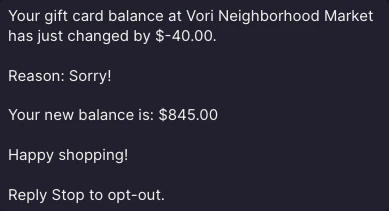
- Add or subtract the amount, and enter a reason.
- Tap Update Balance.
Edit, Reissue, and Deactivate a Gift Card
Edit a Gift Card
Need to link a card to a shopper or fix a barcode?- Search by Phone Number or Barcode.
- Hover over the gift card number and select Open.
-
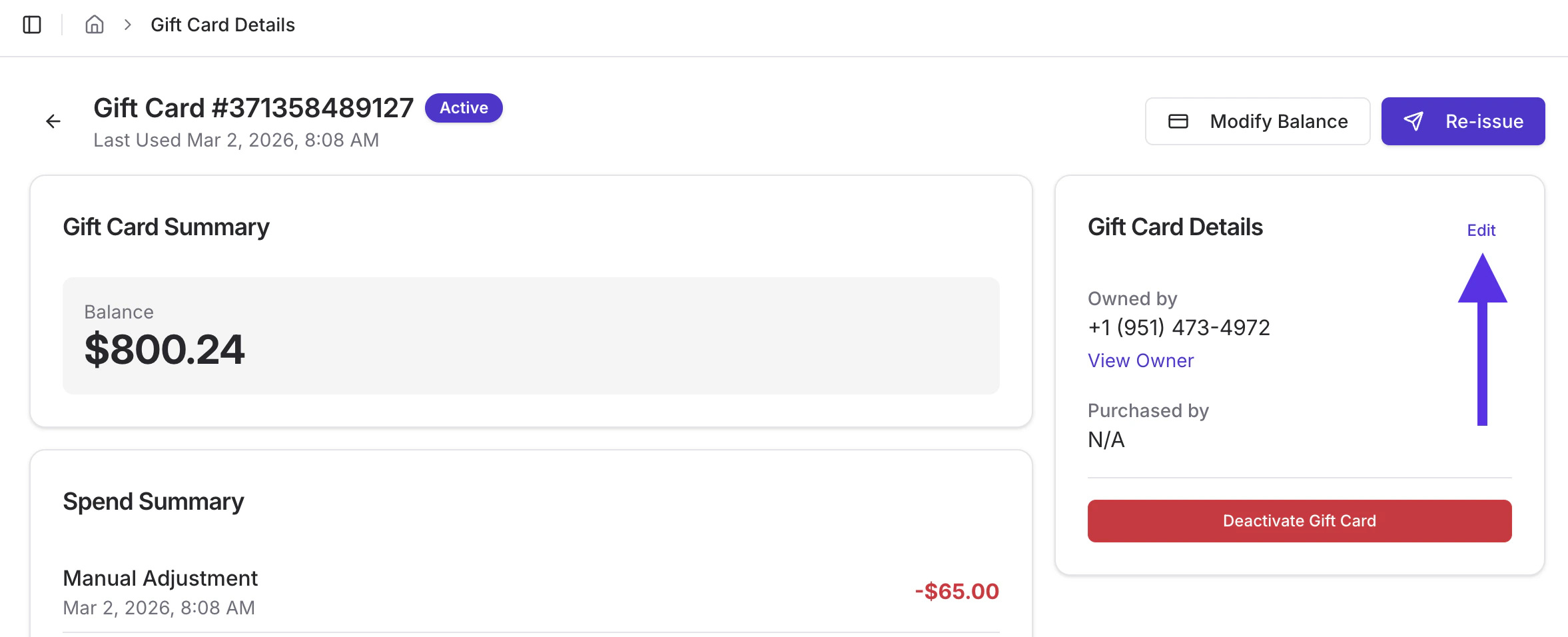
Tap Edit
- Edit or remove a barcode.
- Add an owner phone number (you cannot remove a phone number once it’s assigned).
- Select Update Details to save changes.
Reissue a Gift Card
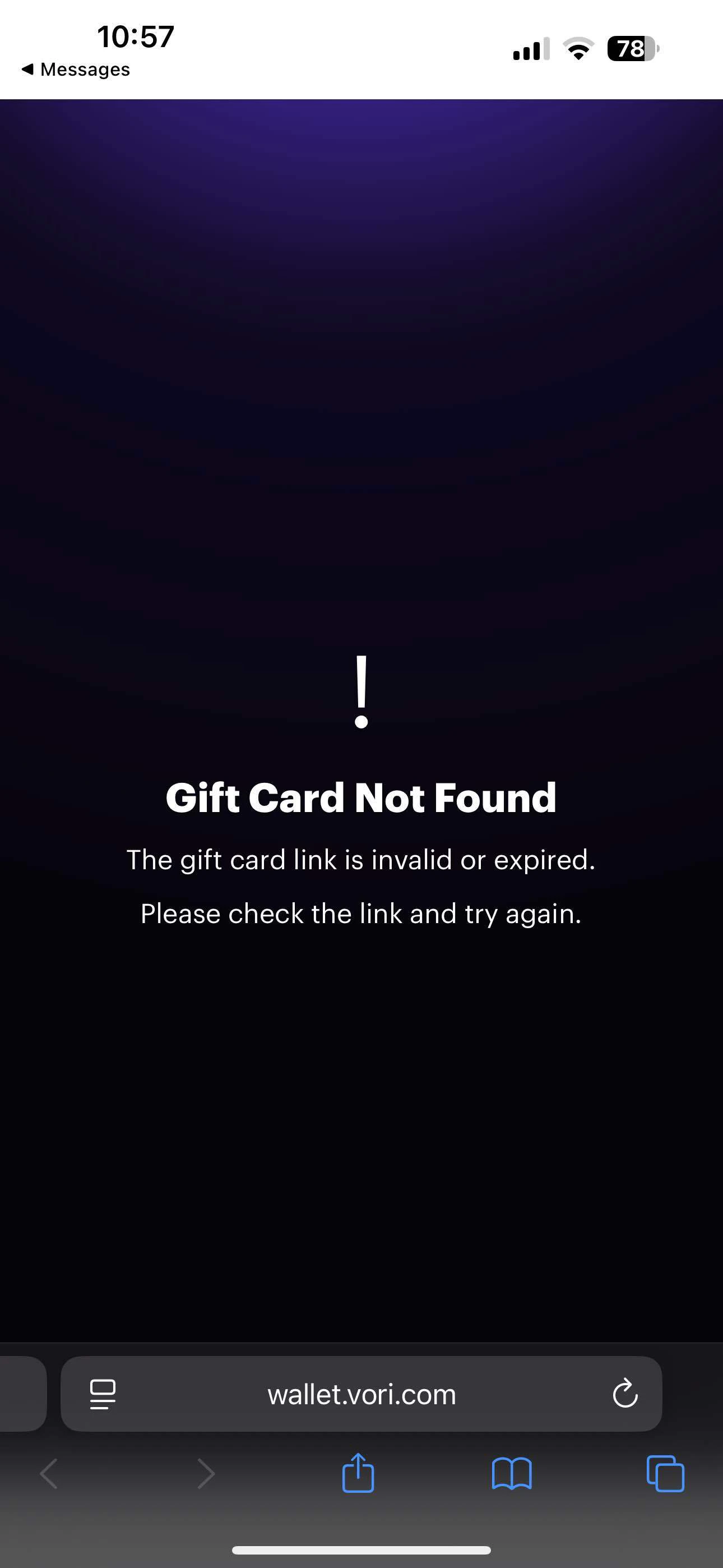
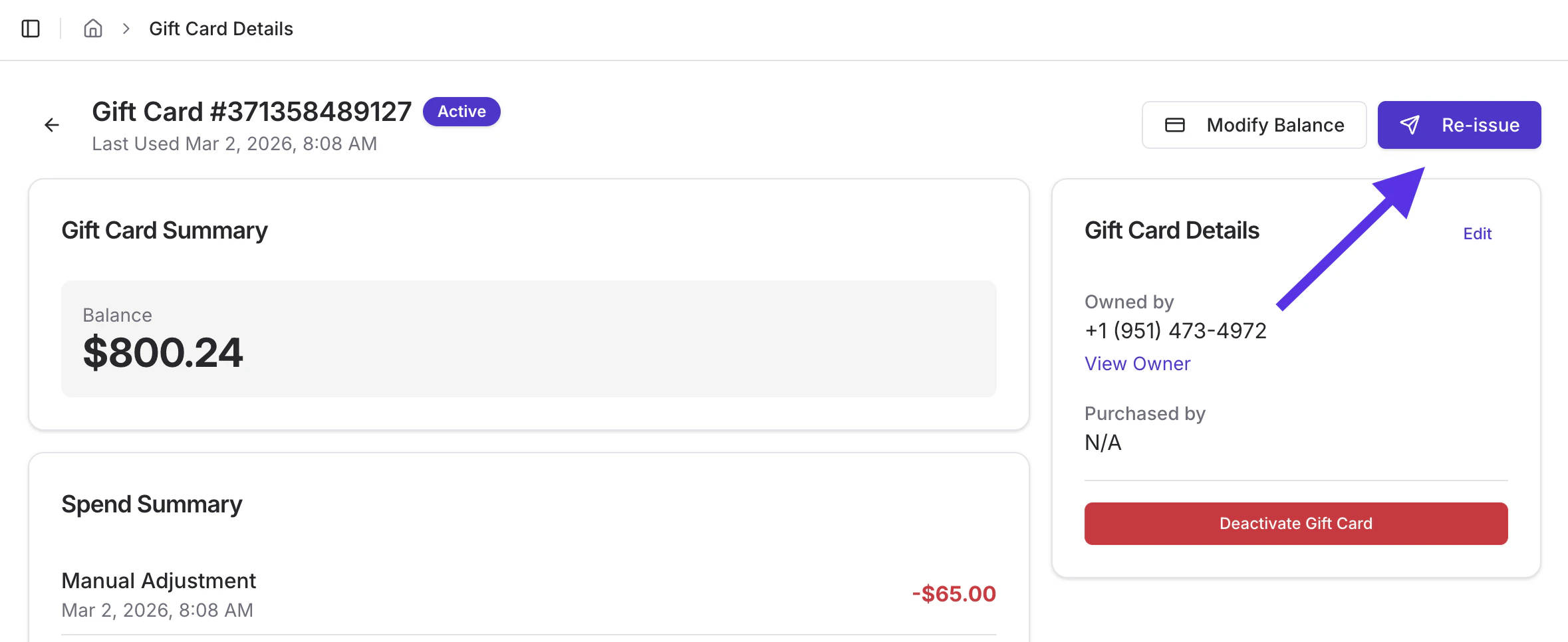
If a shopper accidentally deletes their digital card text or the link expires, you can send them a new one.- Search by Phone Number or Barcode.
- Hover over the gift card number and select Open.
- Tap Reissue.
Deactivate a Gift Card
If a card is lost or no longer valid, you can deactivate it to prevent further use.- Search by Phone Number or Barcode.
- Select the gift card.
-
Tap the red Deactivate Gift Card button.
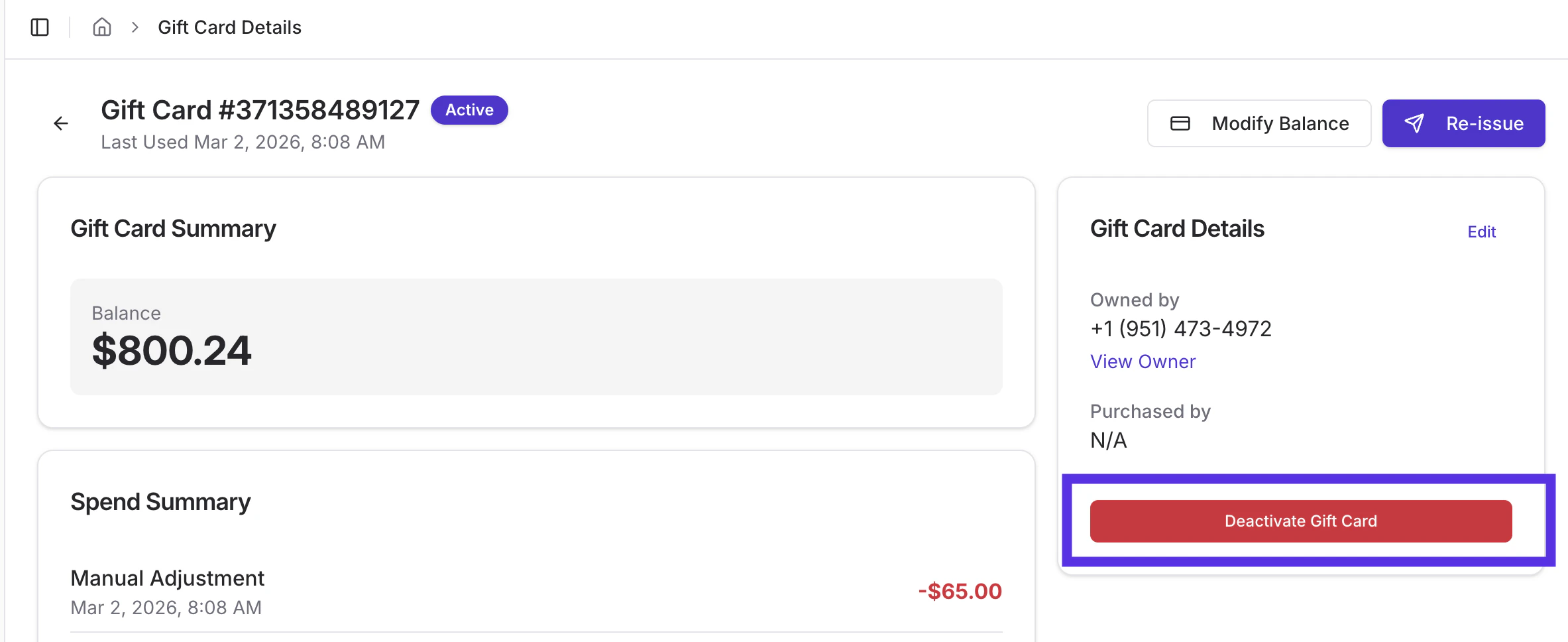
- Enter a reason, then tap Deactivate Gift Card.
-
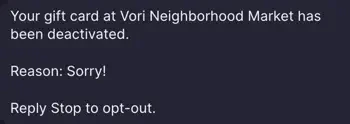
The receipient will receive a SMS message with details on the deactivation.
➡️ Next Up: Want visibility into gift card performance? You can review gift card activity in your End of Day Report to track balances, usage, and impact on sales. Learn how in the Gift Card Activity in the End of Day Report article.