

How it works
Unlike other POS systems that require manual adjustments, Vori detects when a transaction is paid in cash and applies the rounding logic instantly.- Card vs. cash: Rounding only applies to cash payments. Transactions made via credit, debit, or other digital methods are processed to the exact penny.
- Rounding up: If the total ends in $0.03, $0.04, $0.08, or $0.09, the system rounds up to the nearest $0.05.
- Rounding down: If the total ends in $0.01, $0.02, $0.06, or $0.07, the system rounds down to the nearest $0.05.
- Split payments: If a shopper pays partially with a card and the remaining balance with cash, the rounding logic applies only to the final cash portion.
-
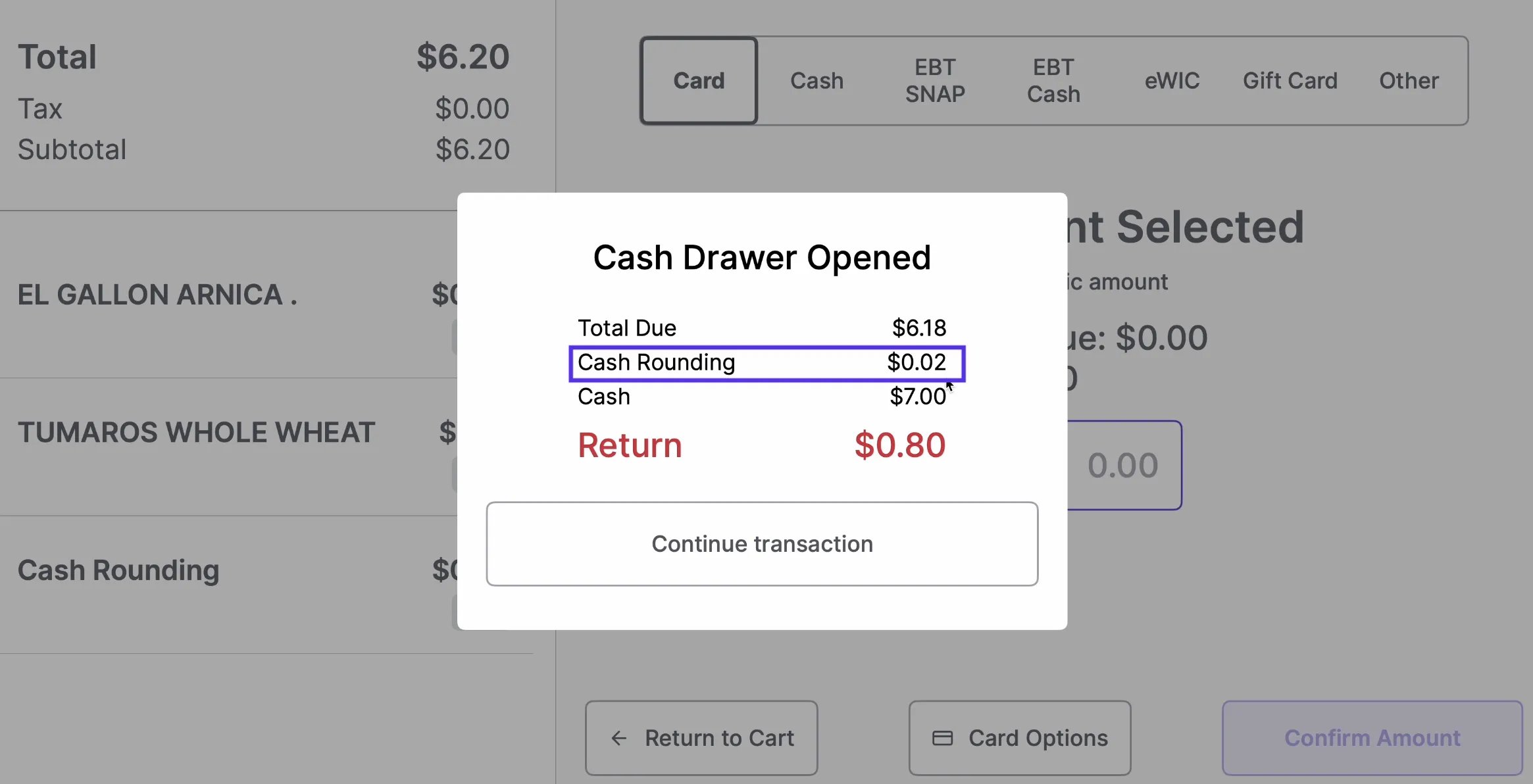
A total of $6.18 paid in cash automatically adds a $0.02 “Cash Rounding” line item to reach $6.20.
-
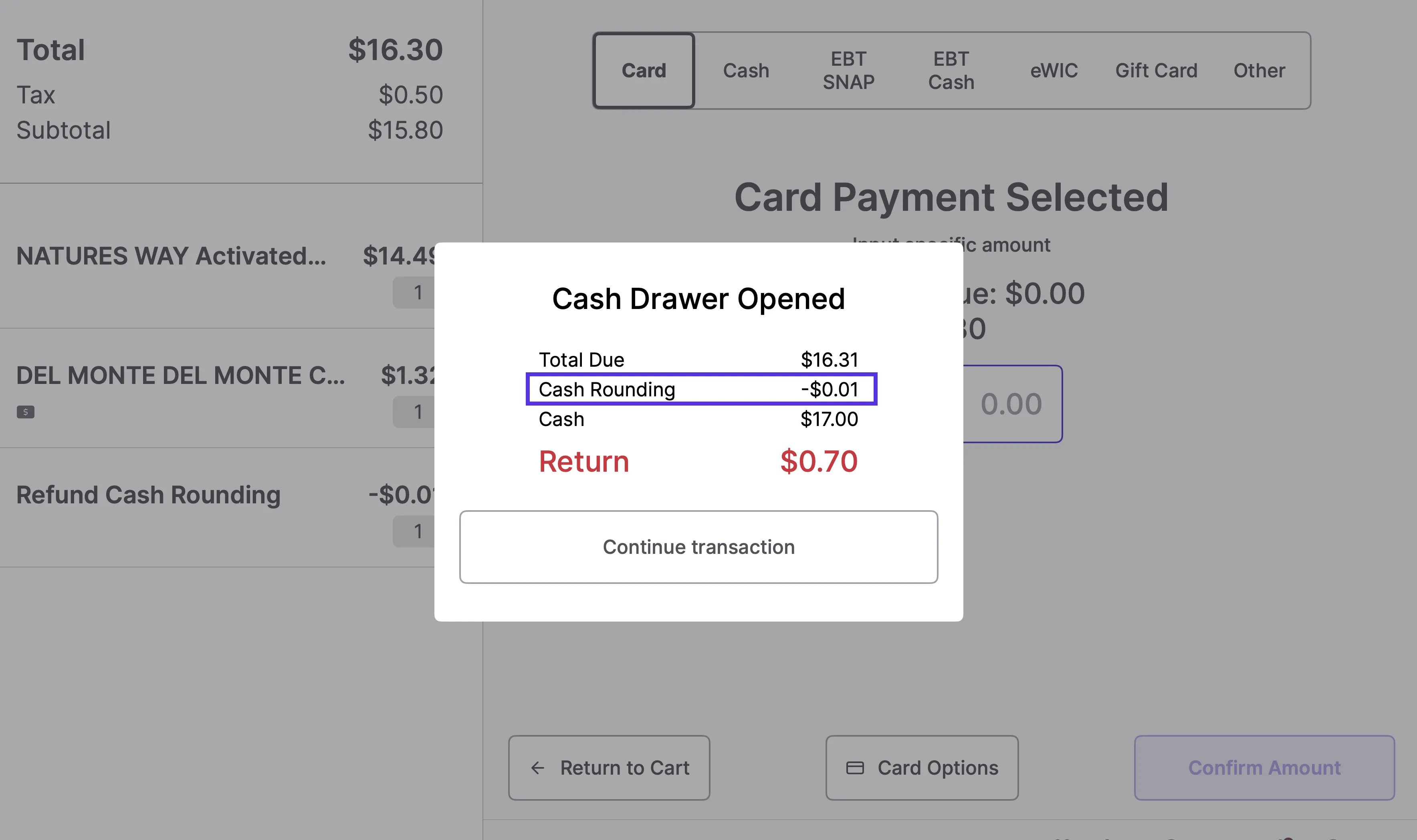
A total of $16.31 paid in cash automatically applies a -$0.01 “Cash Rounding” credit to reach $16.30.
What the shopper sees
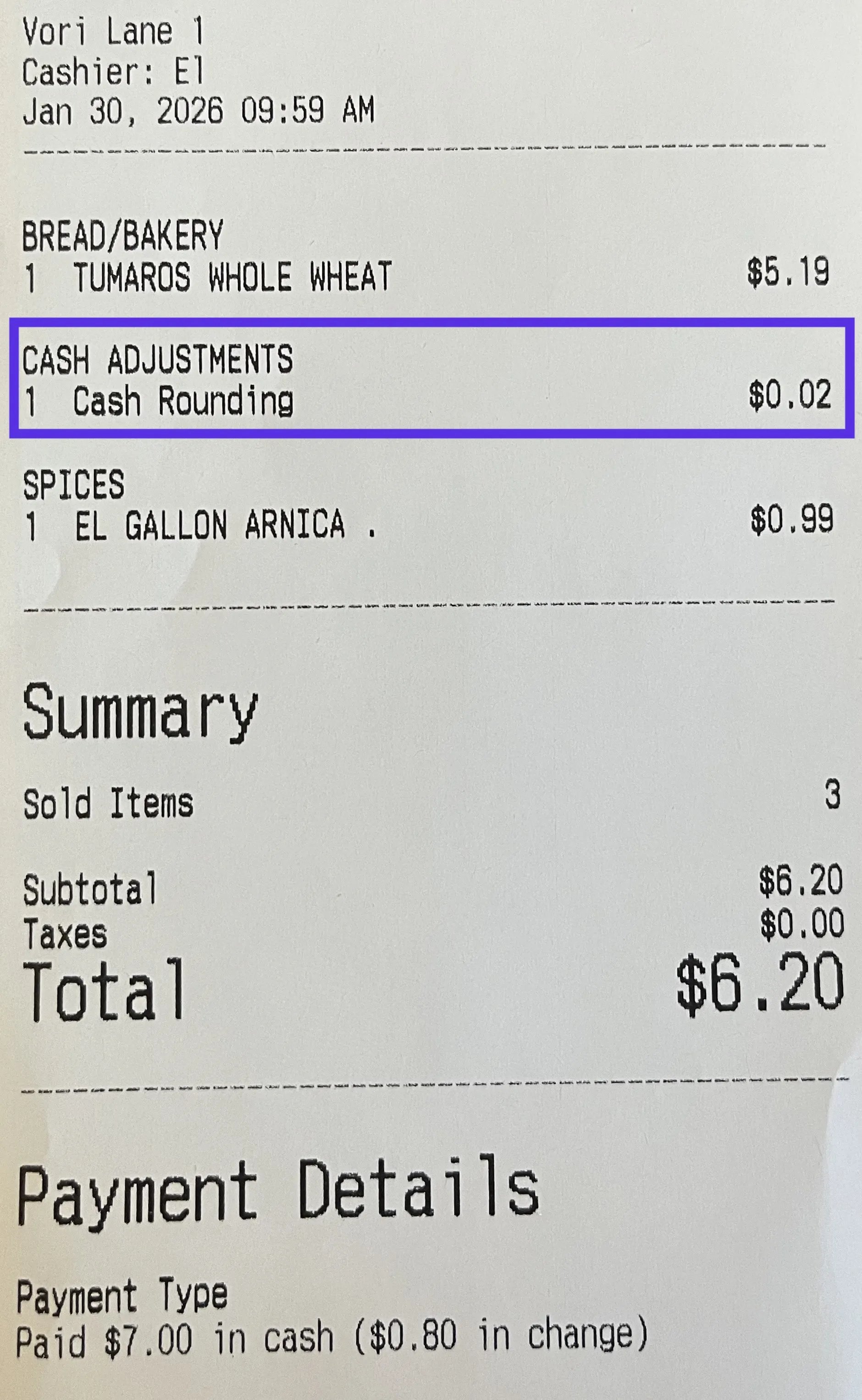
To maintain transparency, rounding appears as a clear line item on the printed receipt.- Line item: A product named Cash Rounding is added to the basket.
- Department: It is typically categorized under a department called Cash Adjustments.
Setup and configuration
Setting up cash rounding is a two-step process in the Back Office.1. Create the Cash Adjustments department and rounding product
First create a specific department and a placeholder item in your product catalog to track these adjustments.-
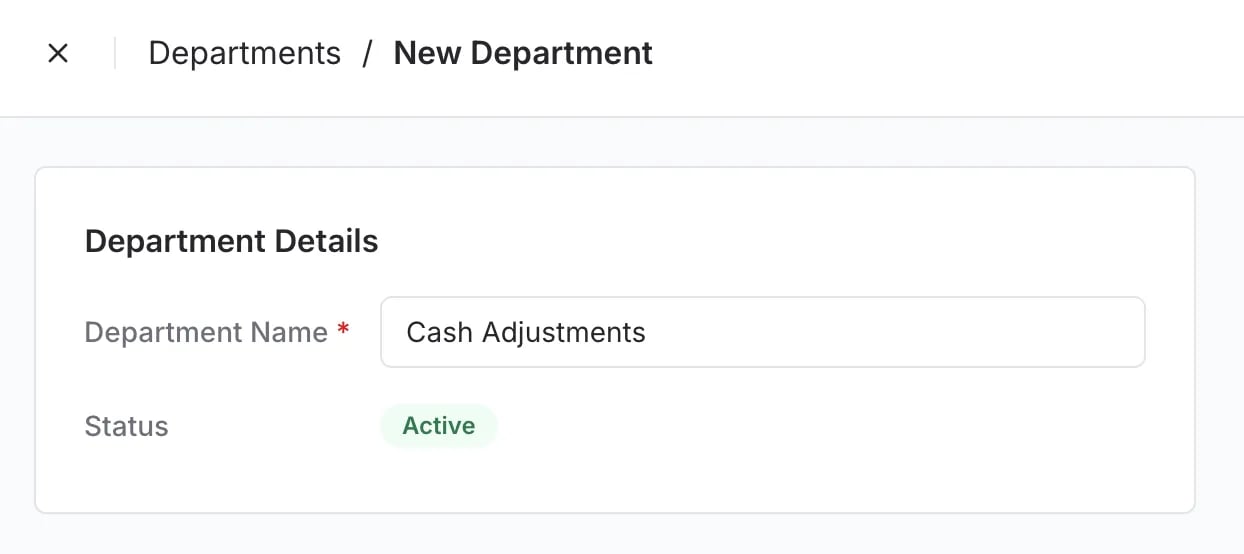
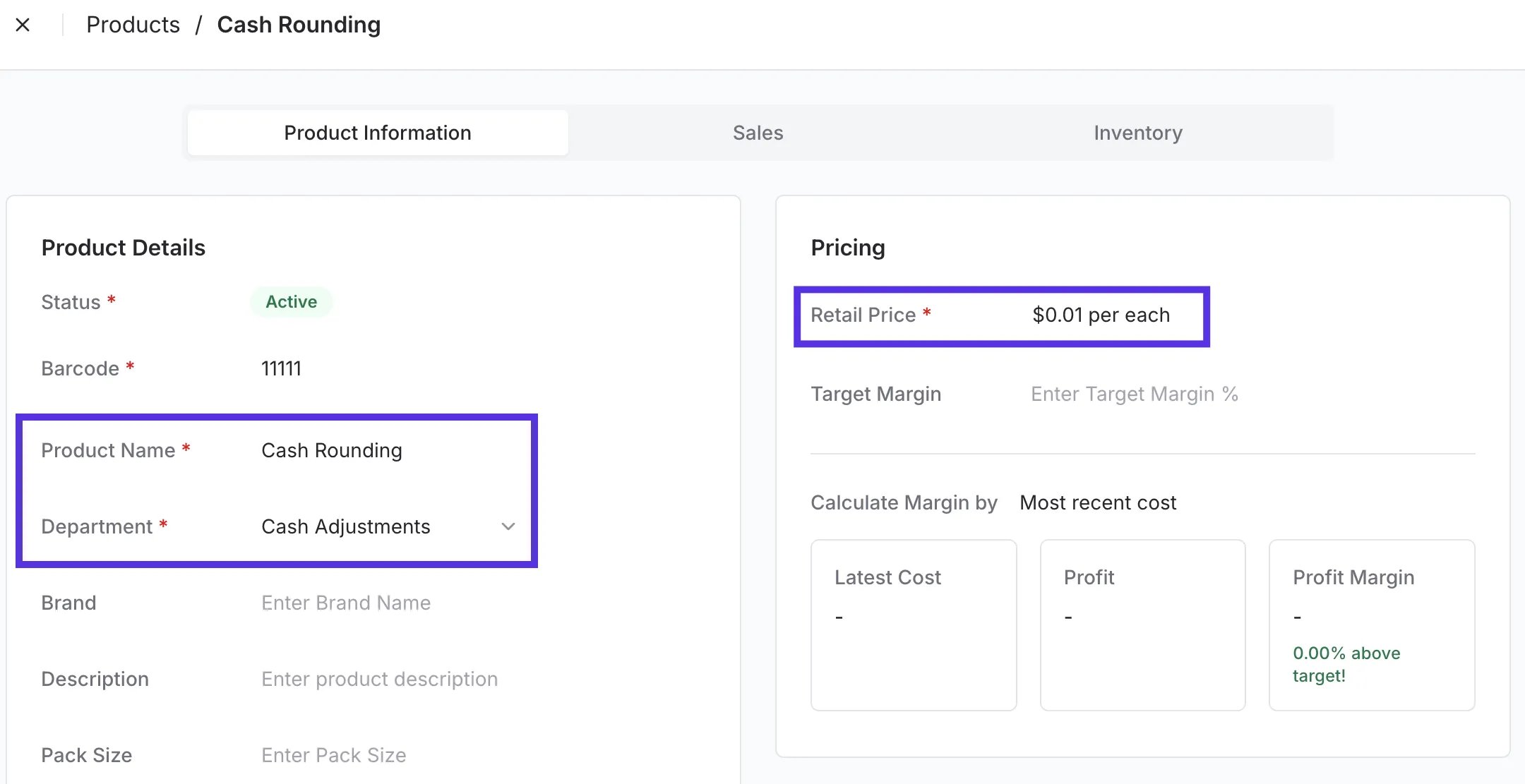
Create the department: In your Back Office, create a new department named Cash Adjustments.
-
Create the product: In the Product Catalog, create a new item named Cash Rounding.
- Assign department: Link the Cash Rounding product to the Cash Adjustments department.
- Barcode: Assign a unique barcode that does not conflict with existing products.
- Price: Set the retail price to $0.01. The POS automatically overrides this price during the transaction.
2. Contact Vori to enable
After the department and product are added to your catalog, contact Vori Support. We’ll map the item to your store’s backend settings and complete the setup so the rounding logic is fully activated at the register.Refunding cash rounding
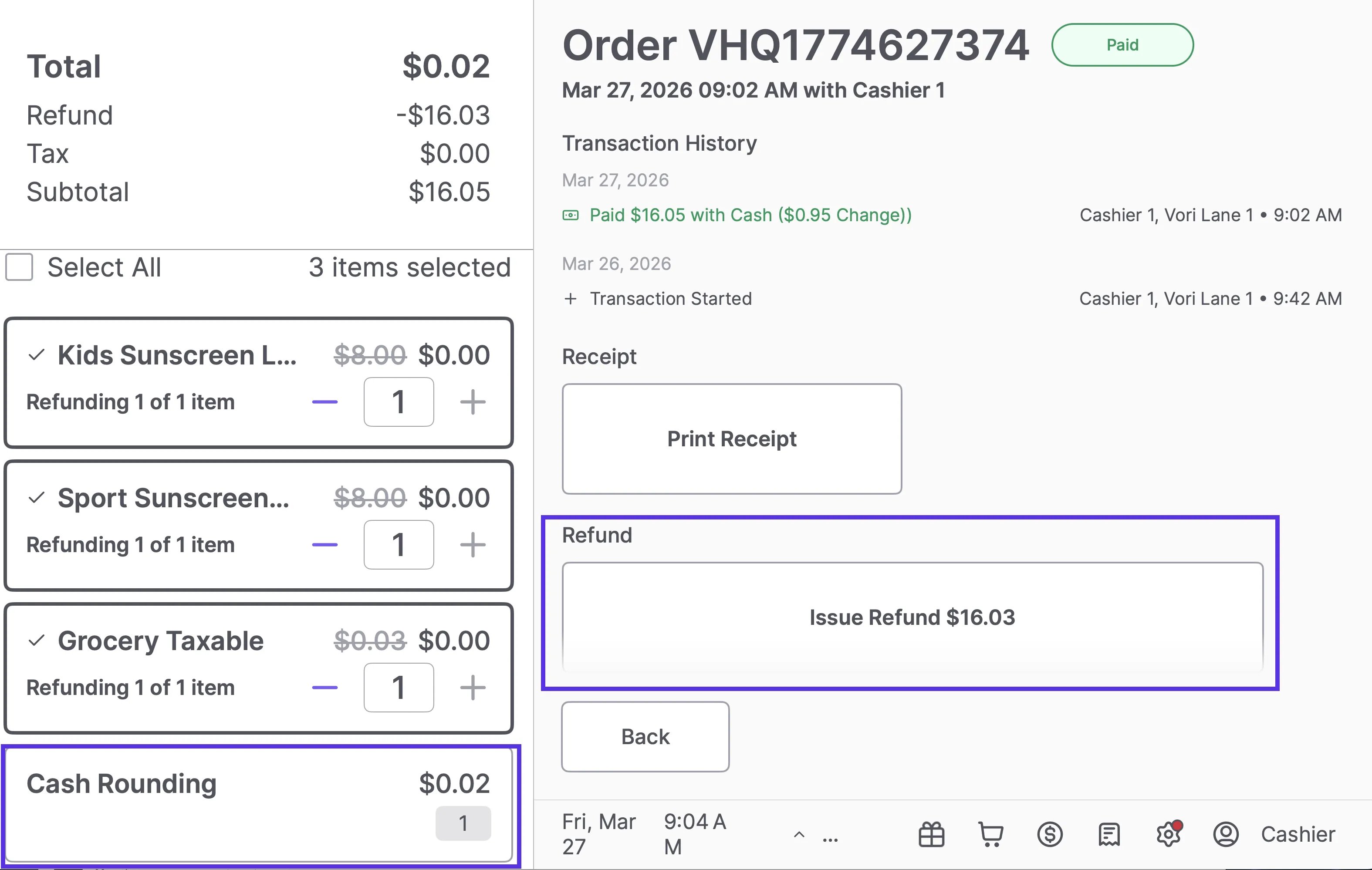
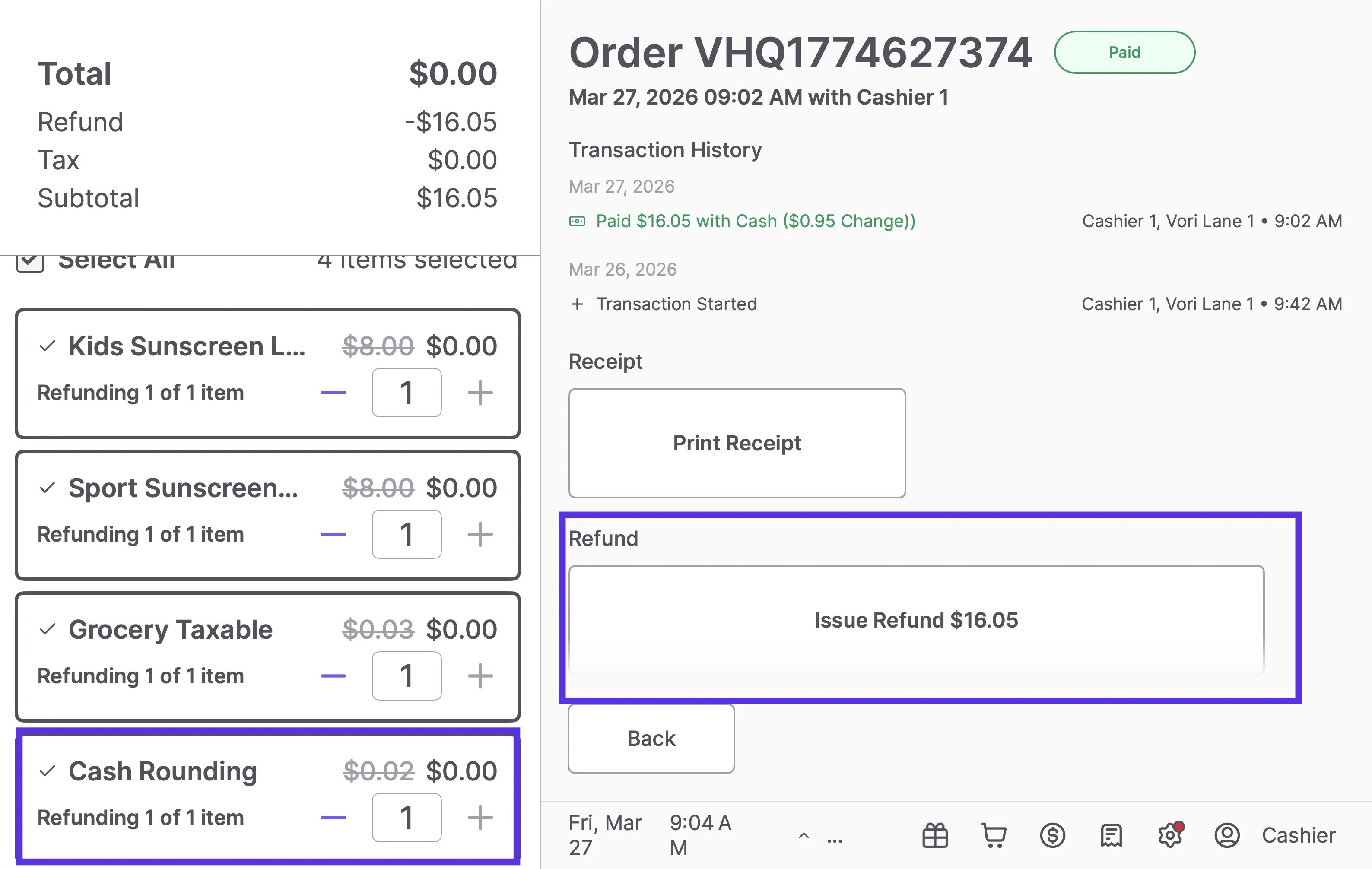
When processing a refund on a transaction that included Cash Rounding, the Cash Rounding adjustment appears as its own selectable line item on the refund screen, separate from the purchased items. The cashier controls whether it’s included in the refund:- To include the rounding adjustment: Select all items including Cash Rounding. The refund total reflects the full amount paid.
- To exclude the rounding adjustment: Leave Cash Rounding unchecked. Only the selected items are refunded.
-
Refunding 3 items (Cash Rounding excluded) → $16.03 refund
-
Refunding all 4 items (Cash Rounding included) → $16.05 refund
Technical details
- Price overrides: Even if a staff member accidentally changes the price of the Cash Rounding item in the catalog, Vori’s logic overrides it at the POS to keep the rounding mathematically correct (similar to how the system handles WIC).
- Reporting: Because the rounding is tied to a specific product and department, you can track the total impact of rounding (net over/short) in your sales reports.