

-
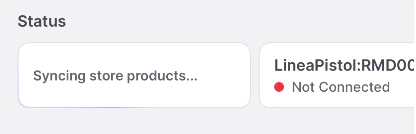
Tap the card that shows your current sync status (e.g., “Synced 2 minutes ago”) to ensure recent updates made on the Back office are up to date on the handheld.
-
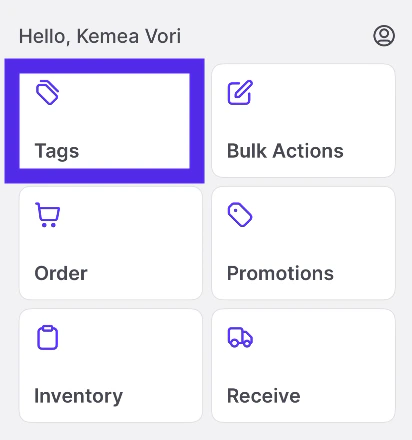
Select Tags.
-
Wait for Tag Updates to load. _(This may take up to approximately 15 seconds, depending on your internet connection).
 _
_
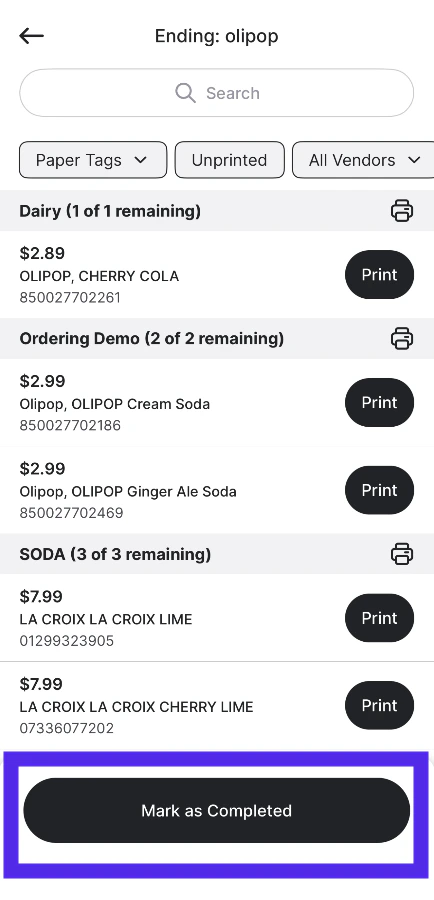
- Select the tags you wish to remove from the queue.
-
Tap **Mark as Completed.
Tag printer
Clear the Promo Tag Queue on the VoriOS App
This article explains how to remove promo tags from the queue in the VoriOS app
If your promotional tag queue becomes too cluttered, you can clear it to improve efficiency and ensure only relevant tags remain.