> ## Documentation Index
> Fetch the complete documentation index at: https://help.vori.com/llms.txt
> Use this file to discover all available pages before exploring further.
# Reset Your Vori Back Office and VoriOS Password
> This article explains how to reset the password of a back office account is forgotten or needs to be changed
### Steps to Reset Your Password
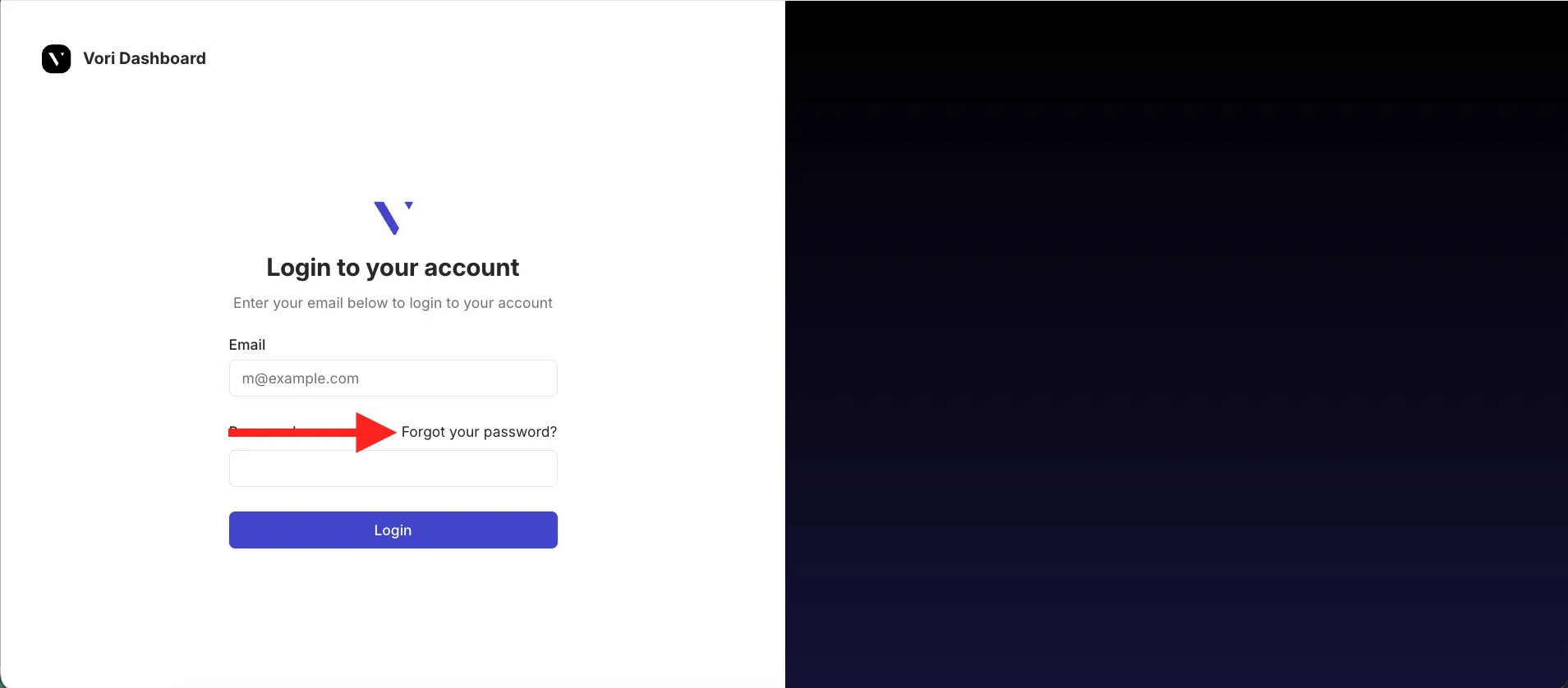
If a store user forgets their password for Back Office or VoriOS access, follow these steps to reset it:
1. Navigate directly to the Vori password recovery page:
[https://app.vori.com/password-recovery](https://app.vori.com/password-recovery)
* Alternatively, on the main login screen, select **Forgot your password?**.
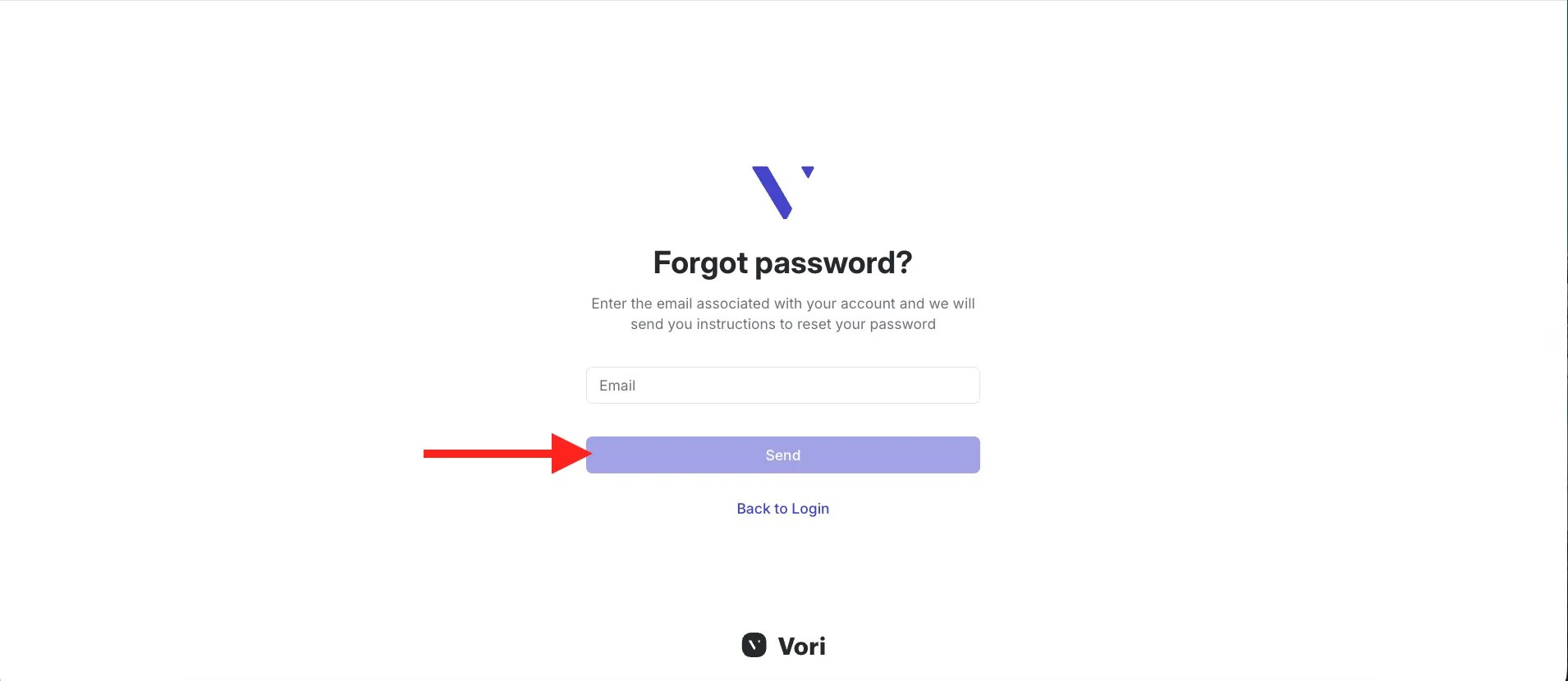
 2. Enter the email address for the account, then select **Send password reset instructions**.
 3. Check the email inbox of the account for instructions on how to set a new password.
***
✏️ **Note:** Vori does not store user passwords. If you do not receive the email, check your spam or junk folder.
## Related topics
- [Frequently Asked Questions](/faqs.md)
- [Manage EBT Eligibility in the Back Office, VoriOS, and the POS](/point-of-sale-pos/ebt-electronic-benefit-transfer/manage-ebt-eligibility-in-the-back-office-vori-os-and-the-pos.md)
- [Access the New Vori Back Office](/vori-setup-and-troubleshooting/access-the-new-vori-back-office.md)
3. Check the email inbox of the account for instructions on how to set a new password.
***
✏️ **Note:** Vori does not store user passwords. If you do not receive the email, check your spam or junk folder.
## Related topics
- [Frequently Asked Questions](/faqs.md)
- [Manage EBT Eligibility in the Back Office, VoriOS, and the POS](/point-of-sale-pos/ebt-electronic-benefit-transfer/manage-ebt-eligibility-in-the-back-office-vori-os-and-the-pos.md)
- [Access the New Vori Back Office](/vori-setup-and-troubleshooting/access-the-new-vori-back-office.md)