![vori-logo-black-horizontal-01 (1).png]](https://help.vori.com/hs-fs/hubfs/vori-logo-black-horizontal-01%20(1).png?height=42&name=vori-logo-black-horizontal-01%20(1).png)
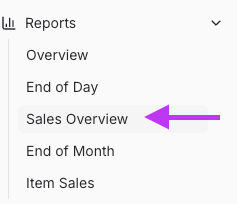
Navigate to Sales Overview
-
Go to Reports, and select Sales Overview from the drop-down.
- Choose the desired date range

- Scroll to the bottom of the page, view Transactions.
You can see total transaction count per day, day of week, and by hour.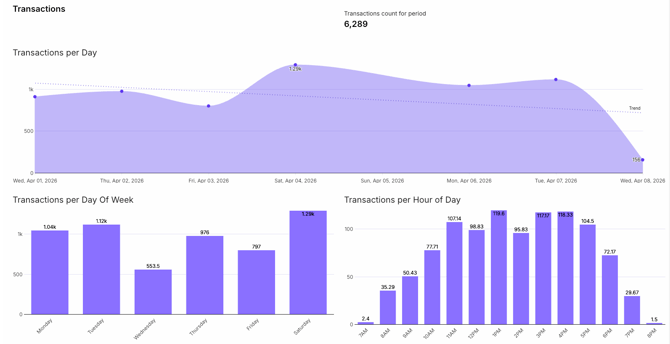
💡Tip: Review transactions by day and hour to plan staffing and keep checkout running smoothly. This also helps track customer count.