![vori-logo-black-horizontal-01 (1).png]](https://help.vori.com/hs-fs/hubfs/vori-logo-black-horizontal-01%20(1).png?height=42&name=vori-logo-black-horizontal-01%20(1).png)
✏️ Note: This article describes features in the New Back Office (app.vori.com). For instructions on accessing it, view our guide: Access the New Back Office.
Introducing the Shopper Inbox
We've launched the Shopper Inbox, a new feature designed to help your store manage and respond to text message replies from your Shoppers. This feature creates a two-way communication channel, giving you visibility into Shoppers’ responses to your text campaigns. The Shopper Inbox is automatically enabled for all stores that have SMS campaigns active under the Loyalty & Marketing section.
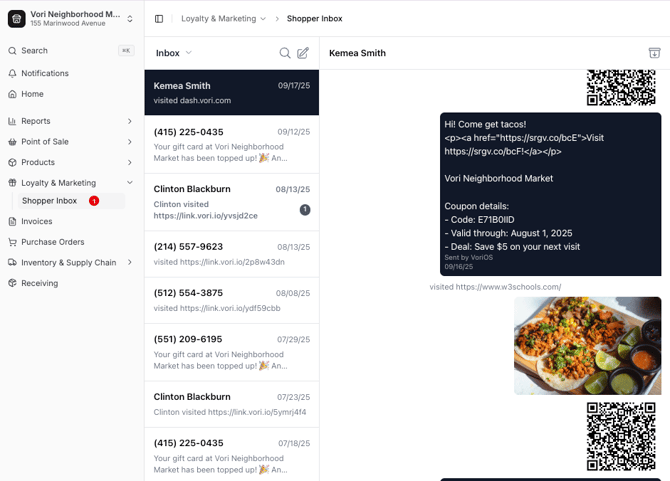
Communicate with Shoppers
The Shopper Inbox allows you to send and receive text messages with your Shoppers directly through the Vori platform.
-
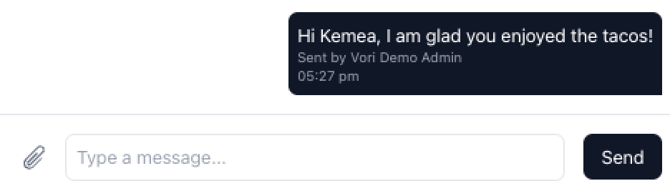
Responding to a Shopper: To respond to a message, click on the Shopper's conversation thread, enter your message into the message field, and click Send.
-
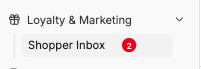
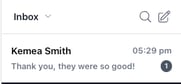
New Message Reply: When you receive a new reply from a Shopper, a notification icon will appear on the Shopper Inbox menu item and next to the conversation thread.
-
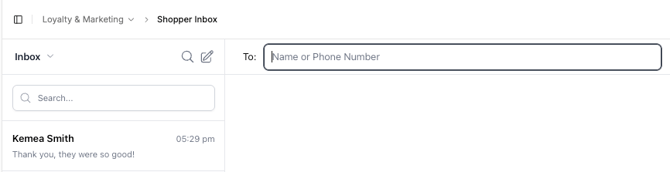
Compose New Text: To start a brand new conversation with a Shopper, click the compose icon (pencil icon) in the top right corner of the inbox.
-
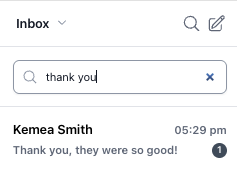
Search Messages: You can quickly find a specific message by clicking the magnifying glass icon and entering your search term.
✏️ Note: Currently, there is no user interface for store users to manually opt out Shoppers. If a Shopper is unable to text "STOP" for any reason, please collect their phone number(s) and send the number to Vori Support for manual opt-out.
Troubleshooting
"Account Restricted" error
If a user sees the message "You don't currently have access to any platforms or accounts" when opening the Shopper Inbox, their session token has expired. Log out of the Back Office and log back in. This should restore access.
