> ## Documentation Index
> Fetch the complete documentation index at: https://help.vori.com/llms.txt
> Use this file to discover all available pages before exploring further.
# Track Double Up Food Bucks Performance
> Learn how to view and analyze your store's SNAP incentive program data.
The SNAP Incentives report gives you a clear view of how your Double Up Food Bucks program is performing. Whether you need to track how many coupons are being issued to shoppers or verify redemption totals for reimbursement, this dashboard provides the data you need to keep your program running smoothly.
### Accessing the Report
You can find all Double Up Food Bucks data within the Finances section of Vori Back Office.
1. Log in to Vori Back Office.
2. Click **Reports** in the left navigation menu.
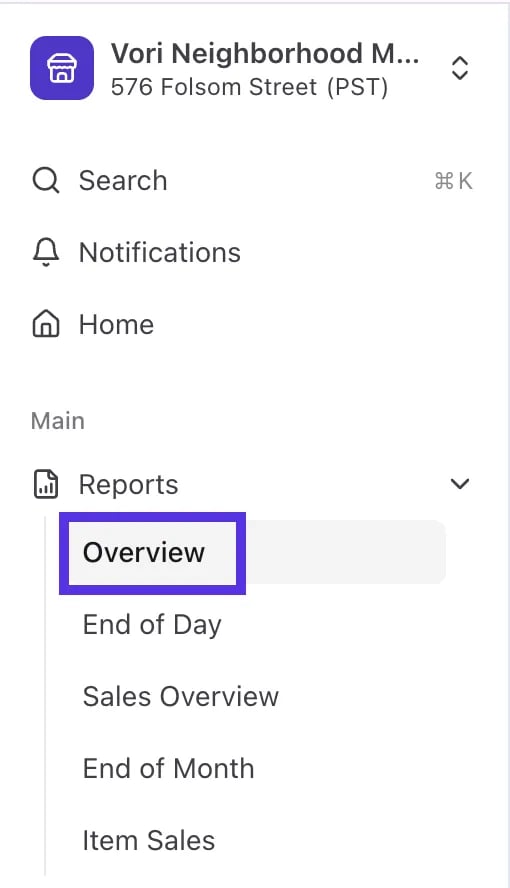 3. Select **Finances**.
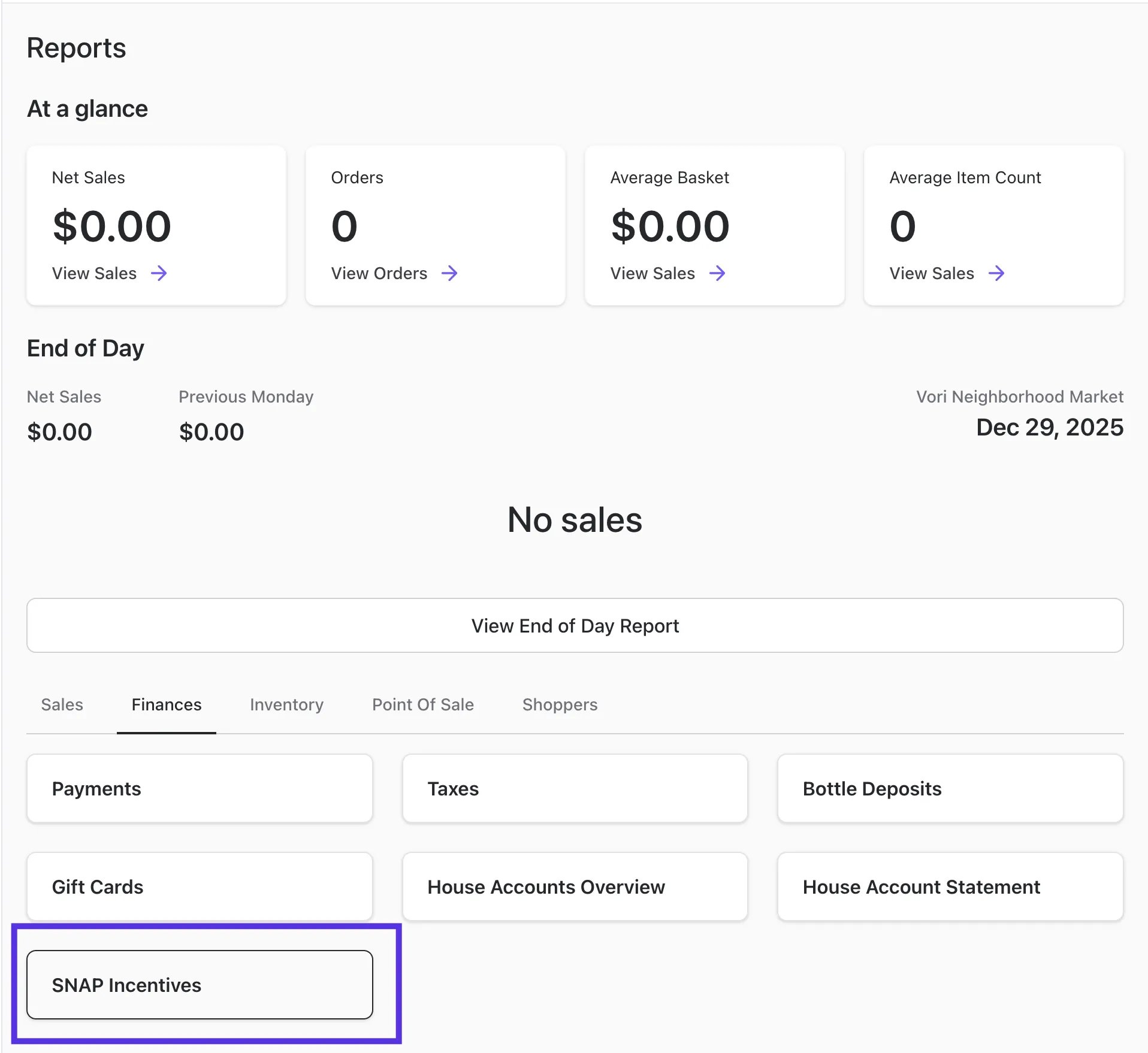
4. Click **SNAP Incentives**.
3. Select **Finances**.
4. Click **SNAP Incentives**.
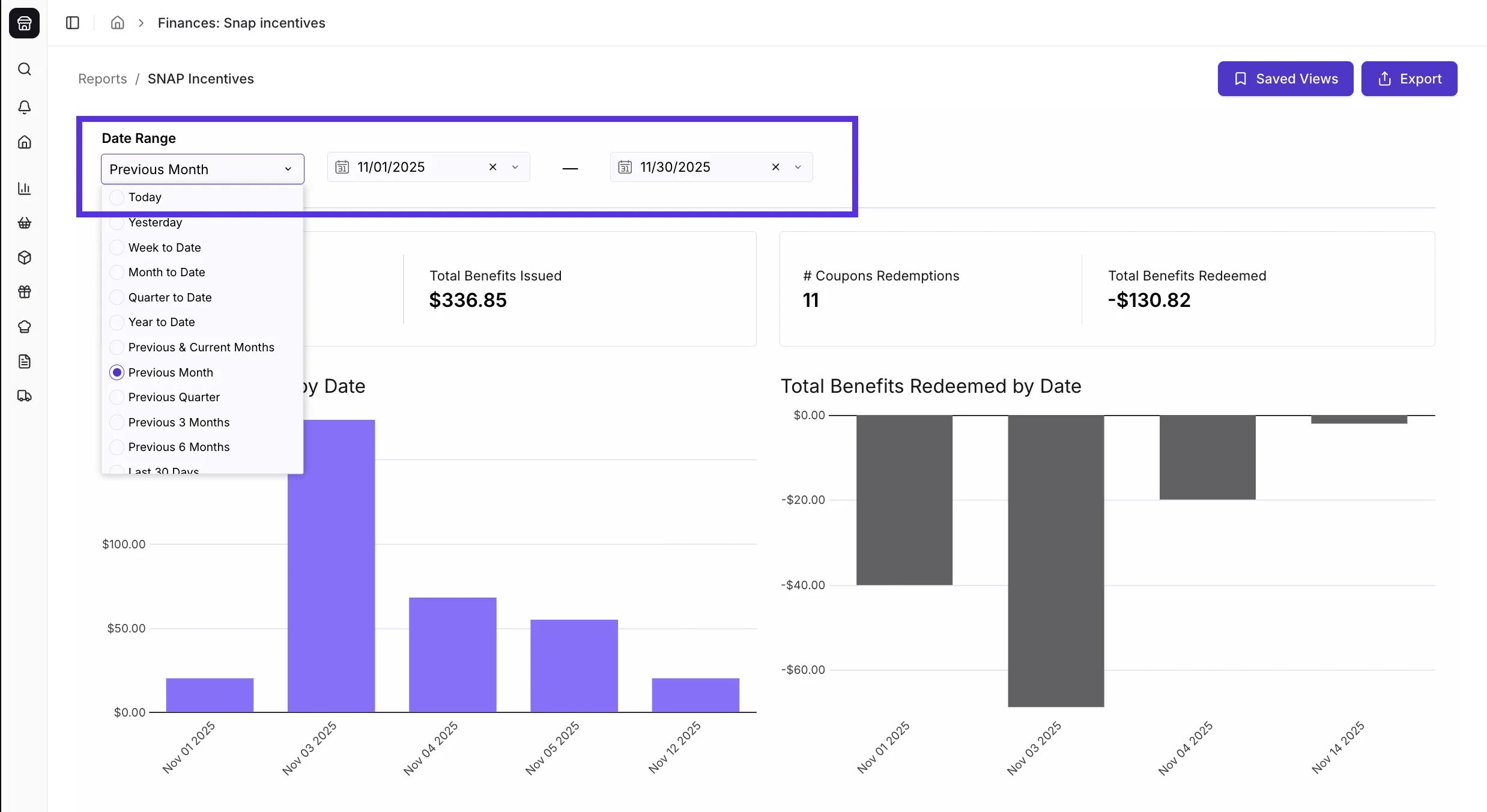
 5. Use the **Date Range** selector at the top left to choose the period you want to analyze (e.g., "Last 30 Days" or "Previous Month").
 **💡 Don't Forget!** These tools are available on **all** SNAP Incentive reports to help you dig deeper into your data:
* **Expand any element:** Select **View full screen** in the top-right corner of any figure or chart to expand it. Bar and pie charts also have an icon to switch the chart to a table.
**💡 Don't Forget!** These tools are available on **all** SNAP Incentive reports to help you dig deeper into your data:
* **Expand any element:** Select **View full screen** in the top-right corner of any figure or chart to expand it. Bar and pie charts also have an icon to switch the chart to a table.
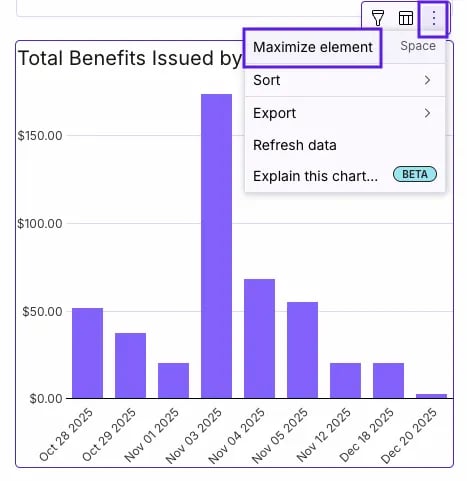 * **Export Data:** Use the three-dot (**⋯**) **More actions** menu → **Download as CSV** to export a figure's data, or switch a chart to a table and download that. You can also export the whole report as a PDF (portrait, landscape, or full width).
***
### Coupon Issuance & Redemptions
This section tracks the coupons generated for your shoppers at the register.
* **Export Data:** Use the three-dot (**⋯**) **More actions** menu → **Download as CSV** to export a figure's data, or switch a chart to a table and download that. You can also export the whole report as a PDF (portrait, landscape, or full width).
***
### Coupon Issuance & Redemptions
This section tracks the coupons generated for your shoppers at the register.
 #### Where can I find how many Double Up Buck coupons have been issued?
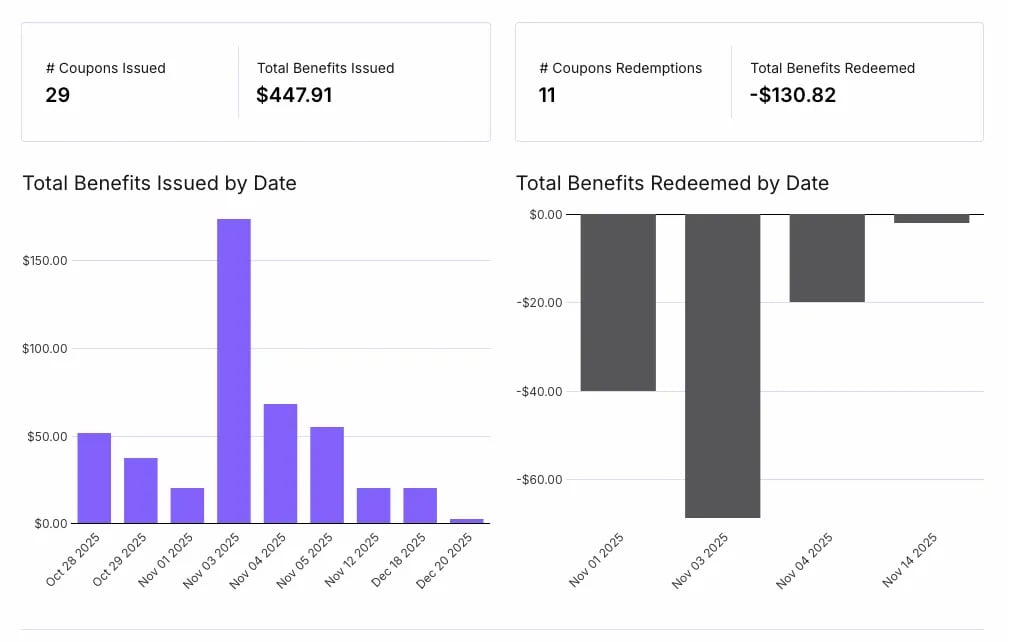
* You can find this in the **# Coupons Issued** card at the top left of the dashboard. This number represents the total count of coupons generated for shoppers during your selected date range.
#### Where can I find how many Double Up Buck coupons have been issued?
* You can find this in the **# Coupons Issued** card at the top left of the dashboard. This number represents the total count of coupons generated for shoppers during your selected date range.
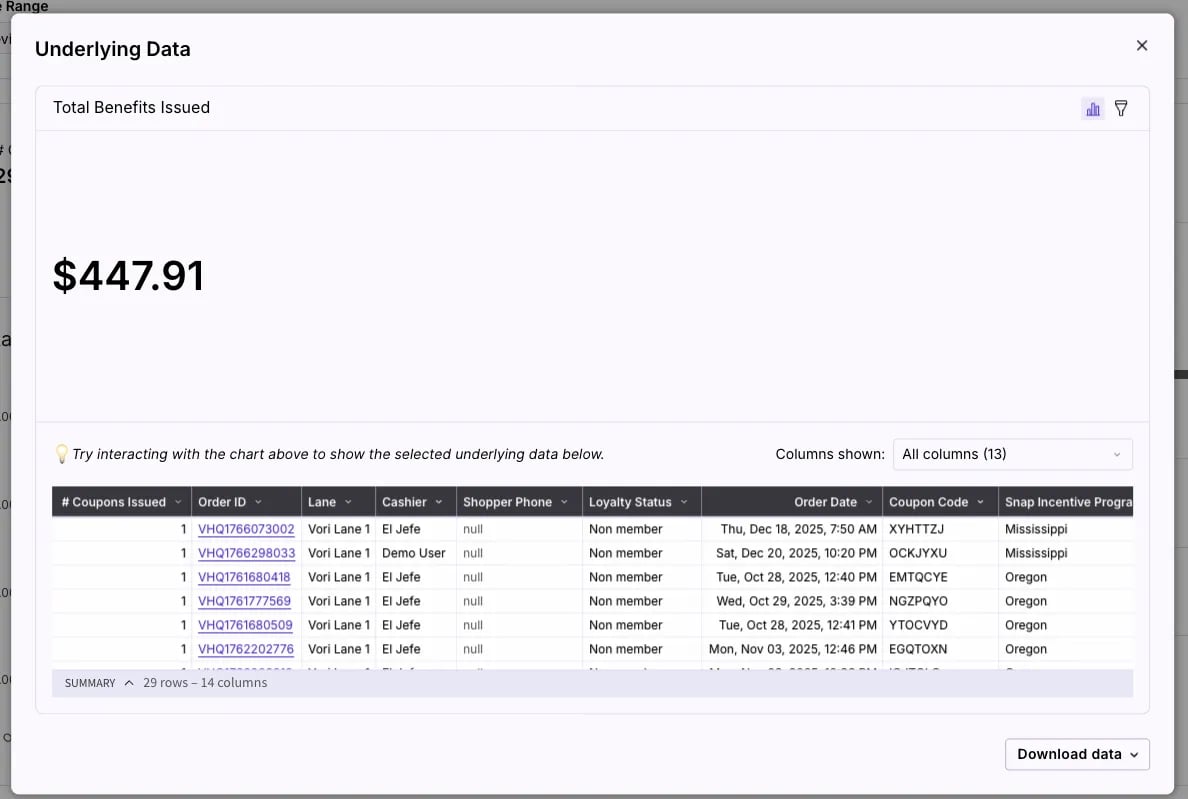
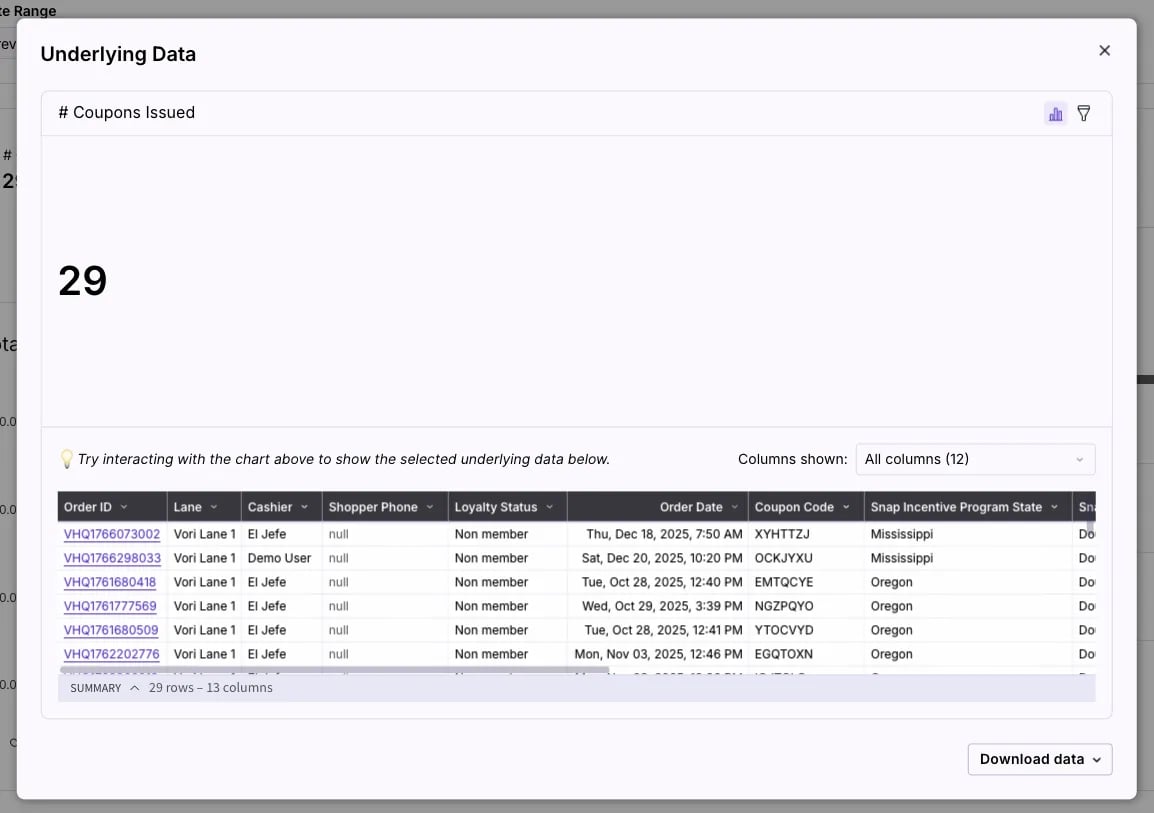 * Next to it, **Total Benefits Issued** shows the total dollar value of those coupons.
 #### Where can I see how many coupons shoppers have redeemed?
* Look at the **# Coupons Redemptions** card on the top right. This tells you how many times shoppers have used a coupon at the register.
#### Where can I see how many coupons shoppers have redeemed?
* Look at the **# Coupons Redemptions** card on the top right. This tells you how many times shoppers have used a coupon at the register.
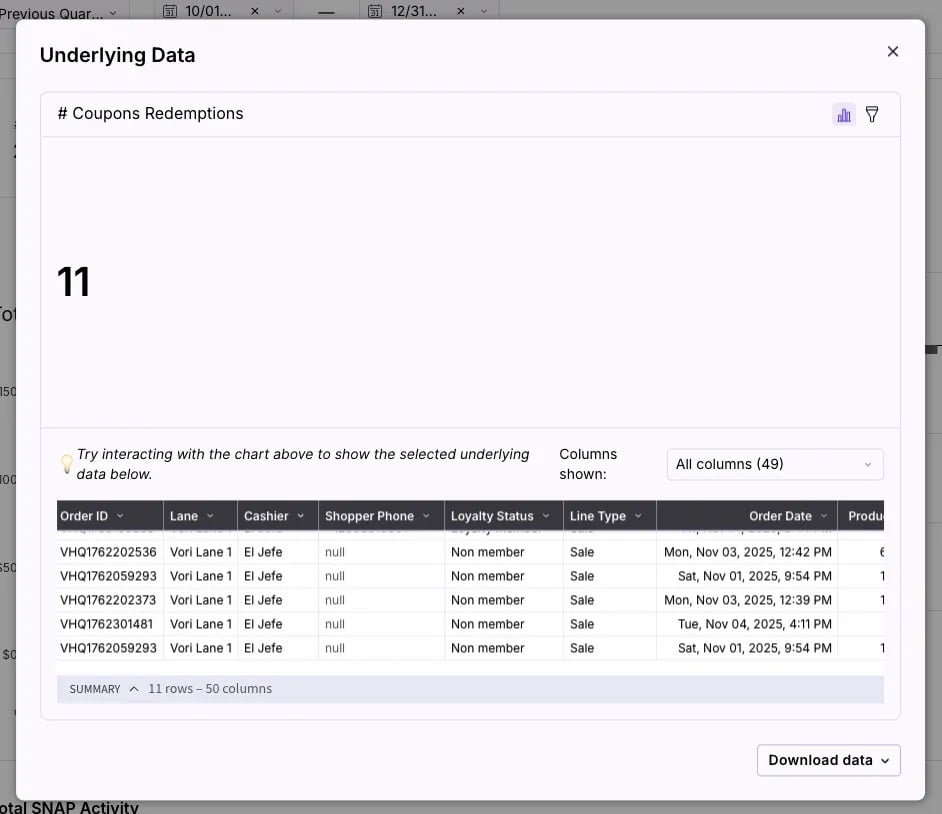 * The **Total Benefits Redeemed** card shows the total dollar amount of discounts given.
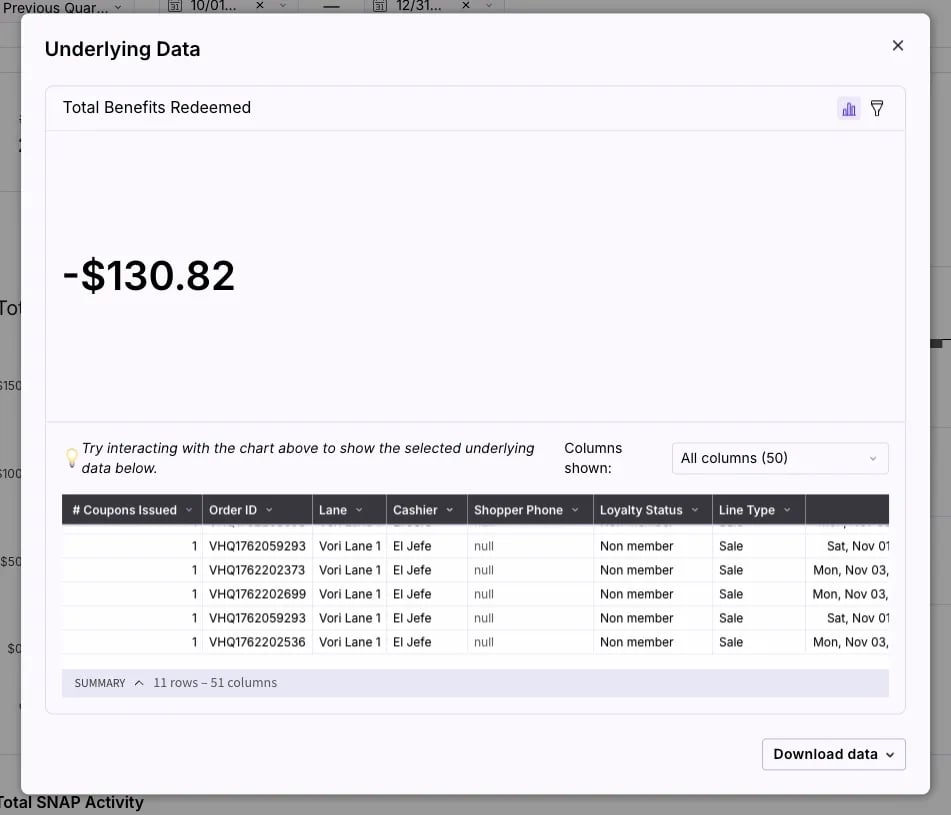 ✏️ **Note:** The **Total Benefits Redeemed** amount will appear as a negative number (e.g., -\$495.49) because it represents a discount applied to the transaction.
***
### Total SNAP Activity
This section helps you compare your incentive program performance against your overall SNAP sales volume.
✏️ **Note:** The **Total Benefits Redeemed** amount will appear as a negative number (e.g., -\$495.49) because it represents a discount applied to the transaction.
***
### Total SNAP Activity
This section helps you compare your incentive program performance against your overall SNAP sales volume.
 #### Where can I see my store's total SNAP sales volume?
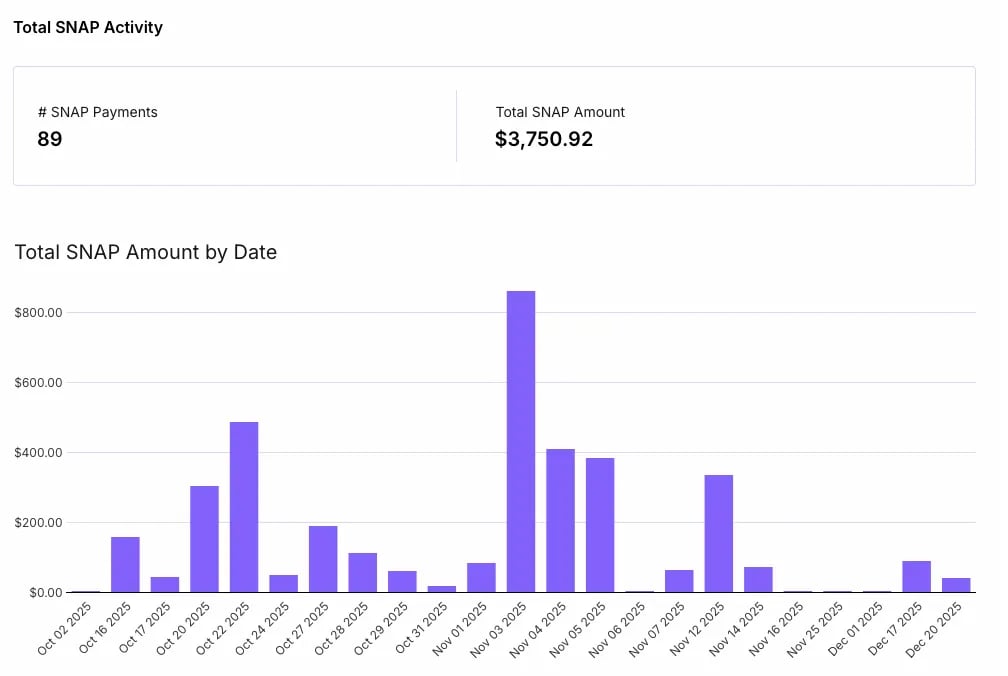
* Scroll down to the **Total SNAP Activity** section to see:
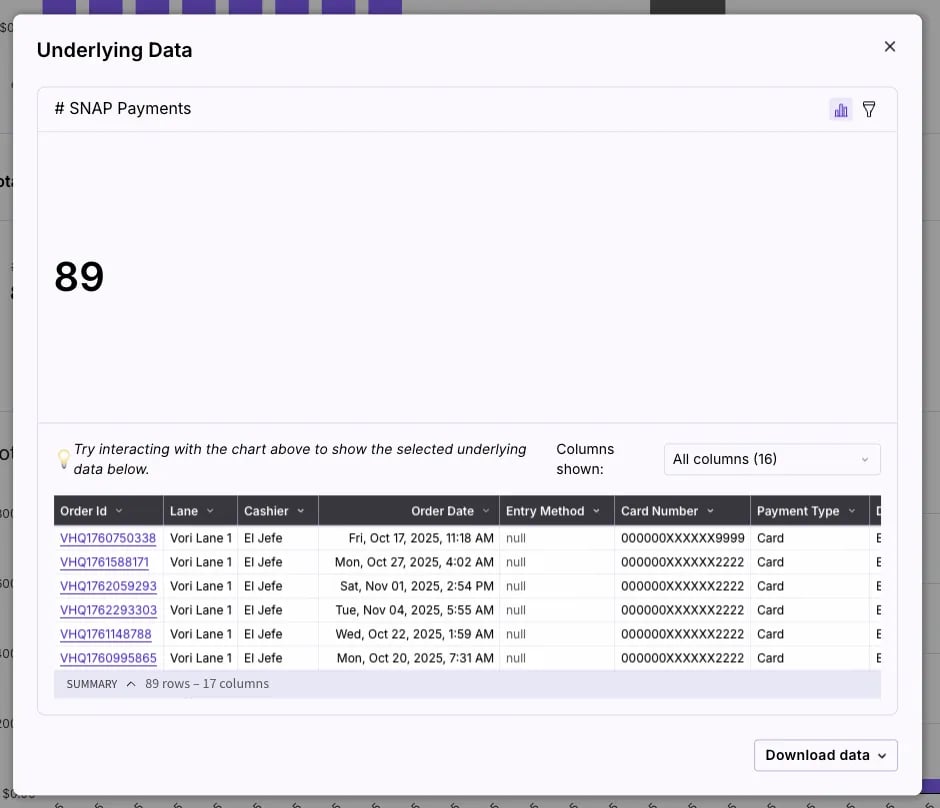
* **# SNAP Payments:** The total count of EBT SNAP transactions in the selected period.
#### Where can I see my store's total SNAP sales volume?
* Scroll down to the **Total SNAP Activity** section to see:
* **# SNAP Payments:** The total count of EBT SNAP transactions in the selected period.
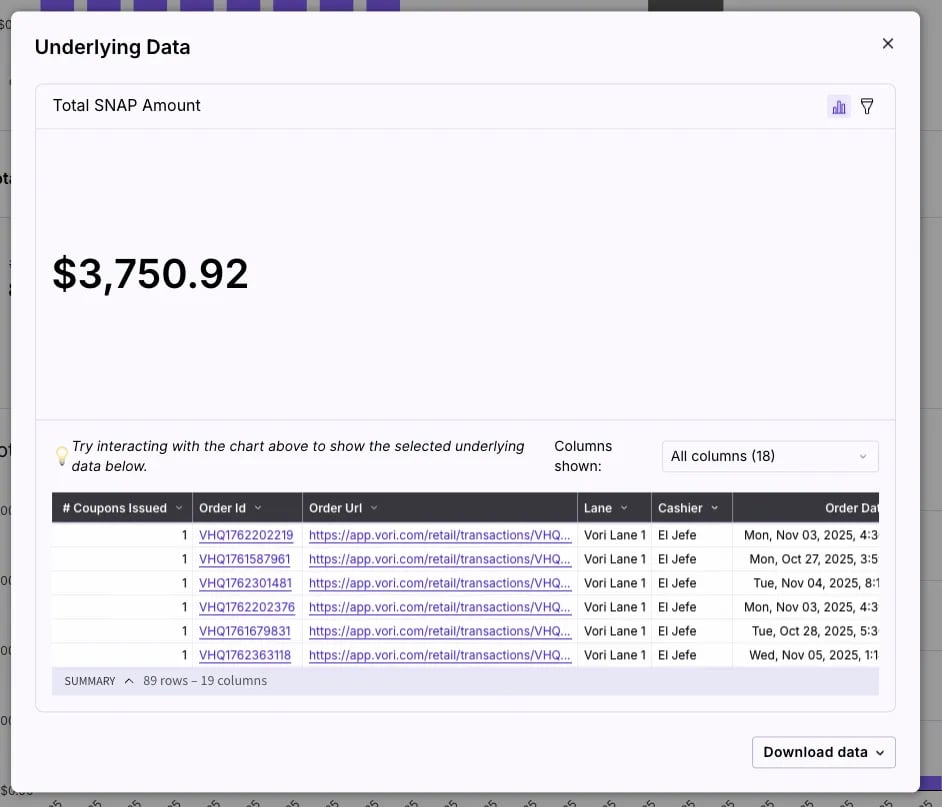
 * **Total SNAP Amount:** The total revenue collected from those SNAP payments.
 #### What info can be found in the underlying data?
Click the three dots (**⋯**) on the **Total SNAP Amount by Date** chart to reveal **More actions**, then select **View underlying data** to audit individual EBT payments with data such as:
* **Payment Methods:** Confirm the **Payment Type** (EBT/eWIC) and **Entry Method** (e.g., Card or Manual).
* **Card Security:** View the masked **Card Number**, **Card Brand**, and **Online/Offline** status.
* **Transaction Status:** Verify the payment **Status** (e.g., Paid) and the exact **Authorized Amount** collected.
## Related topics
- [Double Up Food Bucks (OR, MS, and CA)](/whats-new-in-vori/in-beta-double-up-bucks/in-beta-double-up-food-bucks-or-and-ms-only.md)
- [How to report SNAP incentives in Mississippi](/reporting/snap-incentive-reports/how-to-report-snap-incentives-in-mississippi.md)
- [A Better Vori Experience: From Back Office to the POS](/whats-new-in-vori/feature-releases/a-better-vori-experience-from-back-office-to-the-pos.md)
#### What info can be found in the underlying data?
Click the three dots (**⋯**) on the **Total SNAP Amount by Date** chart to reveal **More actions**, then select **View underlying data** to audit individual EBT payments with data such as:
* **Payment Methods:** Confirm the **Payment Type** (EBT/eWIC) and **Entry Method** (e.g., Card or Manual).
* **Card Security:** View the masked **Card Number**, **Card Brand**, and **Online/Offline** status.
* **Transaction Status:** Verify the payment **Status** (e.g., Paid) and the exact **Authorized Amount** collected.
## Related topics
- [Double Up Food Bucks (OR, MS, and CA)](/whats-new-in-vori/in-beta-double-up-bucks/in-beta-double-up-food-bucks-or-and-ms-only.md)
- [How to report SNAP incentives in Mississippi](/reporting/snap-incentive-reports/how-to-report-snap-incentives-in-mississippi.md)
- [A Better Vori Experience: From Back Office to the POS](/whats-new-in-vori/feature-releases/a-better-vori-experience-from-back-office-to-the-pos.md)