> ## Documentation Index
> Fetch the complete documentation index at: https://help.vori.com/llms.txt
> Use this file to discover all available pages before exploring further.
# Re-Sync Missing Product or Invoice Data on a Store Handheld
> Follow these steps to refresh your VoriOS app when products or invoices aren’t appearing on your handheld device.
### Step 1: Force Quit and Reopen the App
Start by force-quitting the VoriOS app on your handheld and reopening it.
1. Slowly drag your finger up from the bottom of the handheld's touch screen and leave your finger resting at the center of the screen.
2. When a windowed preview list of all open apps on the handheld is displayed, release your finger.
3. Swipe up on the VoriOS app's preview to close it.
4. Re-open the VoriOS app and log back in.
5. Check to see if the missing product or invoice data is now available on the handheld.
**If force-quitting the VoriOS app didn't resolve the issue, move on to the next step.**
***
### Step 2: Trigger the **Re-Sync** in VoriOS
* From the **main screen** of the VoriOS app, tap the card that shows your current sync status (e.g., "**Synced 2 minutes ago**").
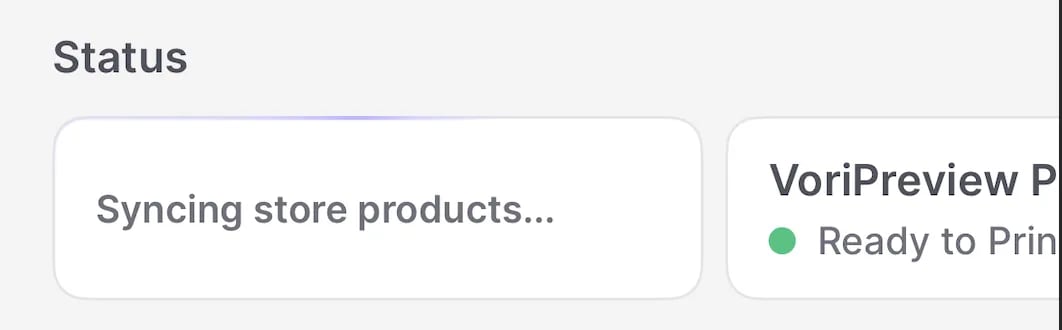 **✏️ Note:** This can help pull in recently updated product or invoice data from the Back Office.
**If re-synching didn't resolve the issue, move on to the next step.**
***
### Step 3: Reinstall the App Using Iru
* If data is still missing after a re-sync:
1. Force quit the VoriOS app again.
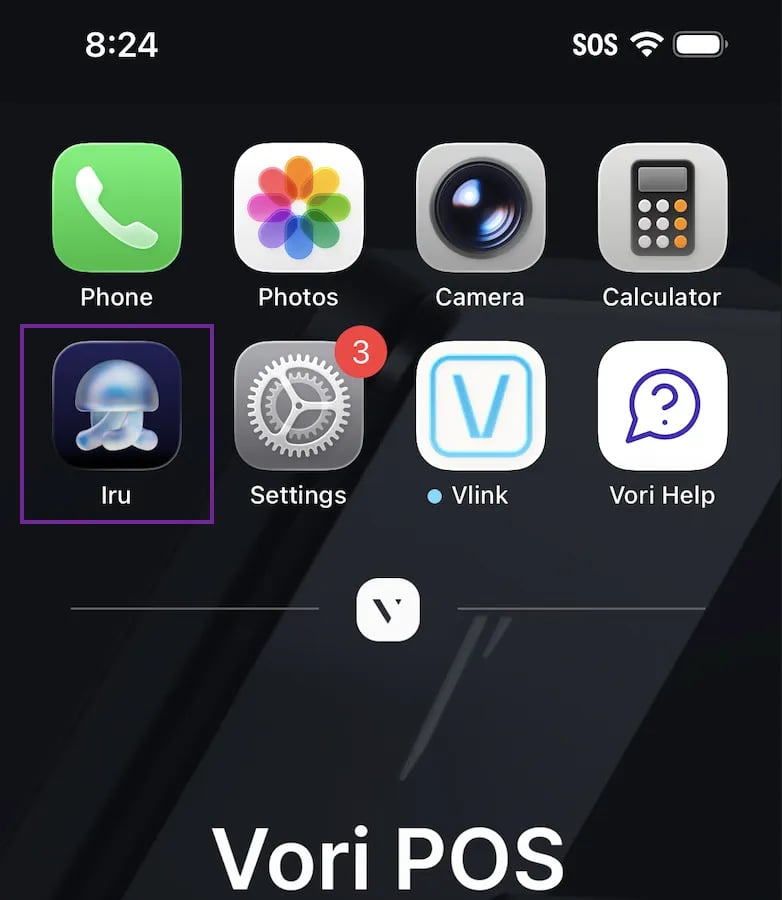
2. From the handheld home screen, open the **Iru** app.
**✏️ Note:** This can help pull in recently updated product or invoice data from the Back Office.
**If re-synching didn't resolve the issue, move on to the next step.**
***
### Step 3: Reinstall the App Using Iru
* If data is still missing after a re-sync:
1. Force quit the VoriOS app again.
2. From the handheld home screen, open the **Iru** app.
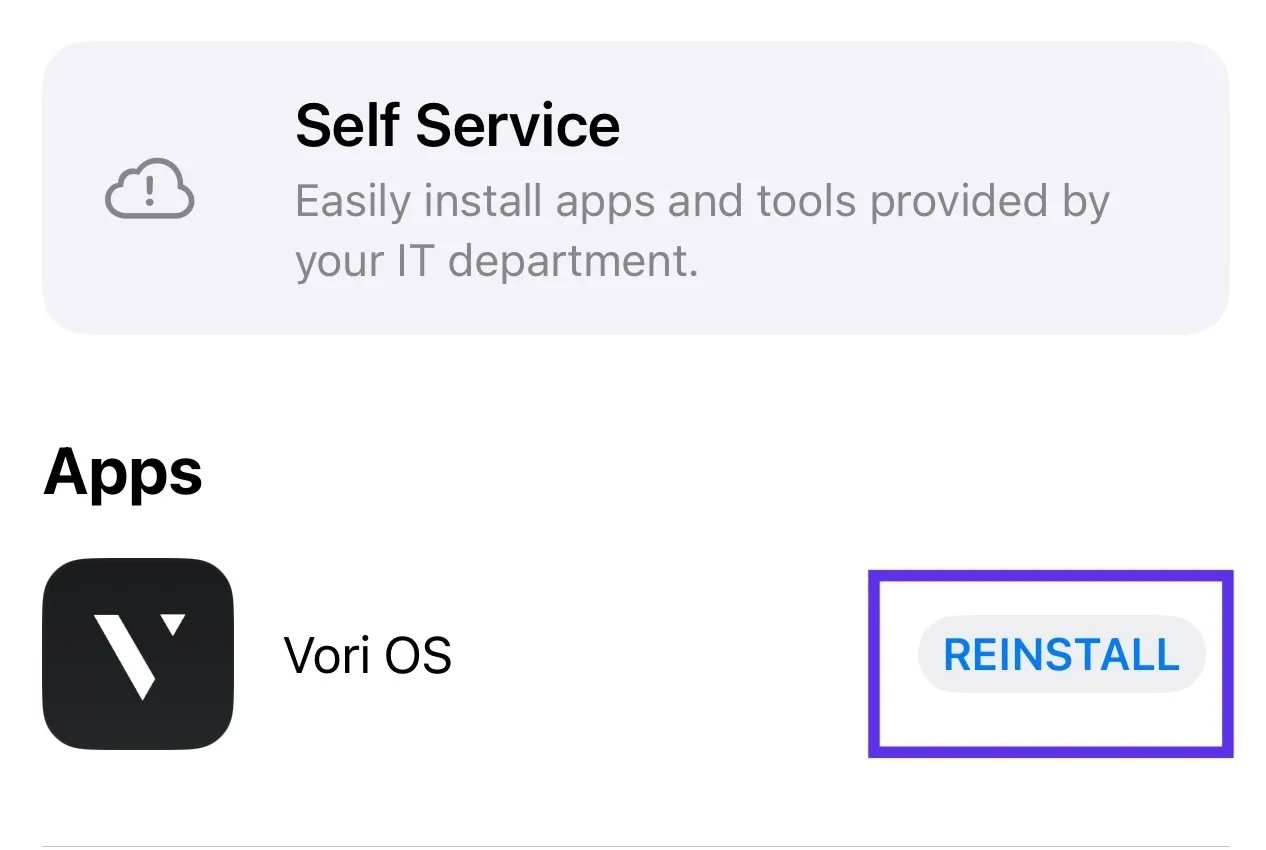
 3. Tap **Reinstall** next to the **VoriOS** app.
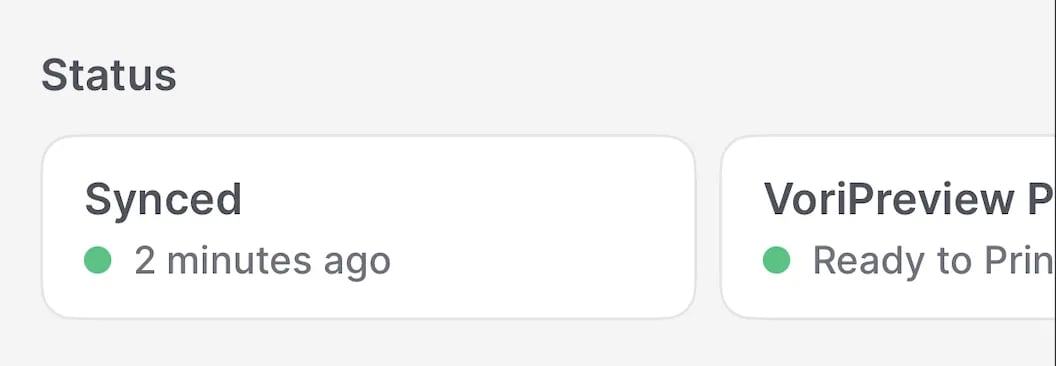
 4. Once the reinstall is complete, reopen VoriOS and check for your data.
 ***
### Troubleshooting
**Still not seeing the product or invoice?**
* Double-check that you’re logged into the correct store account.
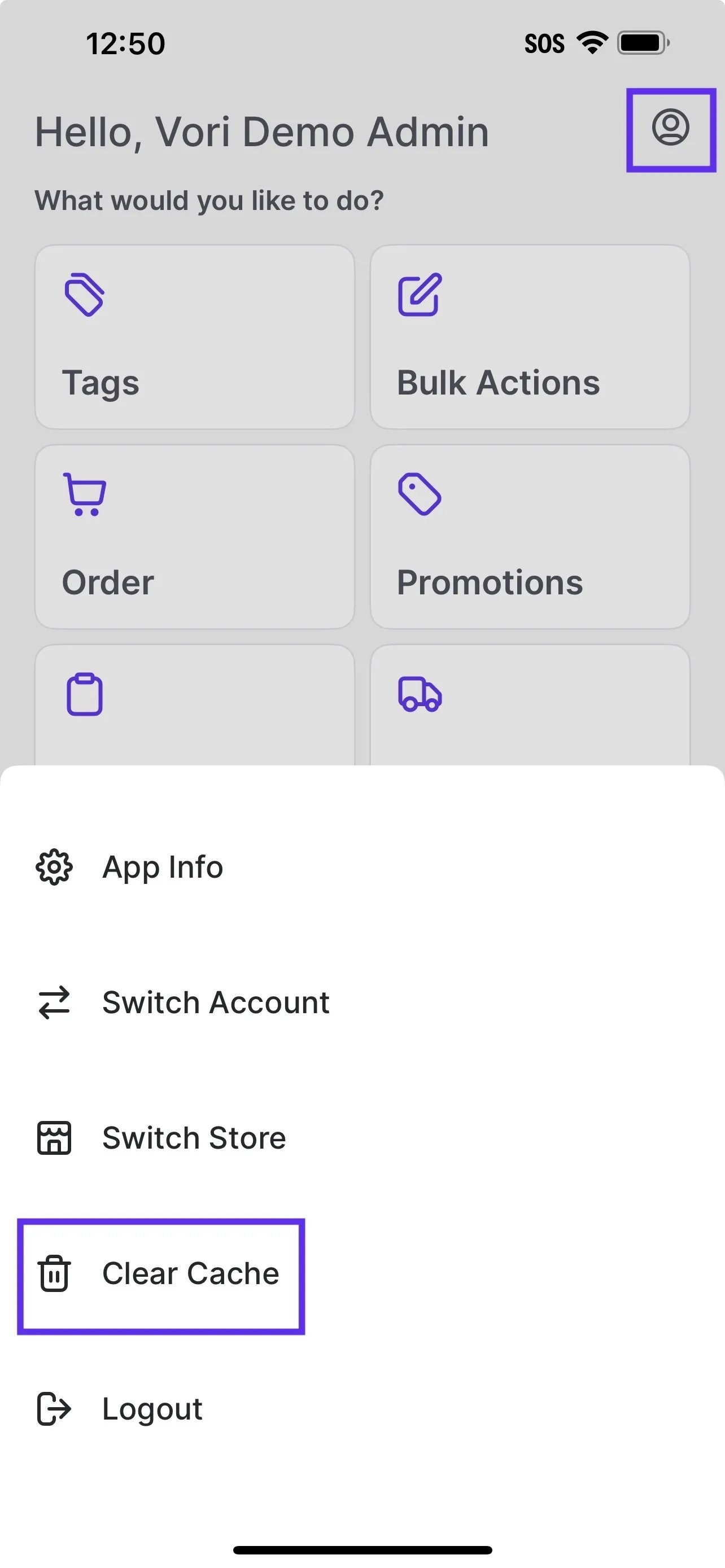
* Try clearing your cache:
1. From the **main screen** of VoriOS, select the profile icon.
2. Tap **Clear Cache**.
3. Wait a moment and check again.
***
### Troubleshooting
**Still not seeing the product or invoice?**
* Double-check that you’re logged into the correct store account.
* Try clearing your cache:
1. From the **main screen** of VoriOS, select the profile icon.
2. Tap **Clear Cache**.
3. Wait a moment and check again.
 ## Related topics
- [Preparing Your Store for Advanced Inventory Launch](/inventory-and-ordering/inventory/preparing-your-store-for-advanced-inventory-launch.md)
- [Troubleshoot Invoice Upload or Scan Formatting Issues](/cost-changes-and-smart-pricing/invoice-upload/troubleshoot-invoice-upload-or-scan-formatting-issues.md)
- [Managing Product Groups on Mobile](/product-and-product-catalog-management/product-creation-and-set-up/managing-product-groups-on-mobile.md)
## Related topics
- [Preparing Your Store for Advanced Inventory Launch](/inventory-and-ordering/inventory/preparing-your-store-for-advanced-inventory-launch.md)
- [Troubleshoot Invoice Upload or Scan Formatting Issues](/cost-changes-and-smart-pricing/invoice-upload/troubleshoot-invoice-upload-or-scan-formatting-issues.md)
- [Managing Product Groups on Mobile](/product-and-product-catalog-management/product-creation-and-set-up/managing-product-groups-on-mobile.md)