> ## Documentation Index
> Fetch the complete documentation index at: https://help.vori.com/llms.txt
> Use this file to discover all available pages before exploring further.
# Check a Product Price at the Register
> Learn how to check a product's price at the register without adding it to a transaction.
Cashiers can look up any product's current price without adding it to a transaction. The Price Check tool pulls live pricing data directly from your catalog, so your team gets the right number without guessing, and shoppers never have to wait for a manager.
#### How to Use Price Check
1. From the POS home screen, tap the **barcode scanner icon** in the bottom navigation bar.
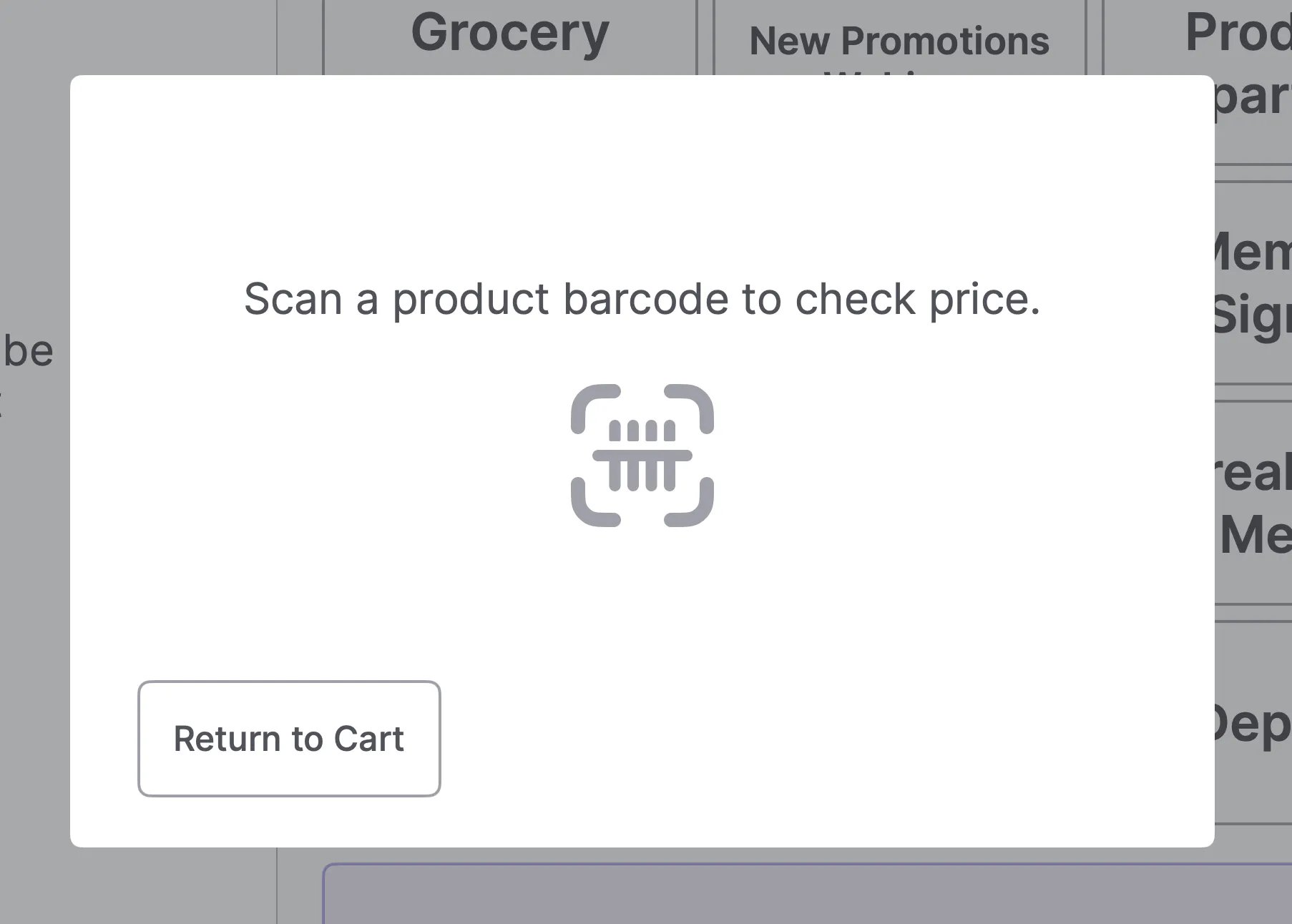
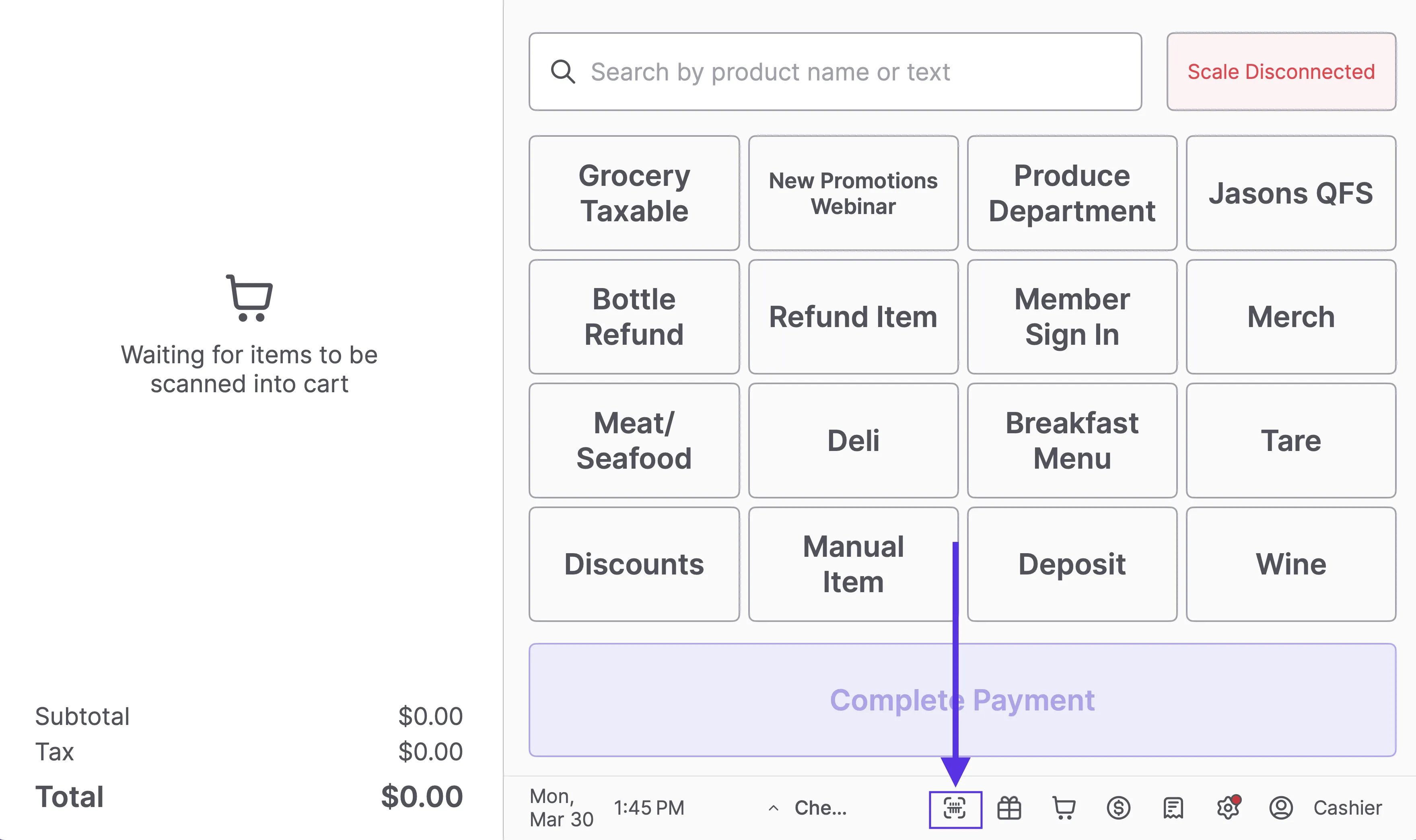 2. When the Price Check screen opens, scan the product barcode.
 3. The product name, barcode, and current price will display on screen.
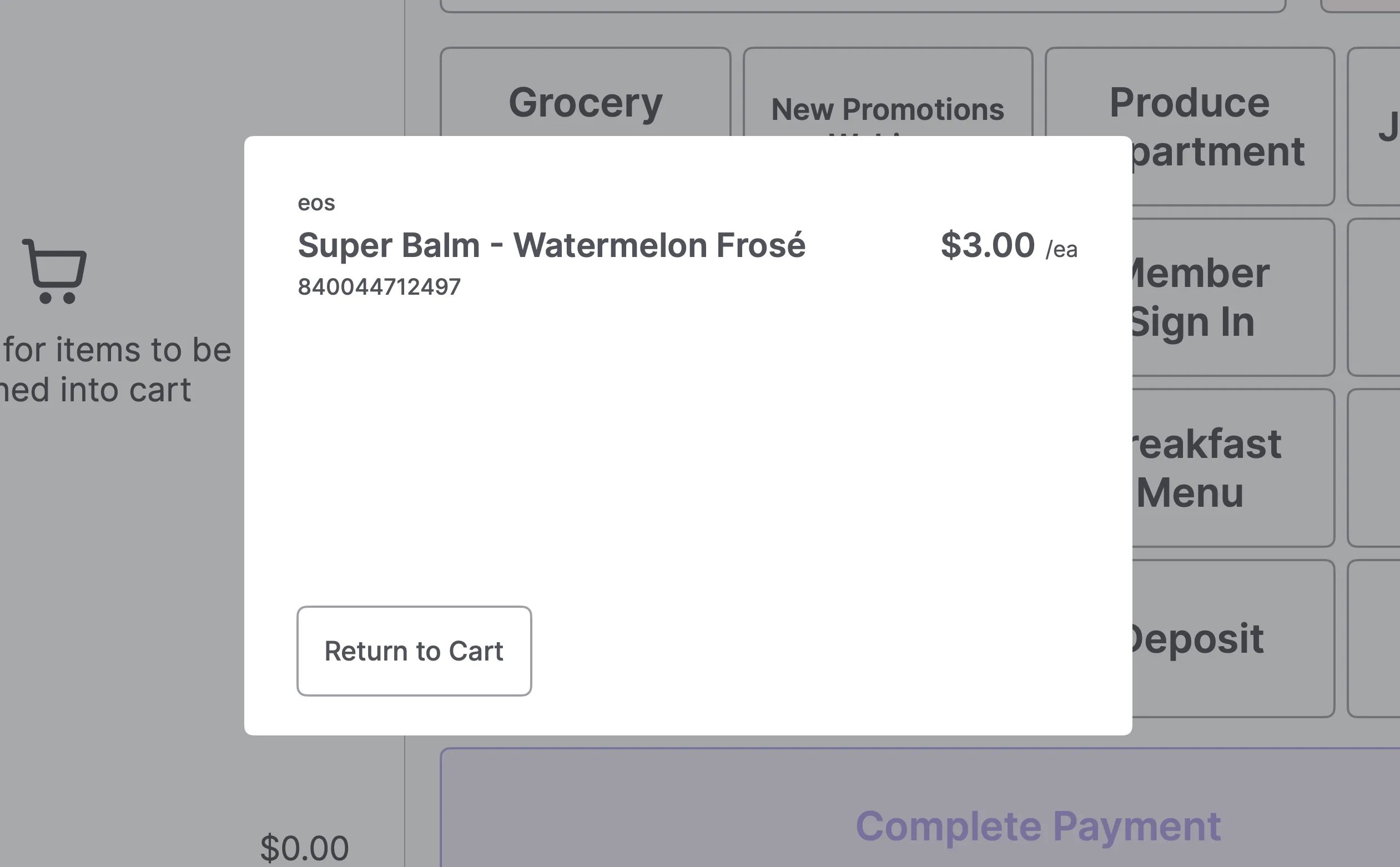 4. Tap **Return to Cart** to go back to the active transaction.
✏️ **Note:** Price Check opens as an overlay and does not affect any items already in the cart.
***
#### What Price Check Shows
When you scan a product, you'll see:
* **Product name and brand**
* **Current sell price** — with the original price struck through if a promotion is active
4. Tap **Return to Cart** to go back to the active transaction.
✏️ **Note:** Price Check opens as an overlay and does not affect any items already in the cart.
***
#### What Price Check Shows
When you scan a product, you'll see:
* **Product name and brand**
* **Current sell price** — with the original price struck through if a promotion is active
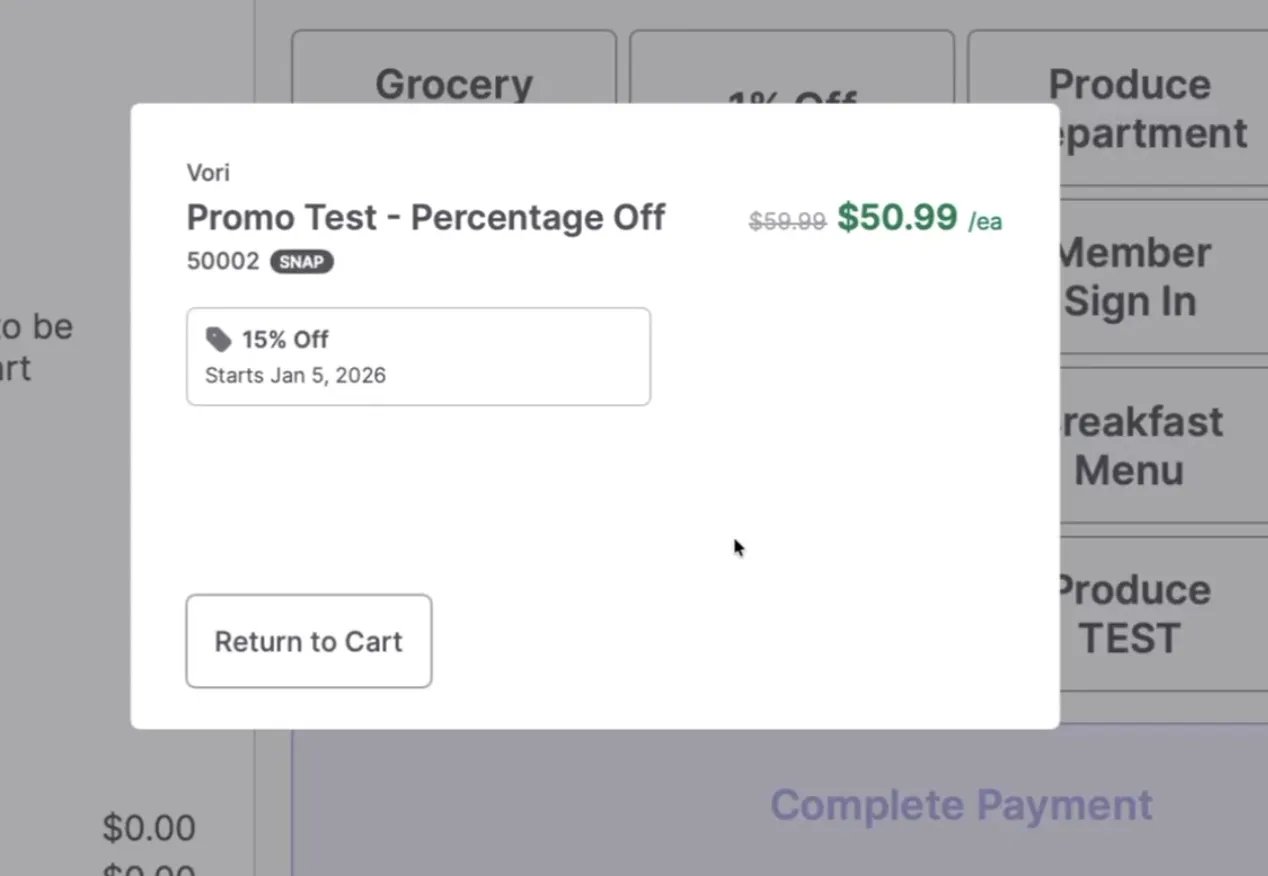 * **Barcode (UPC)**
* **SNAP and/or WIC eligibility** — displayed as a badge next to the barcode when applicable
* **Barcode (UPC)**
* **SNAP and/or WIC eligibility** — displayed as a badge next to the barcode when applicable
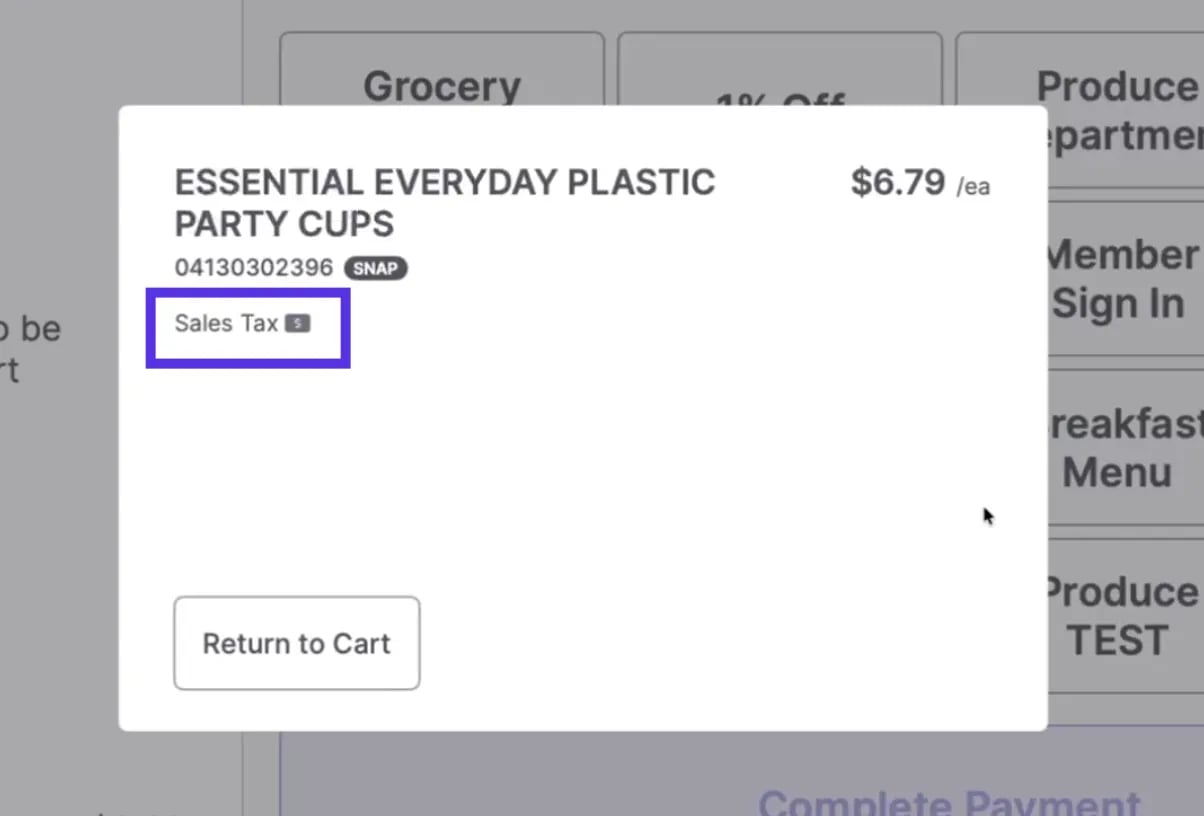
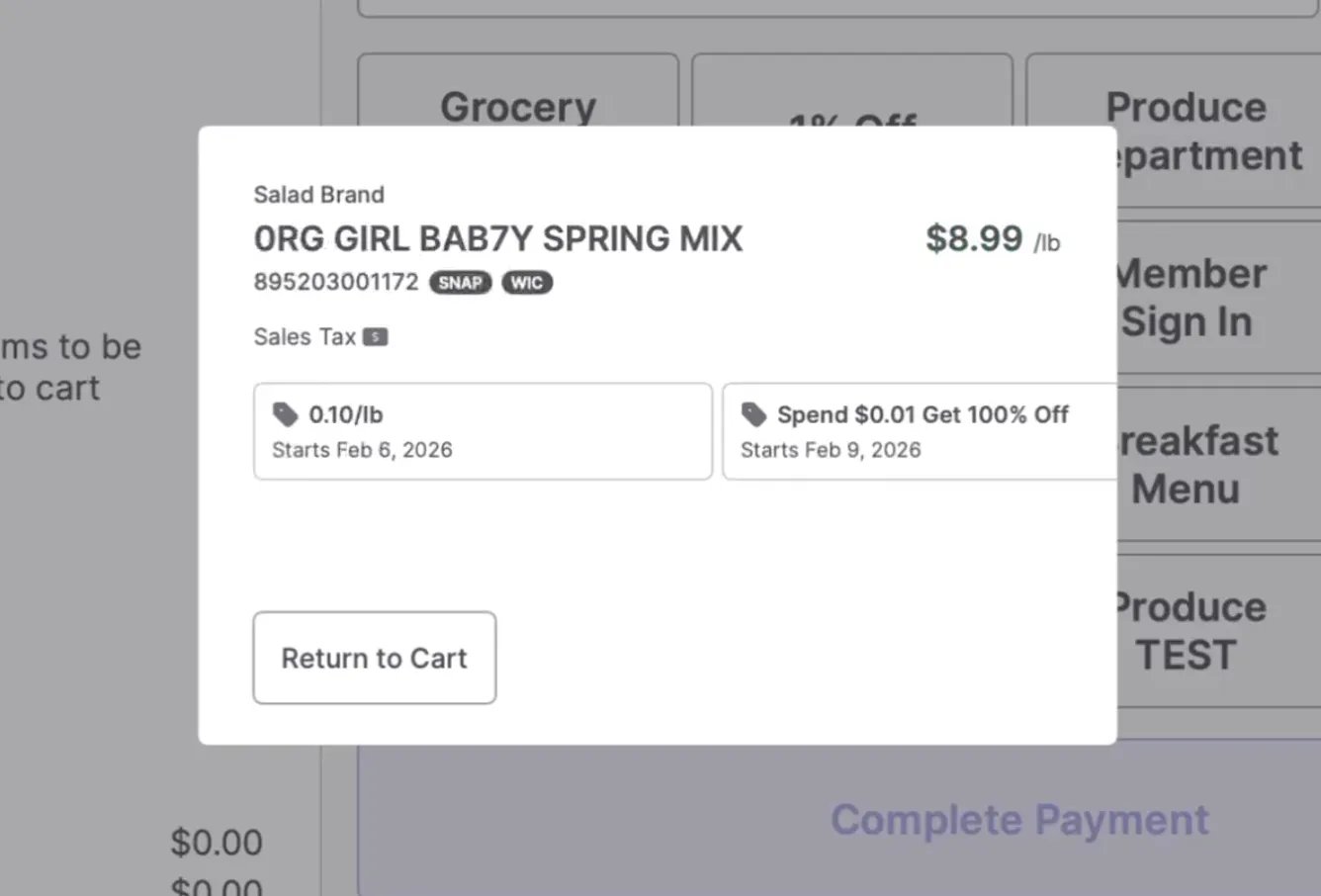 * **Sales tax status** — shown when the product is taxable
 * **Active promotions** — including the discount type, amount, and start date (or full date range for timed promotions)
✏️ **Note:** If a product has multiple active promotions, each one will display as its own card so your team can see exactly what's running.
***
#### When to Use It
Price Check is useful any time there's a question about what a product rings up at — whether a shopper asks before checkout, a shelf tag looks off, or a cashier wants to confirm a price before scanning into a live transaction.
💡 **Tip:** Price Check works from an empty cart or mid-transaction. You won't lose any cart progress by opening it.
## Related topics
- [In Beta: Price Checker](/whats-new-in-vori/in-beta-price-checker/in-beta-price-checker.md)
- [Manage Type 2 UPCs for Items Over $100](/product-and-product-catalog-management/product-creation-and-set-up/manage-type-2-upcs-for-items-over-100.md)
- [Resolve POS Data Sync Delays](/hardware-and-integrations/cashier-screen-and-shopper-display/resolve-pos-data-sync-delays.md)
* **Active promotions** — including the discount type, amount, and start date (or full date range for timed promotions)
✏️ **Note:** If a product has multiple active promotions, each one will display as its own card so your team can see exactly what's running.
***
#### When to Use It
Price Check is useful any time there's a question about what a product rings up at — whether a shopper asks before checkout, a shelf tag looks off, or a cashier wants to confirm a price before scanning into a live transaction.
💡 **Tip:** Price Check works from an empty cart or mid-transaction. You won't lose any cart progress by opening it.
## Related topics
- [In Beta: Price Checker](/whats-new-in-vori/in-beta-price-checker/in-beta-price-checker.md)
- [Manage Type 2 UPCs for Items Over $100](/product-and-product-catalog-management/product-creation-and-set-up/manage-type-2-upcs-for-items-over-100.md)
- [Resolve POS Data Sync Delays](/hardware-and-integrations/cashier-screen-and-shopper-display/resolve-pos-data-sync-delays.md)