> ## Documentation Index
> Fetch the complete documentation index at: https://help.vori.com/llms.txt
> Use this file to discover all available pages before exploring further.
# Understand Tipping and Tippable Items on the POS
> Learn how tipping works on the Point of Sale (POS) and which items qualify for tips
### Enabling Tipping for Products
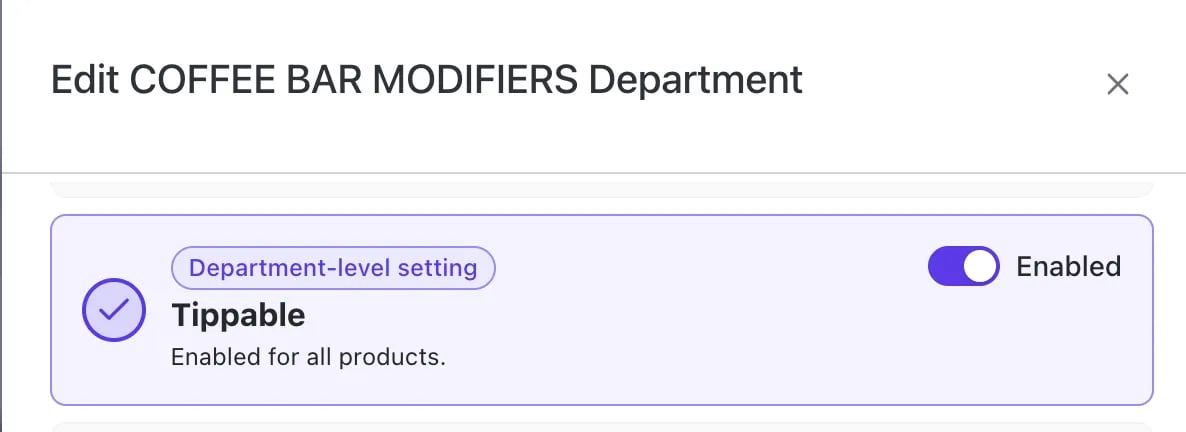
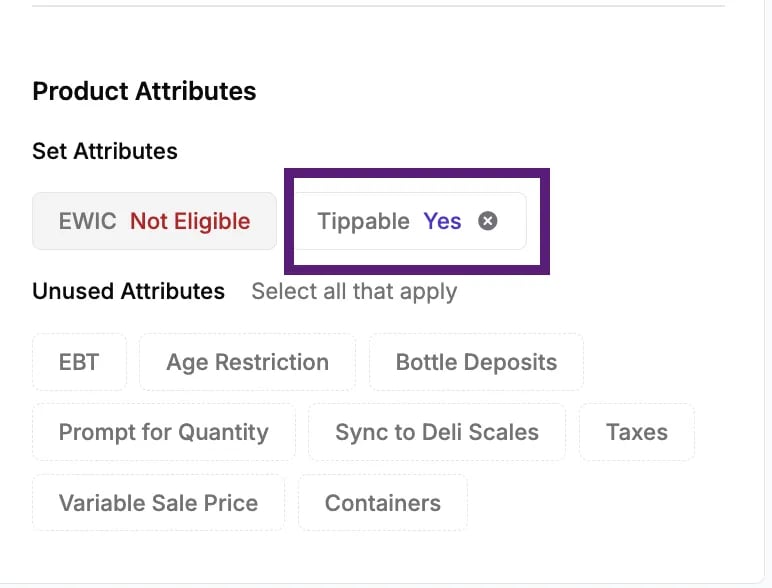
For a shopper to be prompted to leave a tip during a transaction, **tipping must be enabled** for the specific product(s) in their basket.
* You can set the **Tippable** attribute on a Product's Details Page or Department within the Vori Back Office.
 **✏️ Note:** The tip prompt is calculated only based on the total value of items in the basket that have the Tippable attribute turned on.
* If a product is not marked as Tippable, its price will not be included in the calculation for the suggested tip amount.
***
### How the Tip Prompt is Displayed
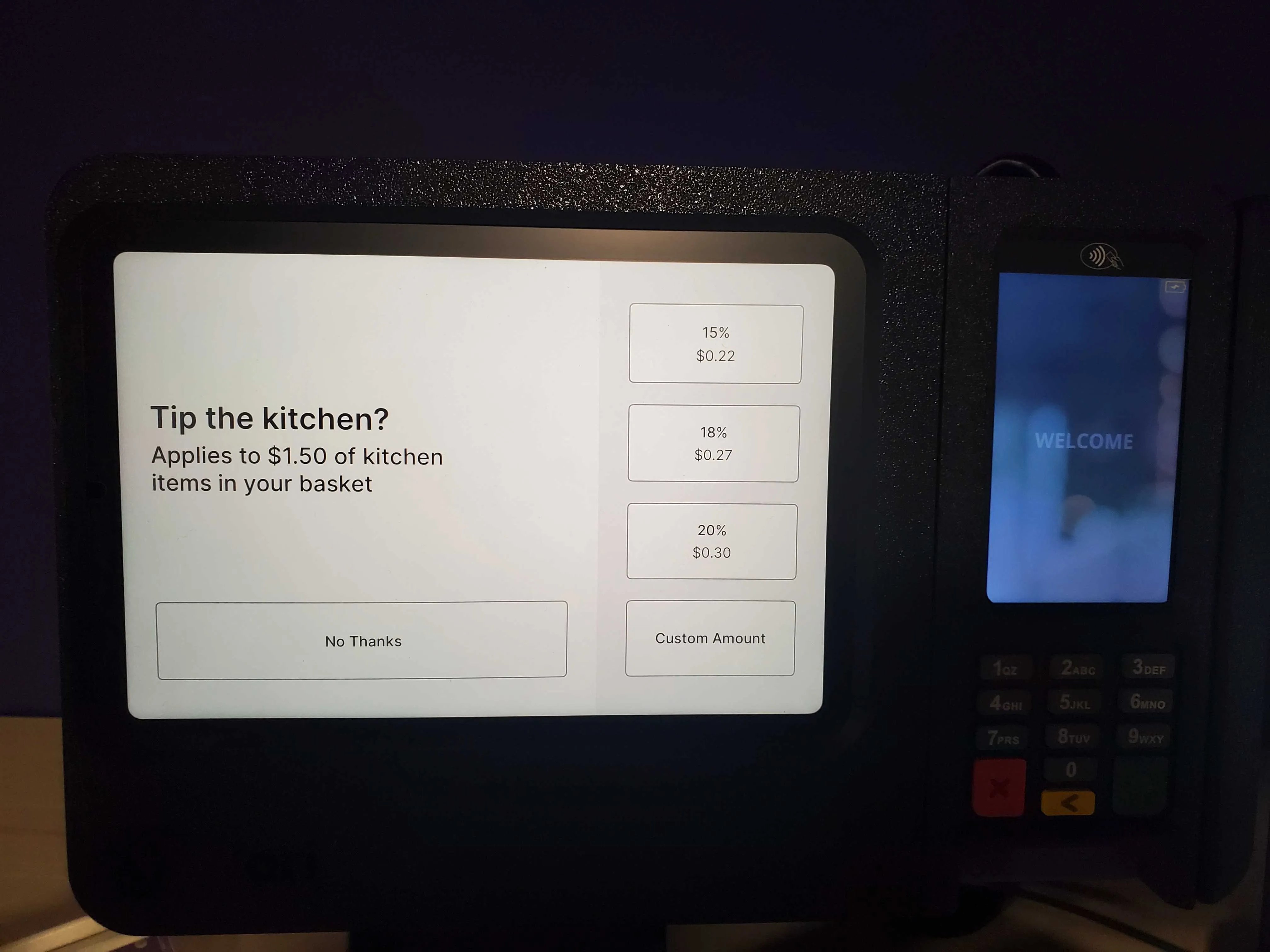
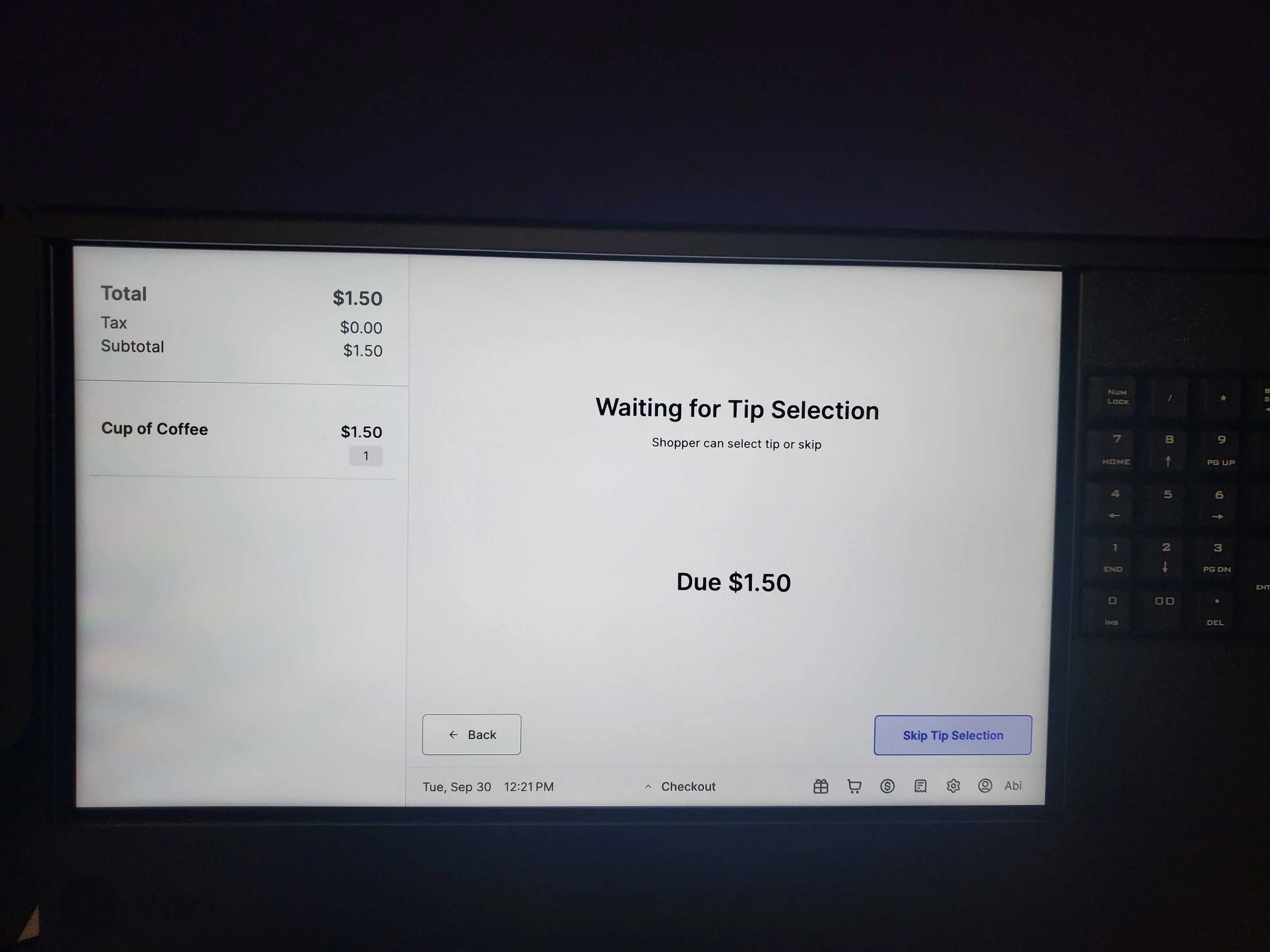
Once a transaction is complete, the shopper display and the cashier screen will prompt for a tip amount, which is based on the total of **tippable items** in the basket.
* If the shopper pays with a credit card, the tip prompt will display on the **first credit/debit payment** made toward the order.
**✏️ Note:** The tip prompt is calculated only based on the total value of items in the basket that have the Tippable attribute turned on.
* If a product is not marked as Tippable, its price will not be included in the calculation for the suggested tip amount.
***
### How the Tip Prompt is Displayed
Once a transaction is complete, the shopper display and the cashier screen will prompt for a tip amount, which is based on the total of **tippable items** in the basket.
* If the shopper pays with a credit card, the tip prompt will display on the **first credit/debit payment** made toward the order.
 * **Subsequent credit payments** on the same order will not display the tip prompt.
***
### Tipping and Returns
Tips are returned to the shopper **only** in specific cases related to product returns.
* **Tips are returned** only when the **entire order** or the **entire list of tippable items** within that order is returned.
* **Partial tip returns are not supported** if only some tippable items from the original transaction are returned.
***
### Tip Payment Methods and Limitations
The POS system supports tips left via credit/debit card payments but has limitations on other payment types.
* **Cash tips** are handled outside of the POS system.
* The POS **does not support** tips paid for using **EBT** (Electronic Benefits Transfer) or **EBT cash** funds.
## Related topics
- [How to view the Tipping Report](/reporting/daily-and-shift-reports/how-to-view-the-tipping-report.md)
- [Automated Cash Rounding at the POS](/point-of-sale-pos/pos-customization-and-setup/automated-cash-rounding-at-the-pos.md)
- [Understanding the Promotions Dashboard & Hierarchy](/promotions/understanding-the-promotions-dashboard-hierarchy.md)
* **Subsequent credit payments** on the same order will not display the tip prompt.
***
### Tipping and Returns
Tips are returned to the shopper **only** in specific cases related to product returns.
* **Tips are returned** only when the **entire order** or the **entire list of tippable items** within that order is returned.
* **Partial tip returns are not supported** if only some tippable items from the original transaction are returned.
***
### Tip Payment Methods and Limitations
The POS system supports tips left via credit/debit card payments but has limitations on other payment types.
* **Cash tips** are handled outside of the POS system.
* The POS **does not support** tips paid for using **EBT** (Electronic Benefits Transfer) or **EBT cash** funds.
## Related topics
- [How to view the Tipping Report](/reporting/daily-and-shift-reports/how-to-view-the-tipping-report.md)
- [Automated Cash Rounding at the POS](/point-of-sale-pos/pos-customization-and-setup/automated-cash-rounding-at-the-pos.md)
- [Understanding the Promotions Dashboard & Hierarchy](/promotions/understanding-the-promotions-dashboard-hierarchy.md)