> ## Documentation Index
> Fetch the complete documentation index at: https://help.vori.com/llms.txt
> Use this file to discover all available pages before exploring further.
# Create a Purchase Order by Uploading a CSV File
> Learn how to create a purchase order by uploading a CSV file directly in app.vori.com
You can create a purchase order directly on app.vori.com by uploading a CSV file.
This feature is in beta.
***
### Why Create a Purchase Order This Way Instead of Building It on the Handheld?
If your team already builds orders in a spreadsheet, upload that file directly into app.vori.com instead of re-entering it on the handheld.
***
### How to Create a Purchase Order by Uploading a CSV File
1. Log into [app.vori.com](https://app.vori.com).
2. In the left-hand navigation menu, click **Inventory & Supply Chain**.
3. Select **[Purchase Orders](https://app.vori.com/retail/purchase-orders)**.
4. In the top right-hand corner of the page, click **Upload Order**.
5. Select the vendor for the order.
6. Drag and drop or select the file, then click **Upload**.
7. Map your file's columns to the correct fields, then click **Next**.
8. Review the Order Summary, then click **Create Order**.
9. The order goes into **Draft** status for you to review and make any edits.
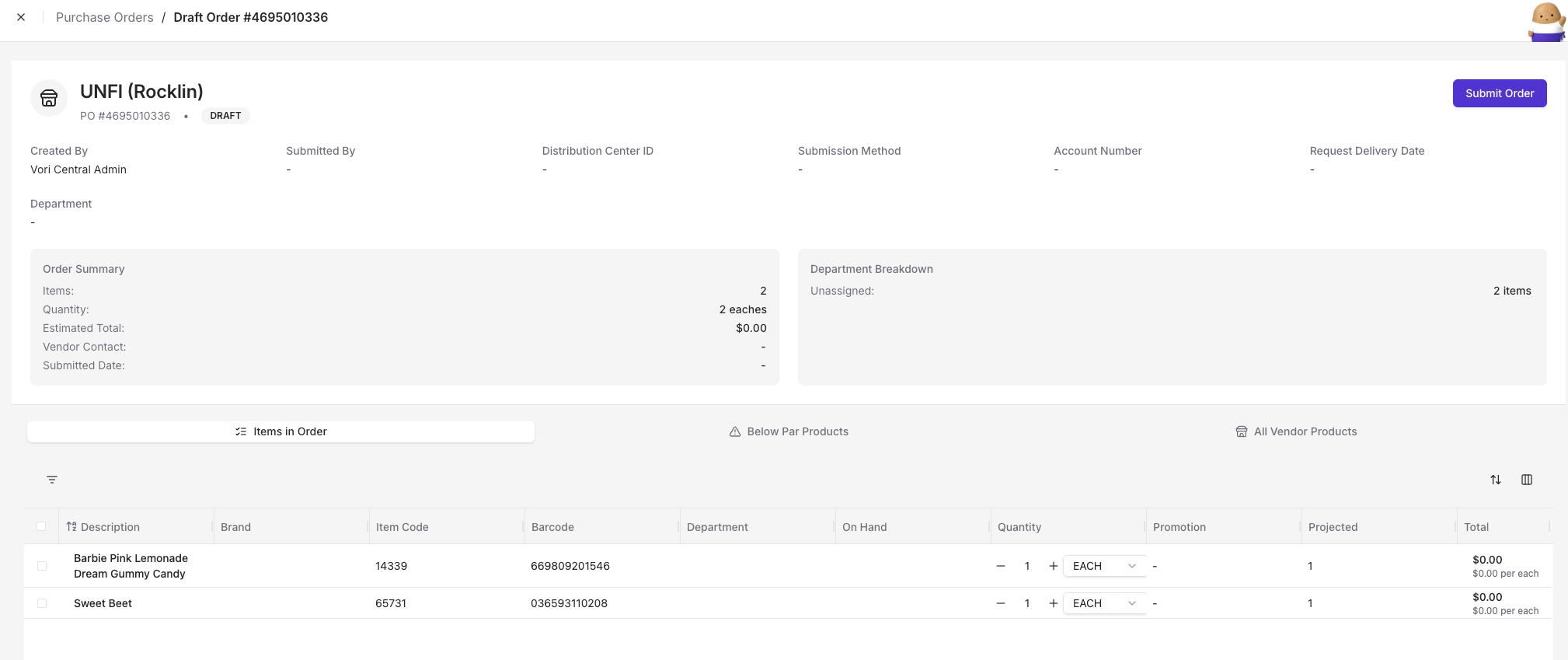 10. When you're ready, click **Submit Order**.
The Recently Ordered warning isn't currently available on purchase orders created this way. It's only available on the handheld.
## Related topics
- [Upload Purchase Orders to MyUNFI and KeHE](/inventory-and-ordering/ordering/upload-purchase-orders-to-myunfi-and-kehe.md)
- [Import Order Guides in the Back Office](/inventory-and-ordering/ordering/import-order-guides-in-the-back-office.md)
- [Place Orders on VoriOS](/inventory-and-ordering/ordering/place-orders-in-vori-operating-system.md)
10. When you're ready, click **Submit Order**.
The Recently Ordered warning isn't currently available on purchase orders created this way. It's only available on the handheld.
## Related topics
- [Upload Purchase Orders to MyUNFI and KeHE](/inventory-and-ordering/ordering/upload-purchase-orders-to-myunfi-and-kehe.md)
- [Import Order Guides in the Back Office](/inventory-and-ordering/ordering/import-order-guides-in-the-back-office.md)
- [Place Orders on VoriOS](/inventory-and-ordering/ordering/place-orders-in-vori-operating-system.md)