> ## Documentation Index
> Fetch the complete documentation index at: https://help.vori.com/llms.txt
> Use this file to discover all available pages before exploring further.
# Manually Submit Single-Vendor Purchase Orders
> How to manually submit a purchase order from the back office
### When to Use This Workaround
If you encounter technical issues on your handheld that prevent an order from being sent, you can submit the order directly from the Vori Back Office. This ensures your order reaches the vendor on time.
***
### How to Manually Submit a Purchase Order
Follow these steps to locate and send a draft order using a web browser.
1. Log into [app.vori.com.](https://app.vori.com)
2. In the left-hand navigation menu, click **Inventory & Supply Chain**.
3. Select **Purchase Orders**.
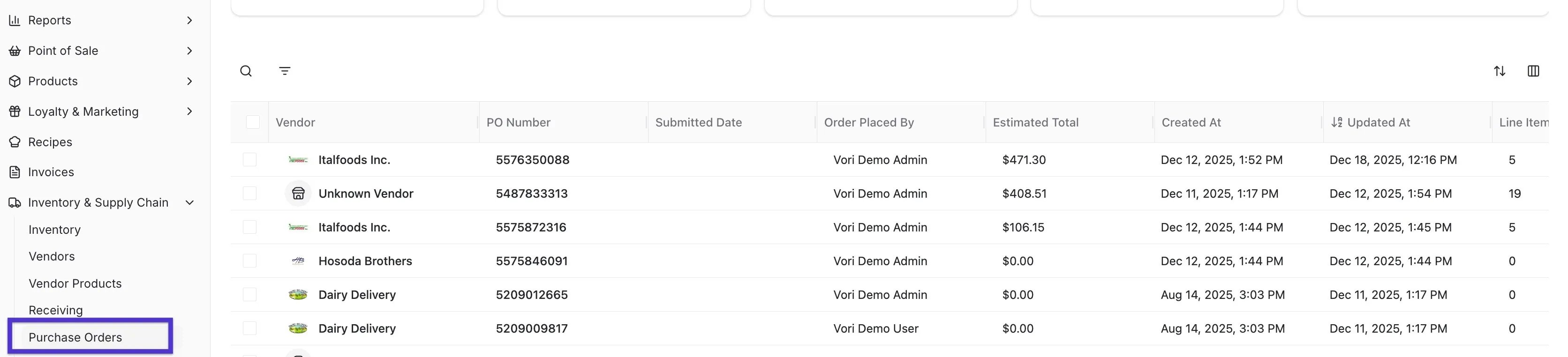 4. Find your order in the list. It should be labeled as **Draft** in the status column.
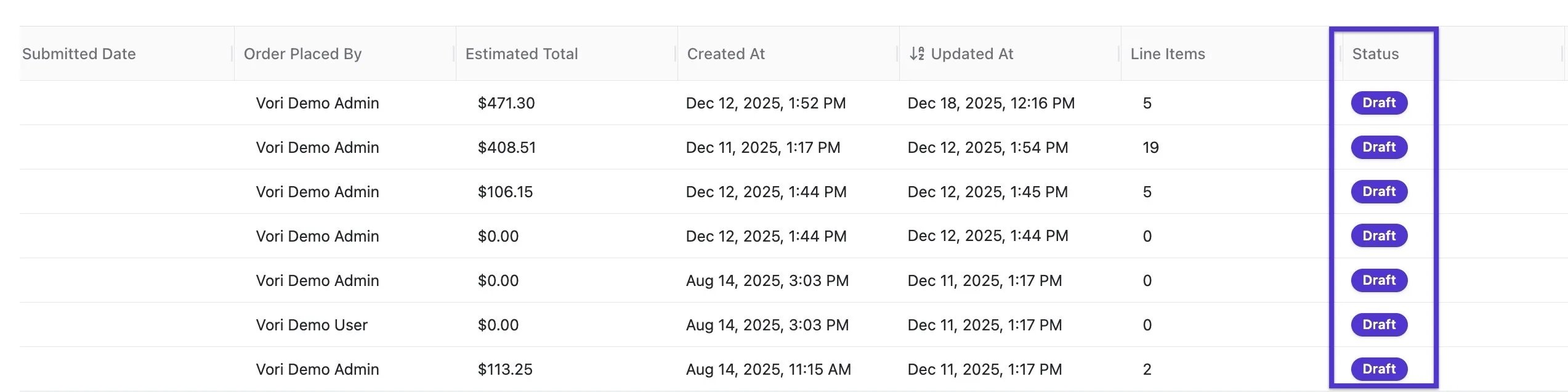 5. Click on the specific PO to open it.
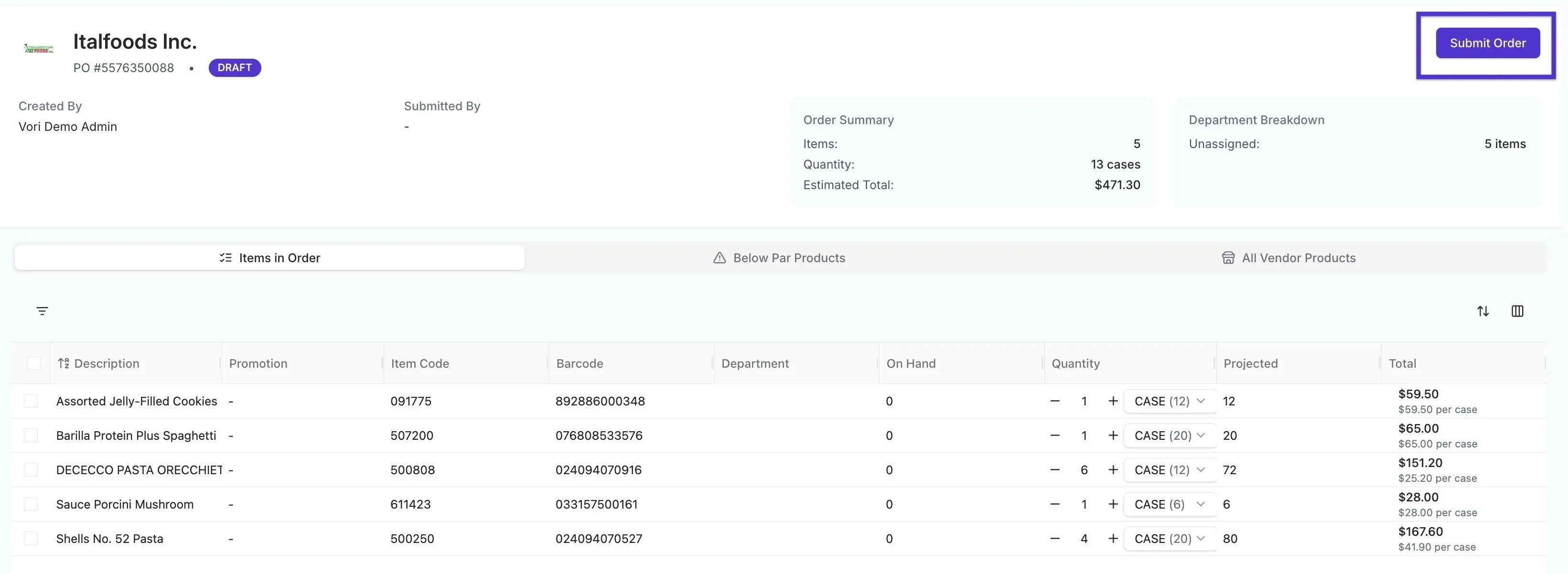
6. Review the items and quantities, then click the **Submit** button in the top right-hand corner.
5. Click on the specific PO to open it.
6. Review the items and quantities, then click the **Submit** button in the top right-hand corner.
 **✏️ Note:** This process can be used for Single-Vendor orders only. If you have a draft multi-vendor order, you must continue to use the handheld or contact Vori Support for assistance.
## Related topics
- [Vori Webinar Training Hub](/vori-webinar-training-hub/vori-webinartraining-hub.md)
- [Place Orders on VoriOS](/inventory-and-ordering/ordering/place-orders-in-vori-operating-system.md)
- [Manage Vendors and Contacts](/vendors-and-vendor-products/vendor-management/manage-vendors-and-contacts.md)
**✏️ Note:** This process can be used for Single-Vendor orders only. If you have a draft multi-vendor order, you must continue to use the handheld or contact Vori Support for assistance.
## Related topics
- [Vori Webinar Training Hub](/vori-webinar-training-hub/vori-webinartraining-hub.md)
- [Place Orders on VoriOS](/inventory-and-ordering/ordering/place-orders-in-vori-operating-system.md)
- [Manage Vendors and Contacts](/vendors-and-vendor-products/vendor-management/manage-vendors-and-contacts.md)