> ## Documentation Index
> Fetch the complete documentation index at: https://help.vori.com/llms.txt
> Use this file to discover all available pages before exploring further.
# How to fix a POS receipt printer that's not printing
> This article explains how to source and fix issues that could cause the POS receipt printer to either not print or print incorrectly.
### **Check for a paper roll in the receipt printer**
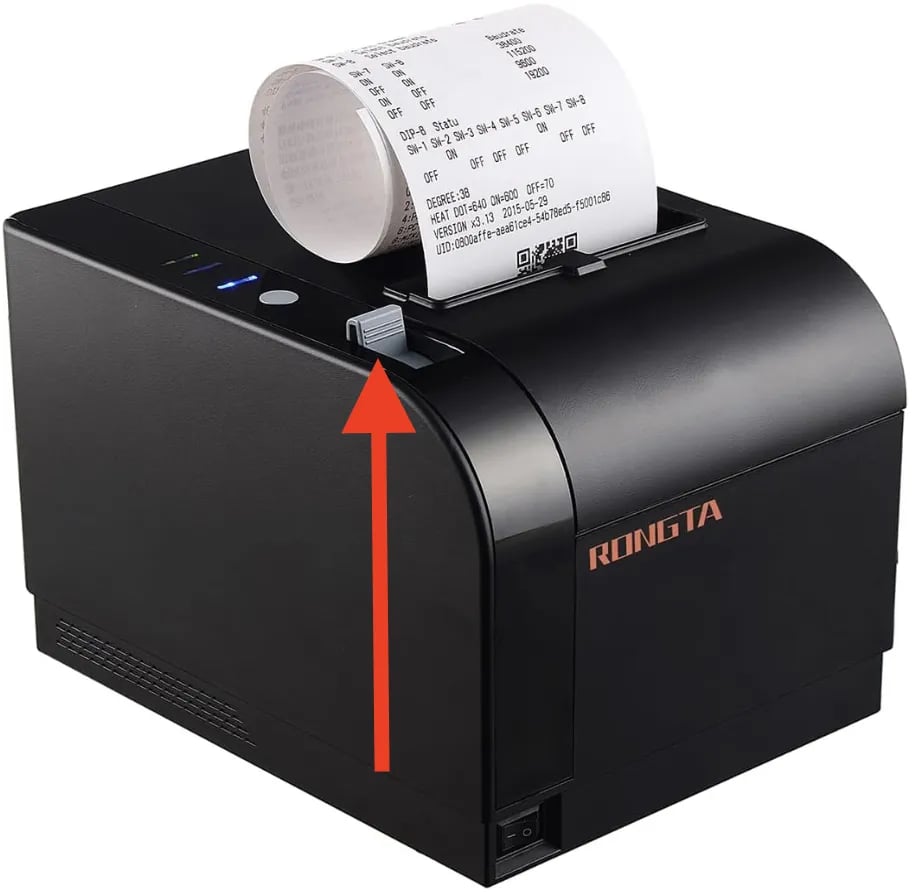
1. On the top left of the receipt printer, pull the grey tab to open the paper roll compartment
1. If the receipt printer does not have paper loaded, load in another roll and full close the top hatch.
 **✏️** **Note -** If the receipt printer has paper loaded but is still not printing receipts, proceed to the next section.
***
### Check that the receipt printer is powered on
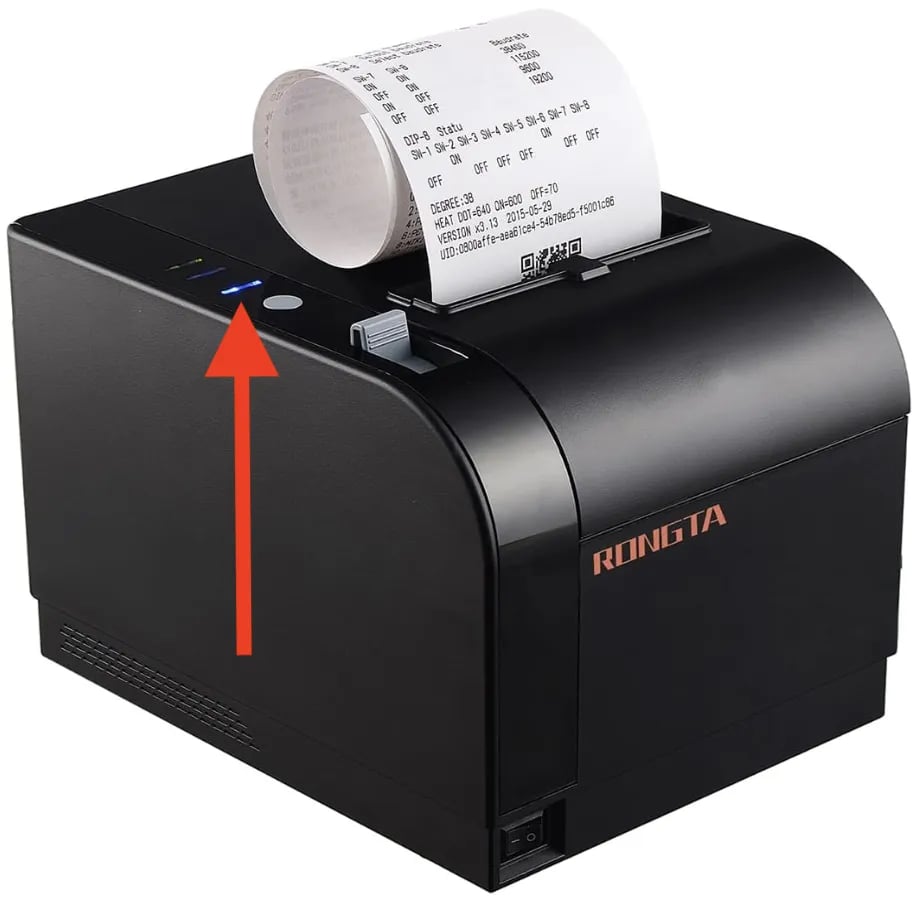
1. Check if the status LED on the top left of the receipt printer is lit
1. If the status LED is not lit, check that the power switch on the front left of the receipt printer is in the **On** position.
**✏️** **Note -** If the receipt printer has paper loaded but is still not printing receipts, proceed to the next section.
***
### Check that the receipt printer is powered on
1. Check if the status LED on the top left of the receipt printer is lit
1. If the status LED is not lit, check that the power switch on the front left of the receipt printer is in the **On** position.
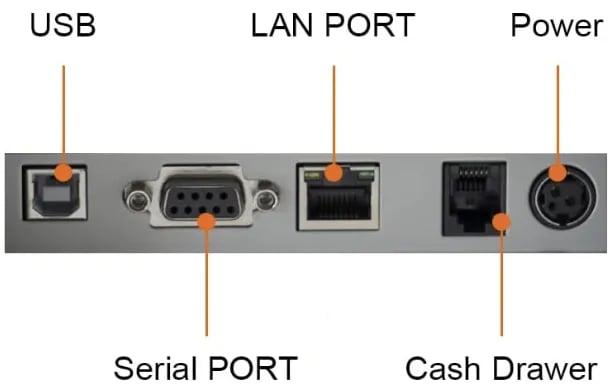
 2. If the power switch is in the **On** position, check that the receipt printer's power cable is fully inserted on both ends.
 **✏️** **Note -** If the receipt printer is powered on but still not printing receipts, proceed to the next step.
***
### **Restart the POS App**
1. On the main cashier screen, select the `⚙️` icon in the bottom right corner of the screen.
* This will open the System Status window.
2. Select `**Restart App**` on the System Status window.
3. Log back into the POS app.
**✏️** **Note -** If restarting the POS app does not fix the issue, proceed to the next section.
***
### Restart the receipt printer
1. Flip the power switch on the front left of the receipt printer to the off position.
2. Wait 10 seconds.
3. Flip the power switch back to the on position.
**✏️** **Note -** If restarting the receipt printer does not fix the issue, proceed to the next section.
***
### **Check the receipt printer communication cable's connection**
1. On the back of the receipt printer, check that the communication cable is securely plugged into the **Serial Port**.
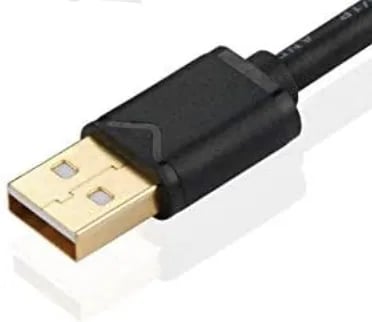
2. Underneath the POS counter, check that the head of the communication cable is securely plugged in.
**✏️** **Note -** If the receipt printer is powered on but still not printing receipts, proceed to the next step.
***
### **Restart the POS App**
1. On the main cashier screen, select the `⚙️` icon in the bottom right corner of the screen.
* This will open the System Status window.
2. Select `**Restart App**` on the System Status window.
3. Log back into the POS app.
**✏️** **Note -** If restarting the POS app does not fix the issue, proceed to the next section.
***
### Restart the receipt printer
1. Flip the power switch on the front left of the receipt printer to the off position.
2. Wait 10 seconds.
3. Flip the power switch back to the on position.
**✏️** **Note -** If restarting the receipt printer does not fix the issue, proceed to the next section.
***
### **Check the receipt printer communication cable's connection**
1. On the back of the receipt printer, check that the communication cable is securely plugged into the **Serial Port**.
2. Underneath the POS counter, check that the head of the communication cable is securely plugged in.
 **If the receipt printer's communication cable securely plugged in and there are still printing issues, a component may have been damaged. Reach out to the Vori support line for help on next steps.**
## Related topics
- [Hardware Troubleshooting Guide](/getting-started-with-vori/support/hardware-troubleshooting.md)
- [Troubleshoot Receipt Printer Issues (Garbled Receipts or Random Printing)](/vori-setup-and-troubleshooting/troubleshoot-receipt-printer-issues-garbled-receipts-or-random-printing.md)
- [Fix a Jammed Receipt Printer](/hardware-and-peripherals/receipt-printer-and-supplies/fix-a-jammed-receipt-printer.md)
**If the receipt printer's communication cable securely plugged in and there are still printing issues, a component may have been damaged. Reach out to the Vori support line for help on next steps.**
## Related topics
- [Hardware Troubleshooting Guide](/getting-started-with-vori/support/hardware-troubleshooting.md)
- [Troubleshoot Receipt Printer Issues (Garbled Receipts or Random Printing)](/vori-setup-and-troubleshooting/troubleshoot-receipt-printer-issues-garbled-receipts-or-random-printing.md)
- [Fix a Jammed Receipt Printer](/hardware-and-peripherals/receipt-printer-and-supplies/fix-a-jammed-receipt-printer.md)