> ## Documentation Index
> Fetch the complete documentation index at: https://help.vori.com/llms.txt
> Use this file to discover all available pages before exploring further.
# Set Up a Standalone Payment Terminal (PAX A920)
> Power on your terminal, connect to WiFi, log into the DC Direct app, and set your payment parameters to start accepting transactions
### Introduction
A standalone terminal allows you to accept payments away from your main Point of Sale (POS) registers. It's the perfect solution for processing catering, hot food, and deli orders.
### Power on the Terminal
Start by turning on your terminal so you can access the home screen and settings.
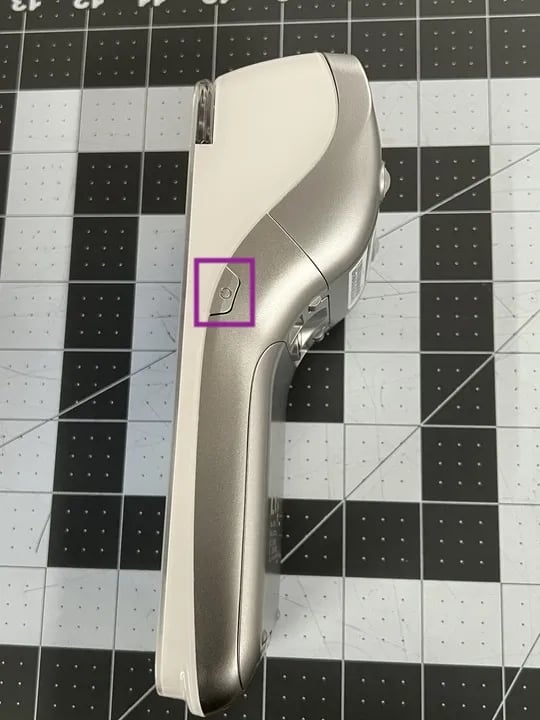
1. Press and hold the **power button** on the right side of the terminal for **3–5 seconds**.
2. Release the button once the screen turns on.
 ***
### Connect to WiFi
Next, connect your terminal to a secure WiFi network so it can sync settings and process transactions.
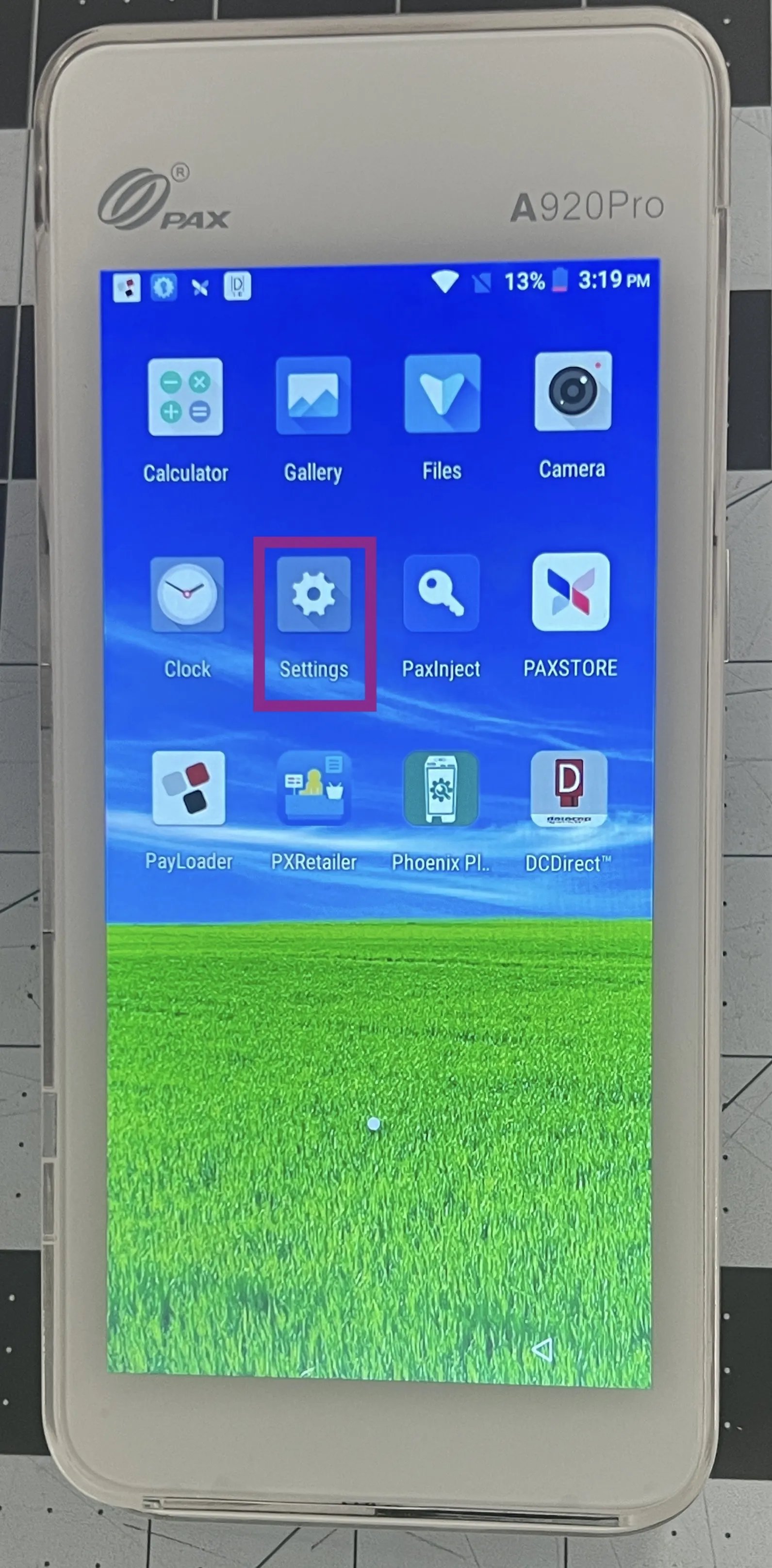
1. From the home screen, tap **Settings**.
***
### Connect to WiFi
Next, connect your terminal to a secure WiFi network so it can sync settings and process transactions.
1. From the home screen, tap **Settings**.
 2. Enter the admin password: pax9876@@.
3. Tap **Network & Internet**.
4. Select your network from the list.
5. Enter your WiFi password, then tap **Connect**.
6. Confirm that the **WiFi icon** appears at the top of the screen.
2. Enter the admin password: pax9876@@.
3. Tap **Network & Internet**.
4. Select your network from the list.
5. Enter your WiFi password, then tap **Connect**.
6. Confirm that the **WiFi icon** appears at the top of the screen. ***
### Log in to the DC Direct App
Once your device is online, log into the DC Direct app to unlock payment settings and begin setup.
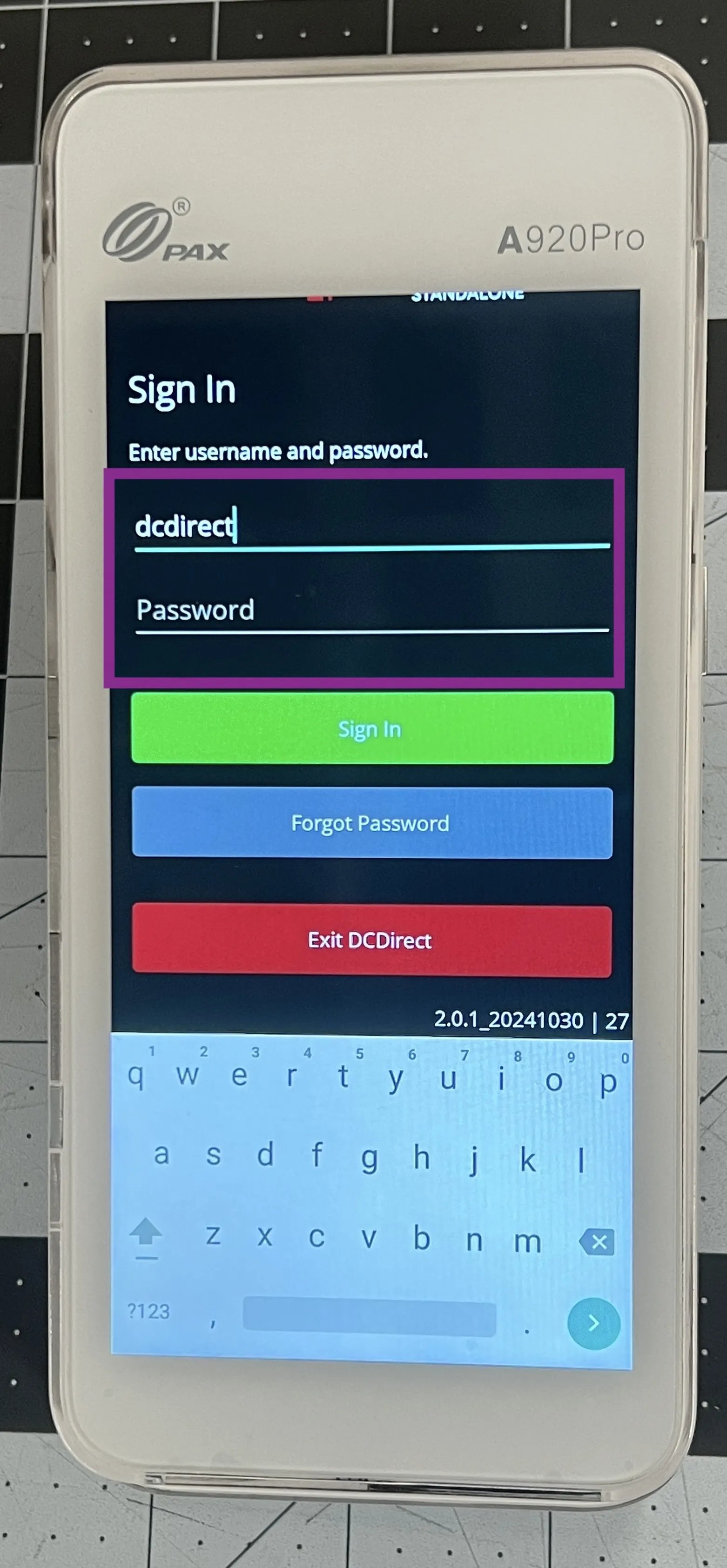
1. Return to the home screen and tap the **DC Direct** app.
2. Enter the following credentials:
* **Username: dcdirect**
* **Password:** *(leave blank)*
3. Tap **Sign In**.
***
### Log in to the DC Direct App
Once your device is online, log into the DC Direct app to unlock payment settings and begin setup.
1. Return to the home screen and tap the **DC Direct** app.
2. Enter the following credentials:
* **Username: dcdirect**
* **Password:** *(leave blank)*
3. Tap **Sign In**.
 ***
### Download Parameters
To complete the setup, download the latest parameters. This will apply the necessary configuration and restart your device.
1. Tap the **profile icon** (bottom-right corner).
2. Tap **Get Parameters**.
***
### Download Parameters
To complete the setup, download the latest parameters. This will apply the necessary configuration and restart your device.
1. Tap the **profile icon** (bottom-right corner).
2. Tap **Get Parameters**.
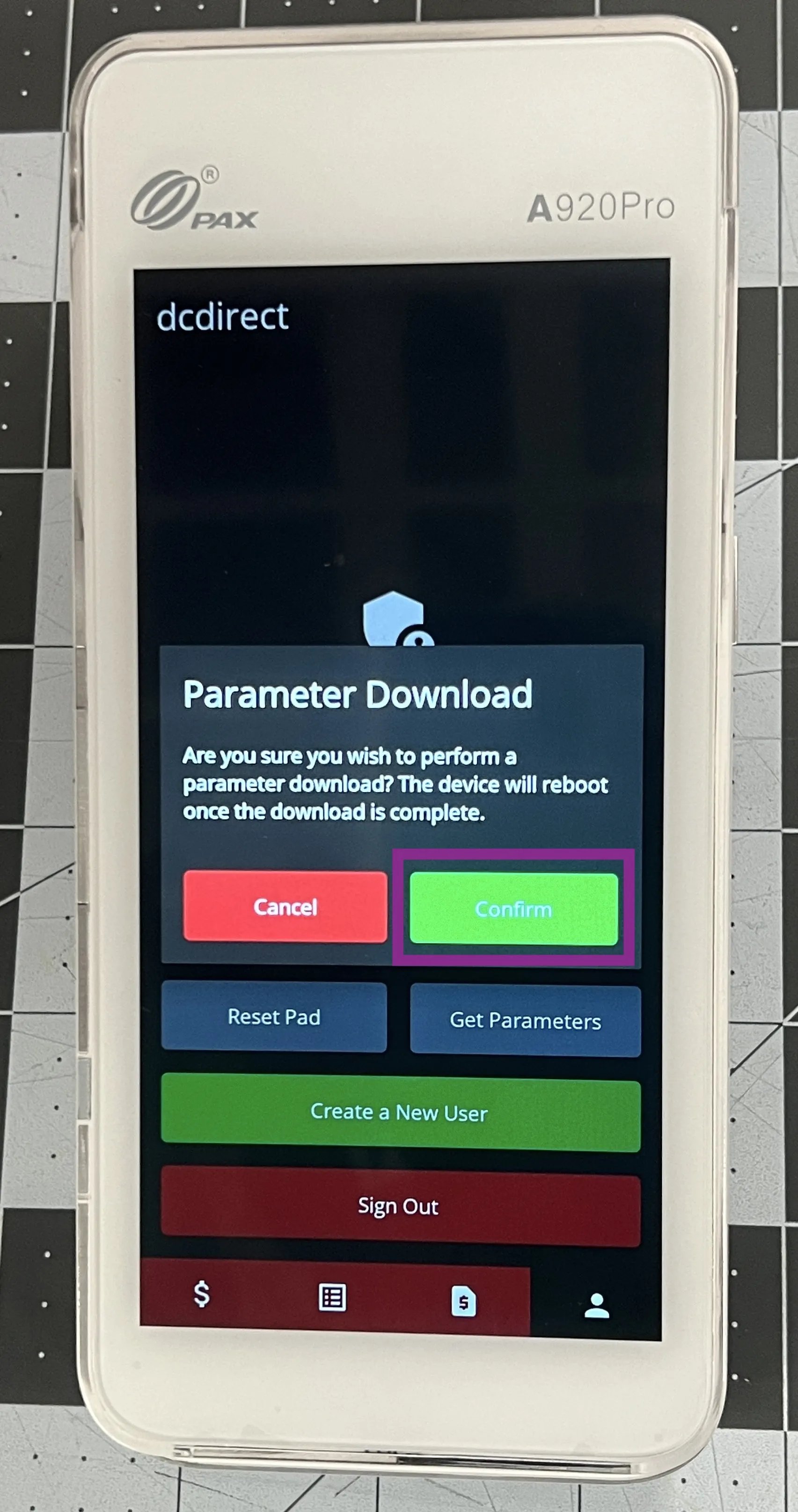
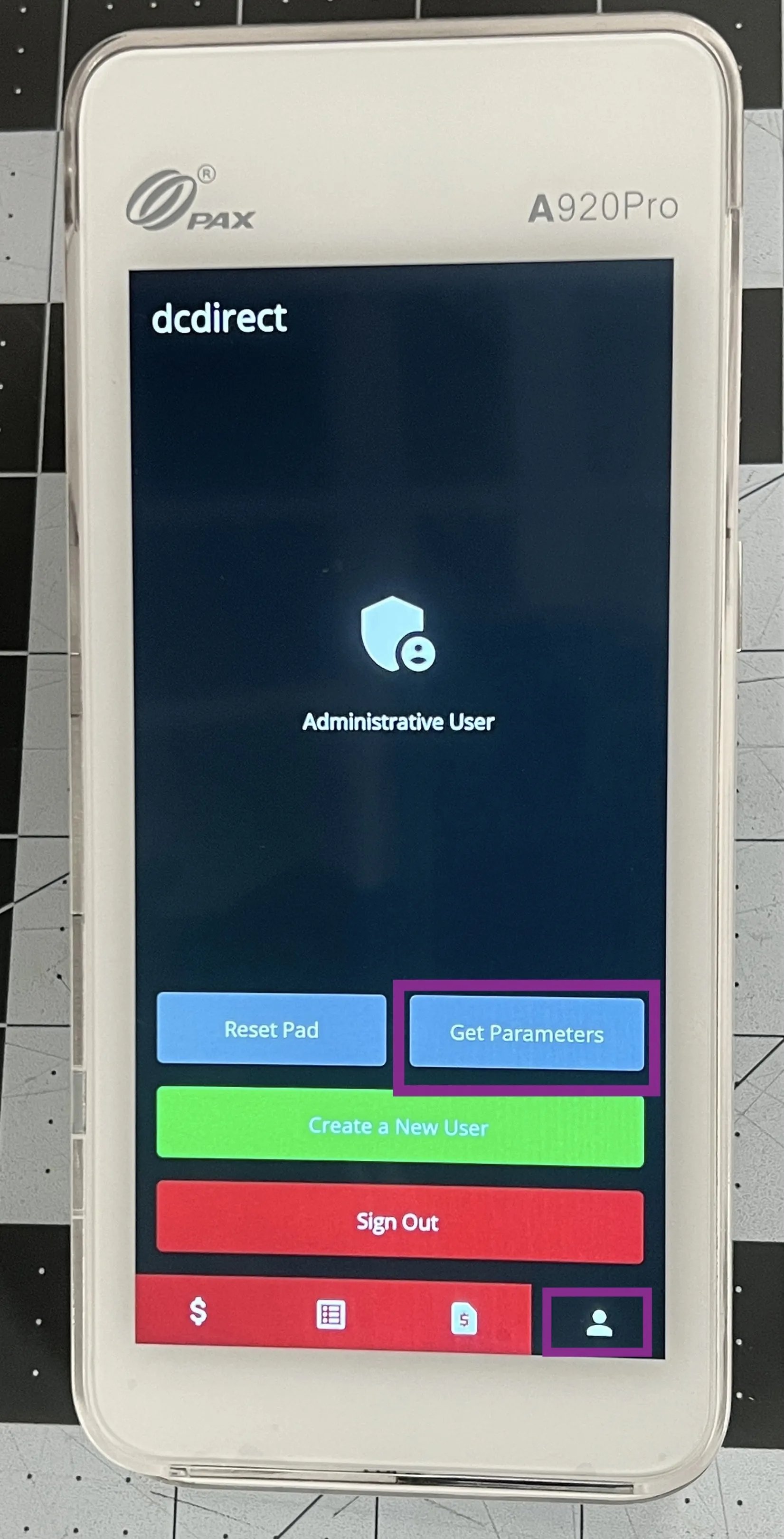 3. When prompted, tap **Confirm** to begin the download.
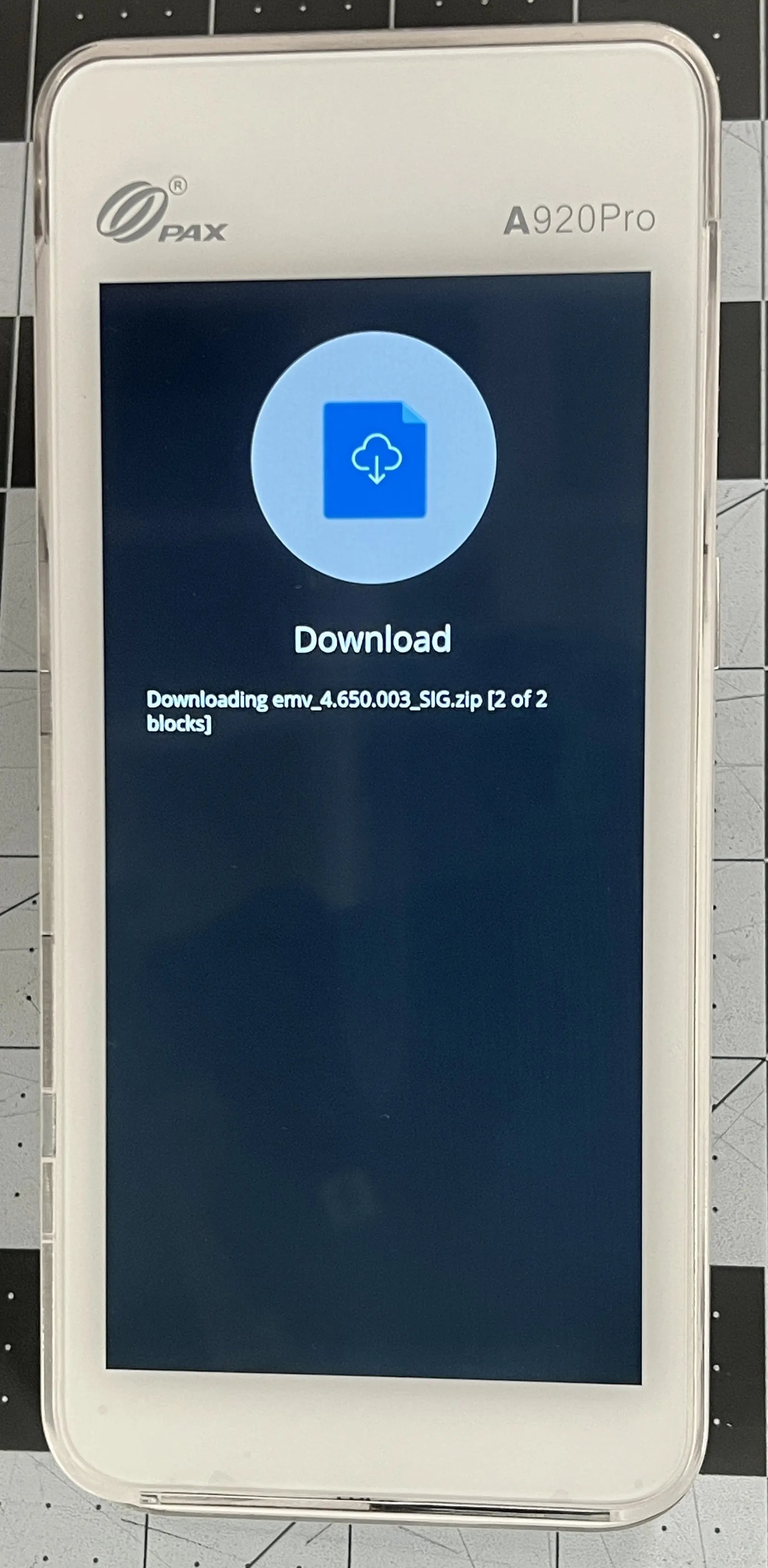
 1. The device will begin downloading files. Wait for the terminal to automatically restart.
  4. After rebooting, the **DC Direct app** will relaunch, and you’ll see a notification that says: *“Payloader is running on this device.”*
***
### Video Walkthrough
Watch a quick walkthrough of the full setup process, from powering on the terminal to downloading parameters.
## Related topics
- [Frequently Asked Questions](/faqs.md)
- [Fix Your POS Payment Terminal](/hardware-and-integrations/payment-terminals/fix-your-pos-payment-terminal.md)
- [Run Get Parameters on the Payment Terminal](/hardware-and-peripherals/payment-terminals/run-get-parameters-on-the-payment-terminal.md)
4. After rebooting, the **DC Direct app** will relaunch, and you’ll see a notification that says: *“Payloader is running on this device.”*
***
### Video Walkthrough
Watch a quick walkthrough of the full setup process, from powering on the terminal to downloading parameters.
## Related topics
- [Frequently Asked Questions](/faqs.md)
- [Fix Your POS Payment Terminal](/hardware-and-integrations/payment-terminals/fix-your-pos-payment-terminal.md)
- [Run Get Parameters on the Payment Terminal](/hardware-and-peripherals/payment-terminals/run-get-parameters-on-the-payment-terminal.md)