> ## Documentation Index
> Fetch the complete documentation index at: https://help.vori.com/llms.txt
> Use this file to discover all available pages before exploring further.
# How to sign into Vusion Manager for the first time
> This article explains how to sign into Vusion Manager First time sign-in to Vusion Manager requires a password to be set for a pre-registered email address
### Introduction
New store users must finalize account setup with their pre-registered email address linked to their store account. If unsure which email to use, they should confirm with their onboarding manager.
**✏️** **Note -** Only pre-registed emails may sign into Vusion Manager. Contact [support@vori.com](mailto:support@vori.com) to add additional logins to a store's account.
### Directions
1. Open [https://manager-us.vusion.io](https://manager-us.vusion.io/sso/landing).
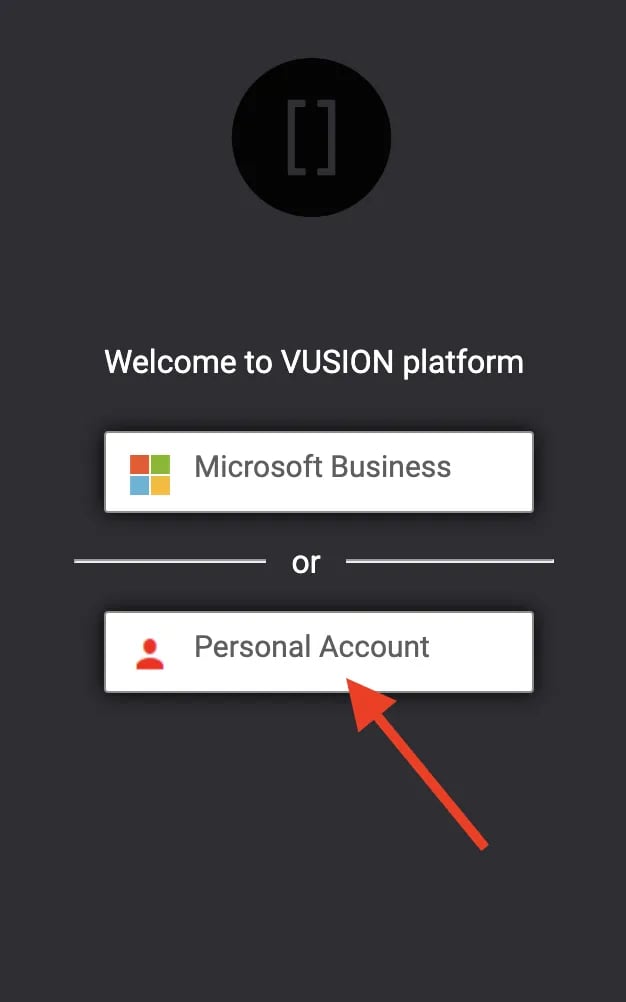
2. Select `**Personal Account**`.
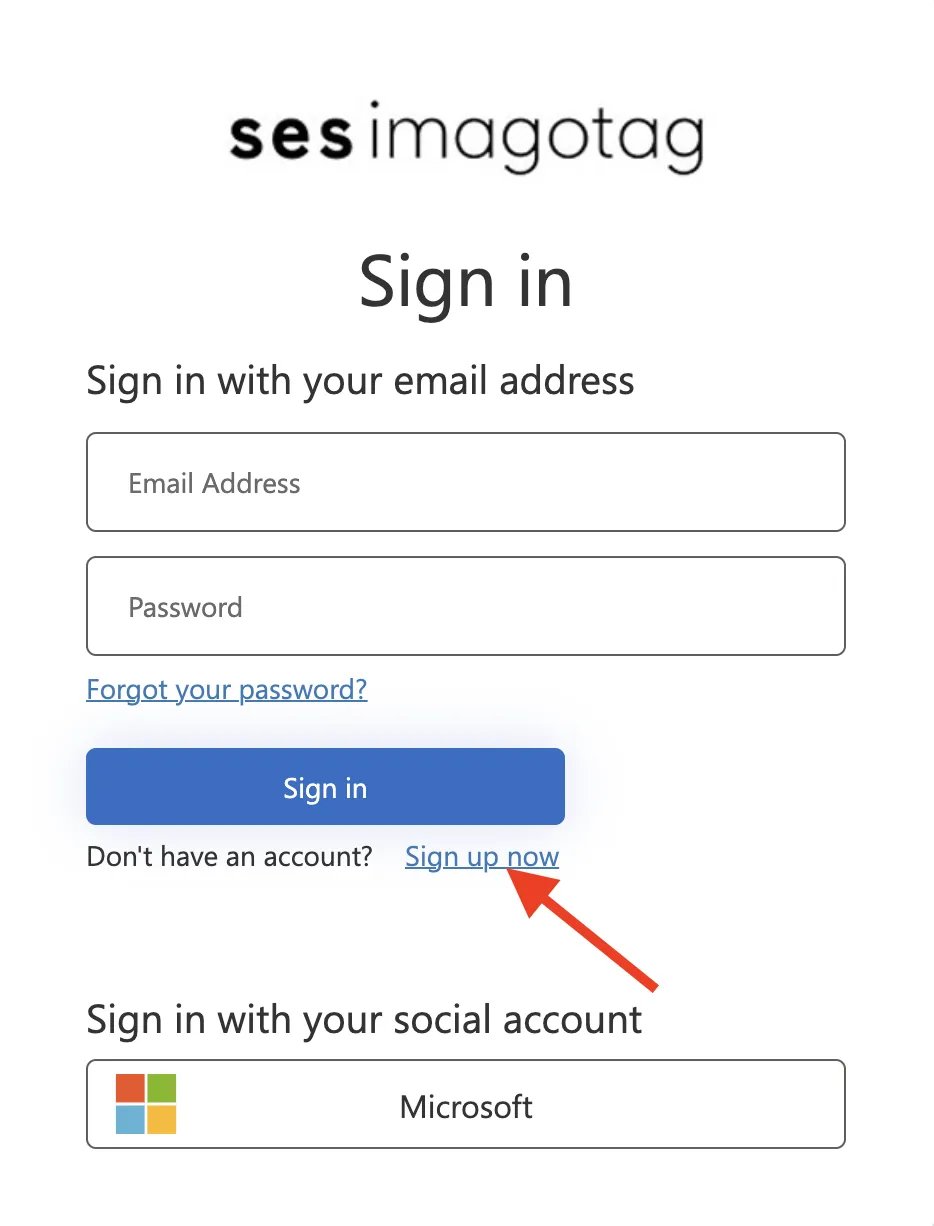
 3. Select `**Sign up now**`.
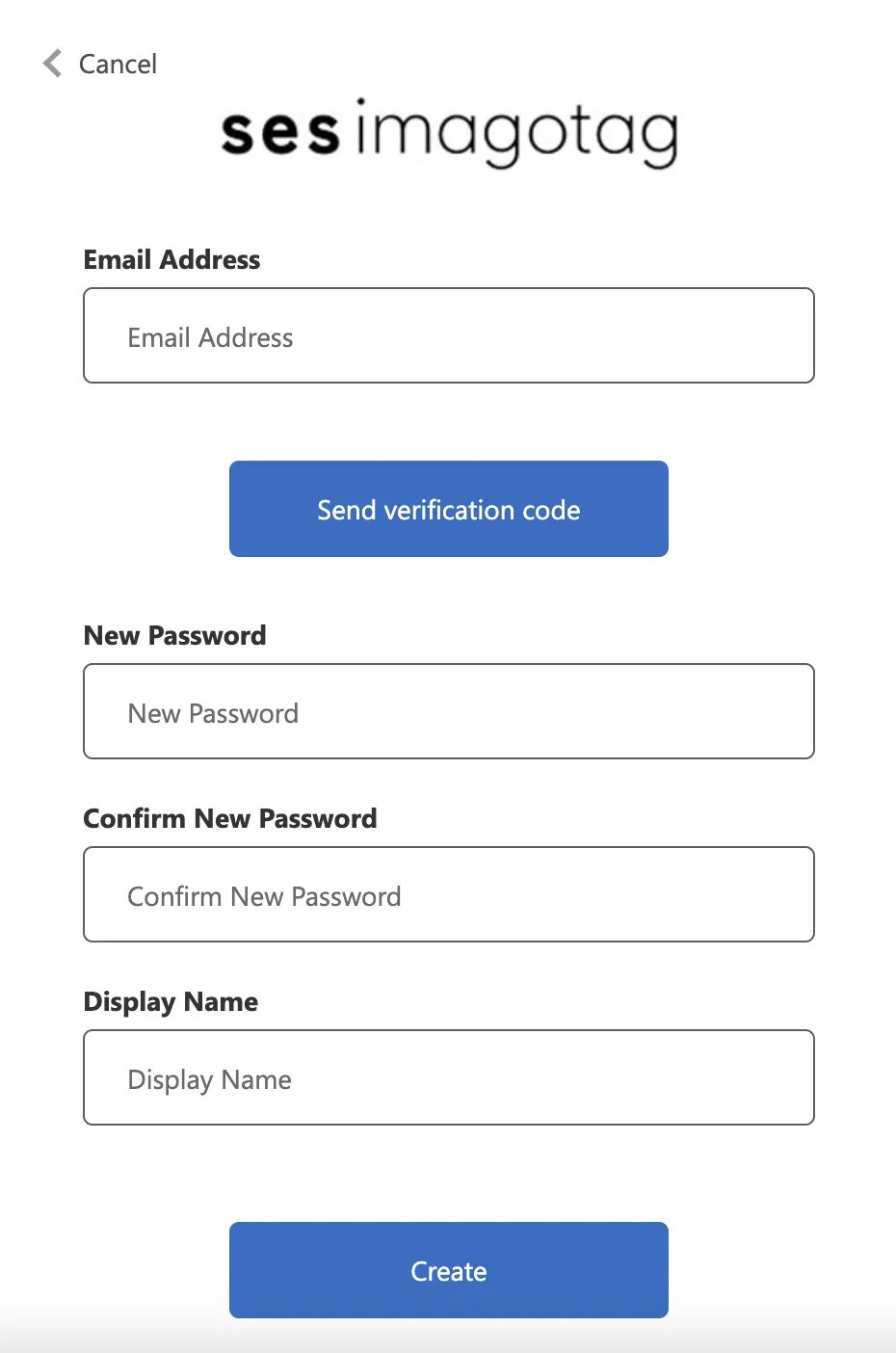
 4. Enter in the pre-registered email address. Then, create a password and a display name for the account.
 5. Account registration is complete! When logging in, be sure to always select **`Personal Account`** when prompted.
## Related topics
- [How to remotely reboot an ESL access point through Vusion Manager](/electronic-shelf-labels-esls/how-to-remotely-reboot-an-esl-access-point-through-vusion-manager.md)
- [How to register an access point to a store’s Vusion account](/electronic-shelf-labels-esls/how-to-register-an-access-point-to-a-store-s-vusion-account.md)
- [How to search, view, & troubleshoot ESLs using Vusion Manager](/electronic-shelf-labels-esls/how-to-search-view-and-troubleshoot-esls-using-vusion-manager.md)
5. Account registration is complete! When logging in, be sure to always select **`Personal Account`** when prompted.
## Related topics
- [How to remotely reboot an ESL access point through Vusion Manager](/electronic-shelf-labels-esls/how-to-remotely-reboot-an-esl-access-point-through-vusion-manager.md)
- [How to register an access point to a store’s Vusion account](/electronic-shelf-labels-esls/how-to-register-an-access-point-to-a-store-s-vusion-account.md)
- [How to search, view, & troubleshoot ESLs using Vusion Manager](/electronic-shelf-labels-esls/how-to-search-view-and-troubleshoot-esls-using-vusion-manager.md)