> ## Documentation Index
> Fetch the complete documentation index at: https://help.vori.com/llms.txt
> Use this file to discover all available pages before exploring further.
# How to register a case of ESLs in the Vusion Link app
> This guide will show how to quickly register a new box of ESLs to a store through the Vusion Link, as opposed to waiting for automatic pairing.
When tags arrive at a store, they enter a passive pairing mode. In this mode, each tag emits a signal to connect with an access point every 30 minutes. A box of ESLs can be left near an access point for automatic connection. To expedite the process, please follow the instructions in this guide.
### **Required Materials**
* Case of ESLs
* Smartphone with Vusion Link installed and logged into the store profile
***
### **Directions**
1. Open and log into the **Vusion Link** app.
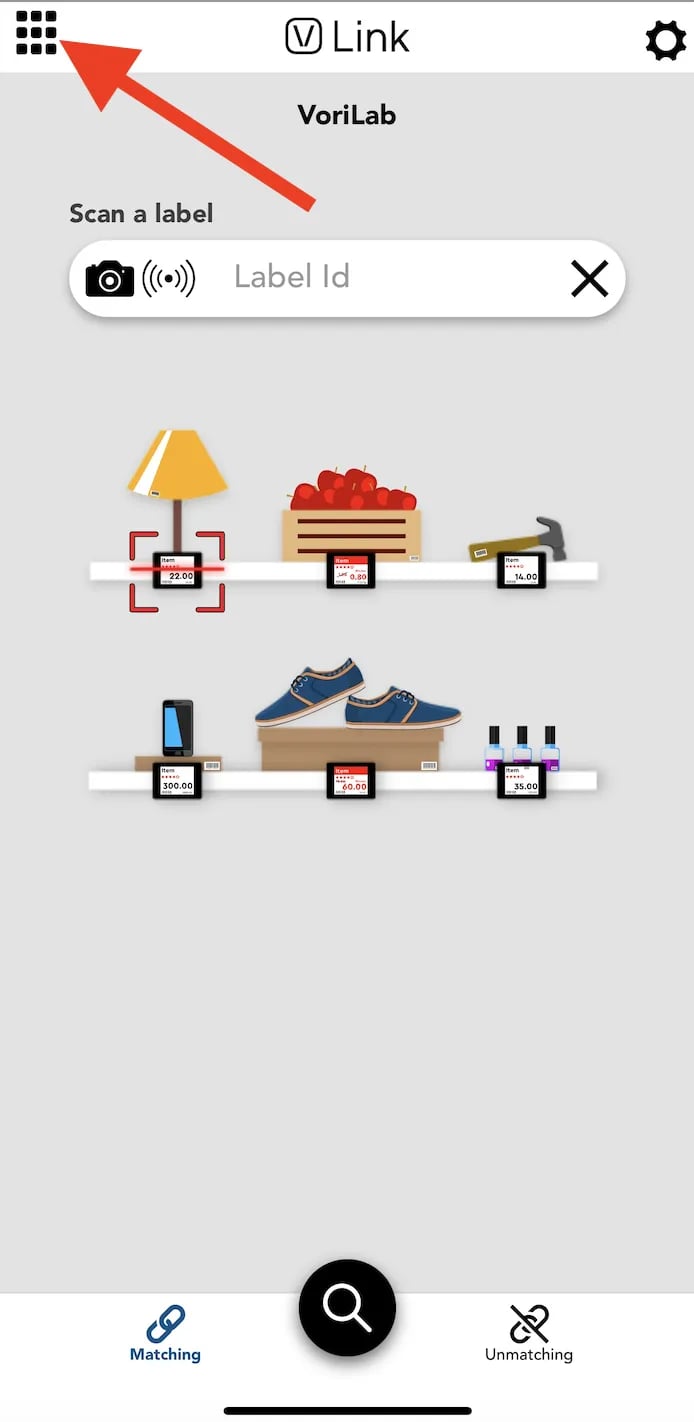
2. Tap the grid icon in the top left corner of the screen.
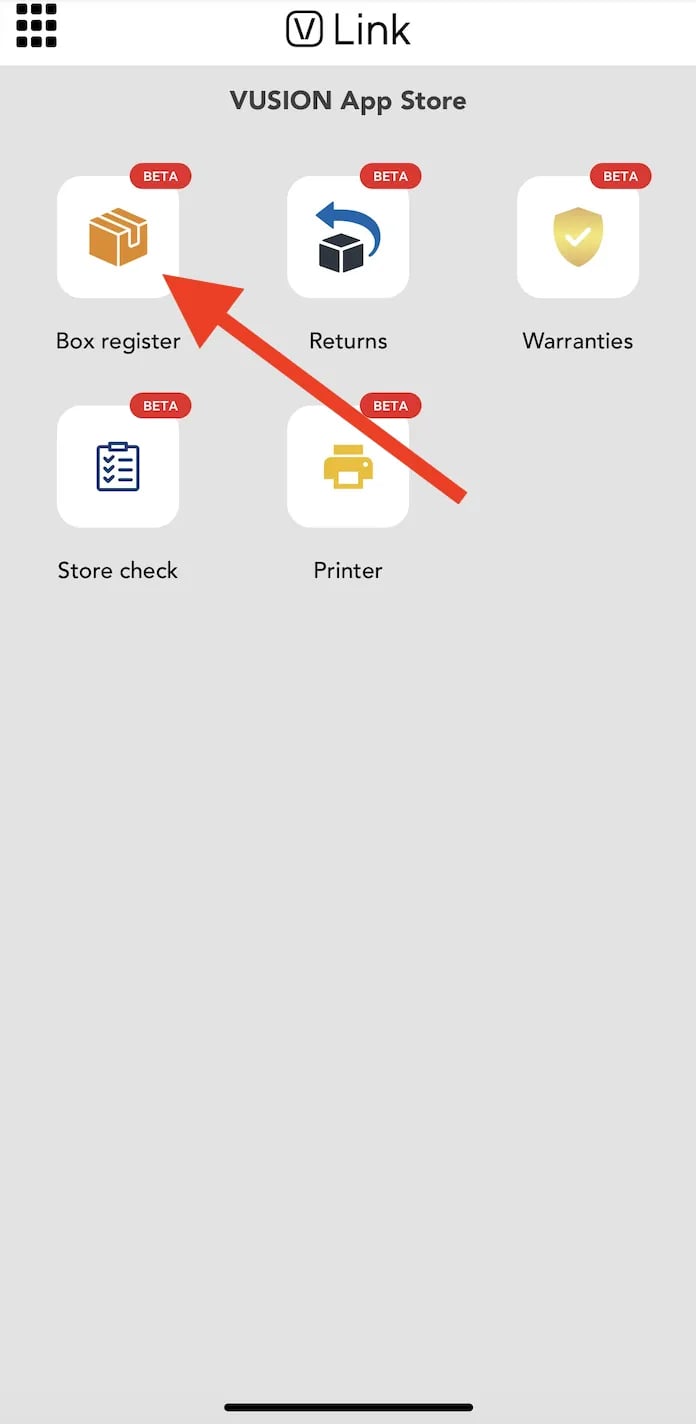
 3. Select `**Box register**`. This will open the smartphone's camera.
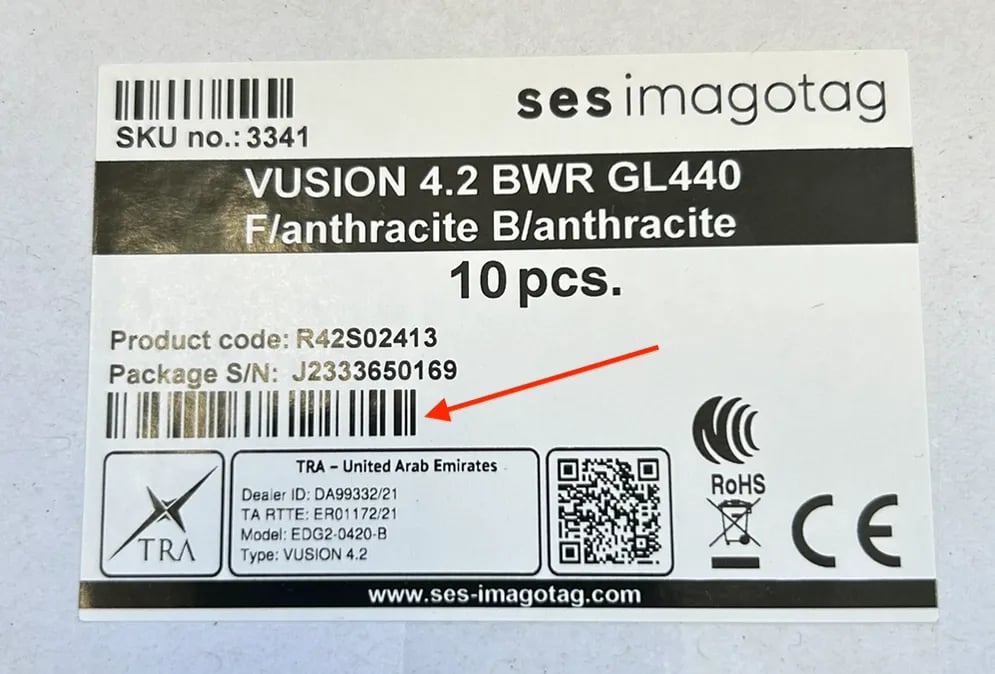
 4. Use the camera to scan the barcode on the box of tags located below the **Package S/N**.
 5. Once a box is registered, it may take up to 15 minutes for the tags to fully come online.
## Related topics
- [How to register an access point to a store’s Vusion account](/electronic-shelf-labels-esls/how-to-register-an-access-point-to-a-store-s-vusion-account.md)
- [How to generate a Vusion Link login QR code from Vusion Manager](/electronic-shelf-labels-esls/how-to-generate-a-vusion-link-login-qr-code-from-vusion-manger.md)
- [How to log into Vusion Link with a QR code generated from a different phone](/electronic-shelf-labels-esls/how-to-log-into-vusion-link-with-a-qr-code-generated-from-a-different-phone.md)
5. Once a box is registered, it may take up to 15 minutes for the tags to fully come online.
## Related topics
- [How to register an access point to a store’s Vusion account](/electronic-shelf-labels-esls/how-to-register-an-access-point-to-a-store-s-vusion-account.md)
- [How to generate a Vusion Link login QR code from Vusion Manager](/electronic-shelf-labels-esls/how-to-generate-a-vusion-link-login-qr-code-from-vusion-manger.md)
- [How to log into Vusion Link with a QR code generated from a different phone](/electronic-shelf-labels-esls/how-to-log-into-vusion-link-with-a-qr-code-generated-from-a-different-phone.md)