> ## Documentation Index
> Fetch the complete documentation index at: https://help.vori.com/llms.txt
> Use this file to discover all available pages before exploring further.
# How to log into Vusion Link with a QR code generated from a different phone
> This guide will show how to install Vusion Link on a new device and link to the store's account using Vusion Link on a separate device
### Introduction
Each store with ESLs is also equipped with a store handheld with the Vusion Link app pre-installed. Because the Vusion Link app is free and supported across multiple smartphone platforms, a store may install Vusion Link on a personal devices for easier simultaneous tag management.
#### Required Materials
* Smartphone with internet access.
* A separate smartphone with the Vusion Link app already installed and logged into the store account.
***
### Directions
1. On the new smartphone, download **Vusion Link** from the App Store. Then open it.
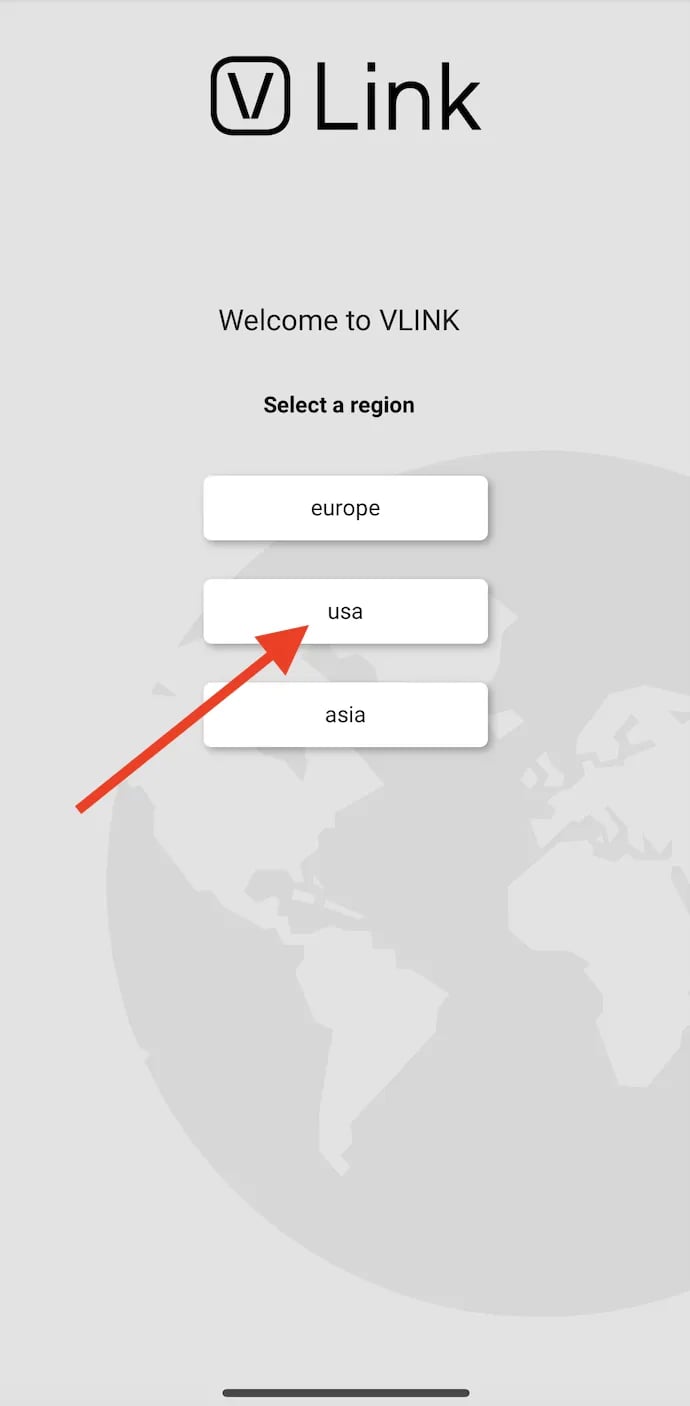
 2. On the new smartphone in the Vusion Link app, select **USA** on the login screen.
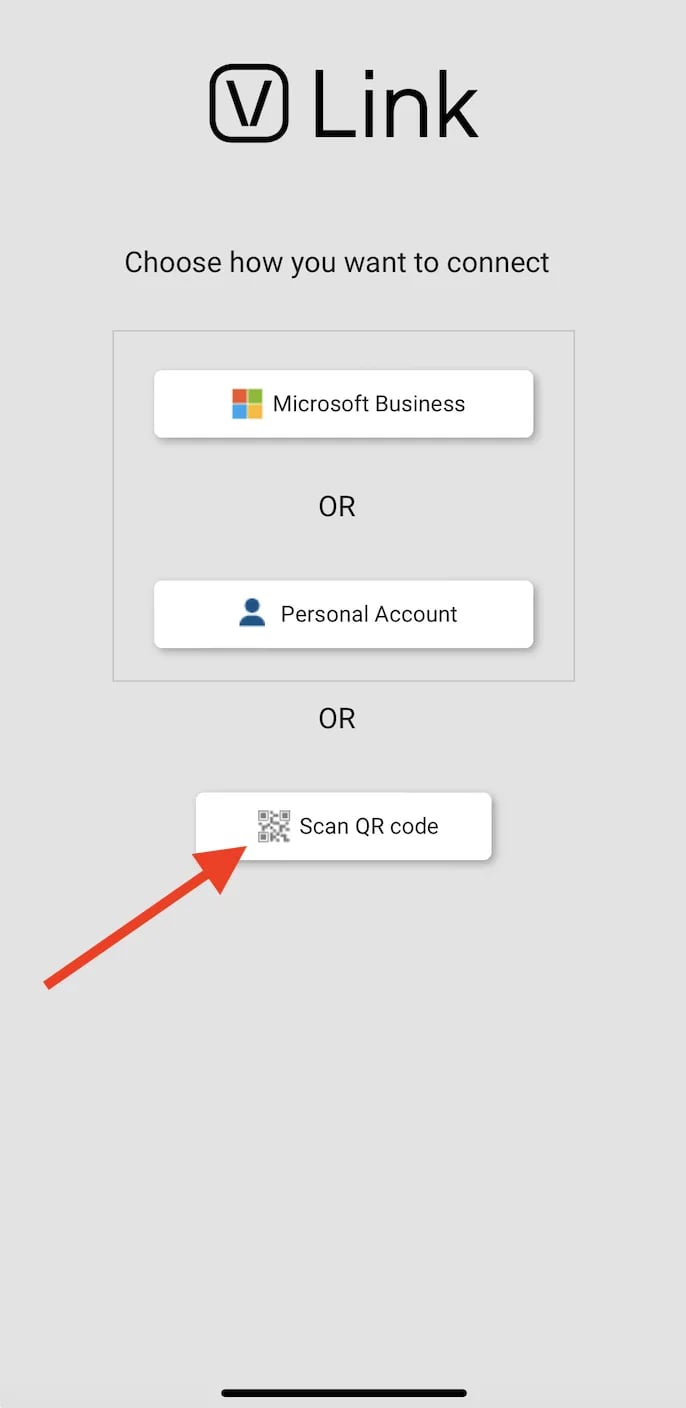
 3. On the new smartphone, select **Scan QR Code**. This will open the smartphone's camera.
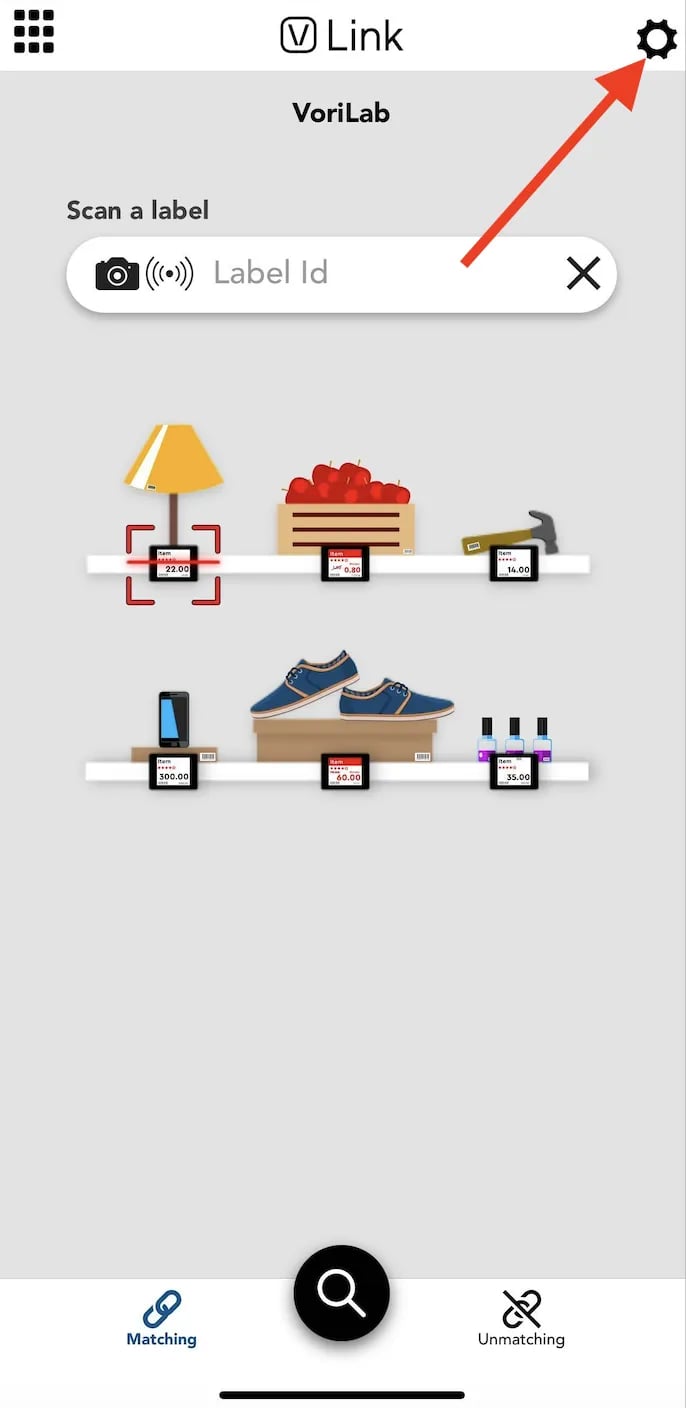
 4. On the smartphone with Vusion Link already installed and logged in, open the Vusion Link app and tap the gear icon in the upper right corner of the screen.
 5. Select **Advanced** at the bottom of the screen to open a dropdown menu, then select **QR Code for Vlink configuration**.
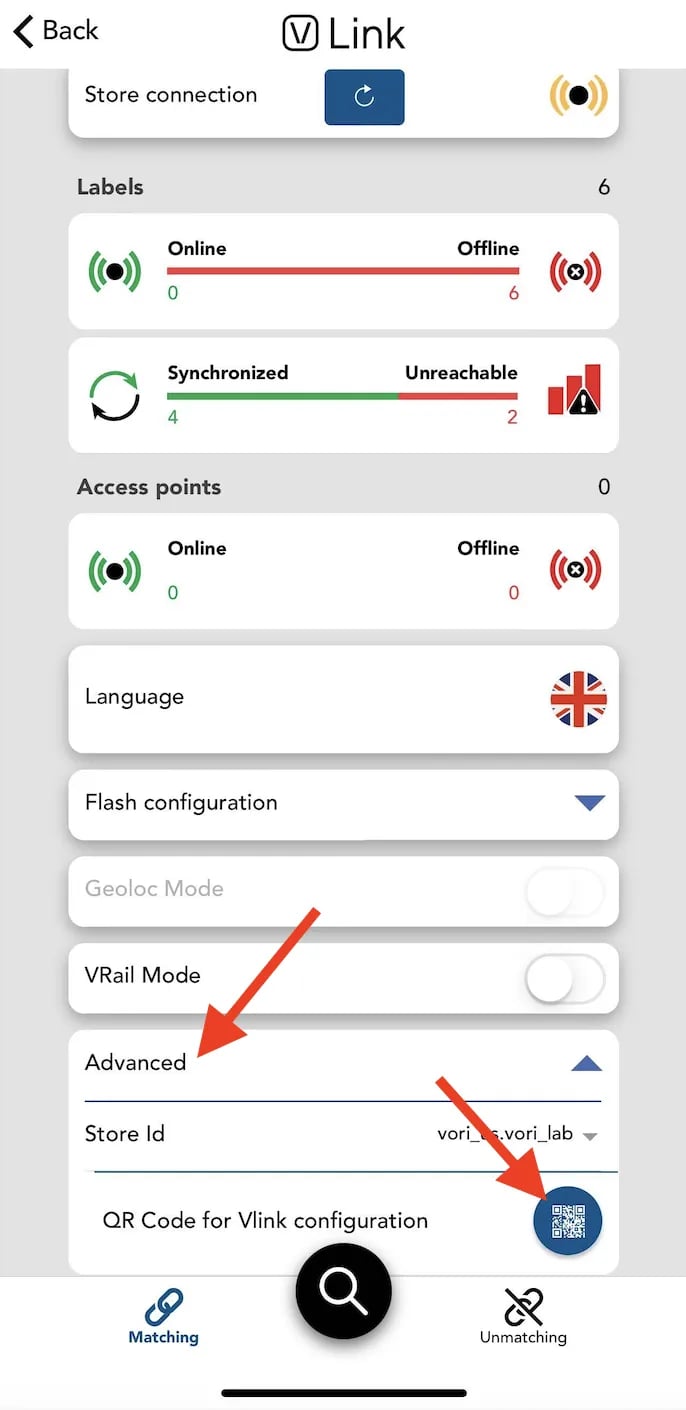 6. This will open a scannable QR code on the device. Scan this QR code with the new smartphone.
 7. Once the QR code is scanned with the smartphone's camera, the Vusion Link app will automatically log in to the store's account.
## Related topics
- [How to generate a Vusion Link login QR code from Vusion Manager](/electronic-shelf-labels-esls/how-to-generate-a-vusion-link-login-qr-code-from-vusion-manger.md)
- [Generate a QR Code for Loyalty Sign-up](/customer-marketing/best-practices/generate-a-qr-code-for-loyalty-sign-up.md)
- [Sell, Redeem, and Top Up Gift Cards on the POS](/point-of-sale-pos/vori-store-gift-cards/sell-redeem-and-top-up-gift-cards-on-the-pos.md)
7. Once the QR code is scanned with the smartphone's camera, the Vusion Link app will automatically log in to the store's account.
## Related topics
- [How to generate a Vusion Link login QR code from Vusion Manager](/electronic-shelf-labels-esls/how-to-generate-a-vusion-link-login-qr-code-from-vusion-manger.md)
- [Generate a QR Code for Loyalty Sign-up](/customer-marketing/best-practices/generate-a-qr-code-for-loyalty-sign-up.md)
- [Sell, Redeem, and Top Up Gift Cards on the POS](/point-of-sale-pos/vori-store-gift-cards/sell-redeem-and-top-up-gift-cards-on-the-pos.md)