> ## Documentation Index
> Fetch the complete documentation index at: https://help.vori.com/llms.txt
> Use this file to discover all available pages before exploring further.
# Redeem Loyalty Rewards at the POS
> Learn how cashiers and shoppers can apply Loyalty rewards during checkout.
### Cashier Display
#### Viewing Rewards & Points
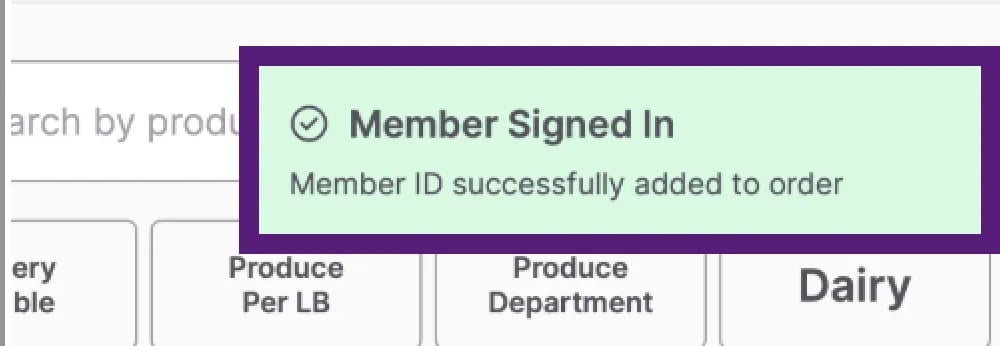
* When a member signs in on the shopper display, a **notification appears** on the cashier screen confirming that the member has signed up or logged in.\\
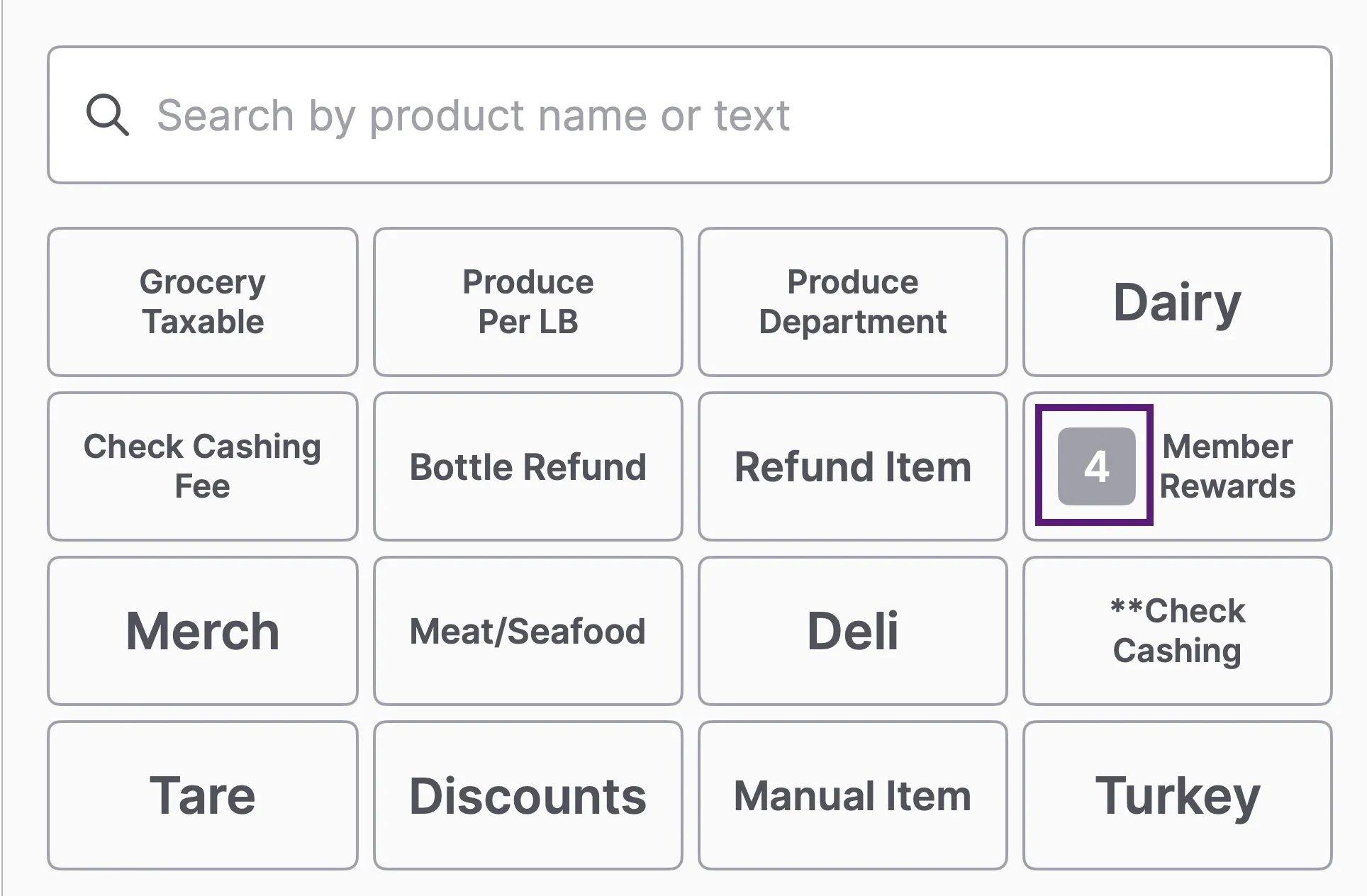
 * The number displayed on the **Member Rewards** button indicates the total number of redeemable rewards currently available to the member.
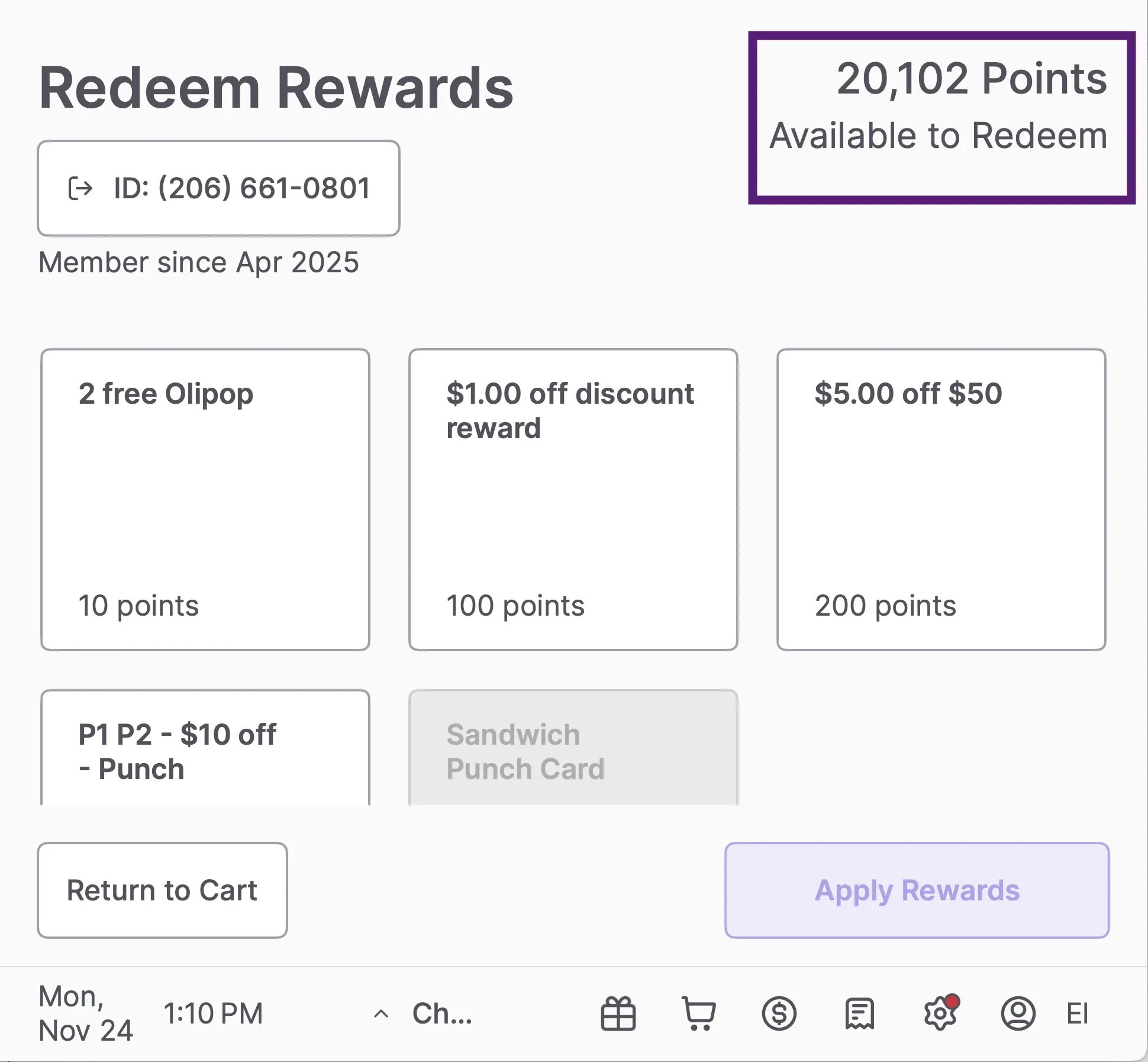
 * You can view their rewards balance in the **Member Rewards** tab in the quick actions panel.\\
 #### Redeem Rewards
* To redeem a reward, tap **Member Rewards**, choose the reward the shopper wants to use, and then select **Apply Rewards**.
#### Redeem Rewards
* To redeem a reward, tap **Member Rewards**, choose the reward the shopper wants to use, and then select **Apply Rewards**.
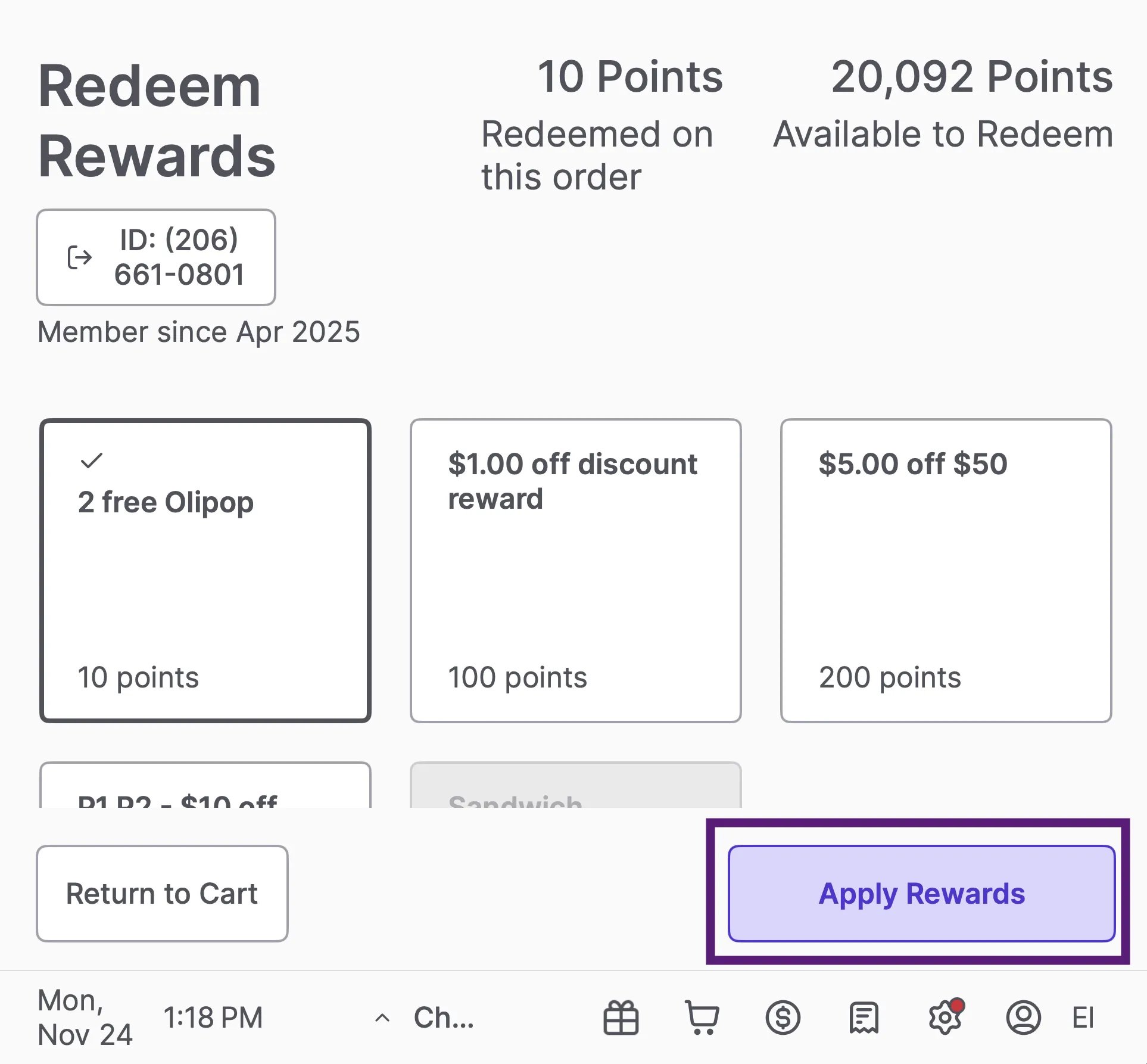 * Only one transaction-level reward can be redeemed per order. If one is selected, other transaction-level rewards will gray out automatically.
* If the reward is item-level, make sure the item is added to the cart before checkout.
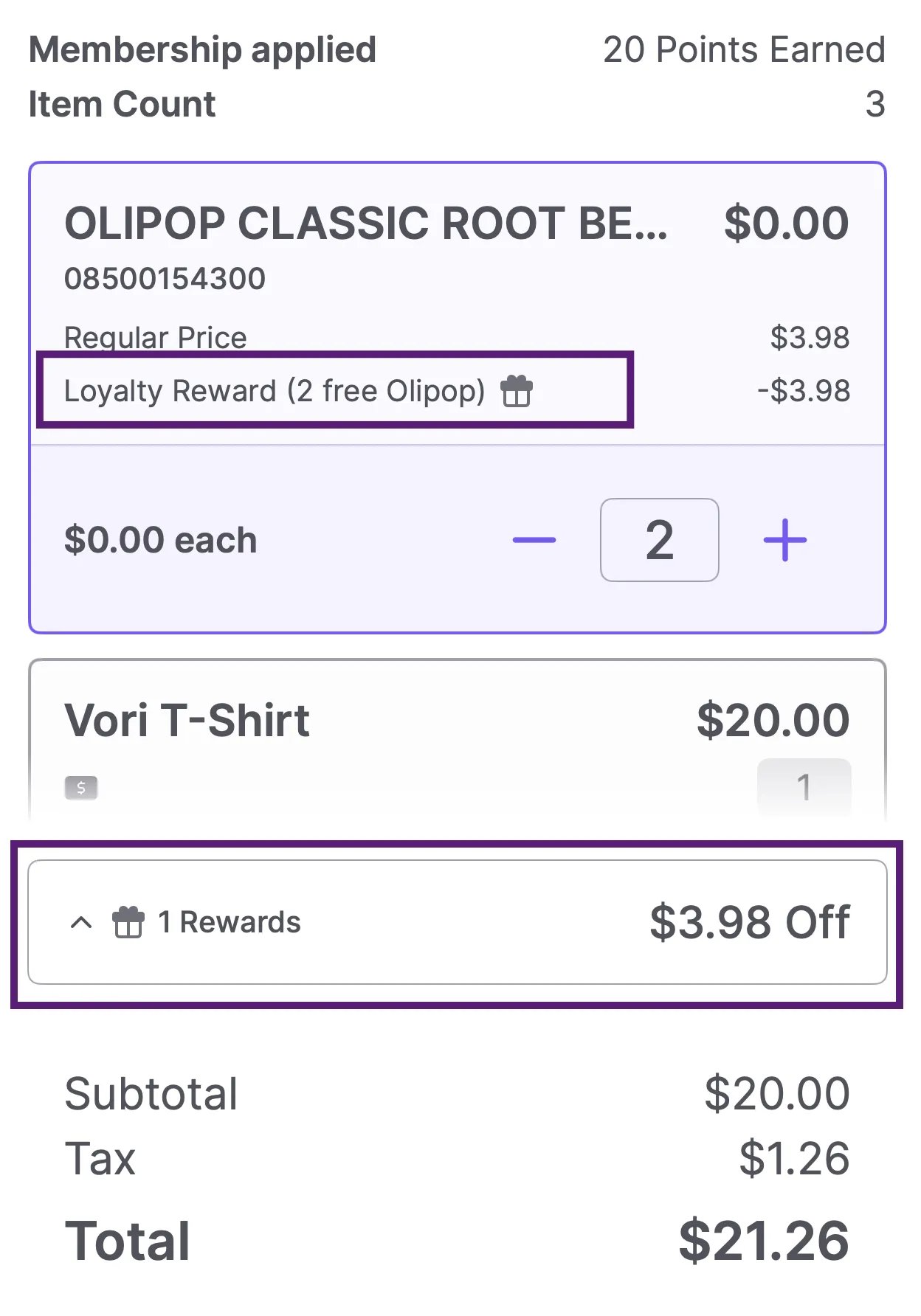
* If a reward is redeemed during the transaction, a collapsible **gift box icon** appears **below the item**, and **above the Subtotal** in the transaction panel. This helps you quickly see which reward(s) have been applied.
* Only one transaction-level reward can be redeemed per order. If one is selected, other transaction-level rewards will gray out automatically.
* If the reward is item-level, make sure the item is added to the cart before checkout.
* If a reward is redeemed during the transaction, a collapsible **gift box icon** appears **below the item**, and **above the Subtotal** in the transaction panel. This helps you quickly see which reward(s) have been applied.
 #### Troubleshooting Unapplied Offers
* To prevent confusion at checkout, the POS checks for reward eligibility before payment processing. If a shopper attempts to redeem a reward they have not qualified for, the system will display a window titled **"Unapplied Offers."**
#### Troubleshooting Unapplied Offers
* To prevent confusion at checkout, the POS checks for reward eligibility before payment processing. If a shopper attempts to redeem a reward they have not qualified for, the system will display a window titled **"Unapplied Offers."**
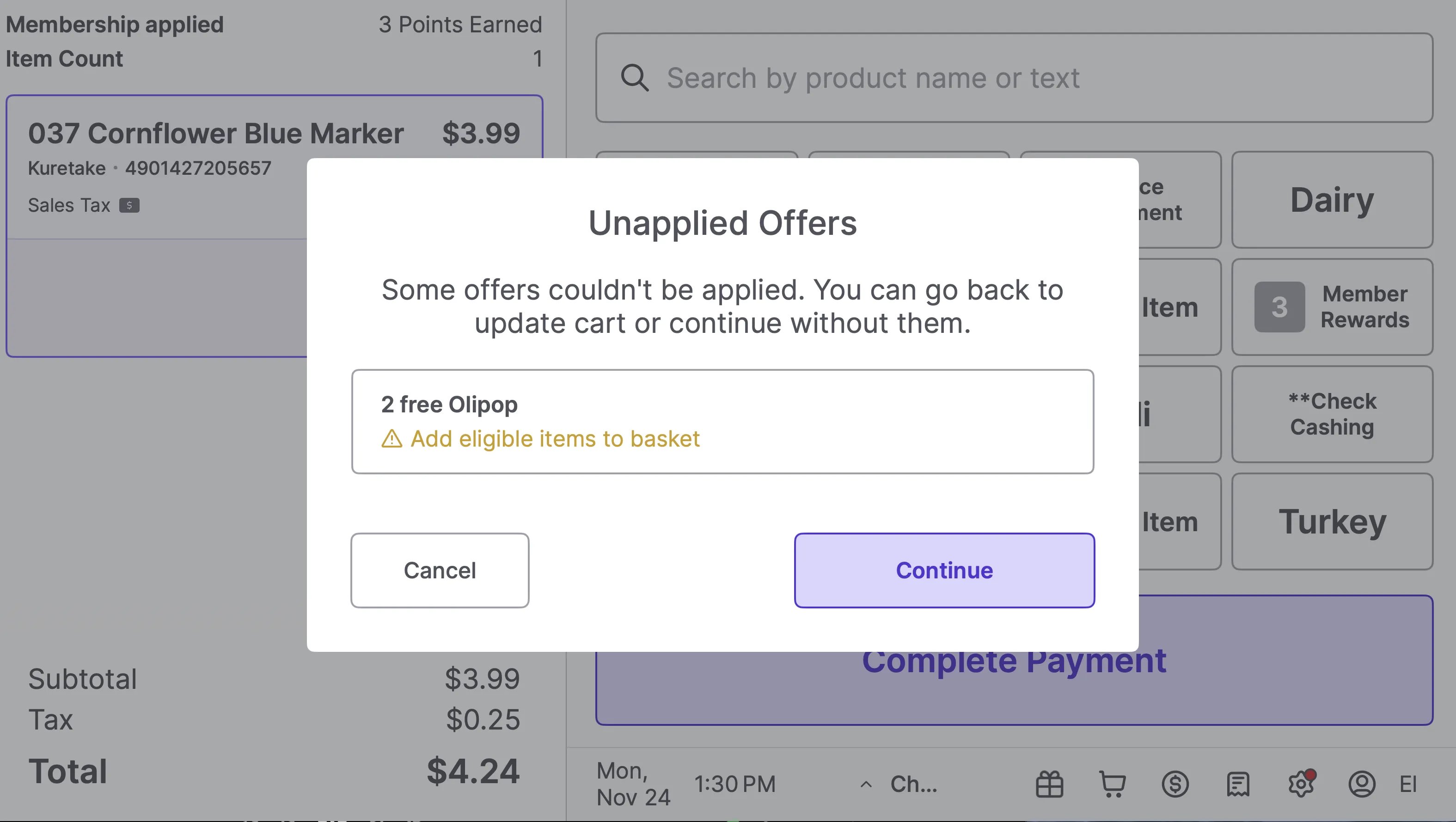 * This screen explains why the reward cannot be applied, so you can advise the shopper.
* **"Add eligible items to basket"**: The shopper is trying to use an item-specific reward, but does not have the correct item in their cart.
* **"Spend \$XX.XX more"**: The shopper has not met the minimum purchase amount required for the reward.
* **How to resolve this:** Tap **Cancel** to return to the cart and add the necessary items to meet the reward requirements, or tap **Continue** to proceed with payment without applying those specific rewards.
***
### Shopper Display:
#### Redeem Rewards During Checkout
* Members can enter their phone number and select rewards to redeem, at any time before payment is collected.
* Once a reward is redeemed, a **Rewards Total** section appears in the lower-left transaction panel to confirm rewards have been applied.
***
### Additional Notes
* Members earn loyalty points on promotional items as long as loyalty is enabled for that department or item.
* Members earn points on the **subtotal only,** not the taxed total.
* Members earn one punch per item purchased.
* If a member attempts to redeem an **item-level reward** without the corresponding item in their basket, the reward will not be applied and their points will be returned.
* The same applies if they do not meet the minimum spend required for a **basket-level reward.**
* Purchasing gift cards **does not** earn loyalty points. Paying with a gift card however *does* earn loyalty points. As a general rule, the payment method itself does not affect points earning.
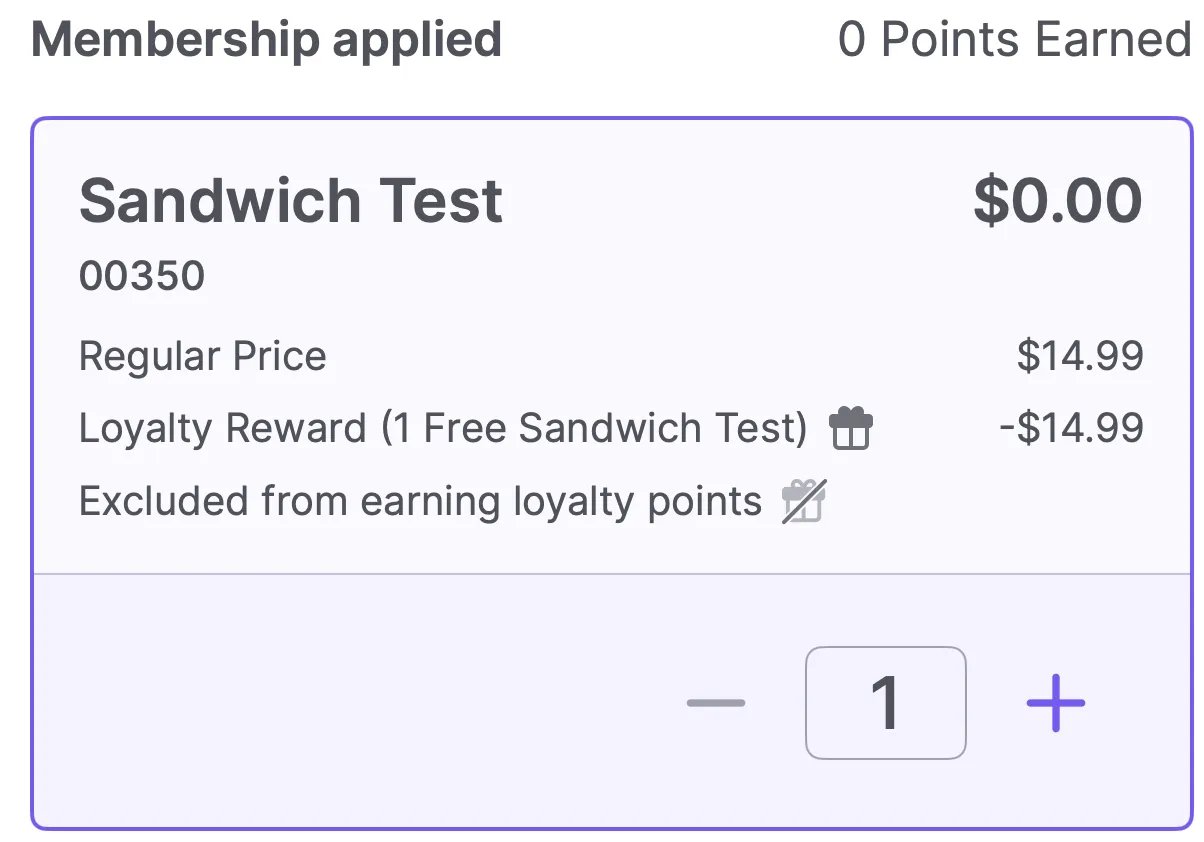
* Items can be **excluded from earning points or punches** while still remaining eligible for **reward redemption** if included in the reward selection.
* This screen explains why the reward cannot be applied, so you can advise the shopper.
* **"Add eligible items to basket"**: The shopper is trying to use an item-specific reward, but does not have the correct item in their cart.
* **"Spend \$XX.XX more"**: The shopper has not met the minimum purchase amount required for the reward.
* **How to resolve this:** Tap **Cancel** to return to the cart and add the necessary items to meet the reward requirements, or tap **Continue** to proceed with payment without applying those specific rewards.
***
### Shopper Display:
#### Redeem Rewards During Checkout
* Members can enter their phone number and select rewards to redeem, at any time before payment is collected.
* Once a reward is redeemed, a **Rewards Total** section appears in the lower-left transaction panel to confirm rewards have been applied.
***
### Additional Notes
* Members earn loyalty points on promotional items as long as loyalty is enabled for that department or item.
* Members earn points on the **subtotal only,** not the taxed total.
* Members earn one punch per item purchased.
* If a member attempts to redeem an **item-level reward** without the corresponding item in their basket, the reward will not be applied and their points will be returned.
* The same applies if they do not meet the minimum spend required for a **basket-level reward.**
* Purchasing gift cards **does not** earn loyalty points. Paying with a gift card however *does* earn loyalty points. As a general rule, the payment method itself does not affect points earning.
* Items can be **excluded from earning points or punches** while still remaining eligible for **reward redemption** if included in the reward selection.
 💡 **Tip:** If your business operates multiple locations under the same banner, Loyalty points are aggregated across all stores. Members can earn and redeem points at any store within the banner.
## Related topics
- [Redeem Campaign Coupons on the POS](/point-of-sale-pos/basic-cashier-functions/redeem-campaign-coupons-on-the-pos.md)
- [Create Loyalty Rewards in Vori Back Office](/customer-marketing/loyalty-and-rewards/create-loyalty-rewards-in-vori-back-office.md)
- [Frequently Asked Questions](/faqs.md)
💡 **Tip:** If your business operates multiple locations under the same banner, Loyalty points are aggregated across all stores. Members can earn and redeem points at any store within the banner.
## Related topics
- [Redeem Campaign Coupons on the POS](/point-of-sale-pos/basic-cashier-functions/redeem-campaign-coupons-on-the-pos.md)
- [Create Loyalty Rewards in Vori Back Office](/customer-marketing/loyalty-and-rewards/create-loyalty-rewards-in-vori-back-office.md)
- [Frequently Asked Questions](/faqs.md)