> ## Documentation Index
> Fetch the complete documentation index at: https://help.vori.com/llms.txt
> Use this file to discover all available pages before exploring further.
# Shopper Inbox
> Learn about the introduction of the Shopper Inbox feature for enhanced two-way communication with your shoppers
✏️ **Note:** This article describes features in the New Back Office ([app.vori.com](http://app.vori.com/)). For instructions on accessing it, view our guide: [Access the New Back Office.](/vori-setup-and-troubleshooting/access-the-new-vori-back-office)
### Introducing the Shopper Inbox
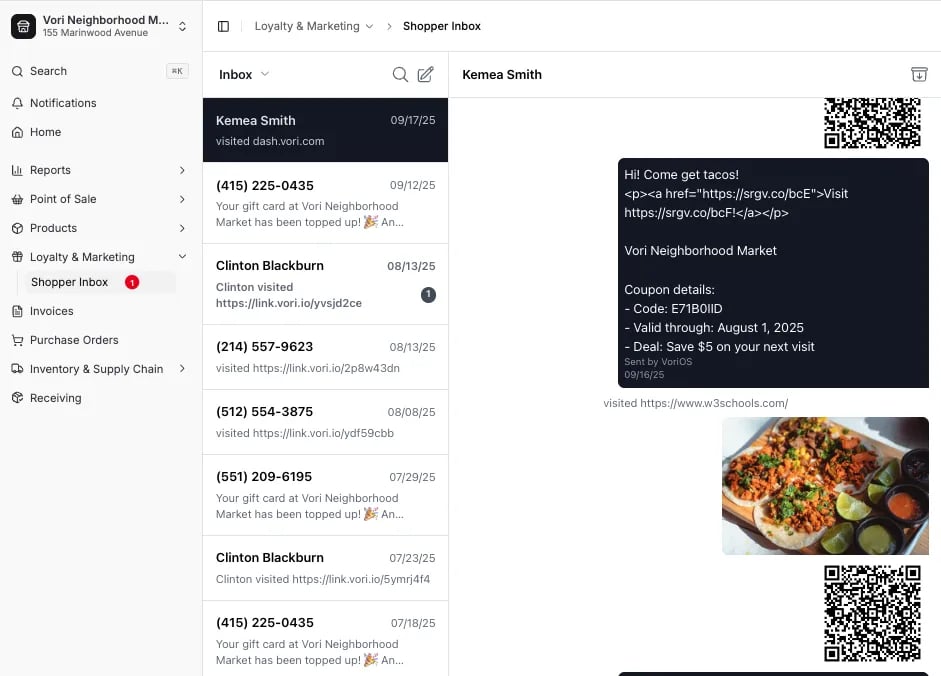
We've launched the **Shopper Inbox**, a new feature designed to help your store manage and respond to text message replies from your **Shoppers**. This feature creates a two-way communication channel, giving you visibility into **Shoppers’** responses to your text campaigns. The **Shopper Inbox** is automatically enabled for all stores that have SMS campaigns active under the **Loyalty & Marketing** section.
 ***
### Communicate with Shoppers
The **Shopper Inbox** allows you to send and receive text messages with your **Shoppers** directly through the Vori platform.
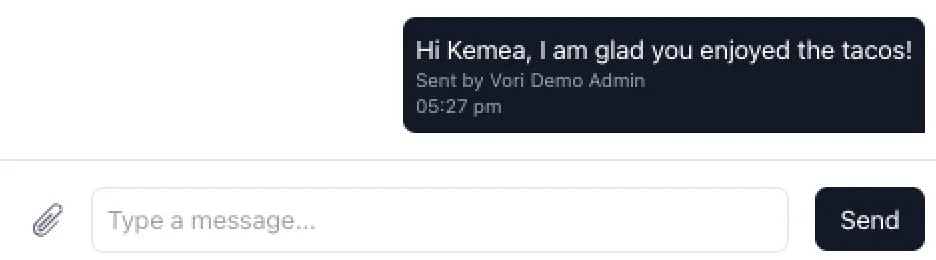
* **Responding to a Shopper:** To respond to a message, click on the **Shopper's** conversation thread, enter your message into the message field, and click **Send**.
***
### Communicate with Shoppers
The **Shopper Inbox** allows you to send and receive text messages with your **Shoppers** directly through the Vori platform.
* **Responding to a Shopper:** To respond to a message, click on the **Shopper's** conversation thread, enter your message into the message field, and click **Send**.
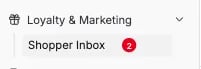
 * **New Message Reply:** When you receive a new reply from a **Shopper**, a notification icon will appear on the **Shopper Inbox** menu item and next to the conversation thread.
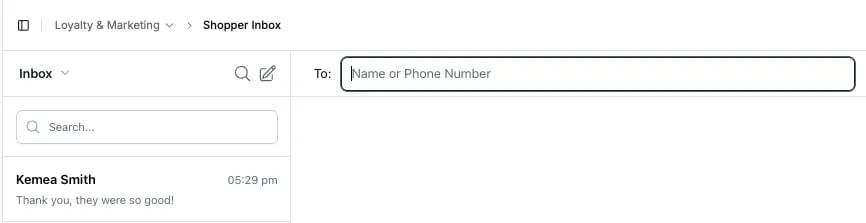
 * **Compose New Text:** To start a brand new conversation with a **Shopper**, click the **compose icon** (pencil icon) in the top right corner of the inbox.
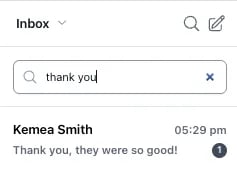
 * **Search Messages:** You can quickly find a specific message by clicking the **magnifying glass icon** and entering your search term.
 **✏️ Note:** Currently, there is no user interface for store users to manually opt out Shoppers. If a Shopper is unable to text "STOP" for any reason, please collect their phone number(s) and send the number to Vori Support for manual opt-out.
***
### Troubleshooting
#### "Account Restricted" error
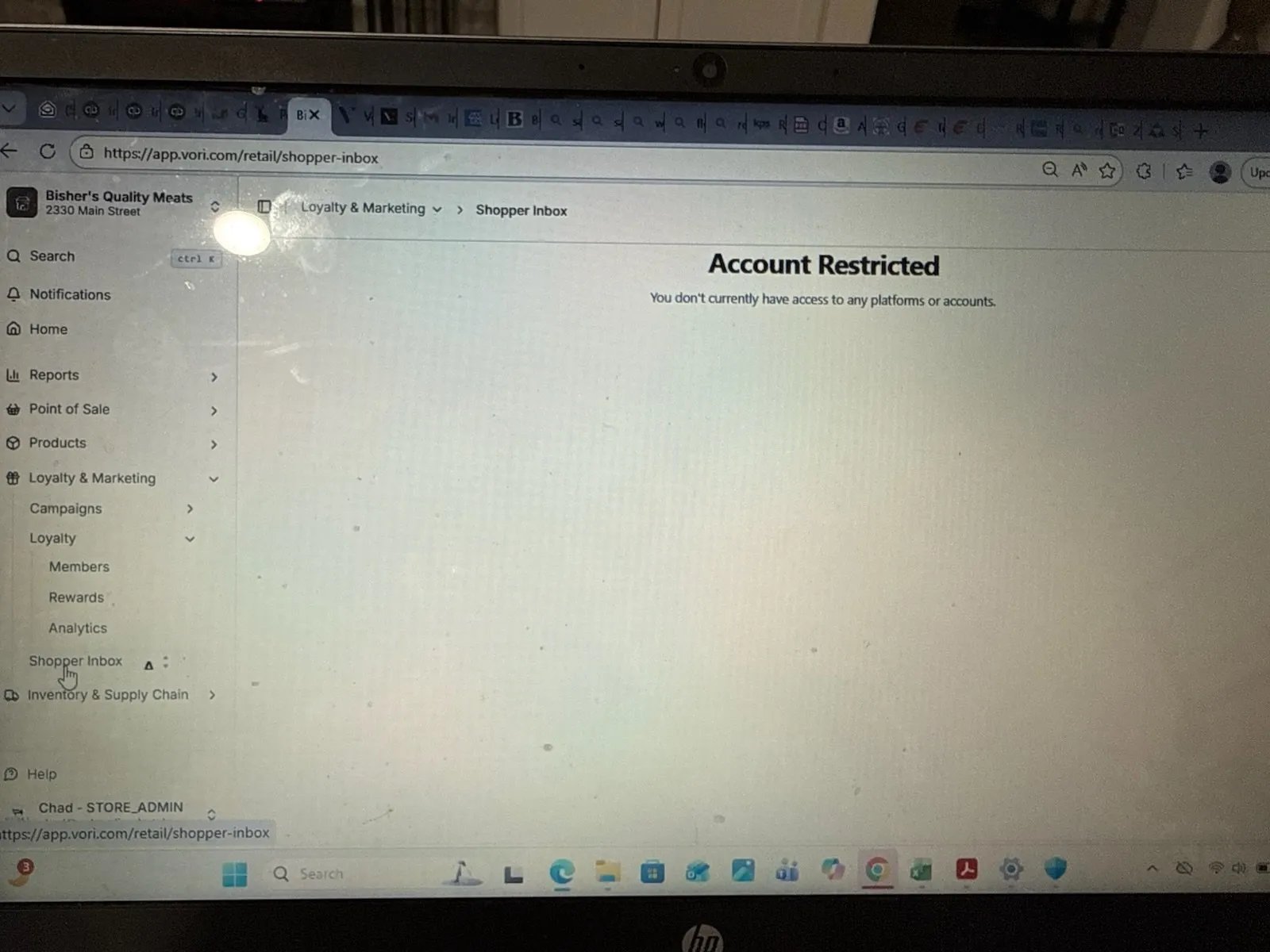
If a user sees the message *"You don't currently have access to any platforms or accounts"* when opening the Shopper Inbox, their session token has expired. **Log out of the Back Office and log back in.** This should restore access.
**✏️ Note:** Currently, there is no user interface for store users to manually opt out Shoppers. If a Shopper is unable to text "STOP" for any reason, please collect their phone number(s) and send the number to Vori Support for manual opt-out.
***
### Troubleshooting
#### "Account Restricted" error
If a user sees the message *"You don't currently have access to any platforms or accounts"* when opening the Shopper Inbox, their session token has expired. **Log out of the Back Office and log back in.** This should restore access.
 ## Related topics
- [Configure an Invoice Email Inbox for Automatic Cost Change Updates](/cost-changes-and-smart-pricing/invoice-email-management/configure-an-invoice-email-inbox-for-automatic-cost-change-updates.md)
- [Upload Invoices to Vori](/invoicing-cost-changes-and-smart-pricing/invoice-upload/upload-invoices-to-vori.md)
- [Preparing Your Store for Advanced Inventory Launch](/inventory-and-ordering/inventory/preparing-your-store-for-advanced-inventory-launch.md)
## Related topics
- [Configure an Invoice Email Inbox for Automatic Cost Change Updates](/cost-changes-and-smart-pricing/invoice-email-management/configure-an-invoice-email-inbox-for-automatic-cost-change-updates.md)
- [Upload Invoices to Vori](/invoicing-cost-changes-and-smart-pricing/invoice-upload/upload-invoices-to-vori.md)
- [Preparing Your Store for Advanced Inventory Launch](/inventory-and-ordering/inventory/preparing-your-store-for-advanced-inventory-launch.md)