> ## Documentation Index
> Fetch the complete documentation index at: https://help.vori.com/llms.txt
> Use this file to discover all available pages before exploring further.
# How to Download UNFI Invoices for Cost Change Review
> Quickly download your UNFI invoices to prepare them for cost change and new item review in Vori.
### Prerequisites
* An active **myUNFI** account.
* Login credentials for your **Natural account (UBS, WBS).**
***
### How to Download a UNFI Invoice
Follow these steps to export your invoices from the myUNFI portal.
1. Log into your **myUNFI** account.
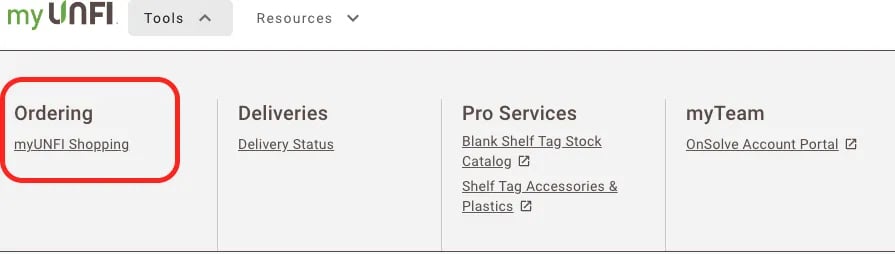
2. Tap onto **Tools** drop down and select **myUNFI Shopping**.
 3. Select **Invoices**.
 4. Choose the specific invoice you wish to export and select **Export as → Excel.**
5. Click **Download Center**.
6. Tap the
4. Choose the specific invoice you wish to export and select **Export as → Excel.**
5. Click **Download Center**.
6. Tap the  icon next to the file to save the invoice to your device.
**Note:** myUNFI Shopping only displays invoices for **Natural accounts** (UBS, WBS).
***
### Invoices for TFF and Conventional Accounts
If your invoice is not hyperlinked in the portal, you likely have a **TFF** or **Conventional (UCS)** account. These invoices are handled differently:
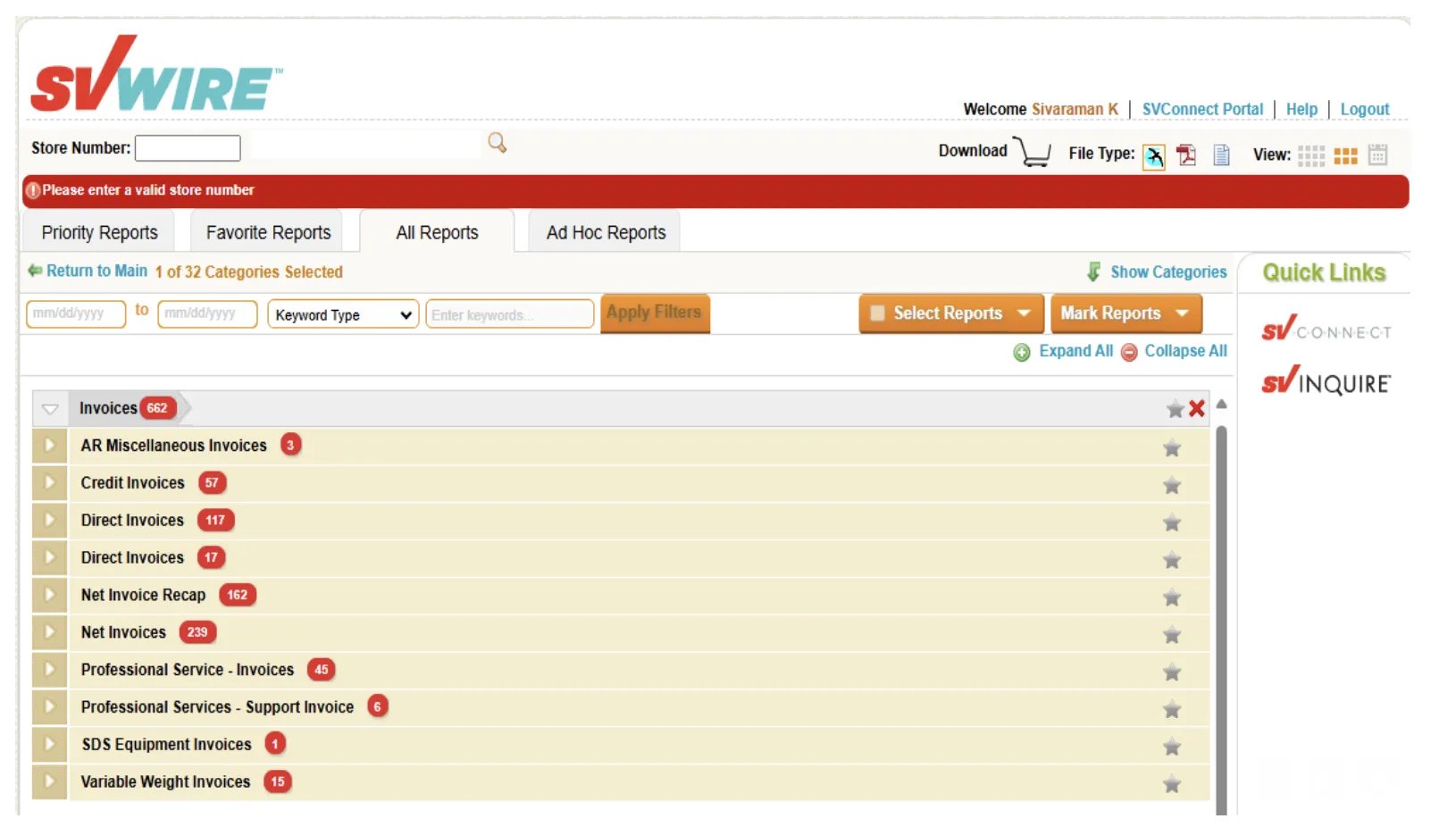
* Access these invoices only via **SVWire**. These files are available in **PDF format** rather than Excel.
icon next to the file to save the invoice to your device.
**Note:** myUNFI Shopping only displays invoices for **Natural accounts** (UBS, WBS).
***
### Invoices for TFF and Conventional Accounts
If your invoice is not hyperlinked in the portal, you likely have a **TFF** or **Conventional (UCS)** account. These invoices are handled differently:
* Access these invoices only via **SVWire**. These files are available in **PDF format** rather than Excel.
 ***
**➡️ Next Up:** Once you have saved your invoice file, you can bring it into Vori to automate your price updates. Follow our [**Upload Invoices**](/invoicing-cost-changes-and-smart-pricing/invoice-upload/upload-invoices-to-vori) guide to finish the process and review your cost changes.
## Related topics
- [How to Download SuperValu Invoices for Cost Change Review](/invoicing-cost-changes-and-smart-pricing/unfi-and-supervalu/how-to-download-supervalu-invoices-for-cost-change-review.md)
- [Upload Invoices to Vori](/invoicing-cost-changes-and-smart-pricing/invoice-upload/upload-invoices-to-vori.md)
- [Manage Invoices, New Items, and Cost Changes](/invoicing-cost-changes-and-smart-pricing/cost-changes-and-smart-pricing/manage-invoices-new-items-and-cost-changes.md)
***
**➡️ Next Up:** Once you have saved your invoice file, you can bring it into Vori to automate your price updates. Follow our [**Upload Invoices**](/invoicing-cost-changes-and-smart-pricing/invoice-upload/upload-invoices-to-vori) guide to finish the process and review your cost changes.
## Related topics
- [How to Download SuperValu Invoices for Cost Change Review](/invoicing-cost-changes-and-smart-pricing/unfi-and-supervalu/how-to-download-supervalu-invoices-for-cost-change-review.md)
- [Upload Invoices to Vori](/invoicing-cost-changes-and-smart-pricing/invoice-upload/upload-invoices-to-vori.md)
- [Manage Invoices, New Items, and Cost Changes](/invoicing-cost-changes-and-smart-pricing/cost-changes-and-smart-pricing/manage-invoices-new-items-and-cost-changes.md)