> ## Documentation Index
> Fetch the complete documentation index at: https://help.vori.com/llms.txt
> Use this file to discover all available pages before exploring further.
# Manage Your Vori Invoice Email Notifications
> Learn how to identify invoice alerts and customize when you receive them
Vori sends email notifications to keep you updated on financial changes and tasks. These emails ensure you never miss a cost increase, a new item, or a pending invoice.
### About Invoice Emails
There are four specific types of invoice alerts you might receive:
* **Daily Digest:** A summary email sent once a day listing all invoices processed within the last 24 hours.
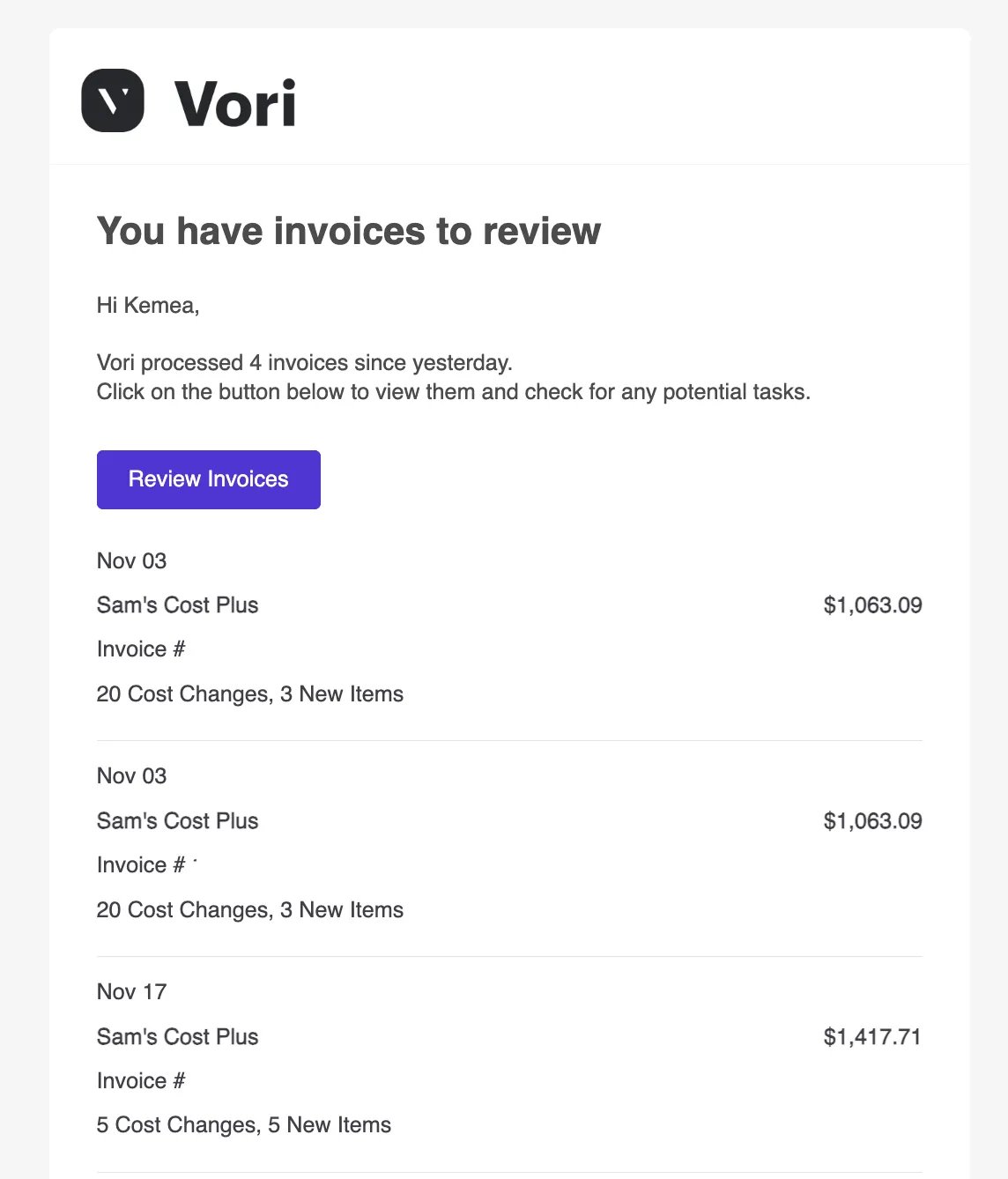 * **Single Invoice Review:** An immediate alert when a specific invoice from a vendor needs your attention (often due to new items).
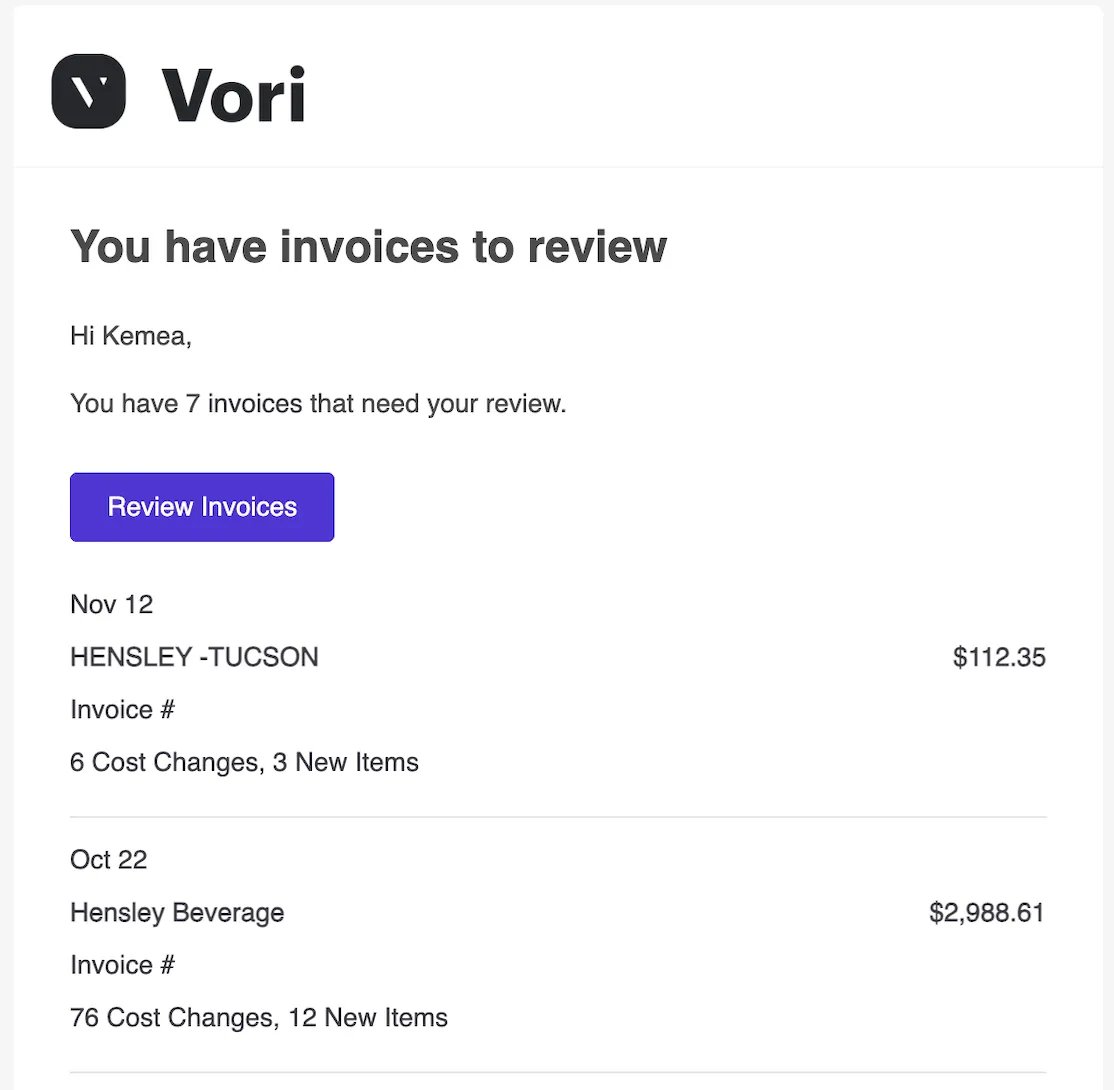
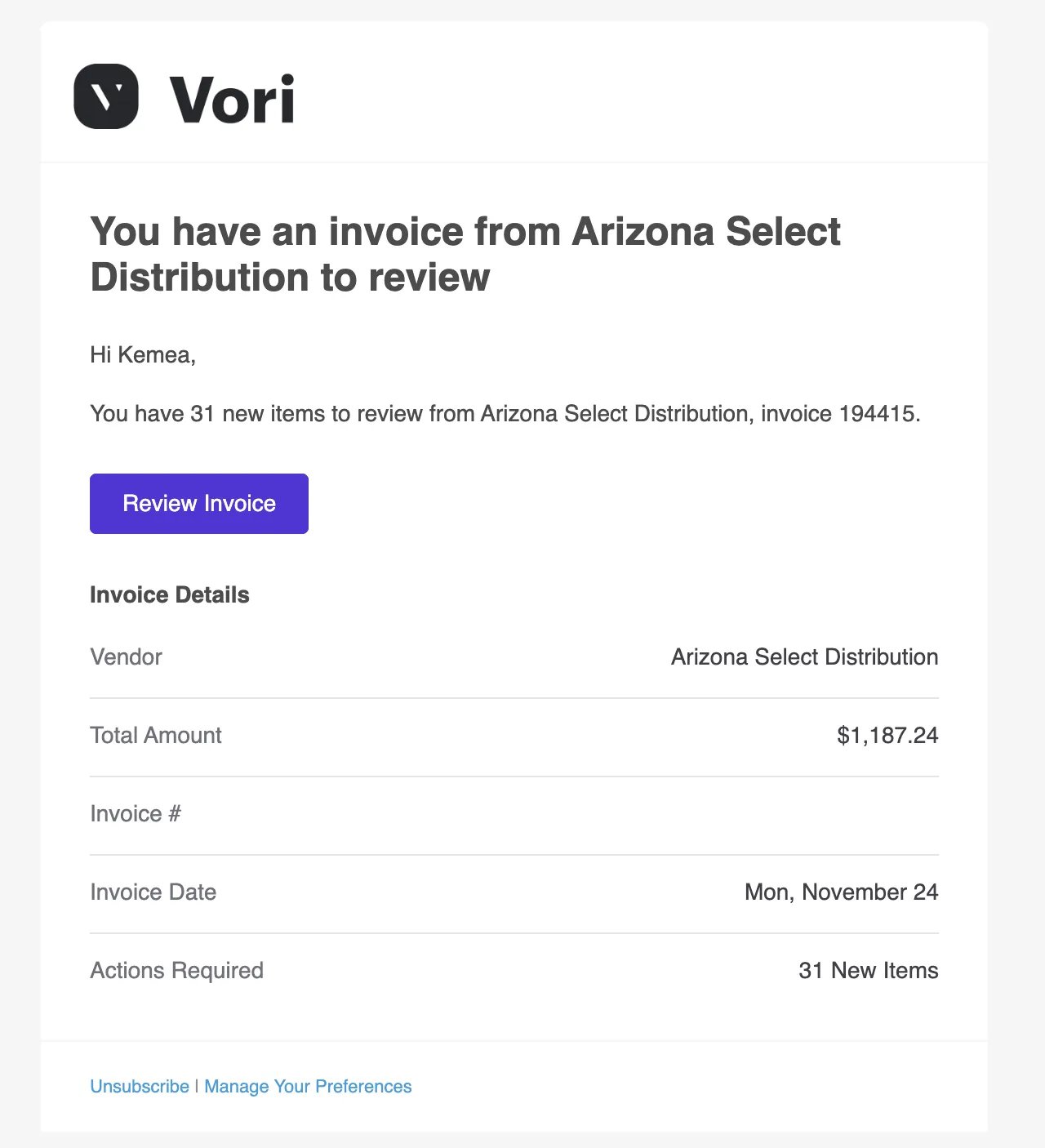 * **Multiple Invoices Review:** A batched alert letting you know you have several invoices waiting for review.
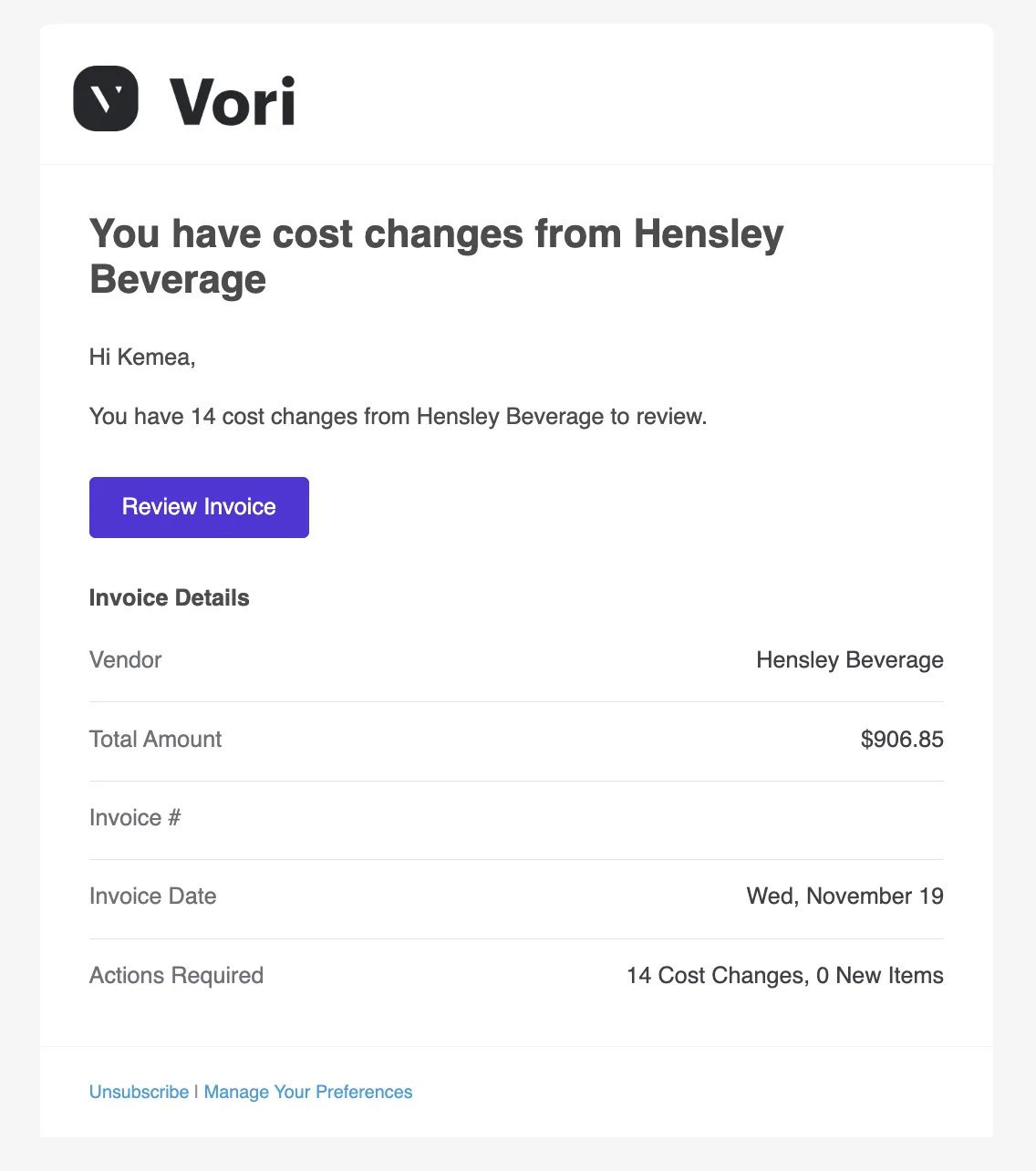
 * **Cost Changes Alert:** A specific notification highlighting cost changes detected from a vendor that need your approval.
 **What’s in the email?** All four email types contain a purple **Review Invoice** (or **Review Invoices**) button. Clicking this button takes you directly to the relevant invoice or list in Vori, where you can verify line items and approve changes.
***
### How to Unsubscribe from Emails
If you prefer not to receive these emails, you can unsubscribe directly from your inbox.
1. Open any invoice notification email.
2. Scroll to the bottom of the message or look near the sender info.
3. Click **Unsubscribe**.
**What’s in the email?** All four email types contain a purple **Review Invoice** (or **Review Invoices**) button. Clicking this button takes you directly to the relevant invoice or list in Vori, where you can verify line items and approve changes.
***
### How to Unsubscribe from Emails
If you prefer not to receive these emails, you can unsubscribe directly from your inbox.
1. Open any invoice notification email.
2. Scroll to the bottom of the message or look near the sender info.
3. Click **Unsubscribe**.
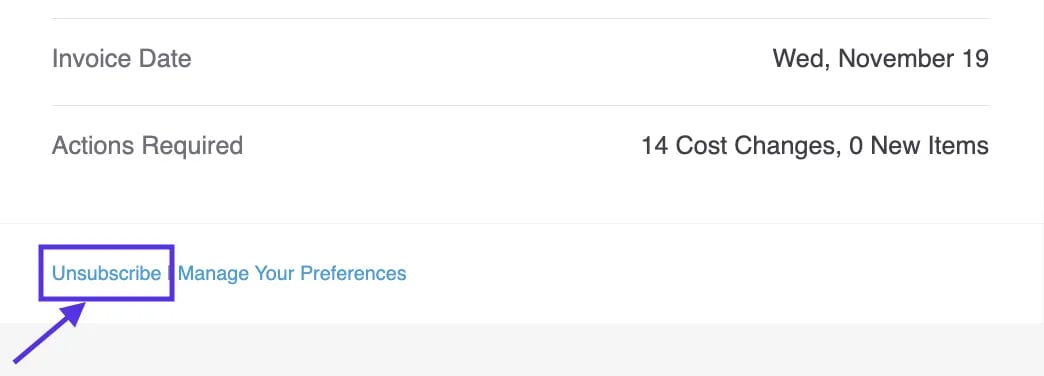 This will remove you from that specific mailing list. For more granular control over what alerts you receive and when, we recommend using your notification preferences in Vori.
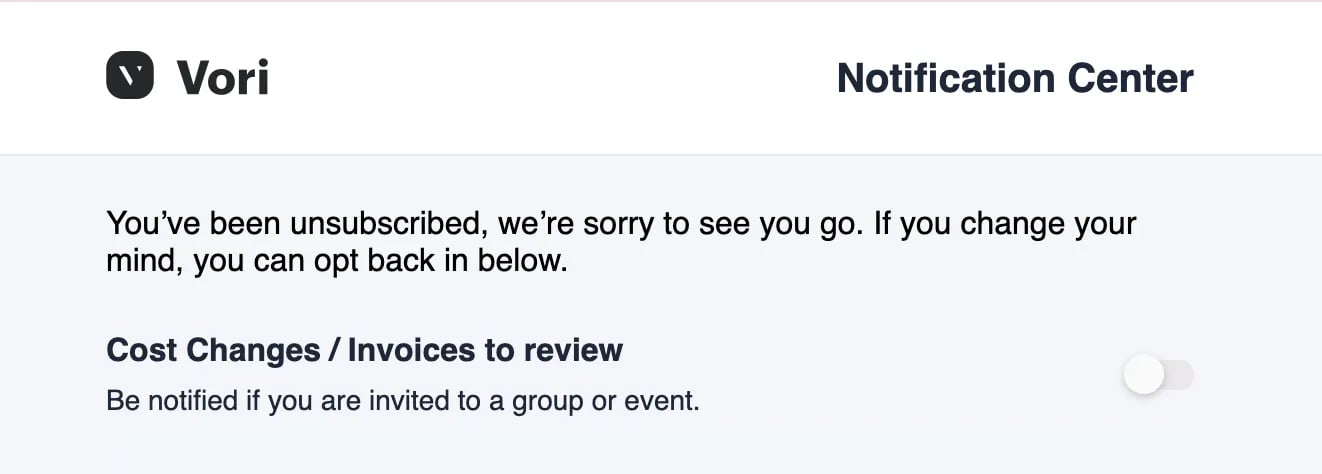 ***
### How to Update Notification Preferences
You can manage exactly which notifications you receive—and when you receive them—directly in the Vori web app. These settings control both your email alerts and the pop-up notifications you see while using Vori.
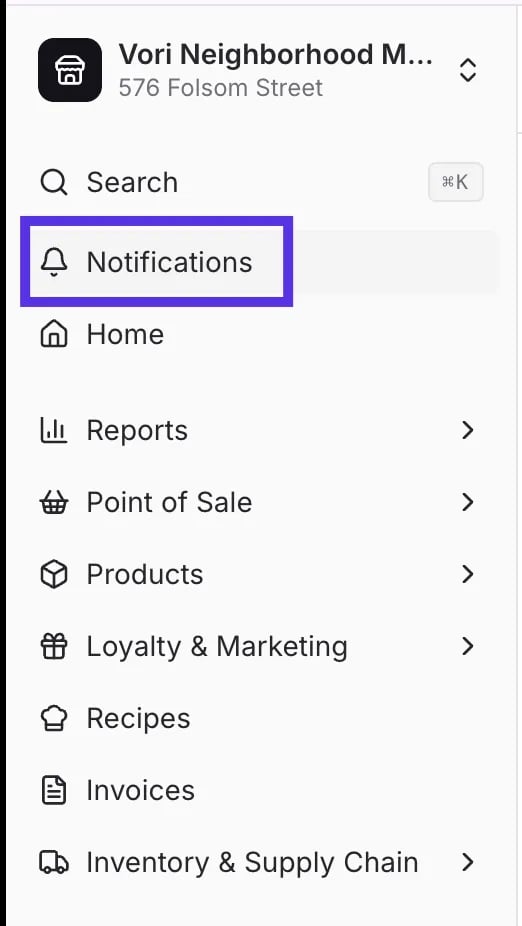
1. Click **Notifications** (bell icon) in the top right corner of the screen.
***
### How to Update Notification Preferences
You can manage exactly which notifications you receive—and when you receive them—directly in the Vori web app. These settings control both your email alerts and the pop-up notifications you see while using Vori.
1. Click **Notifications** (bell icon) in the top right corner of the screen.
 2. Click **Preferences** inside the notifications dropdown menu.
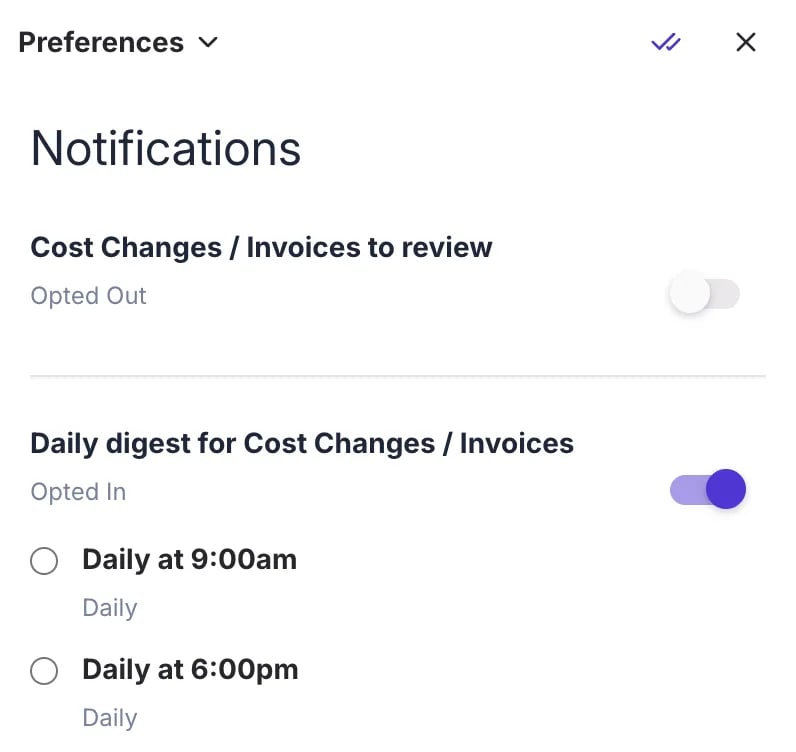
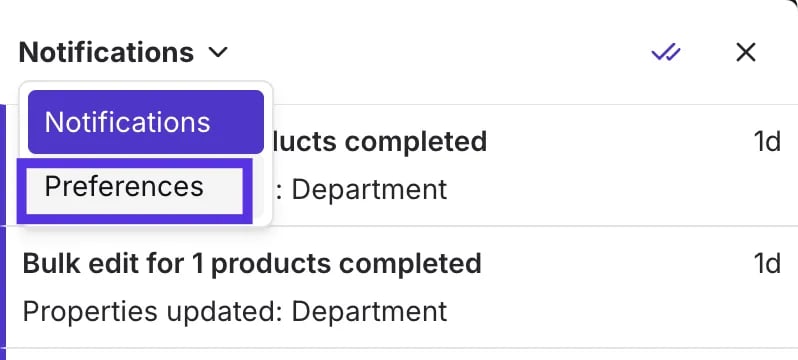 * **Cost Changes / Invoices to review:** Turn this off to stop receiving immediate alerts for every single invoice or cost change.
* **Daily digest for Cost Changes / Invoices:** Turn this on to receive a single summary email instead.
* Adjust your settings using the toggles: (Optional) If you choose the Daily digest, select your preferred time (e.g., **Daily at 7:00am**) to match your workflow.
* **Cost Changes / Invoices to review:** Turn this off to stop receiving immediate alerts for every single invoice or cost change.
* **Daily digest for Cost Changes / Invoices:** Turn this on to receive a single summary email instead.
* Adjust your settings using the toggles: (Optional) If you choose the Daily digest, select your preferred time (e.g., **Daily at 7:00am**) to match your workflow.
 ***
### Troubleshooting
**What if I’m still getting emails after unsubscribing?** If you clicked **Unsubscribe** in an email but are still receiving alerts, check your **Preferences** in the Vori app to ensure the toggles are set to off. System-critical emails (like password resets) cannot be turned off.
**Can I receive the digest but not the individual emails?** Yes. In your **Preferences**, toggle **Cost Changes / Invoices to review** to off, and toggle **Daily digest for Cost Changes / Invoices** to on. This reduces inbox clutter while keeping you informed.
## Related topics
- [Configure an Invoice Email Inbox for Automatic Cost Change Updates](/cost-changes-and-smart-pricing/invoice-email-management/configure-an-invoice-email-inbox-for-automatic-cost-change-updates.md)
- [Manage Invoices, New Items, and Cost Changes](/invoicing-cost-changes-and-smart-pricing/cost-changes-and-smart-pricing/manage-invoices-new-items-and-cost-changes.md)
- [Preparing Your Store for Advanced Inventory Launch](/inventory-and-ordering/inventory/preparing-your-store-for-advanced-inventory-launch.md)
***
### Troubleshooting
**What if I’m still getting emails after unsubscribing?** If you clicked **Unsubscribe** in an email but are still receiving alerts, check your **Preferences** in the Vori app to ensure the toggles are set to off. System-critical emails (like password resets) cannot be turned off.
**Can I receive the digest but not the individual emails?** Yes. In your **Preferences**, toggle **Cost Changes / Invoices to review** to off, and toggle **Daily digest for Cost Changes / Invoices** to on. This reduces inbox clutter while keeping you informed.
## Related topics
- [Configure an Invoice Email Inbox for Automatic Cost Change Updates](/cost-changes-and-smart-pricing/invoice-email-management/configure-an-invoice-email-inbox-for-automatic-cost-change-updates.md)
- [Manage Invoices, New Items, and Cost Changes](/invoicing-cost-changes-and-smart-pricing/cost-changes-and-smart-pricing/manage-invoices-new-items-and-cost-changes.md)
- [Preparing Your Store for Advanced Inventory Launch](/inventory-and-ordering/inventory/preparing-your-store-for-advanced-inventory-launch.md)