![vori-logo-black-horizontal-01 (1).png]](https://help.vori.com/hs-fs/hubfs/vori-logo-black-horizontal-01%20(1).png?height=42&name=vori-logo-black-horizontal-01%20(1).png)
SuperValu invoices must be downloaded as Text files in order to upload them into Vori for reviewing cost changes or identifying new items.
Prerequisites
-
An active myUNFI account.
- Login credentials.
How to Download a SuperValu Invoice
Follow these steps to export your SuperValu invoices from the myUNFI portal.
-
Log in to your myUNFI account.
-
Navigate to Access SVWire.
-
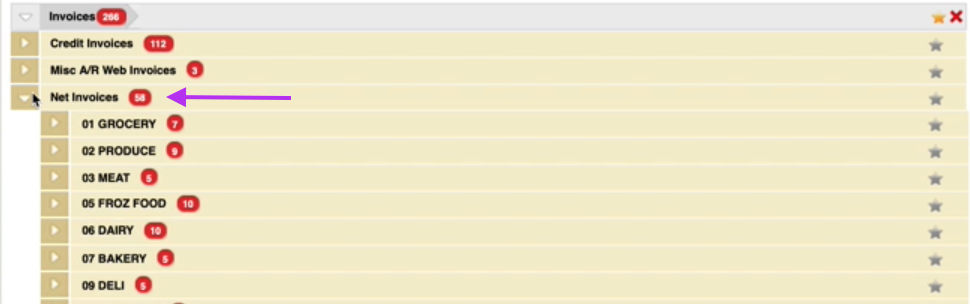
Under the Invoices header, select Net Invoices.
-
Select the department.
-
📄 Change File Type to Text.

-
Select the invoice(s) for download, tap on 🛒 Download.
-
Once the files are downloaded, click on
Save.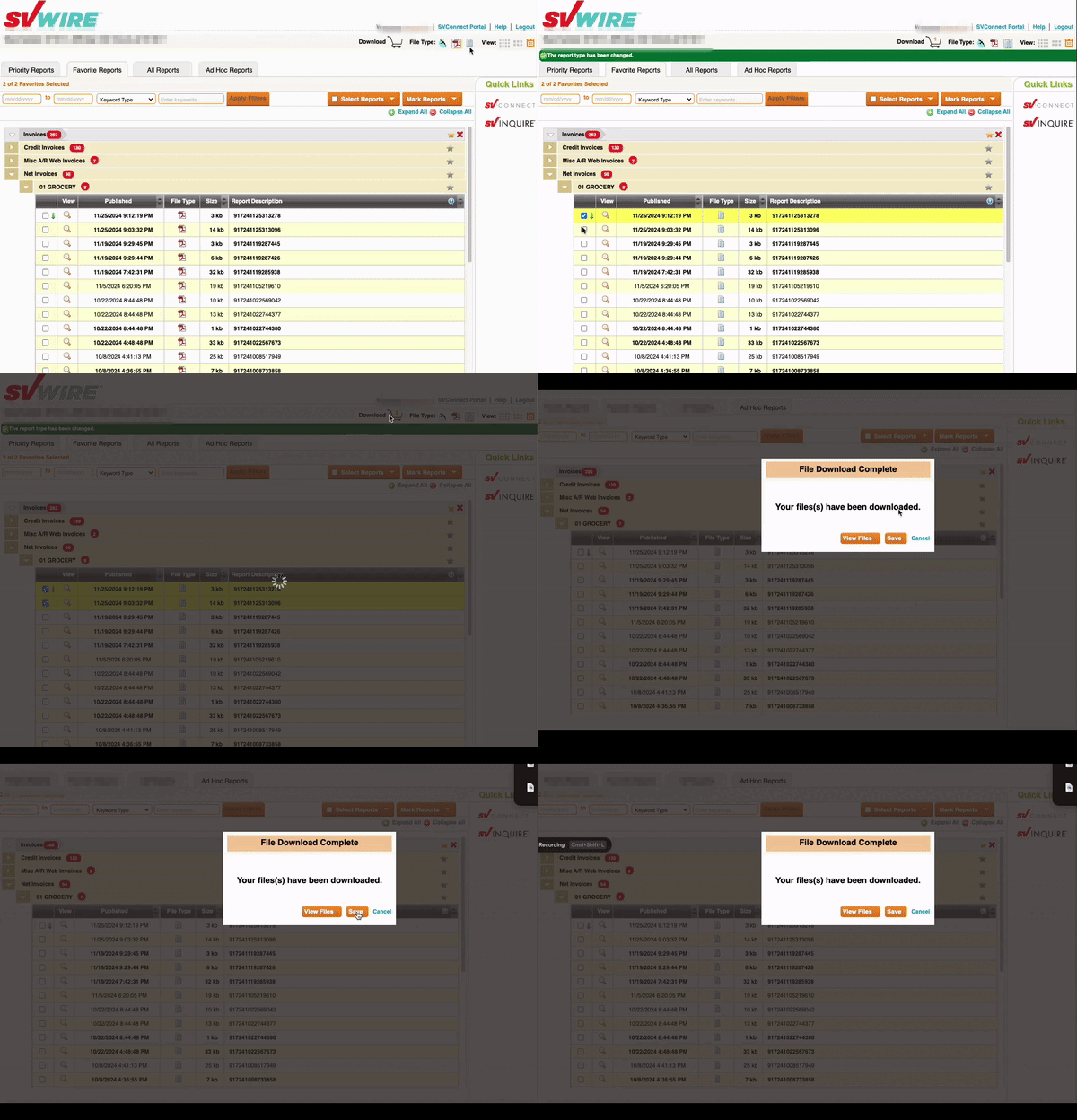
-
➡️ Next Up: Once you have saved your invoice file, you can bring it into Vori to automate your price updates. Follow our Upload Invoices guide to finish the process and review your cost changes.