> ## Documentation Index
> Fetch the complete documentation index at: https://help.vori.com/llms.txt
> Use this file to discover all available pages before exploring further.
# Integrations
> Browse, connect, and manage every third-party connection to your store from one place in Back Office.
Back Office's **Integrations** tab is home base for everything that connects to Vori from the outside: your accounting system, your deli scale, and a growing library of other tools your store can connect to. Instead of hunting for setup instructions across different parts of Back Office, you can find, connect, and check the status of anything from one screen.
You'll find it in the Back Office sidebar under **Integrations**.
***
### Finding what you need
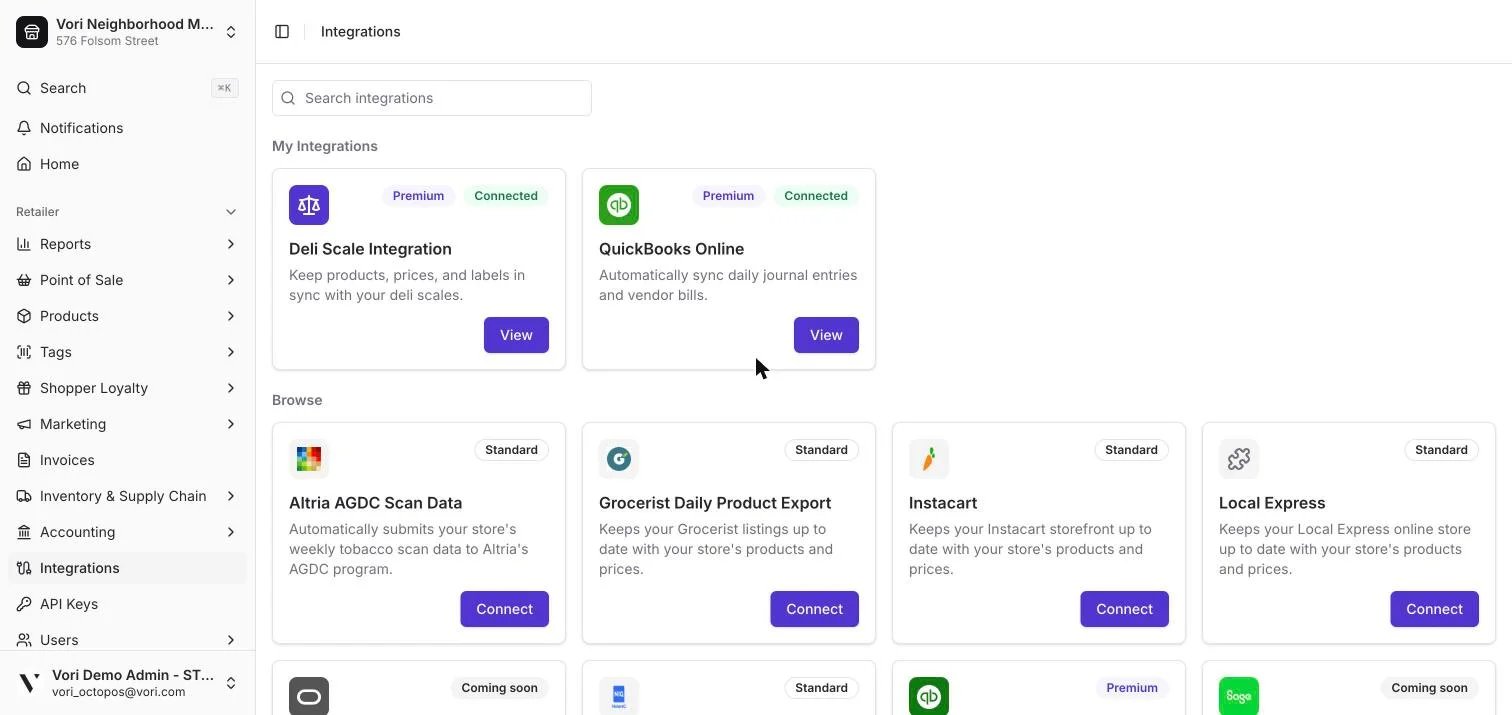
The tab is split into two sections:
* **My Integrations** — everything you've already connected. This is your at-a-glance view of what's currently set up and running.
* **Browse** — everything else available to your store, so you can see what's out there even if you haven't set it up yet.
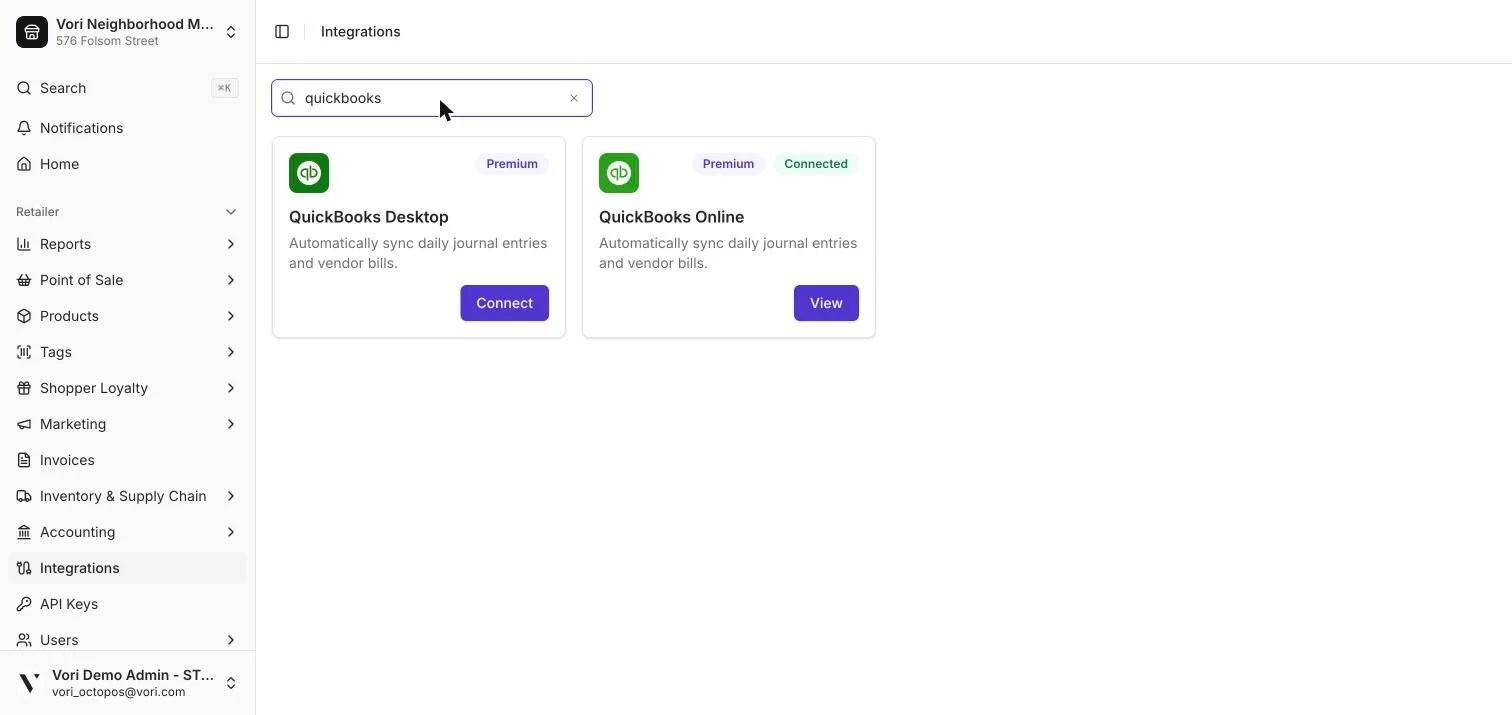
 If you know what you're looking for, use the search bar above either section to jump straight to it instead of scrolling.
 ***
### What you'll find here
A few things are available to connect today:
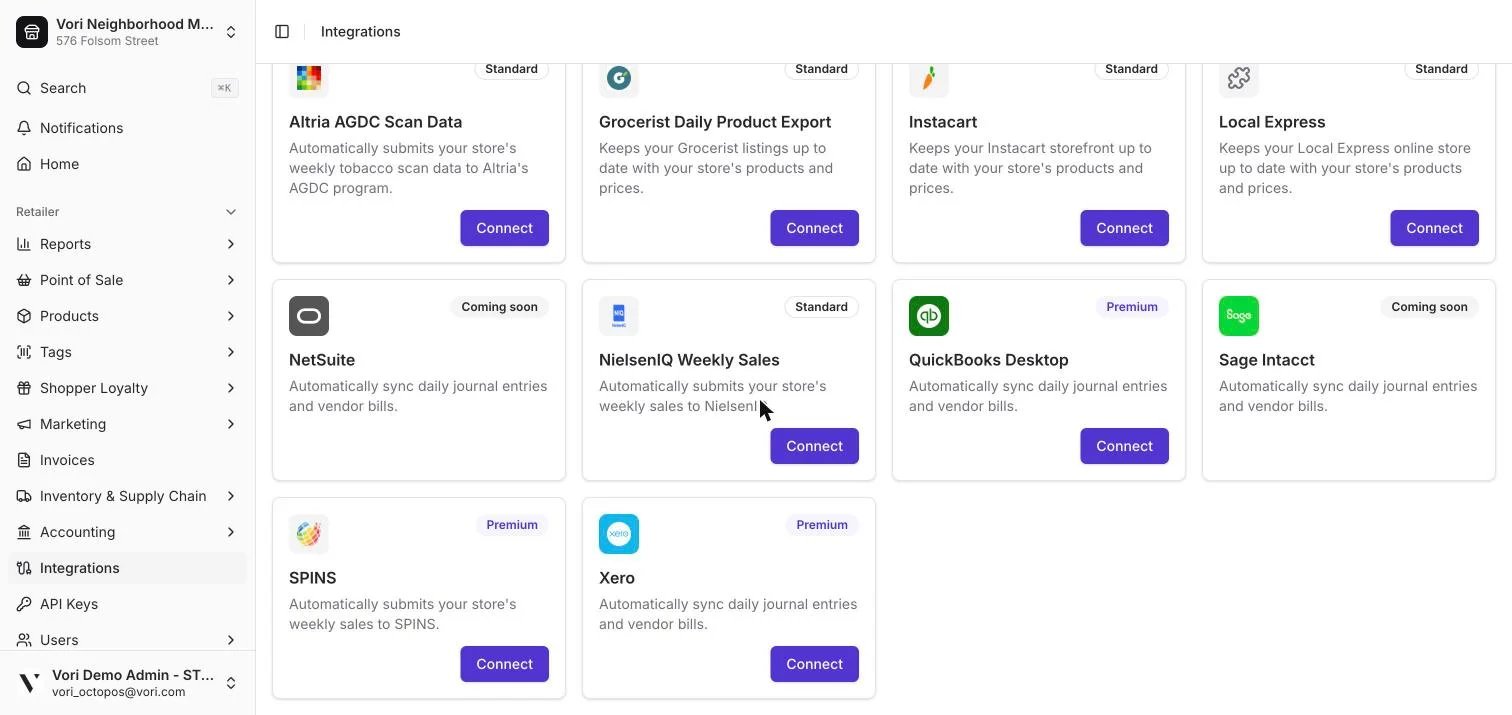
* **Accounting** — Connect QuickBooks Online, QuickBooks Desktop, or Xero to sync your daily sales and vendor bills automatically. (Sage Intacct and NetSuite are on the way.) See [Accounting Integrations](/accounting-integrations/accounting-integrations-overview) to learn how that syncing works.
* **Deli Scale Sync** — Keep your deli scale's weights and pricing in step with what's in Vori.
* **Other apps** — A growing library of additional tools your store can connect to. New ones are added regularly, and you'll see them show up here automatically — no update needed on your end.
***
### What you'll find here
A few things are available to connect today:
* **Accounting** — Connect QuickBooks Online, QuickBooks Desktop, or Xero to sync your daily sales and vendor bills automatically. (Sage Intacct and NetSuite are on the way.) See [Accounting Integrations](/accounting-integrations/accounting-integrations-overview) to learn how that syncing works.
* **Deli Scale Sync** — Keep your deli scale's weights and pricing in step with what's in Vori.
* **Other apps** — A growing library of additional tools your store can connect to. New ones are added regularly, and you'll see them show up here automatically — no update needed on your end.
 ***
### Knowing where you stand with each one
Each integration tells you where things stand, right on its tile:
| What you'll see | What it means |
| --------------- | --------------------------------------------------------------------------------------------------- |
| **Connect** | You haven't set this one up yet. Click to get started. |
| **View** | You're already connected. Click to review or manage it. |
| **Unlock** | This one isn't included in your current plan. Click to reach out to your Vori contact about access. |
| **Connected** | Everything's working as expected. |
| **Coming soon** | On the way, but not available to set up just yet. |
***
### Connecting an integration
Click **Connect**, and setup opens right inside Back Office — no separate login or new tab to manage. Just follow the steps on screen, and you'll see **Connected** once you're done.
✏️ **Note:** Accounting and Deli Scale Sync each have a few extra setup details worth knowing before you start. See [Accounting Integrations](/accounting-integrations/accounting-integrations-overview) for how QuickBooks and Xero syncing works. For help setting up Deli Scale Sync, reach out to your Vori contact.
***
### Related topics
* [Accounting Integrations](/accounting-integrations/accounting-integrations-overview)
* [Connect QuickBooks Online](/accounting-integrations/connect-quickbooks-online)
* [Connect Xero](/accounting-integrations/connect-xero)
## Related topics
- [Accounting Integrations](/accounting-integrations/accounting-integrations-overview.md)
- [Errors, Retries, and Sync History](/accounting-integrations/errors-and-sync-history.md)
- [Connect Xero](/accounting-integrations/connect-xero.md)
***
### Knowing where you stand with each one
Each integration tells you where things stand, right on its tile:
| What you'll see | What it means |
| --------------- | --------------------------------------------------------------------------------------------------- |
| **Connect** | You haven't set this one up yet. Click to get started. |
| **View** | You're already connected. Click to review or manage it. |
| **Unlock** | This one isn't included in your current plan. Click to reach out to your Vori contact about access. |
| **Connected** | Everything's working as expected. |
| **Coming soon** | On the way, but not available to set up just yet. |
***
### Connecting an integration
Click **Connect**, and setup opens right inside Back Office — no separate login or new tab to manage. Just follow the steps on screen, and you'll see **Connected** once you're done.
✏️ **Note:** Accounting and Deli Scale Sync each have a few extra setup details worth knowing before you start. See [Accounting Integrations](/accounting-integrations/accounting-integrations-overview) for how QuickBooks and Xero syncing works. For help setting up Deli Scale Sync, reach out to your Vori contact.
***
### Related topics
* [Accounting Integrations](/accounting-integrations/accounting-integrations-overview)
* [Connect QuickBooks Online](/accounting-integrations/connect-quickbooks-online)
* [Connect Xero](/accounting-integrations/connect-xero)
## Related topics
- [Accounting Integrations](/accounting-integrations/accounting-integrations-overview.md)
- [Errors, Retries, and Sync History](/accounting-integrations/errors-and-sync-history.md)
- [Connect Xero](/accounting-integrations/connect-xero.md)